Cht-core: Cannot login on localhost as restricted user
Describe the bug
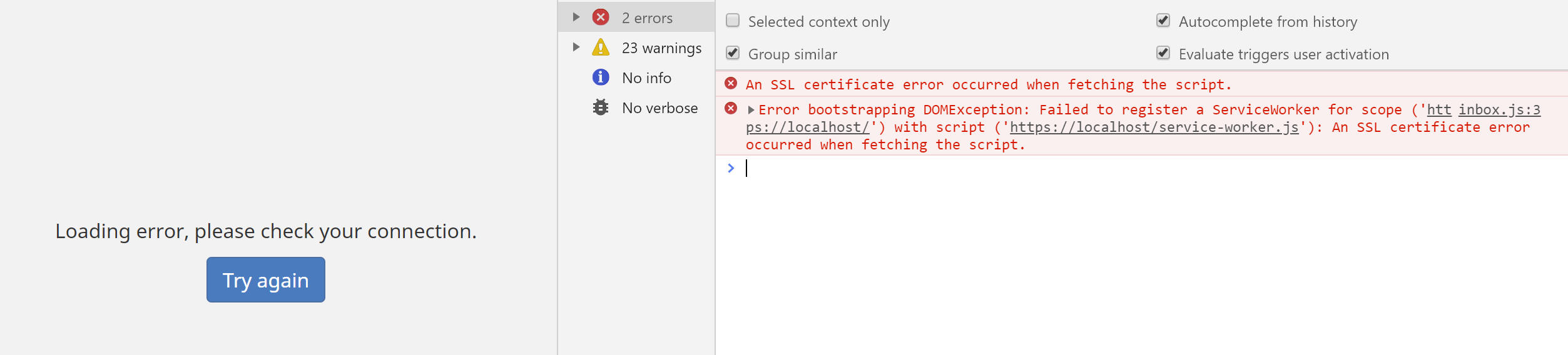
When following the install instructions for setting up CHT Core Framework on localhost, restricted users cannot log in. The following error is given:
An SSL certificate error occurred when fetching the script.
Error bootstrapping DOMException: Failed to register a ServiceWorker for scope ('https://localhost/') with script ('https://localhost/service-worker.js'): An SSL certificate error occurred when fetching the script.
To Reproduce
Steps to reproduce the behavior:
- Follow install instructions for local install.
- Upload the default config
medic-conf --url=https://medic:password@localhost --accept-self-signed-certs upload-app-settings backup-all-forms delete-all-forms upload-app-forms upload-collect-forms upload-contact-forms upload-resources upload-custom-translations - Create and upload contacts
medic-conf --url=https://medic:password@localhost --accept-self-signed-certs csv-to-docs upload-docs - Create a restricted user (role is
CHW, associated toAndrew Artisan, at placeTest Health Facility) - Try to log in with the restricted user
- See error
Expected behavior
Expect to log in as a restricted user.
Environment
- Instance: Docker on localhost with medicmobile/medic-os:3.6.1-rc.4
- Browser: Chrome 78
- Client platform: Windows
- App: webapp
- Version: 3.6.1
Additional context
Workaround is to start Chrome from the command line with the --ignore-certificate-errors --unsafely-treat-insecure-origin-as-secure=https://localhost options, as per this site. If we aren't able to solve this quickly we should at least document the workaround in the meantime.
This issue may be related to failed tests seen in https://github.com/medic/cht-core/pull/5219#issuecomment-456569431
 abbyad
All 13 comments
After using the workaround even an unrestricted user cannot log in with Chrome in regular mode, as seen below. It seems as though the workaround may need some undoing, likely because it allows an invalid certificate to be saved, which can't then be used in the browser's regular mode.
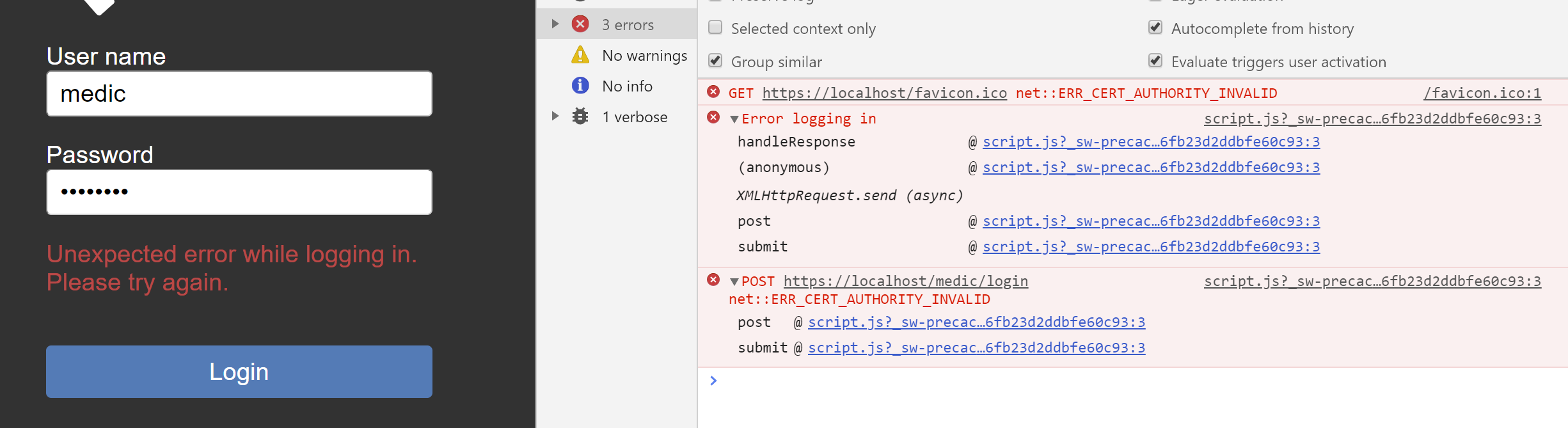
The favicon error is on initial load, the other two when clicking Login.
abbyad
on 7 Dec 2019
Looks like the certificate generated is not trusted by the browser. I would like to pick this up.
 herbertUG
on 12 Dec 2019
herbertUG
on 12 Dec 2019
@herbertUG That'd be great. Let me know if I can help!
 garethbowen
on 12 Dec 2019
garethbowen
on 12 Dec 2019
@herbertUG Is this something you're still working on? Any updates here?
 kennsippell
on 20 May 2020
kennsippell
on 20 May 2020
Moved to 3.12.0 to free up engineers to work on 3.11.0.
garethbowen
on 26 May 2020
I managed to get the most recent version of medic-os and haproxy running on Firefox by clicking through the warning screen but no luck with Chrome. I'll follow up with SRE.
For now the workaround is to use Firefox!
garethbowen
on 23 Feb 2021
Adding this to the SRE support dashboard.
I think the fix is to add some an exception to the nginx config so it doesn't redirect from http -> https when on localhost. This will mean you can access http://localhost (without the "s") and ignore certificates altogether. This will need some testing to ensure the service worker is registered correctly (it should be because Chrome has an exception for localhost).
Another option would be to add an environment variable to control this but it'd be bad to accidentally leave it on in prod.
garethbowen
on 23 Feb 2021
I've pushed up a new docker image that only contains http. Please do not distribute this image to the wider community, I'm worried about it accidentally being used in Production. I think if we see interest from outside app developers to have this localhost feature, that should be a Product-Team discussion and have some more thought around communicating and documenting security concerns.
This will need some testing to ensure the service worker is registered correctly (it should be because Chrome has an exception for localhost).
@newtewt Can you test the image locally for that scenario?
DockerHub image: medicmobile/medic-os:dev-UNSECURE-HTTP-ONLY
 Hareet
on 16 Mar 2021
Hareet
on 16 Mar 2021
@Hareet this is in 3.12 currently. It'll be a little bit before I can have a look.
 newtewt
on 17 Mar 2021
newtewt
on 17 Mar 2021
Per discussions in slack, we're gonna redo the solution as follows:
- remove the newly published image
medicmobile/medic-os:dev-UNSECURE-HTTP-ONLY - come up with an easy way to inject arbitrary certs into
medic-os- this should not be bespoke to internal Medic use, but be generic to anyone usingmedic-os. "easy" is up to the implementer, but should take into account that we want it involve as little set up as posssible so QA, core eng, app serv and general technical interested public can use it alike. See these steps for more info. - If needed, publish on docs.communityhealthtoolkit.org how to do prior step for general public be able to follow and reference
- Explain how to use prior step to inject wildcard certs from local-ip.co.
- Explain how to access a dev instance using local-ip.co wildcard certs - tl;dr - it's https://YOUR-LOCAL-IP-HERE.my.local-ip.co . See nginx-local-ip for more info.
 mrjones-plip
on 17 Mar 2021
mrjones-plip
on 17 Mar 2021
As a proof of concept confirming the manual process, it works really well:
- grab this yml file
- run
docker-composeon it - inject local-ip.co certs:
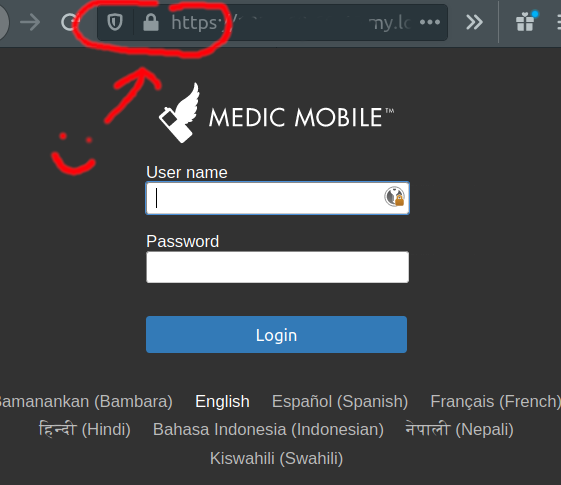
docker exec -it medic-os bash root@ed93cdc11a10:/srv# curl -s -o server.pem http://local-ip.co/cert/server.pem root@ed93cdc11a10:/srv# curl -s -o chain.pem http://local-ip.co/cert/chain.pem root@ed93cdc11a10:/srv# cat server.pem chain.pem > /srv/settings/medic-core/nginx/private/default.crt root@ed93cdc11a10:/srv# curl -s -o /srv/settings/medic-core/nginx/private/default.key http://local-ip.co/cert/server.key root@ed93cdc11a10:/srv# /boot/svc-restart medic-core nginx Debug: Service 'medic-core/nginx' exited with status 143 Info: Service 'medic-core/nginx' restarted successfully Success: Finished restarting services in package 'medic-core' - go to https://YOUR-LOCAL-IP-HERE.my.local-ip.co and see valid cert:
mrjones-plip
on 18 Mar 2021
Closing in favor of #7061 - lemme know if you have any concerns!
mrjones-plip
on 22 Apr 2021
That's fine if it supersedes it, thanks!
abbyad
on 24 Apr 2021
Related issues
 benkags
·
41Comments
mrjones-plip
·
37Comments
benkags
·
41Comments
mrjones-plip
·
37Comments
 mandric
·
60Comments
mandric
·
60Comments
 SCdF
·
36Comments
SCdF
·
36Comments
 n-orlowski
·
29Comments
n-orlowski
·
29Comments
Most helpful comment
Looks like the certificate generated is not trusted by the browser. I would like to pick this up.