Chocolatey-coreteampackages: (julia) v1.0.3 target is not correct
Updated all of my packages including Julia, but it does not open now:
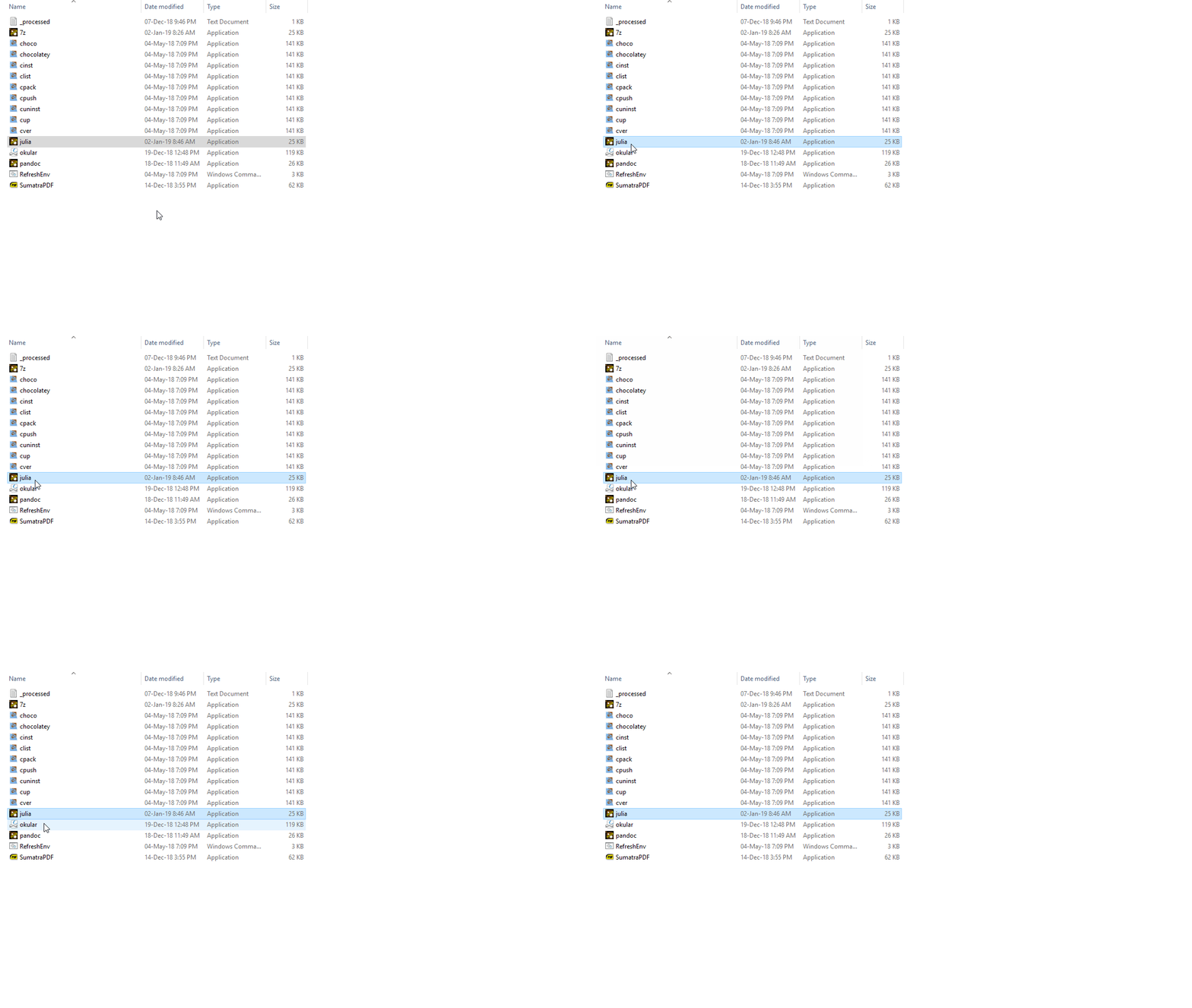
Reported the issue on the Chocolatey page here, and then tweeted to @gep13 here. the result of julia --shimgen-help is:
This is a shim, generated by Chocolatey's ShimGenerator (shimgen).
This shim calls a target with the following settings:
Target: 'C:\ProgramData\chocolatey\bin\bin\julia.exe'
Target exists: 'False'
Working directory: 'C:\WINDOWS\system32'
GUI: 'False'
Wait for exit: 'True'
command (optional): ''
and running Julia in the command line returns:
Cannot find file at '..\bin\bin\julia.exe' (C:\ProgramData\chocolatey\bin\bin\julia.exe). This usually indicates a missing or moved file.
 Foadsf
All 13 comments
@Foadsf can you confirm what operating system you are on?
I installed the julia package on the Chocolatey Test Environment (which is Windows Server 2012) and the package installed correctly, and the generated shim pointed at the correct location:
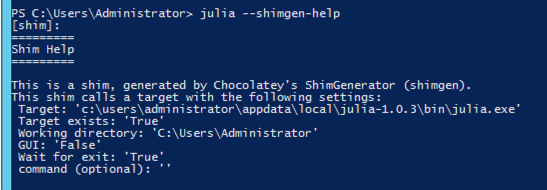
Was this an upgrade of the julia package? If so, do you know what version you were upgrading from?
 gep13
on 2 Jan 2019
gep13
on 2 Jan 2019
- My operating system is Windows 10 Enterprise version 1803 (OS build 17134.472)
- I have a script which updates all of my choco packages every two weeks. So I suppose I previously had v1.0.2 installed.
- I also tried uninstalling and installing again. same issue.
P.S. Maybe a suggestion: Windows Server 2012 is pretty uncommon OS to be used as a test environment IMO. I know @gep13 is using mac so installing Windows 10 home in a virtualbox might be a better option. MS doesn't advertise it but it can be freely downloaded and installed. No need to buy a license.
Foadsf
on 2 Jan 2019
The problem does not seem to exist on a clean install, but will happen when upgrading from version 1.0.2 to 1.0.3. So the workaround of uninstalling (uninstalling in chocolatey and manually deleting any remaining binary and shim) and reinstalling worked for me.
It seems that when upgrading from 1.0.2 to 1.0.3, the function Get-AppInstallLocation 'Julia*' returned C:\ProgramData\chocolatey\bin in my system instead of the correct Julia install location. While I am still looking into this, I guess that it is probably due to an existing shim file in this location. Maybe I'll add the "BeforeUpgrade" script to remove the shim file before upgrading.
@gep13 As a side question, I've always been wondering what is the expected behavior of upgrading a package in chocolatey? For example, the current Julia package will simply install a new version when upgrading without deleting or overwriting the old version. Is it the right behavior? Or should I completely remove the old version before upgrading? Thanks!
 drelatgithub
on 2 Jan 2019
drelatgithub
on 2 Jan 2019
@drelatgithub I think there is a 1.0.2 version of Julia installed somewhere and that is somehow is causing the problem. I tried uninstalling by choco uninstall Julia --version 1.0.2 but it did not work :( any idea how I can uninstall everything completely?
P.S. Installing version 1.0.2 by choco install --version 1.0.2 leads to a working installation of the former version.
P.S.2. Somehow uninstalling the 1.0.2 version worked after a couple of tries. basically when I an choco uninstall julia it returned 4 options: first none and the last all and two 1.0.2 versions! I randomly selected one and then installed Julia latest and it worked! the icon is still messed up though. :(
Foadsf
on 2 Jan 2019
@Foadsf Thanks for the information and I can confirm. Just realized that the uninstallation is also buggy when multiple versions are installed :(
Unfortunately it seems harder to fix because the part where 4 options appear happens before chocolateyuninstall.ps1 is executed. I'll look into the actual registration key written after installing different versions of Julia to try to locate the reason. But it might be the case that I'll need some help later with fixing this problem.
drelatgithub
on 3 Jan 2019
@drelatgithub Thanks a lot. Hopefully there will be clean way to fix this.
P.S. @gep13 I wish there was something like brew doctor which could diagnose issues and return some suggestions to fix them.
Foadsf
on 3 Jan 2019
@Foadsf said...
Maybe a suggestion: Windows Server 2012 is pretty uncommon OS to be used as a test environment IMO
Due to the fact that a lot of people use Chocolatey in older environments, it has been a long standing decision to use a base Windows 2012 image, with no updates on it, for the testing environment. This has allowed package maintainers to find and correct a number of dependencies that were not known about, and as a result, create packages that successfully install.
@drelatgithub said...
I've always been wondering what is the expected behavior of upgrading a package in chocolatey? For example, the current Julia package will simply install a new version when upgrading without deleting or overwriting the old version. Is it the right behavior? Or should I completely remove the old version before upgrading? Thanks!
The answer is, it really depends on the application. Most installers take care of tidying up the old software when installing the new one. If the julia installer doesn't do this, and it makes sense to remove the old version first, prior to installing the new one, then perhaps this should be done, yes.
gep13
on 4 Jan 2019
@Foadsf said...
I wish there was something like brew doctor which could diagnose issues and return some suggestions to fix them.
This certainly would be a nice feature, but also not an easy one to implement, given the number of ways that things can go wrong on Windows.
gep13
on 4 Jan 2019
I think I've found the reason for why this is happening.
The problem is that one of the functions we're using to locate the Julia install directory, is most likely also picking up the shim file.
Because it's picking it up before the actual install directory, it probably creates a conflict when trying to create the shim (it can't create a shim in the same place as the location of the executable, after all).
 AdmiringWorm
on 14 Jan 2019
AdmiringWorm
on 14 Jan 2019
Why it still creates the shim, and not throwing an error is beyond me though (since the file it tries to create it for doesn't exist).
AdmiringWorm
on 14 Jan 2019
@AdmiringWorm According to the package creating documentations, it seems that the chocolateyBeforeModify.ps1 will be executed both before upgrading and before uninstalling. So as a workaround, do you think it is conceptually fine to simply change the name of the current chocolateyUninstall.ps1 to chocolateyBeforeModify.ps1, so that the actual uninstalling scripts are executed before upgrading and uninstalling?
Script Name | Install | Upgrade | Uninstall
-- | -- | -- | --
chocolateyBeforeModify.ps1 | | Yes | Yes
chocolateyInstall.ps1 | Yes | Yes |
chocolateyUninstall.ps1 | | | Yes
drelatgithub
on 14 Jan 2019
@drelatgithub Afraid not.
If the script chocolateyBeforeModify would abort the uninstall/upgrade, I would say yes it would be acceptable.
Since the uninstall script is expected to fail if there is something wrong, we can't do that.
However, only moving the call to Uninstall-BinFile to chocolateyBeforeModify should be enough IMO
AdmiringWorm
on 14 Jan 2019
I've started working on fixing this bug now.
Just need to do some testing before a fix version can be pushed.
AdmiringWorm
on 16 Jan 2019
Related issues
 pseigo
·
5Comments
pseigo
·
5Comments
 Korni22
·
3Comments
Korni22
·
3Comments
 jbisson
·
6Comments
jbisson
·
6Comments
 jberezanski
·
5Comments
jberezanski
·
5Comments
 kilasuit
·
5Comments
kilasuit
·
5Comments
Most helpful comment
I've started working on fixing this bug now.
Just need to do some testing before a fix version can be pushed.