Che: Basic support IntelliJ IDEA as a Che editor
Is your enhancement related to a problem? Please describe.
Che-theia is the default editor. We support alternative editors such as dirigible, desktop eclipse and code-server. But not IntelliJ.
Describe the solution you'd like
Add support for IntelliJ as an editor. IntelliJ would run in the browser. IntelliJ community edition should be used. These are the subtasks:
- [x] publish the sidecar image of the intellij community + vnc
- [x] publish a Red Hat based sidecar(fedora) image of the intellij community + vnc
- [x] UBI-based Dockerfile for IntelliJ IDEA Che editor
- [x] initial investigation https://github.com/eclipse/che/issues/18031
- [x] CRW-compatible image CRW#1239
- [x] add the editor in the plugin registry https://github.com/eclipse/che/issues/17979
- [ ] document how to use it and extend it: RHDEVDOCS#2161
- How to create a workspace that uses intellij as editor
- How to customize it:
- Inject a license key
- Configure a Floating License Server using
JETBRAINS_LICENSE_SERVERenv variable - Use a different version of intelliJ
- Current limitations
- [x] persistent settings across workspace restart https://github.com/eclipse/che/issues/17968
- [x] idle timeout che/intellij plug-in (to avoid it gets idled, no need to track activity) https://github.com/eclipse/che/issues/17953
- [ ] clone projects on boot https://github.com/eclipse/che/issues/15973
- [x] implement and run an end to end test https://github.com/eclipse/che/issues/18035
- [x] handling
Enterkey in built-in terminal (solution provided in https://github.com/eclipse/che/issues/17790#issuecomment-698854133) or have preliminary preference set up on workspace startup https://github.com/eclipse/che/issues/17986
What is NOT included in this issue
A fully supported editor should also:
- describe the IDE configuration in a devfile (commands, plugins, runtime services)
- automatically inject users configs in the IDE (such as proxy, git, kubernetes settings)
- airgap support
But these features are not in this issue scope. We will create dedicated issues for that.
Describe alternatives you've considered
- [CURRENT CHOICE] Running a VNC client in the browser (such as novnc)
- Using https://www.webswing.org/
- Running an X11 client in the browser (such as xpra-htlm5)
Additional context
This is a feature provided by coder enterprise (this is the dockerfile).
@benoitf has provided PoC that uses webswing and that can be tried out with the following devfile or using docker locally docker run --rm -it -p 8080:8080 quay.io/fbenoit/webswing-intellij:20200904.

 l0rd
l0rd
All 23 comments
Please note that IntelliJ Community does not require a license
 jeffmaury
on 4 Sep 2020
jeffmaury
on 4 Sep 2020
Adding GTK broadway as an alternative (this is used by Desktop Eclipse)
jeffmaury
on 4 Sep 2020
@jeffmaury broadway is for GTK/AWT but inteliij is not using AWT/gtk
 benoitf
on 4 Sep 2020
benoitf
on 4 Sep 2020
Here is with novnc:
https://che.openshift.io/f?url=https://gist.githubusercontent.com/benoitf/1b85a426971790687f5b057ff205dbea/raw/c6ea1b2a75c3e3c16ea217eef37965cb68606e47/devfile.yaml

benoitf
on 7 Sep 2020
xpra:
http://che.openshift.io/f/?url=https://gist.githubusercontent.com/benoitf/6ccdb0ee11658c5efb794ca1b161bfb0/raw/f8cea506db476614ea9b94b898cac359df926fda/devile-intellj-xpra.yaml

benoitf
on 7 Sep 2020
latest novnc attempt by Florent http://che.openshift.io/f?url=https://gist.githubusercontent.com/benoitf/3c69b0290e6b6901dd20a505e1024267/raw/7f6523f7ec8a5bcbdbbc82eb4800fe565cb74c9f/gistfile1.txt
 azatsarynnyy
on 22 Sep 2020
azatsarynnyy
on 22 Sep 2020
source code of POC are there
- https://github.com/benoitf/che-intellij-editor-vnc
- https://github.com/benoitf/che-intellij-editor-xpra
- https://github.com/benoitf/che-intellij-editor-webswing
(with VNC I was able to use browser resizing and maximize widgets using a lightweight wm (here it's fluxbox) where I can hide toolbar/workspaces, etc by default)
benoitf
on 22 Sep 2020
I've moved vnc POC to https://github.com/che-incubator/che-editor-intellij-community
benoitf
on 22 Sep 2020
I have added a few more requirements in the description:
- It should be possible to minimize the sidebar as it's possible for Theia.
- We should provide documentation about how to use the ultimate edition.
- We should test that it works properly with a Floating License Server.
l0rd
on 22 Sep 2020
I would say order should be
- publish image of the intellij community + vnc
- Add plugin in the registry
Add devfile using this plug-in(turn into documentation)- doc: a) probably need to have a 'base image' that ppl can extend to their own use
b) example of devfile with JETBRAINS_LICENSE_SERVER and ultimate edition - persistent settings across workspace restart
- idle timeout che/intellij plug-in
- image for CRW based on ubi8
- clone projects on boot or do https://github.com/eclipse/che/issues/15973
- terminal/containers intellij/che plug-in
- minimize che dashboard sidebar (workaround if not done is to open the ide in a new full window. I did that there: https://github.com/benoitf/che-intellij-editor-webswing/blob/master/index.html#L25-L30)
execute devfile tasks(let's avoid that for now)
benoitf
on 22 Sep 2020
What are the deliverables here? new container image(s)? new plugin(s)? new devfile(s)?
If any of the above, what are the dependencies, and how are they built? What licenses apply re: redistribution, attribution, etc.? is crypto involved? Are there any security concerns?
This smells like an Epic, which would need some subtasks under it re: the above items.
 nickboldt
on 23 Sep 2020
nickboldt
on 23 Sep 2020
Intellij Idea's configuration directory is described in the following doc: https://www.jetbrains.com/help/idea/tuning-the-ide.html?_ga=2.152130681.1731799723.1600938923-801667806.1600783588#config-directory
 vzhukovs
on 24 Sep 2020
vzhukovs
on 24 Sep 2020
@vzhukovskii note that $HOME/.local and $HOME/.java are used as well but not documented !
benoitf
on 24 Sep 2020
@benoitf thanks for the pointing! Will take a note about these directories.
vzhukovs
on 24 Sep 2020
@benoitf @vzhukovskii I have updated the description with the ordered list provided by @benoitf above with a few changes:
- added ubi based image (to make productization easier)
- added end to end test
- removed 9, 10 and 11 that IMO are nice to have
l0rd
on 24 Sep 2020
@l0rd thanks! At this moment there is a work on implementing simple activity tracker, because this is a kinda blocker for user experience. Issue for that will post in this comment soon. _(update: https://github.com/eclipse/che/issues/17953)_
To make the work coherent, I'll create a dedicate issues for each subtask, because this looks like an epic.
vzhukovs
on 24 Sep 2020
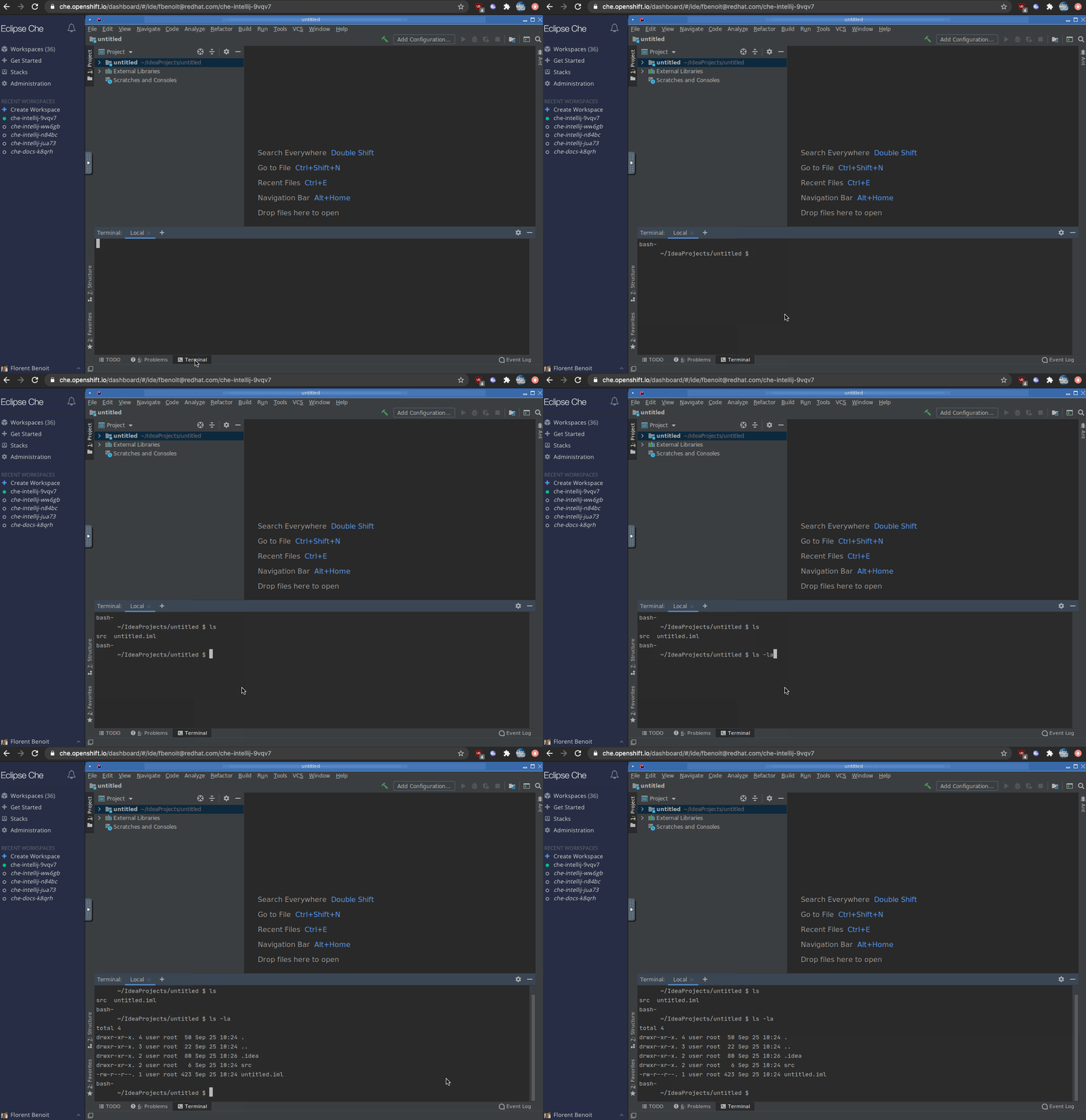
Another thing, that needs to be resolved is handling Enter key in the built-in terminal. At this moment it's also kinda blocker. There's a workaround to copy \n from the editor and paste to the terminal, but it's really slows down the any interaction with the terminal. Added to the description.
vzhukovs
on 25 Sep 2020
Disabling

in settings make it work
benoitf
on 25 Sep 2020
Then this option needs to be disabled by default in settings all the time
vzhukovs
on 25 Sep 2020
I think, we can add additional item into description, to have a preliminary IDE configuration and set up specific options like https://github.com/eclipse/che/issues/17790#issuecomment-698854133. Because when workspace opens at first time, user has to configure this option to operate with terminal. _//upd: updated the last item in the list_
vzhukovs
on 28 Sep 2020
I've added the issue for a UBI-based Dockerfile as it's a requirement for including it to CRW.
https://github.com/eclipse/che/issues/18031
azatsarynnyy
on 2 Oct 2020
Two subtasks not yet complete, so move to 7.22 milestone:
[ ] document how to use it and extend it: RHDEVDOCS#2161
- How to create a workspace that uses intellij as editor
- How to customize it:
- Inject a license key
- Configure a Floating License Server using
JETBRAINS_LICENSE_SERVERenv variable - Use a different version of intelliJ
- Current limitations
[ ] clone projects on boot https://github.com/eclipse/che/issues/15973
nickboldt
on 2 Nov 2020
The basic support is done :tada:
If this will be our priority in the future, then all further enhancements will be tracked with separate issues.
azatsarynnyy
on 12 Nov 2020
Related issues
 redeagle84
·
3Comments
redeagle84
·
3Comments
 sleshchenko
·
3Comments
sleshchenko
·
3Comments
 luckymore0520
·
3Comments
luckymore0520
·
3Comments
 JamesDrummond
·
3Comments
JamesDrummond
·
3Comments
 LaneGeek
·
3Comments
LaneGeek
·
3Comments