Describe the bug
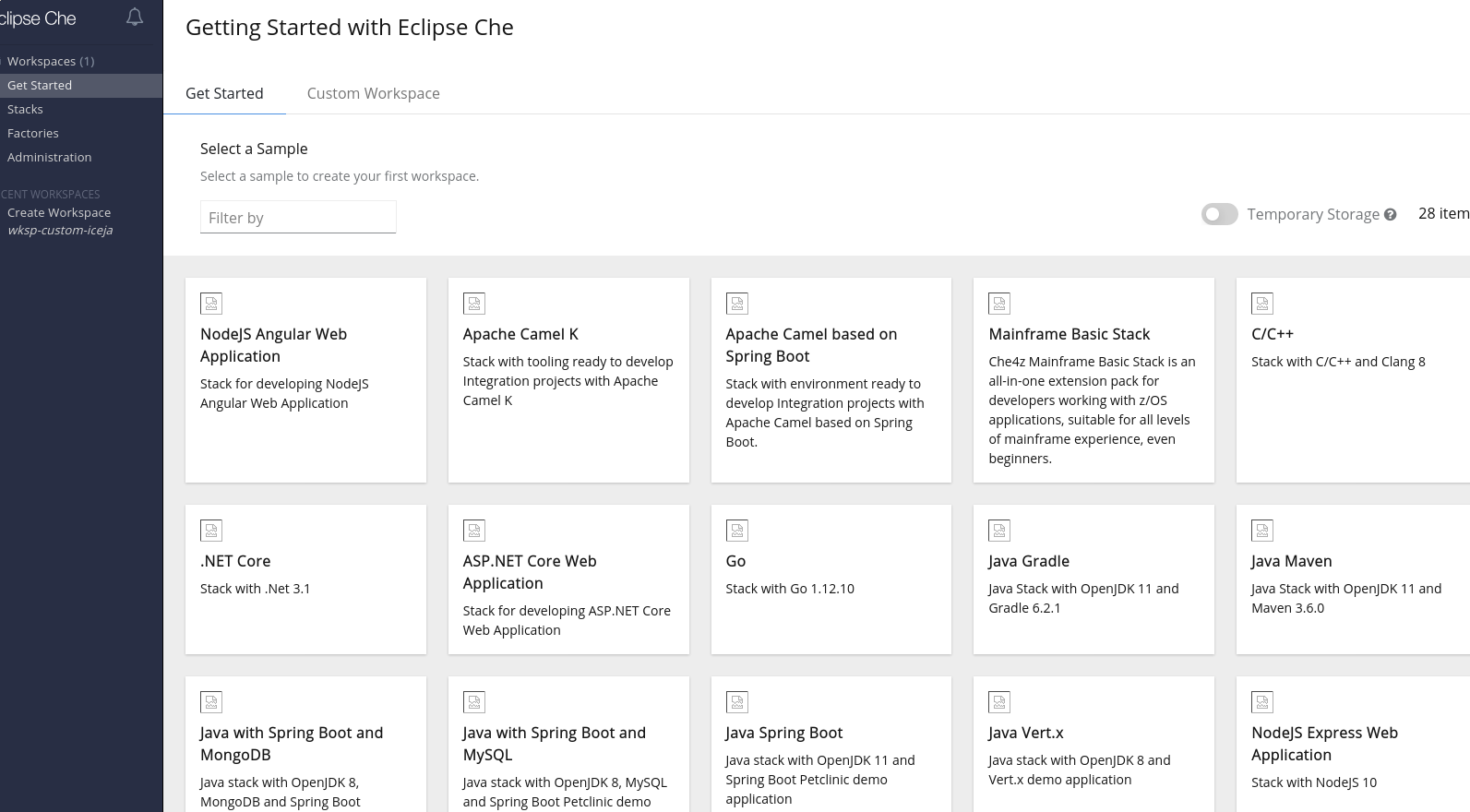
Stack images on getting started page are missing in single-host mode. URLs of these images is wrongly composed. It's e.g.: https://192.168.39.23.nip.io/images/angular.svg, but it should include devfile-registry url. Correct URL is https://192.168.39.23.nip.io/devfile-registry/images/angular.svg.
Che version
- [x] nightly
Steps to reproduce
- deploy in single-host
- go to Get started page and see missing images
Expected behavior
Images urls must point to actual devfile-registry images.
Runtime
- [x] minikube (include output of
minikube versionandkubectl version)
Screenshots
Installation method
- [x] chectl
Environment
- [x] my computer
- [x] Linux
Eclipse Che Logs
Additional context
 sparkoo
All 4 comments
I don't know yet whether issue is on wsmaster side or the dashboard. Assigning both labels for now.
sparkoo
on 24 Aug 2020
That's weird.
I saw this issue when fixing single host deployment on k8s.
 tolusha
on 25 Aug 2020
tolusha
on 25 Aug 2020
@akurinnoy tested it with che operator and chectl and it seems to work as expected. @tolusha @sparkoo could you clarify which installation methods you used?
 sleshchenko
on 28 Aug 2020
sleshchenko
on 28 Aug 2020
I couldn't reproduce it now, so it was probably my fault it wasn't working for me. If I reproduce it again, I'll reopen (or create new issue) with exact deploy steps. For now, sorry about confusion. closing
sparkoo
on 31 Aug 2020
Related issues
 l0rd
·
3Comments
l0rd
·
3Comments
 apupier
·
3Comments
apupier
·
3Comments
 vanzhiganov
·
3Comments
vanzhiganov
·
3Comments
 InterestedInTechAndCake
·
3Comments
InterestedInTechAndCake
·
3Comments
 amisevsk
·
3Comments
amisevsk
·
3Comments
Most helpful comment
I couldn't reproduce it now, so it was probably my fault it wasn't working for me. If I reproduce it again, I'll reopen (or create new issue) with exact deploy steps. For now, sorry about confusion. closing