Che: Loop during 'Loading runtime token' on Hosted Che
While trying to open a workspace I see this.
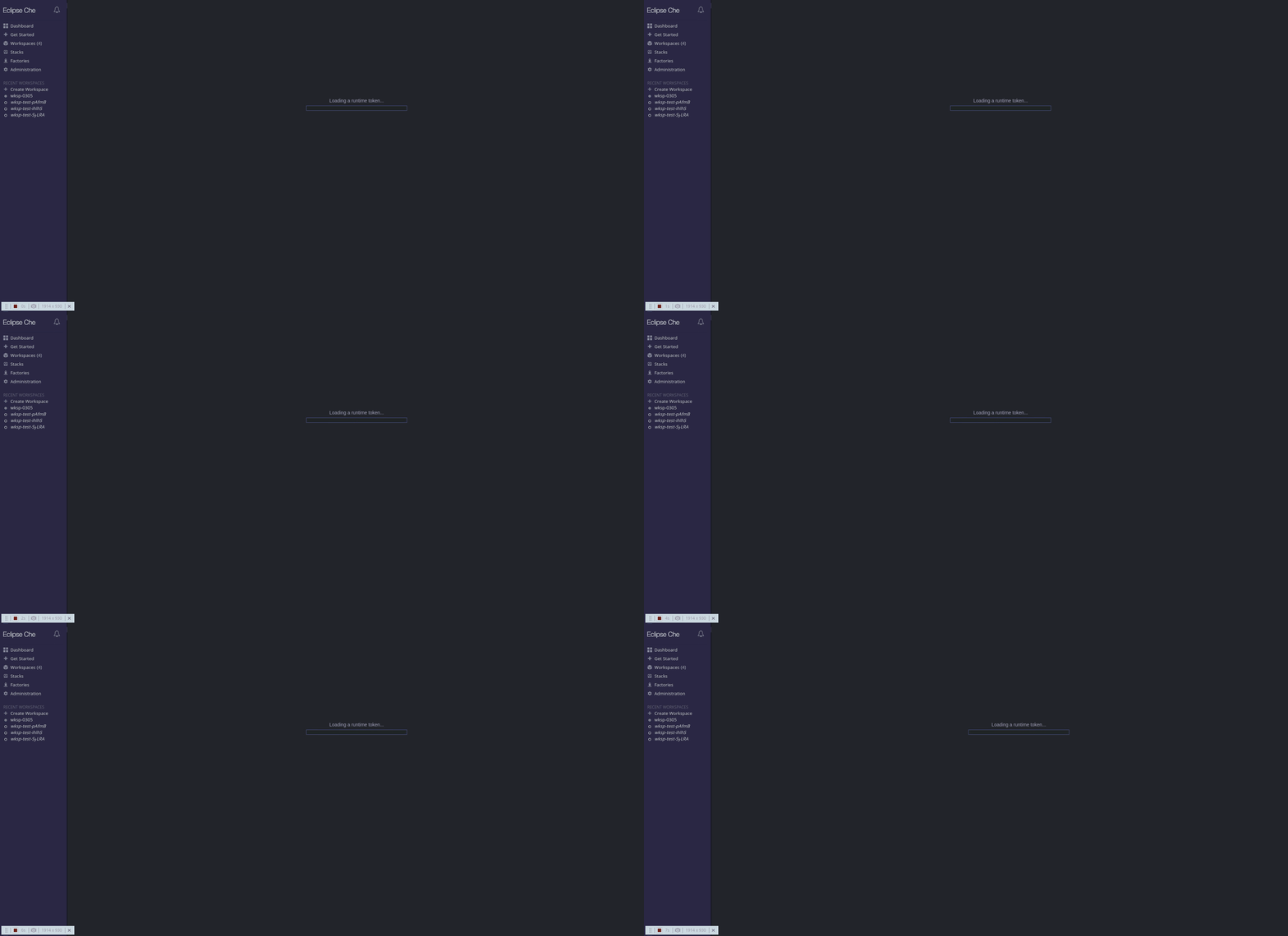
Basically the progress bar and label keep appearing/disappearing for a while until it fails with unknown error after about 5 minutes.
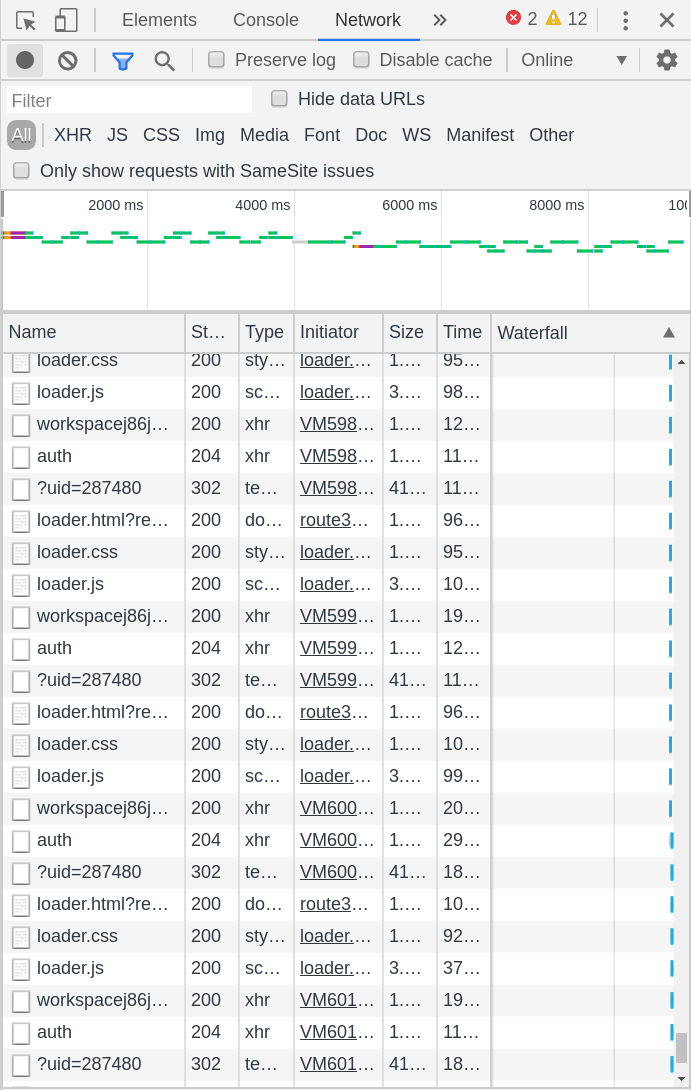
Here's a snapshot of the network tab of developer options in Chrome during this looping.
User: scela
 scela
scela
All 32 comments
@scela I can not repro, does it happen every now and then for you? could you try incognito?
 ibuziuk
on 17 Mar 2020
ibuziuk
on 17 Mar 2020
I originally tried 'cognito' and I saw that. Tried incognito to see if it's fixed but it wasn't. Just tried now again after 15 mins and I see it again so it's consistent.
scela
on 17 Mar 2020
@ericwill could you please confirm that this very issue is reproducible in the upstream - https://github.com/eclipse/che-theia/pull/669#issuecomment-600190514
ibuziuk
on 17 Mar 2020
@ibuziuk I experience this issue on che.openshift.io since 10 days now on chrome (incognito or not) but not on firefox. I do not experience it on upstream che.
 l0rd
on 17 Mar 2020
l0rd
on 17 Mar 2020
I can reproduce it by clicking the happy path test link in the PR: eclipse/che-theia#669 (comment)
It worked the first time but ever since then it's been reproducing the issue.
 ericwill
on 17 Mar 2020
ericwill
on 17 Mar 2020
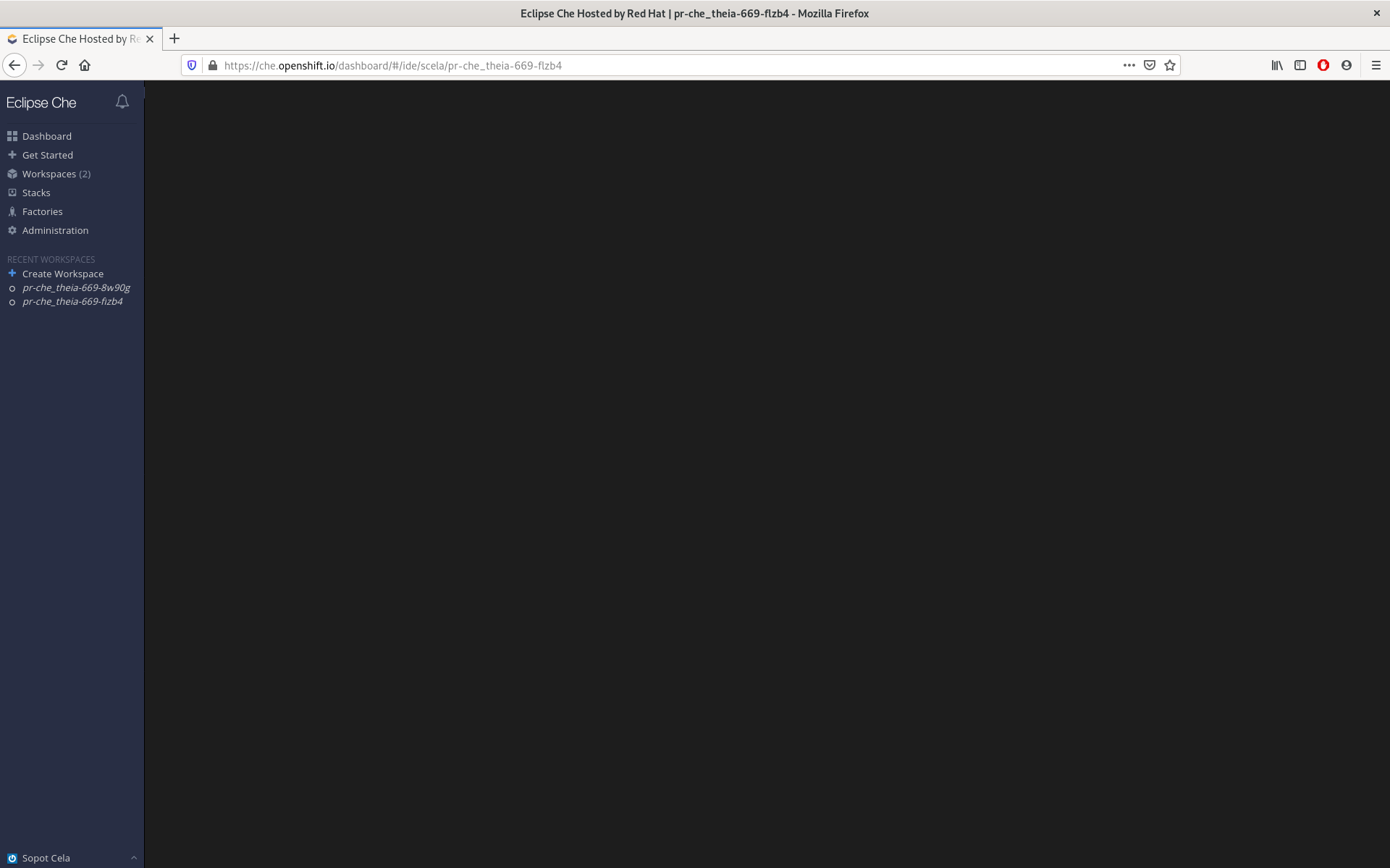
I tried on Firefox, it wasn't flashing but the progress bar scrolled by a couple of times and I see a black screen for the last 3 minutes or so:
scela
on 17 Mar 2020
Could you add the browser versions.
Works fine for me against Chrome 76.0.3809.100-1
@sleshchenko maybe someone from the controller team could provide some input? looks like loader traps in a loop at some point
ibuziuk
on 17 Mar 2020
works on my side with Chrome Version 80.0.3987.132 (Official Build) (64-bit)
 benoitf
on 17 Mar 2020
benoitf
on 17 Mar 2020
Dear SCale,
Plz scrutinize in sth like quantity of running workspace at the
same time(like initiator metric in pics).
On Wed, Mar 18, 2020, 00:45 Florent BENOIT notifications@github.com wrote:
works on my side with Chrome Version 80.0.3987.132 (Official Build)
(64-bit)—
You are receiving this because you are subscribed to this thread.
Reply to this email directly, view it on GitHub
https://github.com/eclipse/che/issues/16384#issuecomment-600208151, or
unsubscribe
https://github.com/notifications/unsubscribe-auth/AEYAMLZN3AGXHVNTXJUC2ULRH6ZKXANCNFSM4LNUUJWQ
.
 IveJ
on 17 Mar 2020
IveJ
on 17 Mar 2020
Could you add the browser versions.
Works fine for me against Chrome 76.0.3809.100-1
Version 80.0.3987.132 (Official Build) (64-bit)
l0rd
on 17 Mar 2020
I can reproduce it with Chrome 80.0.3987.132 with any Workspace.
But it's not reproducible on FireFox 74.
 azatsarynnyy
on 17 Mar 2020
azatsarynnyy
on 17 Mar 2020
Able to reproduce on Version 80.0.3987.149 (Official Build) (64-bit) on Windows. Will try Fedora tomorrow
 tomgeorge
on 18 Mar 2020
tomgeorge
on 18 Mar 2020
CentOS8 with Chrome Version 79.0.3945.88 (Official Build) (64-bit) works fine, same results as tom on similar Windows config.
 patrickm-rh
on 18 Mar 2020
patrickm-rh
on 18 Mar 2020
reproducible with Chrome Version 80.0.3987.132 (Official Build) (64-bit). The console shows this message
A cookie associated with a cross-site resource at https://routeje0c2lod-mvalarh-che.8a09.starter-us-east-2.openshiftapps.com/ was set without the `SameSite` attribute. It has been blocked, as Chrome now only delivers cookies with cross-site requests if they are set with `SameSite=None` and `Secure`. You can review cookies in developer tools under Application>Storage>Cookies and see more details at https://www.chromestatus.com/feature/5088147346030592 and https://www.chromestatus.com/feature/5633521622188032.
Works fine on Firefox 74.0
 sparkoo
on 18 Mar 2020
sparkoo
on 18 Mar 2020
@sparkoo thanks for useful input.
From Chrome 80, a default value for SameSite is Lax [1] [2]. So on jwtproxy side we need to specify None explicitly.
[1] https://www.chromestatus.com/feature/5633521622188032
[2] https://www.chromestatus.com/feature/5088147346030592
 sleshchenko
on 18 Mar 2020
sleshchenko
on 18 Mar 2020
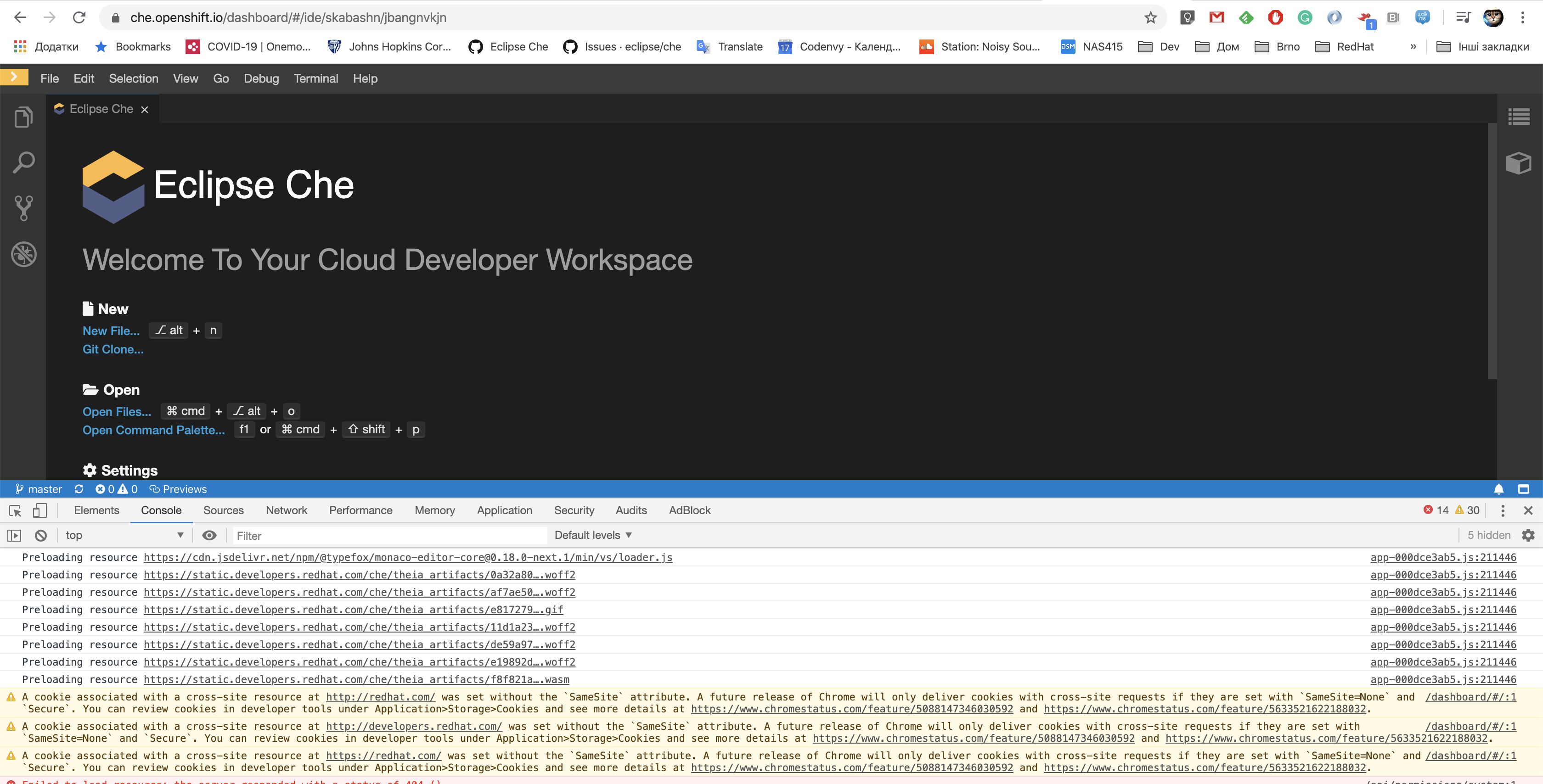
work withot problem
Chrome Версія 80.0.3987.132 (Розробка) (64-розрядна версія)
 skabashnyuk
on 18 Mar 2020
skabashnyuk
on 18 Mar 2020
I'm unsure if the issue is only related to Chrome as for example it works fine for me using latest Chrome 80.0.3987.149/macOS while it doesn't work for others.
I've also tested with incognito and it's still working.
I'm on cluster starter-us-east-2.openshift.com
benoitf
on 18 Mar 2020
looks like Chrome 80.0.3987.132 on Linux...
sparkoo
on 18 Mar 2020
I'm unsure if the issue is only related to Chrome as for example it works fine for me using latest Chrome 80.0.3987.149/macOS while it doesn't work for others.
BTW Including SameSite explicitly and not relying on browser default seems to be good thing to do.
sleshchenko
on 18 Mar 2020
Version 80.0.3987.122 (Official Build) (64-bit) for me and not working there
scela
on 18 Mar 2020
Can't reproduce on upstream deployed on https://che-sleshche.apps.ocp44.codereadyqe.com/dashboard/
Probably it's caused by fact that Che and workspace live on the same domain: apps.ocp44.codereadyqe.com and in case of OSIO they're different.
@ibuziuk Are you able to test my custom JTWProxy image sleshchenko/che-jwtproxy:samesite built from https://github.com/sleshchenko/che-jwtproxy/commit/85e19d12a8f5fd6ada637b6bf0fc210acdeb7ea8
Maybe on prod preview... The env var to set jwtproxy for Che Server: CHE_SERVER_SECURE__EXPOSER_JWTPROXY_IMAGE
In case you have edit access to your -che namespace it would be really easy just to edit already deployed workspace, do you have it?
sleshchenko
on 18 Mar 2020
@sleshchenko yeah, the thing is that I still can reproduce this issue neither on prod nor on prod-preview and it is not clear against which version of the browser the issue is reproducible 100%.
ibuziuk
on 18 Mar 2020
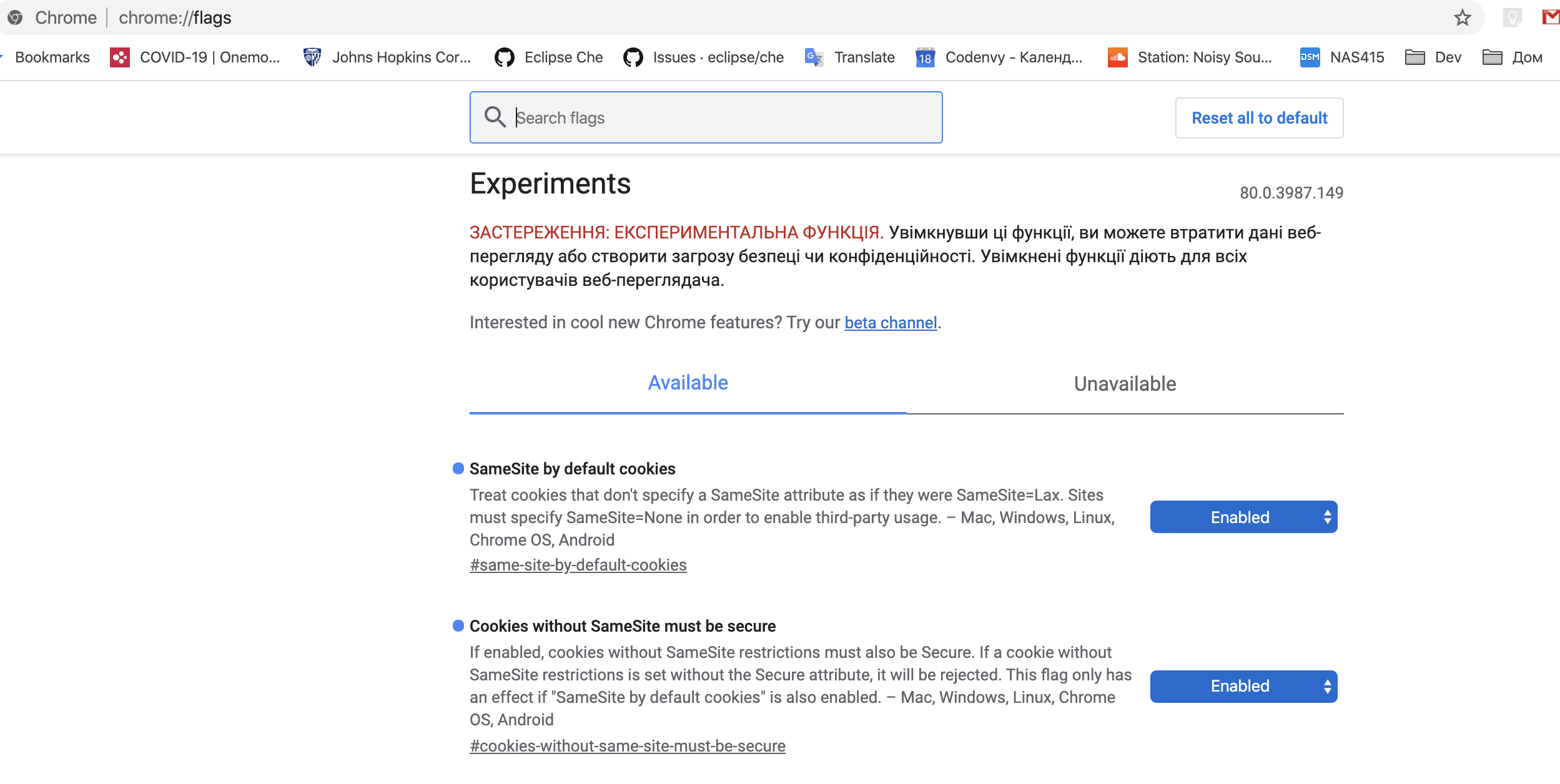
@mshaposhnik was able to reproduce after enabling experimental flags
skabashnyuk
on 18 Mar 2020
@scela @l0rd @Katka92 the fix has been promoted to production. Could you please verify?
As I understand upstream / CRW are not affected, so not sure if we need to include the jwt-proxy fixup to the 7.9.x cc: @nickboldt
ibuziuk
on 19 Mar 2020
As I understand upstream / CRW are not affected, so not sure if we need to include the jwt-proxy fixup to the 7.9.x cc: @nickboldt
It's not needed in case Server and Workspaces share the same domain, but if there is a chance that someone needs different one - like OSIO case, it makes sense to consider and include it.
sleshchenko
on 19 Mar 2020
but if there is a chance that someone needs different one - like OSIO case, it makes sense to consider and include it.
AFAIK, this config is not possible for upstream / CRW case
ibuziuk
on 19 Mar 2020
@ibuziuk I can't reproduce it on production. :)
 Katka92
on 19 Mar 2020
Katka92
on 19 Mar 2020
@ibuziuk problem fixed for me as well.
l0rd
on 20 Mar 2020
I can not reproduce the issue anymore.
scela
on 20 Mar 2020
thanks, so we just need to decide if backport to 7.9.x is needed and close the issue afterward
ibuziuk
on 20 Mar 2020
@nickboldt @l0rd closing this issue since looks there is no need to backport the change to 7.9.x (CRW does not support the use-case when che-server and workspaces are located on different clusters)
ibuziuk
on 24 Mar 2020
FWIW, this still happens for che.openshift.io. The web console displays :
Request to access cookie or storage on “https://routekvgs5da4-obergix-che.b542.starter-us-east-2a.openshiftapps.com/?uid=757302” was blocked because we are blocking all third-party storage access requests and content blocking is enabled.
Request to access cookie or storage on “https://routekvgs5da4-obergix-che.b542.starter-us-east-2a.openshiftapps.com/jwt/auth” was blocked because we are blocking all third-party storage access requests and content blocking is enabled.
Firefox 75.0 (64-bit) on Linux
 olberger
on 17 Apr 2020
olberger
on 17 Apr 2020
Related issues
 dmytro-ndp
·
3Comments
dmytro-ndp
·
3Comments
 InterestedInTechAndCake
·
3Comments
InterestedInTechAndCake
·
3Comments
 LaneGeek
·
3Comments
sleshchenko
·
3Comments
LaneGeek
·
3Comments
sleshchenko
·
3Comments
 amisevsk
·
3Comments
amisevsk
·
3Comments