Che: Persisting Custom Stacks in Eclipse Che
How do I make a custom stack to exist permanently in Eclipse che. I have an LS-sidecar stack that I have to remake every time I restart Che. How do I make it permanent so that it will be in the list of stacks just like Java, .NET, Android etc. ?
 SharkJ
All 18 comments
Building Che assemblies seems like a deprecated approach now. So what is the correct approach to customize che? I tried building the assembly after adding a new stack into stacks.json file in "che-core-ide-stacks -> target -> classes" path. However, the new stack was not added into che. Is it something wrong in the way I did it, or does this approach no longer work?
SharkJ
on 9 Oct 2018
Hello @SharkJ . Stack database populated only once on the first start. So maybe you have already initialized stack database. That is why they are not loaded.
 skabashnyuk
on 9 Oct 2018
skabashnyuk
on 9 Oct 2018
Hello @SharkJ . Stack database populated only once on the first start. So maybe you have already initialized stack database. That is why they are not loaded.
Hi @skabashnyuk! Is there a new procedure to add a permanent stacks to eclipse che?
SharkJ
on 9 Oct 2018
Is there any way to persist a stack instead of adding it to the assembly?
SharkJ
on 10 Oct 2018
@SharkJ yes https://www.eclipse.org/che/docs/stacks.html#stack-sharing-and-system-stacks
skabashnyuk
on 10 Oct 2018
@skabashnyuk Thank You! I'll go through it.
SharkJ
on 10 Oct 2018
Let me know if its working/not working for you. AFAIK @eivantsov checked this functionality when he edited this document
skabashnyuk
on 10 Oct 2018
Let me know if its working/not working for you. AFAIK @eivantsov checked this functionality when he edited this document
I do not find the permission tab in swagger. What do you think the reason must be? I ran the browser as administrator, but it made no difference.
The other thing I do not understand is the location where I should change the che.env file. Do I need to clone the che repo and rebuild it after I changed the che.env file, or can I do it without cloning the che repo at all?
SharkJ
on 10 Oct 2018
@SharkJ it's in your local directory that you mounted into :/data when starting Che.
 ghost
on 10 Oct 2018
ghost
on 10 Oct 2018
@eivantsov Once I changed che.env, I need to restart che with the same :/data path, am I correct?
SharkJ
on 10 Oct 2018
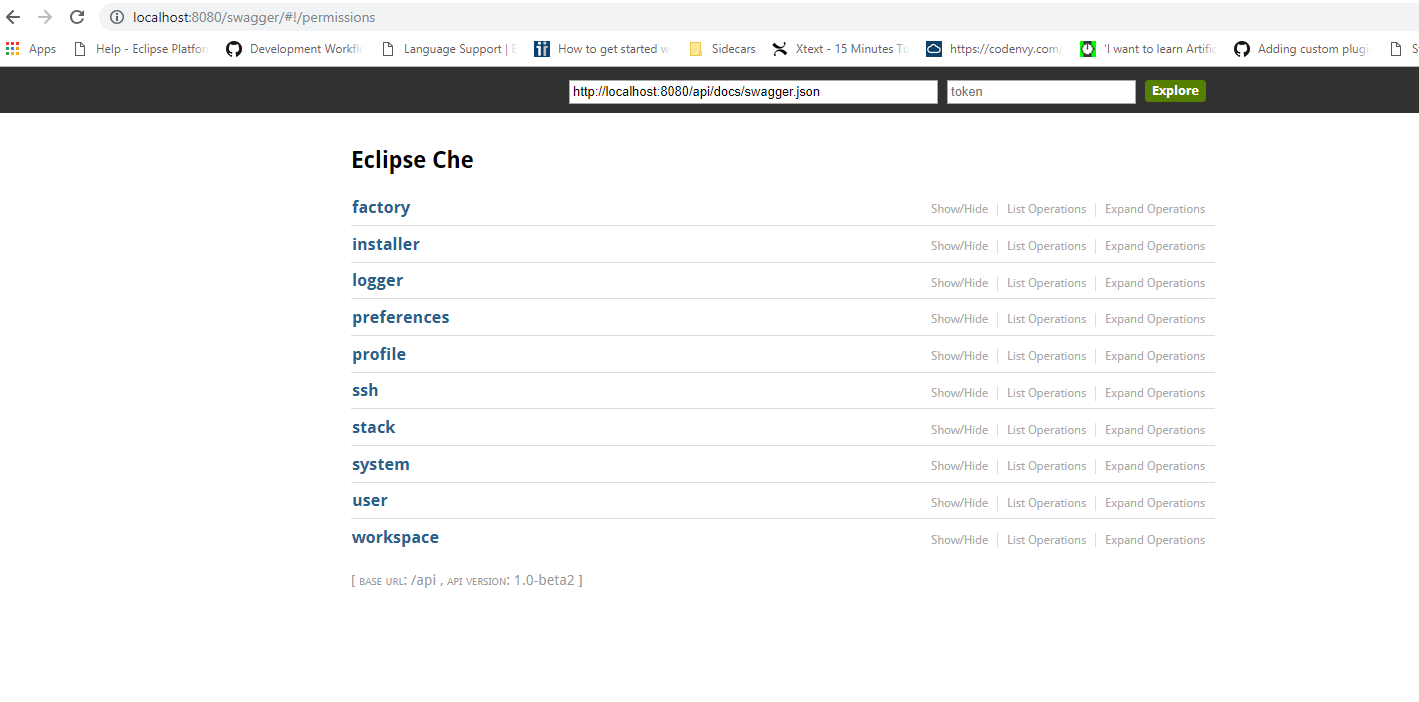
This is what I get when I try to access "/swagger/#!/permissions" as stated in "https://www.eclipse.org/che/docs/stacks.html#stack-sharing-and-system-stacks".
Why don't I get the permissions tab?
SharkJ
on 10 Oct 2018
@SharkJ is it single user Che?
ghost
on 10 Oct 2018
@eivantsov I guess you mean it is not required to set permission since it is single user. WHat I want to do now is to make a custom stack permanent. For this, I need to edit stacks.json and set CHE_PREDEFINED_STACKS_RELOADONSTART=true in che.env.
Now where I get confused is, can I input my new stack into stacks.json without cloning and editing the che repo? Can I add my stack into stacks.json by posting a new stack in swagger? If it doesn't become permanent after posting in swagger, what is the actual purpose of swagger/stacks/POST?
I have already built a stack in Dashboard. Is swagger/stacks/POST have the same function as creating a stack using Dashboard?
SharkJ
on 10 Oct 2018
After a POST request it will be persisted in a DB. And as long as you don't flush it, it will be there
ghost
on 10 Oct 2018
@eivantsov @skabashnyuk I created a stack using Swagger. But when I restarted my PC, it was no longer existing.
I followed this https://www.eclipse.org/che/docs/stacks.html#community-supported-stacks and added a mydsl-stack.json file to \che\instance\data\templates Still I do not get a different outcome.
Could you kindly help me to understand what I can do to have my stack permanently existing even when I restarted my PC?
SharkJ
on 11 Oct 2018
Templates are sample apps not stacks.
Having added a stack using Swagger it should be in a database. And database is persisted. As long as you do not reset your Docker for Windows your stack should be there.
ghost
on 11 Oct 2018
@eivantsov Here's what I did.
I went to http://localhost:8080/swagger/#!/stack/createStack, and entered the below code into "body" under "Parameters" section: -
{
  "id": "my-dsl-1",
  "scope": "general",
  "description": "New MyDSL Stack",
  "id": "stackoagu6iqbdkatncv3",
  "creator": "che",
  "tags": [
    "Java 1.8",
    "MYDSL 1.0"
  ],
  "workspaceConfig": {
    "attributes": {},
    "description": "string",
    "defaultEnv": "default",
    "environments": {
        "default": {
          "machines": {
            "dsl-language-server-ls": {
              "env": {},
              "volumes": {},
              "installers": [],
              "servers": {
                "mydsl1-ls": {
                  "attributes": {
                    "languageRegexes": "[ {\"languageId\":\"mydsllang\", \"regex\":\".*\\\\.mydsl$\"}]",
                    "internal": "true",
                    "id": "mydsl-ls",
                    "type": "ls"
                  },
                  "protocol": "tcp",
                  "port": "4417"
                }
              },
              "attributes": {
                "memoryLimitBytes": "2147483648"
              }
            },
            "dev-machine": {
              "env": {},
              "volumes": {},
              "installers": [
                "org.eclipse.che.terminal",
                "org.eclipse.che.ws-agent"
              ],
              "servers": {},
              "attributes": {
                "memoryLimitBytes": "2147483648"
              }
            }
          },
          "recipe": {
            "contentType": "text/x-yaml",
            "type": "compose",
            "content": "services:\n dsl-language-server-ls:\n  image: sharkj/mydsl1\n  mem_limit: 1073741824\n dev-machine:\n  image: eclipse/ubuntu_jdk8\n  mem_limit: 2147483648\n  depends_on:\n   - dsl-language-server-ls\n"
          }
        }
    },
    "commands": [],
    "projects": [],
    "name": "default",
    "links": []
  },
  "components": [],
  "name": "MyDSL1",
  "links": []
}
Then I hit the "Try it out!" button, and got a code of 201. Then I browsed for localhost and saw my stack in the list of stacks in eclipse che. I closed all windows and restarted my COMPUTER. Once I logged in again, I waited till Docker automatically started, and then navigated to localhost (Eclipse Che) and rechecked for my stack. It was not there. I didn't restart docker or anything. I just restarted my computer.
SharkJ
on 11 Oct 2018
I guess it is impossible to keep docker from restarting each time the PC restarts. I'm closing my issue. If there is any possible method to persist stacks, please post it.
SharkJ
on 15 Oct 2018
Related issues
 sleshchenko
·
3Comments
sleshchenko
·
3Comments
skabashnyuk
·
3Comments
sleshchenko
·
3Comments
sleshchenko
·
3Comments
skabashnyuk
·
3Comments
 InterestedInTechAndCake
·
3Comments
InterestedInTechAndCake
·
3Comments
 dmytro-ndp
·
3Comments
dmytro-ndp
·
3Comments