Che: Unexpected stopping the workspace by idle timeout when the dependencies are resolved
Description
Reproduction Steps:
- Set the variable _CHE_LIMITS_WORKSPACE_IDLE_TIMEOUT_ before launch Che-ocp-multiuser (e.g. _export CHE_LIMITS_WORKSPACE_IDLE_TIMEOUT=300000_)
- Create the workspace from the _Eclipse Che_ stack on the dashboard
- Open the IDE, import the _eclipse-che_ project (https://github.com/eclipse/che.git)
- Select the _Maven_ type and click on the _Save_ button on the _Project Configuration_ form
- Wait while the dependencies are resolved
- Note!: Do not make any actions in the workspace
Expected behavior:
- the workspace should be running while the dependencies will be resolving
Observed behavior:
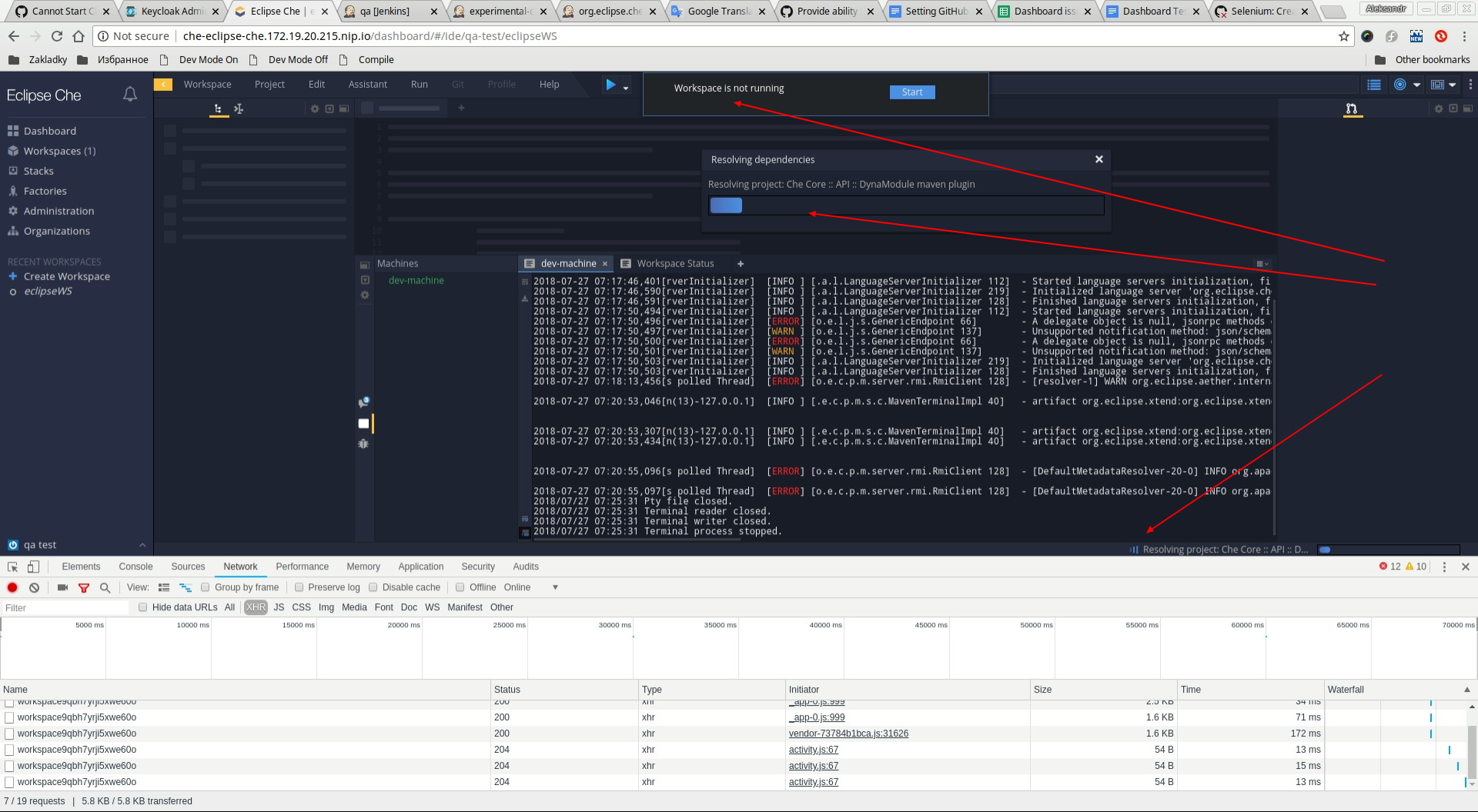
- the workspace is stopped by idle timeout
Che version: 6.9.0
OS and version: Fedora 28
Che install: OCP-multiuser
Docker version: 17.09
API docker version: 1.32
Additional information:
- Related selenium tests: _ImportAndValidateEclipseCheProjectTest_
- Problem can be reliably reproduced, doesn't happen randomly: [Yes]
- See the attachment:
screenshot:
 artaleks9
All 13 comments
@vinokurig @vparfonov seems https://github.com/eclipse/che/pull/10440 did not help?
 gazarenkov
on 28 Jul 2018
gazarenkov
on 28 Jul 2018
@gazarenkov #10440 is related to project import. I think it is another issue.
 vinokurig
on 30 Jul 2018
vinokurig
on 30 Jul 2018
@artaleks9 what's the purpose of this test? Make sure that when dependencies are resolved it automatically triggers activity checker? This is not how activity checker works, as far as I know.
I do not think this is a P1 bug.
 ghost
on 30 Jul 2018
ghost
on 30 Jul 2018
Dependency resolving not triggered activity checking for current implementation. Resolving can take a very long time it depends on you dependency declaration. So it definitely not P1 issue even maybe not a bug but expected behavior. For now leave it as a bug for discussing.
 vparfonov
on 30 Jul 2018
vparfonov
on 30 Jul 2018
Agree with @vparfonov
If you can interact with IDE during dependency resolving (I believe it is the case) - it is very expected, some inconvenient but not really a bug as for current implementation.
gazarenkov
on 30 Jul 2018
You don't consider the workspace in use when it is actually resolving the dependencies? To me that sounds as activity in the workspace.
 slemeur
on 30 Jul 2018
slemeur
on 30 Jul 2018
@slemeur yes, that's something to think about. It wasn't ever considered as activity since this is a background process.
ghost
on 30 Jul 2018
I think we should consider it as an activity. If a user is importing a codebase with a lot of dependencies, the time needed to resolve them will be long. The user might switch to another browser tab, but if we kill the workspace while it was doing this operation, that is sad !
slemeur
on 30 Jul 2018
For what it's worth, by default there's no timeout set.
I kind of agree, that it should be investigated in a different issue, probably. Current behavior is expected behavior.
ghost
on 30 Jul 2018
@eivantsov I agree that this behavior is expected . QE team will create another issue around this usecase.
 vkuznyetsov
on 31 Jul 2018
vkuznyetsov
on 31 Jul 2018
@vkuznyetsov where is the other issue?
slemeur
on 31 Jul 2018
@slemeur we will create it later. I think there will be two issues: 1 - show user friendly message about stopping WS by timeout, 2 - propose to consider the resolving dependencies as WS activity.
vkuznyetsov
on 31 Jul 2018
Take into account that number 2 requires a general approach not just a fix.
I.e. something like "To make it possible to resolve big list of maven dependencies not running into idle timeout" likely wont work.
gazarenkov
on 31 Jul 2018
Related issues
 amisevsk
·
3Comments
amisevsk
·
3Comments
 sleshchenko
·
3Comments
sleshchenko
·
3Comments
 redeagle84
·
3Comments
redeagle84
·
3Comments
 johnmcollier
·
3Comments
johnmcollier
·
3Comments
 vanzhiganov
·
3Comments
vanzhiganov
·
3Comments
Most helpful comment
@artaleks9 what's the purpose of this test? Make sure that when dependencies are resolved it automatically triggers activity checker? This is not how activity checker works, as far as I know.
I do not think this is a P1 bug.