Che: Certificates are required for https connection.
Description
start tomcat by startup.sh with this errors
2018-07-23 17:55:57,747[ost-startStop-1] [WARN ] [o.e.c.a.w.s.WorkspaceRuntimes 543] - Not recoverable infrastructure: 'docker'
2018-07-23 17:55:57,834[ost-startStop-1] [INFO ] [.c.i.d.c.DockerRegistryChecker 48] - Probing registry 'http://hihop.top:5000'
2018-07-23 17:55:58,420[ost-startStop-1] [INFO ] [.c.i.d.c.DockerRegistryChecker 53] - Probe of registry 'http://hihop.top:5000' succeed with HTTP response code '200'
2018-07-23 17:55:58,439[ted-scheduler-0] [ERROR] [ockerAbandonedResourcesCleaner 119] - Failed to clean up inactive containers
java.lang.IllegalArgumentException: Certificates are required for https connection.
at org.eclipse.che.infrastructure.docker.client.connection.TcpConnection.
at org.eclipse.che.infrastructure.docker.client.connection.DockerConnectionFactory.openConnection(DockerConnectionFactory.java:51)
at org.eclipse.che.infrastructure.docker.client.DockerConnector.listContainers(DockerConnector.java:272)
at org.eclipse.che.infrastructure.docker.client.DockerConnector.listContainers(DockerConnector.java:259)
at org.eclipse.che.workspace.infrastructure.docker.monit.DockerAbandonedResourcesCleaner.cleanContainers(DockerAbandonedResourcesCleaner.java:90)
at org.eclipse.che.workspace.infrastructure.docker.monit.DockerAbandonedResourcesCleaner.run(DockerAbandonedResourcesCleaner.java:81)
at org.eclipse.che.commons.schedule.executor.LoggedRunnable.run(LoggedRunnable.java:45)
at java.util.concurrent.Executors$RunnableAdapter.call(Executors.java:511)
at java.util.concurrent.FutureTask.runAndReset(FutureTask.java:308)
at java.util.concurrent.ScheduledThreadPoolExecutor$ScheduledFutureTask.access$301(ScheduledThreadPoolExecutor.java:180)
at java.util.concurrent.ScheduledThreadPoolExecutor$ScheduledFutureTask.run(ScheduledThreadPoolExecutor.java:294)
at java.util.concurrent.ThreadPoolExecutor.runWorker(ThreadPoolExecutor.java:1149)
at java.util.concurrent.ThreadPoolExecutor$Worker.run(ThreadPoolExecutor.java:624)
at java.lang.Thread.run(Thread.java:748)
2018-07-23 17:55:58,440[ted-scheduler-0] [INFO ] [ockerAbandonedResourcesCleaner 121] - List containers registered in the api: []
2018-07-23 17:55:58,440[ted-scheduler-0] [ERROR] [o.e.c.c.s.e.LoggedRunnable 69] - Certificates are required for https connection.
java.lang.IllegalArgumentException: Certificates are required for https connection.
at org.eclipse.che.infrastructure.docker.client.connection.TcpConnection.
at org.eclipse.che.infrastructure.docker.client.connection.DockerConnectionFactory.openConnection(DockerConnectionFactory.java:51)
at org.eclipse.che.infrastructure.docker.client.DockerConnector.getNetworks(DockerConnector.java:1238)
at org.eclipse.che.workspace.infrastructure.docker.monit.DockerAbandonedResourcesCleaner.cleanNetworks(DockerAbandonedResourcesCleaner.java:176)
at org.eclipse.che.workspace.infrastructure.docker.monit.DockerAbandonedResourcesCleaner.run(DockerAbandonedResourcesCleaner.java:82)
at org.eclipse.che.commons.schedule.executor.LoggedRunnable.run(LoggedRunnable.java:45)
at java.util.concurrent.Executors$RunnableAdapter.call(Executors.java:511)
at java.util.concurrent.FutureTask.runAndReset(FutureTask.java:308)
at java.util.concurrent.ScheduledThreadPoolExecutor$ScheduledFutureTask.access$301(ScheduledThreadPoolExecutor.java:180)
at java.util.concurrent.ScheduledThreadPoolExecutor$ScheduledFutureTask.run(ScheduledThreadPoolExecutor.java:294)
at java.util.concurrent.ThreadPoolExecutor.runWorker(ThreadPoolExecutor.java:1149)
at java.util.concurrent.ThreadPoolExecutor$Worker.run(ThreadPoolExecutor.java:624)
at java.lang.Thread.run(Thread.java:748)
2018-07-23 17:55:58,456[eStopDetector-0] [ERROR] [oggingUncaughtExceptionHandler 31] - Runtime exception caught in thread DockerMachineStopDetector-0. Message: Certificates are required for https connection.
java.lang.IllegalArgumentException: Certificates are required for https connection.
at org.eclipse.che.infrastructure.docker.client.connection.TcpConnection.
at org.eclipse.che.infrastructure.docker.client.connection.DockerConnectionFactory.openConnection(DockerConnectionFactory.java:51)
at org.eclipse.che.infrastructure.docker.client.DockerConnector.getEvents(DockerConnector.java:777)
at org.eclipse.che.workspace.infrastructure.docker.monit.DockerMachineStopDetector.lambda$detectContainersEvents$0(DockerMachineStopDetector.java:108)
at java.util.concurrent.ThreadPoolExecutor.runWorker(ThreadPoolExecutor.java:1149)
at java.util.concurrent.ThreadPoolExecutor$Worker.run(ThreadPoolExecutor.java:624)
at java.lang.Thread.run(Thread.java:748)
Reproduction Steps
- mvn clean install assembly-main
- set env for che in the ~/.bash_profile
export CHE_PORT=8080
export CHE_REGISTRY_HOST=localhost
export CHE_HOME=/Volumes/Data/IdeaProjects/che/assembly/assembly-main/target/eclipse-che-6.9.0-SNAPSHOT/eclipse-che-6.9.0-SNAPSHOT
export CHE_HOST=localhost - execute targer/tomcat/bin/startup.sh
- use local docker registry, just run
docker run -d --name registry --restart=always -p 5000:5000 registry:2
OS and version:
OS: Mac OS X 10.12.6
JAVA: 1.8.0_144-b01
GO: 10.0
MAVEN: 3.5
Diagnostics:
even if can visit http://localhost:8080/dashboard http://localhost:8080/api http://localhost:8080/swagger/
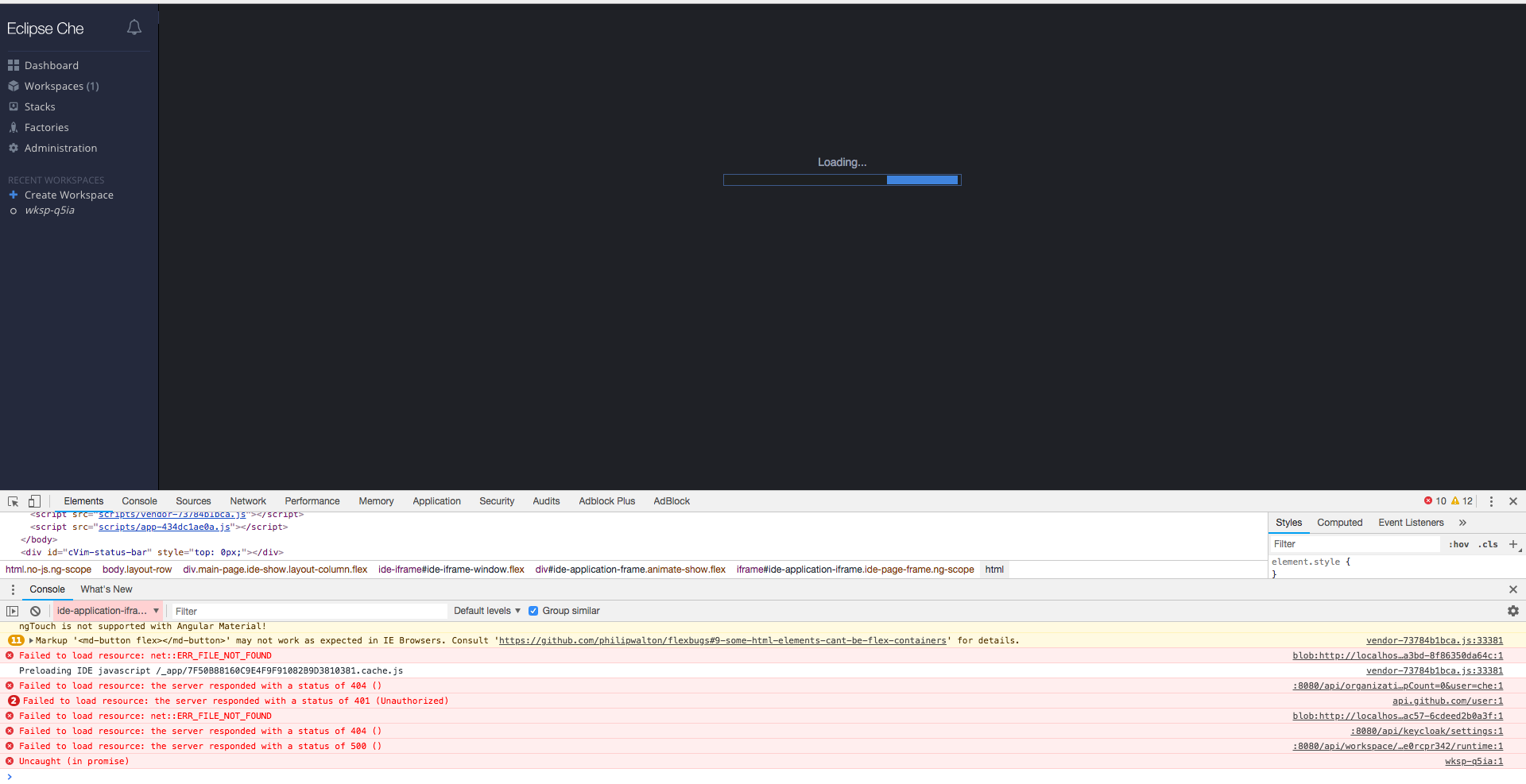
but can not create workspaces
 village-way
All 5 comments
@HiDevine this is not how you are supposed to start Che. Please use syntax from documentation.
 ghost
on 24 Jul 2018
ghost
on 24 Jul 2018
@eivantsov thank very much for your answer. now start che build from dockerfile.
but now stuck on an problem, here is the docker logs
[ERROR] [o.e.c.a.w.s.WorkspaceRuntimes 400] - Error response from docker API, status: 400, message: create
what i do this the follow steps
mvn clean installin assembyl-main./build.shin dockerfiles/chedocker run -d -p 5000:5000 --name registry -v registry:2to create private registrydocker run -it -p 8080:8080 -p 8000:8000 -e CHE_HOST=localhost -e CHE_REGISTRY_HOST=172.20.30.216 -v /var/run/docker.sock:/var/run/docker.sock eclipse/che-server:nightlyafter build docker images successful, 172.20.30.216 is my mac os intent ip
i almost create workspace successful(in the loading page i can see the logs information flow), but this problem stuck me, i really do not know how to solve this, even if see the documentation and issues.
village-way
on 25 Jul 2018
@eivantsov i have solved this problem by add mount local data path. just modify docker run,
docker run -it -p 8080:8080 -e CHE_HOST=localhost -e CHE_REGISTRY_HOST=172.20.30.216 -v /var/run/docker.sock:/var/run/docker.sock -v /Users/devine/Downloads/che-data:/data eclipse/che-server:nightly
after created workspace, there still some error info in the console
such as
Machinedberror from owner=cheenv=defaultworkspace=workspaces6tmx1x0mwvxt7sztext=2018-07-25T03:21:23.685680Z 0 [Note] End of list of non-natively partitioned tablestime=2018-07-25T03:21:23.69Z`
Machinedberror from owner=cheenv=defaultworkspace=workspaces6tmx1x0mwvxt7sztext=2018-07-25T03:21:23.685680Z 0 [Note] End of list of non-natively partitioned tablestime=2018-07-25T03:21:23.69Z`
Installerorg.eclipse.che.ws-agenterror from machine=dev-machineowner=cheenv=defaultworkspace=workspaces6tmx1x0mwvxt7sztext=Debugger failed to attach: handshake failed - connection prematurally closedtime=2018-07-25T03:21:34.328914484Z`
village-way
on 25 Jul 2018
@HiDevine you may disregard this error. it does not affect anything.
ghost
on 25 Jul 2018
@eivantsov thanks for you reply.
village-way
on 25 Jul 2018
Related issues
 redeagle84
·
3Comments
redeagle84
·
3Comments
 luckymore0520
·
3Comments
luckymore0520
·
3Comments
 sleshchenko
·
3Comments
sleshchenko
·
3Comments
sleshchenko
·
3Comments
sleshchenko
·
3Comments
 johnmcollier
·
3Comments
johnmcollier
·
3Comments
Most helpful comment
@HiDevine you may disregard this error. it does not affect anything.