Che: Fail of cloning a "Che" project to workspace which based on "Eclipse Che" stack
Reproduction Steps
- Go to dashboard
- Click on "Workspaces" -> "Add Workspace"
- On the opened page select the "Eclipse Che" stack
- Click on "Add or Import Project" button
- In the opened form click on "Git" button
- Paste the "Che" git URL ("https://github.com/eclipse/che.git")
- Click on "Add" button
- Start workspace and open IDE
- Wait until "Che" project is cloned
- Pay attention to error popup
Expected behavior:
The "Che" project will be successfully cloned
Observed behavior:
Cloning of the "Che" project is failed
Attachment:
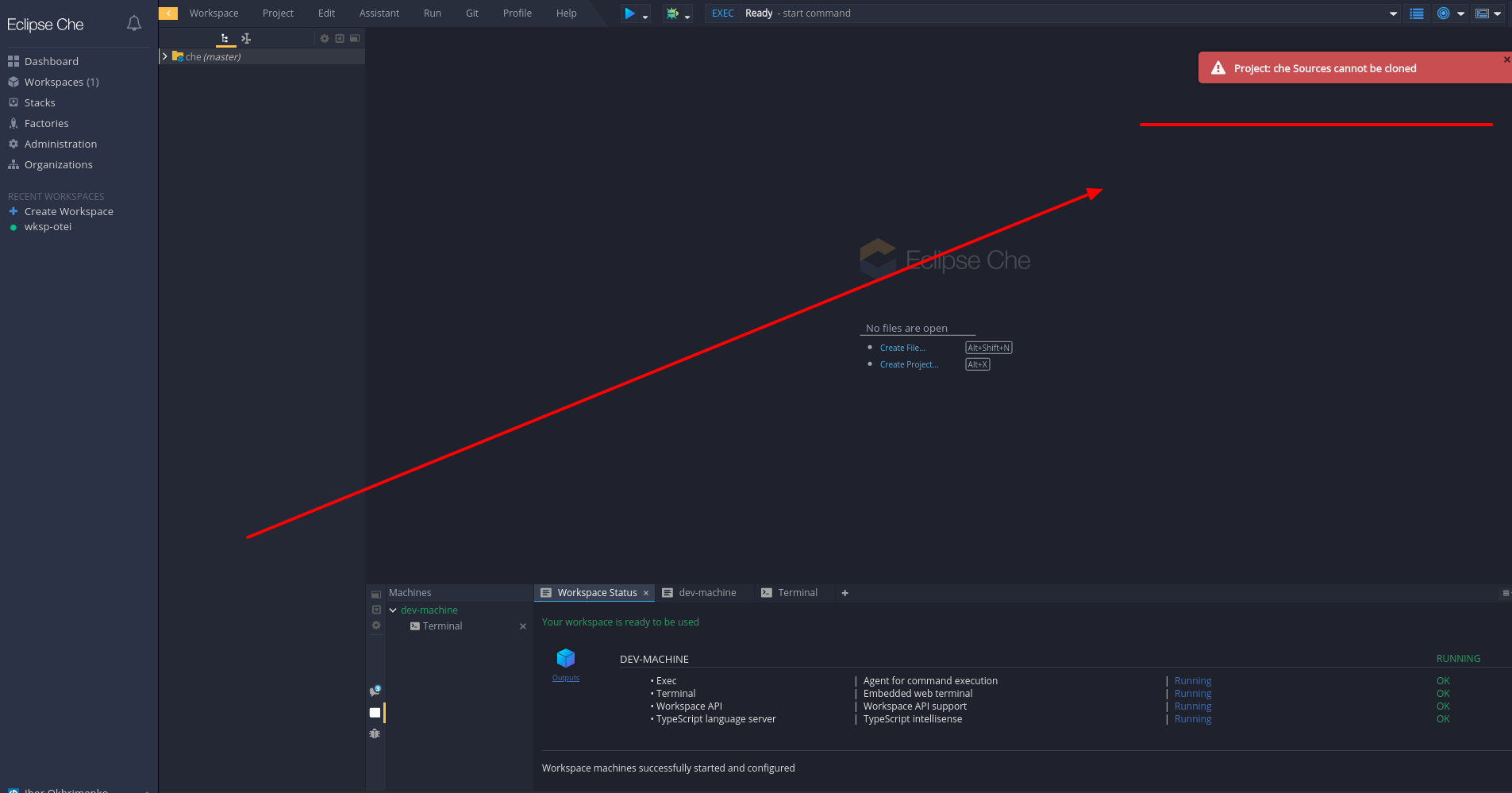
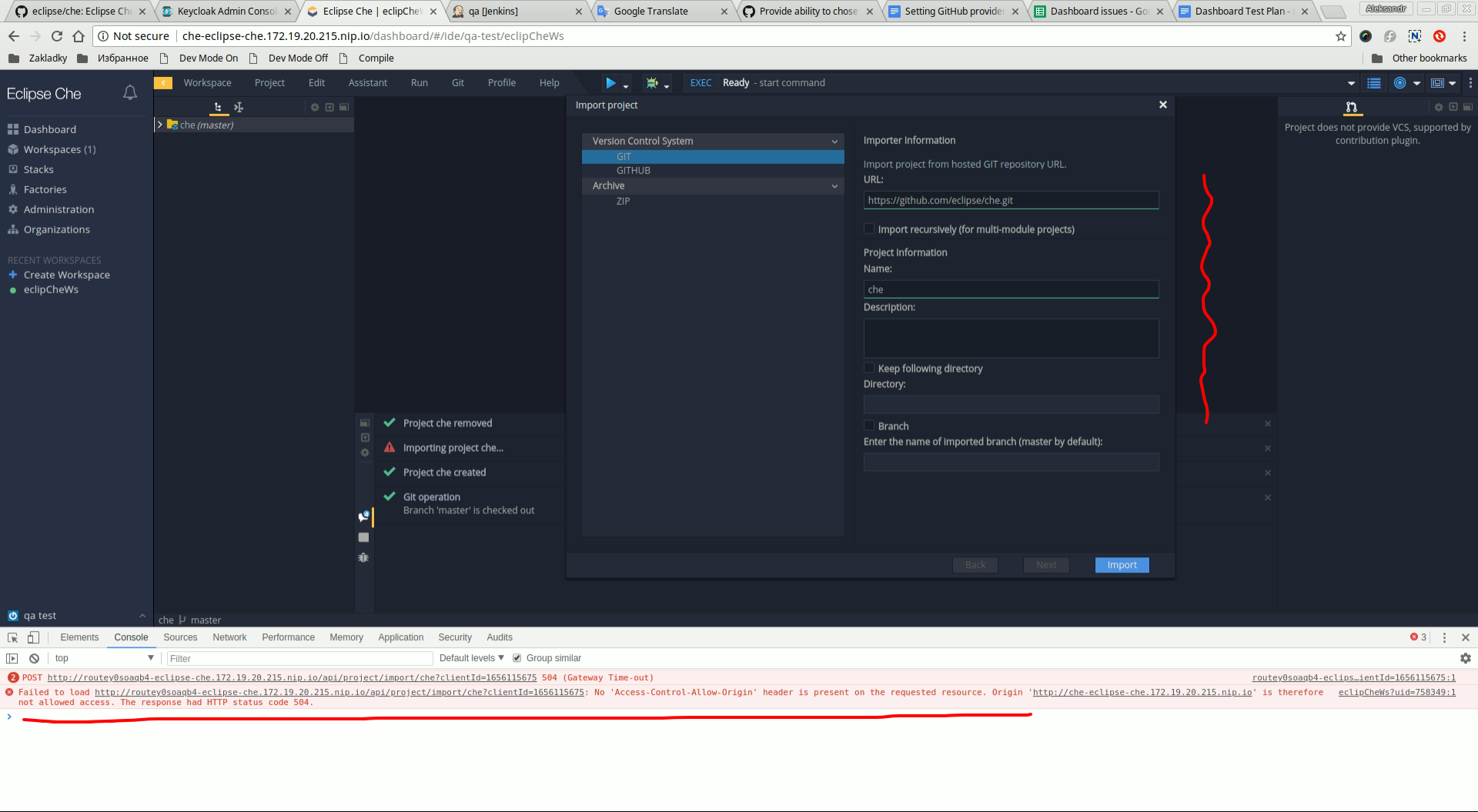
- We have a similar behavior for import from the IDE:
- the _Import project_ form does not close
- the _Project Configuration_ form is not appeared
- there are errors in the browser console
- See the screenshot:
OS and version:
Che 6.8.0 ; Chrome 67.0 ; Fedora 25
 Ohrimenko1988
All 2 comments
As far as I see, Import project request failed due to 504 Error after 30 seconds

I've checked and as far as I understand this request imports project synchronously.
I think the request is failed after 30 seconds because it may be a default value for request timeout on OCP haproxy router. https://docs.openshift.com/container-platform/3.5/install_config/configuring_routing.html
A possible solution is to do import method asynchronous.
As an alternative solution - increase timeout by adding a custom annotation to each workspace timeout, but I prefer the first way.
 sleshchenko
on 6 Jul 2018
sleshchenko
on 6 Jul 2018
I can confirm your idea @sleshchenko, we will switch import process to the JSON_RPC backend
 vparfonov
on 6 Jul 2018
vparfonov
on 6 Jul 2018
Related issues
 skabashnyuk
·
3Comments
skabashnyuk
·
3Comments
 apupier
·
3Comments
apupier
·
3Comments
 sudheerherle
·
3Comments
sudheerherle
·
3Comments
 InterestedInTechAndCake
·
3Comments
InterestedInTechAndCake
·
3Comments
 luckymore0520
·
3Comments
luckymore0520
·
3Comments
Most helpful comment
As far as I see, Import project request failed due to 504 Error after 30 seconds

I've checked and as far as I understand this request imports project synchronously.
I think the request is failed after 30 seconds because it may be a default value for request timeout on OCP haproxy router. https://docs.openshift.com/container-platform/3.5/install_config/configuring_routing.html
A possible solution is to do import method asynchronous.
As an alternative solution - increase timeout by adding a custom annotation to each workspace timeout, but I prefer the first way.