Che: Super Dev mode does not work in code generated by archetype generate command
Hi, I follow the development guide to setup the super dev mode, but I got following error after run in Eclipse:
Super Dev Mode starting up
   workDir: /var/folders/h1/pv6r45557zqgf4fbbn0nwx_40000gn/T/gwt-codeserver-7497921084797402526.tmp
   Job org.eclipse.che.ide.IDE_1_0
      Loading inherited module 'org.eclipse.che.ide.IDE'
         [ERROR] Unable to find 'org/eclipse/che/ide/IDE.gwt.xml' on your classpath; could be a typo, or maybe you forgot to include a classpath entry for source?
I do not see org/eclipse/che/ide/IDE.gwt.xml under assembly-ide-war generated by archetype generate command. Does code generated by archetype support debug in super dev mode?
Version of Che is 5.10.0
 qi-min
All 11 comments
Can you try this with 5.14? I do not recall, but some time around 5.10 was when we were doing GWT.XML decentralization. If you wipe everything and start over do you get similar issues?
 TylerJewell
on 5 Jul 2017
TylerJewell
on 5 Jul 2017
OK, I will try 5.14. Because there is endless external file modification notification after 5.11, I have to use 5.10.
qi-min
on 5 Jul 2017
@TylerJewell I try to generate archetype template and build with Che 5.14, I still do not find org/eclipse/che/ide/IDE.gwt.xml under target directory of assembly-ide-war
qi-min
on 6 Jul 2017
I do see this file if I build the repository of Che. But I do not see this file if I build the customized Che generated 'archetype generate' command. Does anyone use super dev mode with archetype successfully?
qi-min
on 6 Jul 2017
@m7luffy Yes, I'm using CHE 5.10.0 and I can use Super Dev Mode in code generated by archetype generate command.
Can you give the EXACT command you used to generate the archetype and the Program arguments in the running configuration of the Super Dev Mode (in Eclipse).
 vnea
on 6 Jul 2017
vnea
on 6 Jul 2017
@vnea Here are the command I used to generate code:
docker run -it --rm \
  -v /var/run/docker.sock:/var/run/docker.sock \
  -v /data/Che/test/archetype:/archetype \
  -v /data/Che/test/data:/data \
  -v /root/.m2/repository:/m2 \
    eclipse/che-cli:5.10.0 \
      archetype generate
Here is my Eclipse configuration:
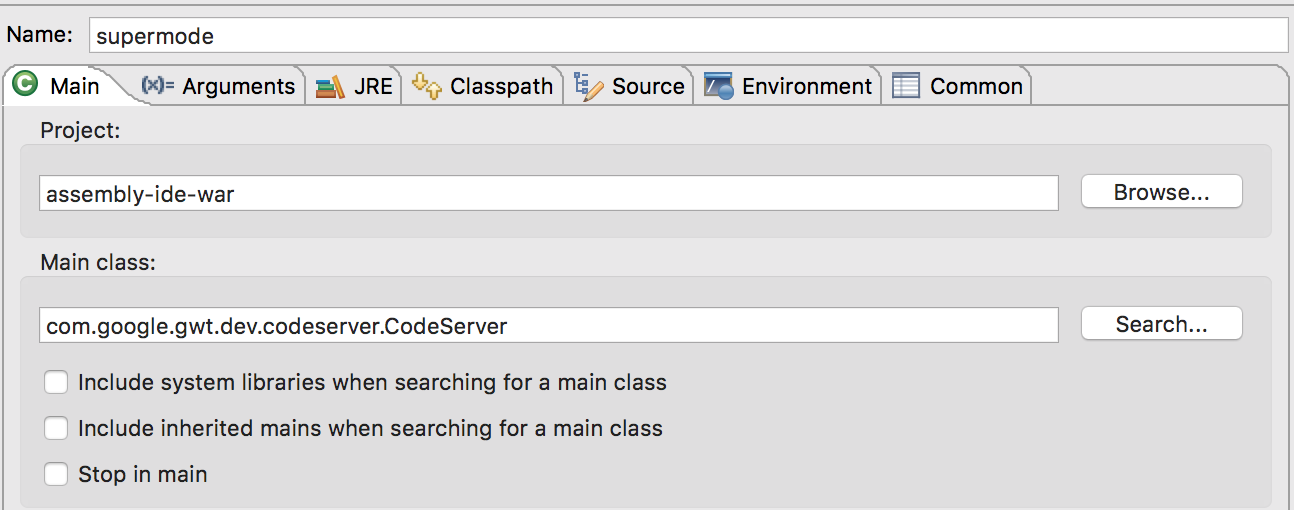
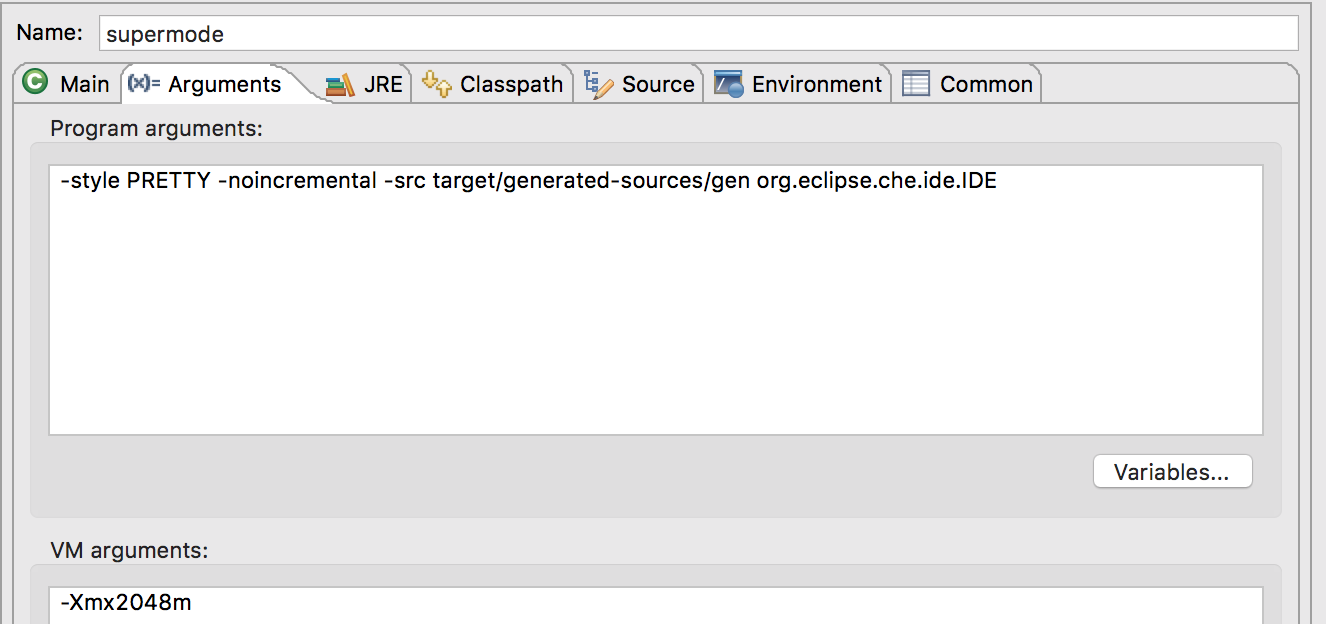
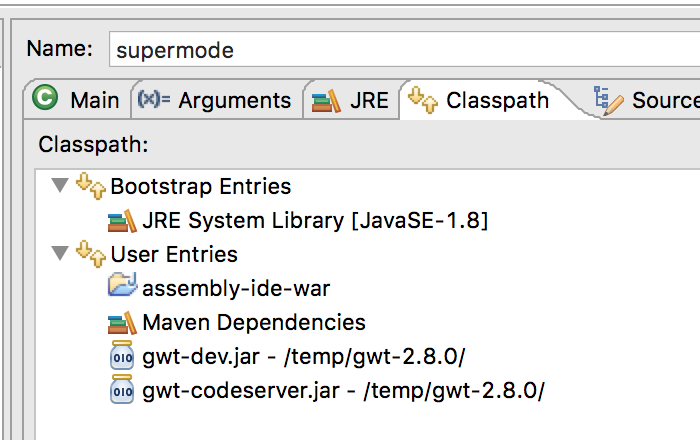
qi-min
on 6 Jul 2017
Try to replace
-src target/generated-sources/gen
by
-src PATH_TO_GENERATED_ASSEMBLY/assembly-che/assembly-ide-war/target/generated-sources/gen
Is it maybe a stupid question but did you build the generated archetype ?
vnea
on 6 Jul 2017
@vnea I use mvn clean install in the root dir of assembly in Eclipse. Build succeed, but I do not see 'IDE.gwt.xml' under assembly-ide-war/target/generated-sources/gen/org/eclipse/che/ide/
qi-min
on 6 Jul 2017
I do not see 'IDE.gwt.xml' under assembly-ide-war/target/generated-sources/gen/org/eclipse/che/ide/
Same for me but it works.
Did you try the path replacement of the -src argument ?
vnea
on 6 Jul 2017
@vnea I got same error if I use absolute path in -src.
Super Dev Mode starting up
   workDir: /var/folders/h1/pv6r45557zqgf4fbbn0nwx_40000gn/T/gwt-codeserver-460078759221459340.tmp
   Job org.eclipse.che.ide.IDE_1_0
      Loading inherited module 'org.eclipse.che.ide.IDE'
         [ERROR] Unable to find 'org/eclipse/che/ide/IDE.gwt.xml' on your classpath; could be a typo, or maybe you forgot to include a classpath entry for source?
I finally get it works, the IDE file is not under org/eclipse/che/ide. In the code generated by archetype, the file is under com/sample/ide.
qi-min
on 7 Jul 2017
Related issues
 redeagle84
·
3Comments
redeagle84
·
3Comments
 sudheerherle
·
3Comments
sudheerherle
·
3Comments
 sleshchenko
·
3Comments
sleshchenko
·
3Comments
sleshchenko
·
3Comments
sleshchenko
·
3Comments
 skabashnyuk
·
3Comments
skabashnyuk
·
3Comments
Most helpful comment
I finally get it works, the IDE file is not under org/eclipse/che/ide. In the code generated by archetype, the file is under com/sample/ide.