Chatterino2: Chatterino Nightly 2.2.3-beta crashes on launch
Describe the bug
When launching the application it stop responding.
I can do actions such as moving the window for a few seconds before it stop responding.
In Windows Task Manager the application status is "Not responding" after 7 seconds.
Waiting for Windows to solve it does not help.
To reproduce
Open Chatterino normally or as Administrator.
Screenshots

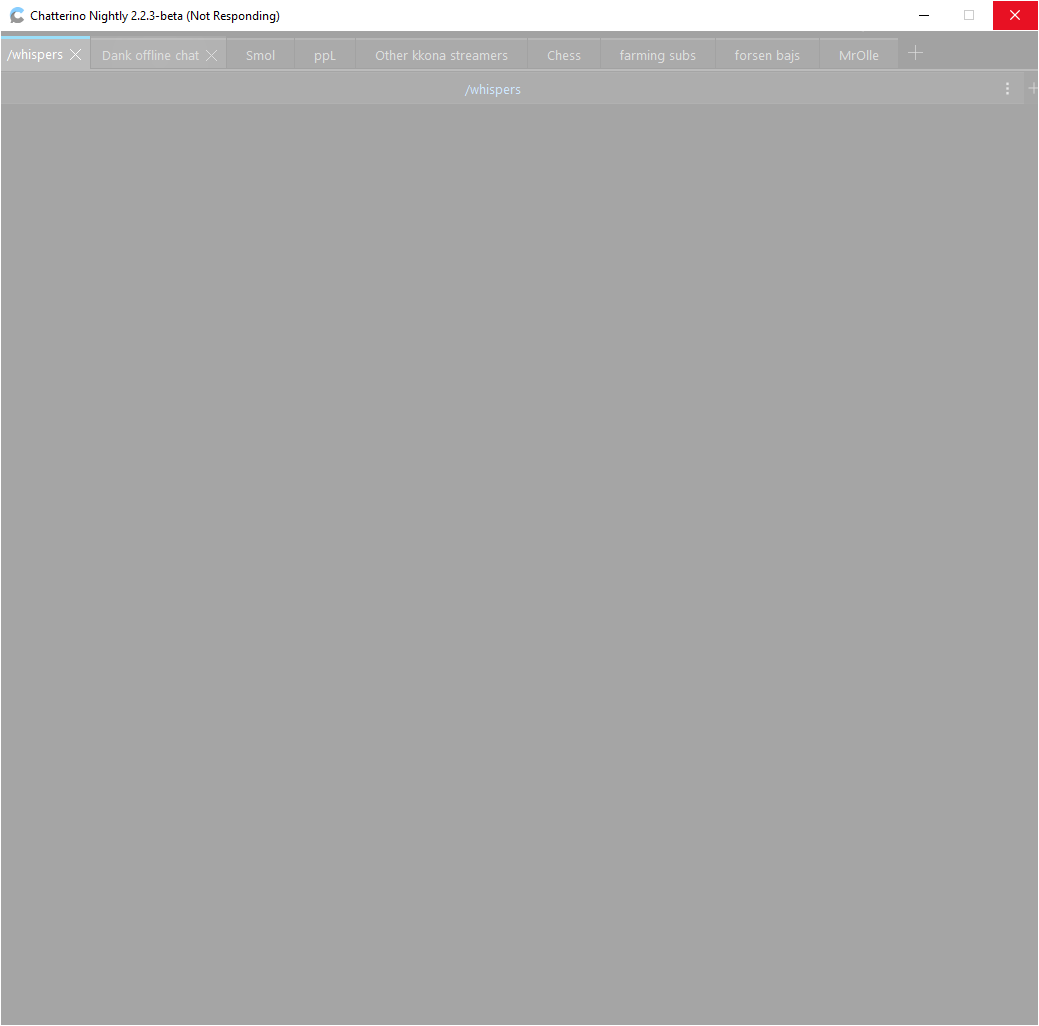
Chatterino version
Can't get into "About" page.
Chatterino 2.2.3-beta (nightly v1861)
Operating system
Windows 10
OS Build: 19037.1
Additional information
 Mr0ll3
All 12 comments
Have you tried clearing application cache / (re) moving application files from %AppData%\Chatterino2? Chatterino runs fine for me on Arch Linux 5.9.1 and WIndows 10.
 zneix
on 25 Oct 2020
zneix
on 25 Oct 2020
Have you tried clearing application cache / (re) moving application files from
%AppData%\Chatterino2? Chatterino runs fine for me on Arch Linux 5.9.1 and WIndows 10.
Issue persists after I deleted cache. What application files should I move?
Mr0ll3
on 25 Oct 2020
Have you tried installing both Visual Studio Redistributables? Please ensure you install BOTH and restart where prompted:
x64: https://aka.ms/vs/16/release/vc_redist.x64.exe
x86: https://aka.ms/vs/16/release/vc_redist.x86.exe
 alazymeme
on 26 Oct 2020
alazymeme
on 26 Oct 2020
Got a temporary fix.
I have a tab with all of these channels in them:

(80 Channels)
I removed that tab quickly before the application crashed and then it didn't crash right away.
Can someone else try having about 100 channels active in chatterino and see if it's stable?
Reconnect issue happens if you go above 100 channels as pointed out in https://github.com/Chatterino/chatterino2/issues/1399 & https://github.com/Chatterino/chatterino2/issues/1827 so I would recommend staying below that.
Edit: After a few minutes it stopped responding again. So having fewer channels just delayed the crash.
Mr0ll3
on 26 Oct 2020
I think this is recent-messages-related, I had the same issue, setting recent-messages api url to 0.0.0.0:80/%1 worked for me.
 Mm2PL
on 26 Oct 2020
Mm2PL
on 26 Oct 2020
I've got under 100 channels but am still experiencing freezing upon launch. It was fine for some time after the upgrade from stable to beta, but then started like this out of nowhere.
I've downgraded back to stable (2.2.2) for now, and everything works alright.
 5E7EN
on 26 Oct 2020
5E7EN
on 26 Oct 2020
Have you tried installing both Visual Studio Redistributables? Please ensure you install BOTH and restart where prompted:
x64: https://aka.ms/vs/16/release/vc_redist.x64.exe
x86: https://aka.ms/vs/16/release/vc_redist.x86.exe
I Installed these and restarted computer when prompted.
Still crashed with ~100 channels.
Still crashes occasionally with about 20 channels total in Chatterino.
Tested with "Load message history on connect" ticked off but issue persists.
Mr0ll3
on 26 Oct 2020
Can someone else try having about 100 channels active in chatterino and see if it's stable?
I can replicate that chatterino can crash if you try to do something like open settings while having a single tab with 50+ channels, it also sometimes just takes a while to respond when launching. I suggest you just don't have more than 10 channels in a single tab.
Still crashes occasionally with about 20 channels total in Chatterino.
Your chatterino should not crash if you only have 20 channels, this may be a bug. I suggest trying what Mm2pL suggested and see if the issue still persists.
 daiexd
on 27 Oct 2020
daiexd
on 27 Oct 2020
I think this is recent-messages-related, I had the same issue, setting recent-messages api url to
0.0.0.0:80/%1worked for me.
Where do you change this?
Mr0ll3
on 27 Oct 2020
On Linux it's quite simple.
- Using fish shell:
set -gx CHATTERINO2_RECENT_MESSAGES_URL "0.0.0.0:80/%1" - using (ba)sh
export CHATTERINO2_RECENT_MESSAGES_URL="0.0.0.0:80/%1
I don't use Windows I have no idea how to do it on there.
Mm2PL
on 27 Oct 2020
I don't use Windows I have no idea how to do it on there.
Here's a simple guide, hope that helps https://www.techjunkie.com/environment-variables-windows-10/
zneix
on 27 Oct 2020
I entered [Environment]::SetEnvironmentVariable("CHATTERINO2_RECENT_MESSAGES_URL", "0.0.0.0:80/%1", "User") in PowerShell.

And this is how it looks in Environmental Variables window.

Hope that is correct.
Chatterino still crashes after a while.
Mr0ll3
on 27 Oct 2020
Related issues
 mattbuford
·
3Comments
mattbuford
·
3Comments
 TranRed
·
3Comments
TranRed
·
3Comments
 kehlery
·
3Comments
kehlery
·
3Comments
 TETYYS
·
3Comments
TETYYS
·
3Comments
 pepemaluza
·
3Comments
pepemaluza
·
3Comments
Most helpful comment
Here's a simple guide, hope that helps https://www.techjunkie.com/environment-variables-windows-10/