Charts: [bitnami/jenkins] User and password aren't set properly
Which chart:
bitnami/jenkins 5.0.5
Describe the bug
When I pass jenkinsUsername and jenkinsPassword, the user name and password are not set properly. The user passed via the command line as jenkinsUsername doesn't exist in the jenkins_home/users folder.
To Reproduce
Steps to reproduce the behavior:
Command: helm install fl-jenkins --set jenkinsUsername=admin,jenkinsPassword=password,service.nodePorts.https=30001 bitnami/jenkins
Expected behavior
Credentials admin/password would work.
Version of Helm and Kubernetes:
- Output of
helm version:
version.BuildInfo{Version:"v3.0.0", GitCommit:"e29ce2a54e96cd02ccfce88bee4f58bb6e2a28b6", GitTreeState:"clean", GoVersion:"go1.13.4"}
- Output of
kubectl version:
Client Version: version.Info{Major:"1", Minor:"17", GitVersion:"v1.17.4", GitCommit:"8d8aa39598534325ad77120c120a22b3a990b5ea", GitTreeState:"clean", BuildDate:"2020-03-12T21:03:42Z", GoVersion:"go1.13.8", Compiler:"gc", Platform:"linux/amd64"}
Server Version: version.Info{Major:"1", Minor:"17", GitVersion:"v1.17.4", GitCommit:"8d8aa39598534325ad77120c120a22b3a990b5ea", GitTreeState:"clean", BuildDate:"2020-03-12T20:55:23Z", GoVersion:"go1.13.8", Compiler:"gc", Platform:"linux/amd64"}
Additional context
Running locally on Fedora 29
 misterstrickland
All 24 comments
Hi @misterstrickland ,
Thanks for noticing this. I am creating a internal task to fix this issue.
We will come back as soon as we have news.
 rafariossaa
on 7 Apr 2020
rafariossaa
on 7 Apr 2020
This Issue has been automatically marked as "stale" because it has not had recent activity (for 15 days). It will be closed if no further activity occurs. Thanks for the feedback.
![stale[bot] picture](https://avatars3.githubusercontent.com/in/1724?v=4&s=40) stale[bot]
on 23 Apr 2020
stale[bot]
on 23 Apr 2020
I am adding the on-hold tag to prevent bitnami-bot closing the issue, as it is something we have in our backlog
 carrodher
on 23 Apr 2020
carrodher
on 23 Apr 2020
Any Update on this?
Unable to Login.
 jugrajsingh
on 27 May 2020
jugrajsingh
on 27 May 2020
Hi @jugrajsingh ,
Sorry, not updates yet.
rafariossaa
on 28 May 2020
Any other version that works properly?
 AnthonyAlcalaBeltran
on 5 Jun 2020
AnthonyAlcalaBeltran
on 5 Jun 2020
Hi,
We are fixing this in the next 15 days.
rafariossaa
on 8 Jun 2020
@rafariossaa
Any Update on this Issue
jugrajsingh
on 24 Jun 2020
Hi,
Sorry for the delay, we are currently working on this.
rafariossaa
on 25 Jun 2020
It seems the issue is that you are using a parameter that is not valid :--set jenkinsUsername=admin the real parameter is --set jenkinsUser=admin. We are using jenkinsUser everywhere in the docs (README.md) except in an example code-block that I just fixed in this commit: c9a01cb22534bc48c3f791d0454e3053554a06b8
Using jenkinsUser this is the result:
$ helm install jenkins2 --set jenkinsUser=admin,jenkinsPassword=password bitnami/jenkins
NAME: jenkins2
LAST DEPLOYED: Mon Jun 29 16:29:35 2020
NAMESPACE: default
STATUS: deployed
REVISION: 1
TEST SUITE: None
NOTES:
** Please be patient while the chart is being deployed **

1. Get the Jenkins URL by running:

** Please ensure an external IP is associated to the jenkins2 service before proceeding **
** Watch the status using: kubectl get svc --namespace default -w jenkins2 **

  export SERVICE_IP=$(kubectl get svc --namespace default jenkins2 --template "{{ range (index .status.loadBalancer.ingress 0) }}{{.}}{{ end }}")
  echo "Jenkins URL: http://$SERVICE_IP/"

2. Login with the following credentials

  echo Username: admin
  echo Password: $(kubectl get secret --namespace default jenkins2 -o jsonpath="{.data.jenkins-password}" | base64 --decode)

$ echo Username: admin
Username: admin

$ echo Password: $(kubectl get secret --namespace default jenkins2 -o jsonpath="{.data.jenkins-password}" | base64 --decode)
Password: password
according to the above notes and the result of the echos, the values are property set.
Accessing to the pod everything seems to be properly set:
$ kubectl get pods
NAME                        READY   STATUS    RESTARTS   AGE
jenkins2-5ccf7685b5-khp4m   1/1     Running   0          3m45s

$ kubectl exec -it jenkins2-5ccf7685b5-khp4m /bin/bash
  $ cat /opt/bitnami/jenkins/jenkins_home/users/users.xml
  <?xml version='1.1' encoding='UTF-8'?>
  <hudson.model.UserIdMapper>
    <version>1</version>
    <idToDirectoryNameMap class="concurrent-hash-map">
      <entry>
        <string>admin</string>
        <string>admin_1233489618902837442</string>
      </entry>
    </idToDirectoryNameMap>
  </hudson.model.UserIdMapper>

  $ env | grep JENKINS_
  JENKINS_USERNAME=admin
  JENKINS_PASSWORD=password
Can you confirm if using jenkinsUser and jenkinsPassword are you able to set access by using your custom values?
carrodher
on 29 Jun 2020
Using the Above command i have recieved following output:
<?xml version='1.1' encoding='UTF-8'?>
<hudson.model.UserIdMapper>
  <version>1</version>
  <idToDirectoryNameMap class="concurrent-hash-map"/>
</hudson.model.UserIdMapper>
The issue still persist and unable to set the username and password.
I am using values.yaml to hardcode the Username and Password
jenkinsUser: admin
jenkinsPassword: <supersecurepassword>
I can see the secret being created and the password is the one i hardcoded.
jugrajsingh
on 9 Jul 2020
Any Update on This?
jugrajsingh
on 15 Jul 2020
Hi @jugrajsingh ,
It should work with the instructions provided by @carrodher , instead of changing it in the values, could you try the following?
$ helm repo update && helm install jenkins2 --set jenkinsUser=admin,jenkinsPassword=password bitnami/jenkins
Hi @rafariossaa
I have deployed using the command line --set argument also. No success there.
helm3 --namespace=production upgrade --install jenkins --set jenkinsUser=admin,jenkinsPassword=<supersecurepassword> ./
Problem is with specifying password, if i do it without any argument it will setup some password. But i do alot of upgrades and refresh in the cluster so need to have password fix.
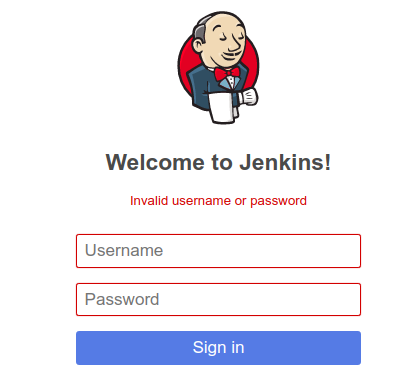
Both these command shows the expected output which means secret is being created with the correct password.
echo Username: admin
echo Password: $(kubectl get secret --namespace production jenkins -o jsonpath="{.data.jenkins-password}" | base64 --decode)
But unable to login. See Screenshot
jugrajsingh
on 15 Jul 2020
Hi,
In your command you are upgrading the chart.
Could you try to delete all installed jenkins charts and run the following exact command ?
helm repo update && helm install myjenkins --set jenkinsUser=admin,jenkinsPassword=password bitnami/jenkins
Once this work we can try other things, but we need to settle a common base where to start from.
rafariossaa
on 16 Jul 2020
actually i purge the chart before running above command.
And i have tried exact command. No success.
I think the common base can be that without the arguments it works fine.
What i mean by that is jenkins started with a random password if we don't pass any argument.
But if we pass any argument commandline or values.yaml file it won't work.
jugrajsingh
on 21 Jul 2020
Are you removing the PV/PVCs? Please take into account that the random password from the previous installation is stored in the PV/PVCs and those objects are not deleted with helm delete or helm uninstall, you need to remove them manually via kubectl.
kubectl get pvc and kubectl get pv list the objects while kubectl delete pvc NAME and kubectl delete pv NAME remove them. Can you try removing (if possible) the PV/PVCs and install the chart again setting the user and password? I guess the issue here is that PV/PVCs are not removed so the new installations are using the first random password stored in the volumes.
carrodher
on 21 Jul 2020
No PVC/PV related to Jenkins in the Cluster.
Even if it is picking some password it should show up in the file
/opt/bitnami/jenkins/jenkins_home/users/users.xml
As i shared the users.xml file above. it is empty.
jugrajsingh
on 29 Jul 2020
Hi, I am sorry but we are not able to reproduce the issue you are describing.
What version of the chart are you trying to install?
$ helm search repo bitnami/jenkins
I just installed the last versin from scratch without previous PVCs:
$ helm install jenkins --set jenkinsUser=petete,jenkinsPassword=password bitnami/jenkins
and I am able to login into the Jenkins UI using the provided user/password:

carrodher
on 30 Jul 2020
Hi, I am experiencing the same issue. The environment variables are set correctly but there is nothing in the file users.xml. And I cannot log in with the credentials found in the env variables.
 cjbackman
on 6 Aug 2020
cjbackman
on 6 Aug 2020
Just to add to the previous comment, when I do not set jenkinsUser and jenkinsPassword and instead use the default everything works as expected.
cjbackman
on 6 Aug 2020
I am still unable to reproduce the issue, I am using the latest version of Jenkins chart without any extra modification, this is the whole process I am following:
- Install the latest version by running:
$ helm repo update
Hang tight while we grab the latest from your chart repositories...
...Successfully got an update from the "bitnami" chart repository
Update Complete. ⎈ Happy Helming!⎈

$ helm install jenkins --set jenkinsUser=newuser3,jenkinsPassword=newpassword3 bitnami/jenkins
NAME: jenkins
LAST DEPLOYED: Fri Aug  7 09:11:18 2020
NAMESPACE: default
STATUS: deployed
REVISION: 1
TEST SUITE: None
NOTES:
** Please be patient while the chart is being deployed **

1. Get the Jenkins URL by running:

** Please ensure an external IP is associated to the jenkins service before proceeding **
** Watch the status using: kubectl get svc --namespace default -w jenkins **

  export SERVICE_IP=$(kubectl get svc --namespace default jenkins --template "{{ range (index .status.loadBalancer.ingress 0) }}{{.}}{{ end }}")
  echo "Jenkins URL: http://$SERVICE_IP/"

2. Login with the following credentials

  echo Username: newuser3
  echo Password: $(kubectl get secret --namespace default jenkins -o jsonpath="{.data.jenkins-password}" | base64 --decode)
- Once installed, I show the Username and Password according to the above notes, just to ensure everything is what I set in the installation parameters:
$ echo Username: newuser3
$ echo Password: $(kubectl get secret --namespace default jenkins -o jsonpath="{.data.jenkins-password}" | base64 --decode)
Username: newuser3
Password: newpassword3
- Then I listed the pods to obtain the POD_ID and exec some commands in the pod to check what is set inside the container:
$ kubectl get pods
NAME                       READY   STATUS    RESTARTS   AGE
jenkins-797c5c59b4-fsgqb   1/1     Running   0          8m36s

$ kubectl exec jenkins-797c5c59b4-fsgqb -- env | grep JENKINS_USERNAME
JENKINS_USERNAME=newuser3
$ kubectl exec jenkins-797c5c59b4-fsgqb -- env | grep JENKINS_PASSWORD
JENKINS_PASSWORD=newpassword3
$ kubectl exec jenkins-797c5c59b4-fsgqb -- cat /opt/bitnami/jenkins/jenkins_home/users/users.xml
<?xml version='1.1' encoding='UTF-8'?>
<hudson.model.UserIdMapper>
  <version>1</version>
  <idToDirectoryNameMap class="concurrent-hash-map">
    <entry>
      <string>newuser3</string>
      <string>newuser3_5599652849158135990</string>
    </entry>
  </idToDirectoryNameMap>
</hudson.model.UserIdMapper>%
- Until this point, it seems everything is using the parameters I set during the installation. Let's see what happens with the Jenkins UI, for that I used an incognito window, just to avoid cache issues in the browser:
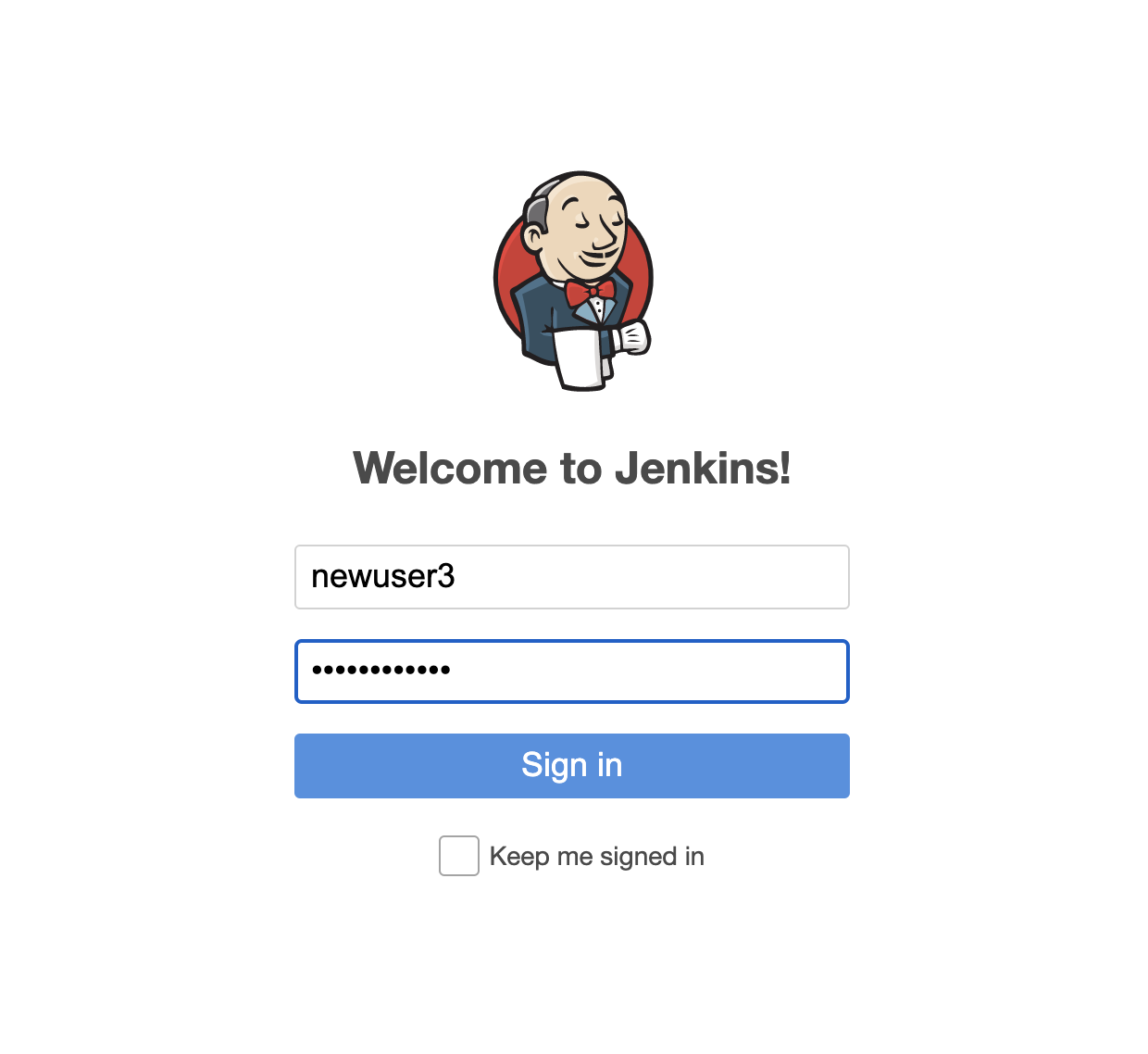

Although this process works fine for me, it seems something is happening in other cases, please, can you provide more information about your specific scenario?
- Chart version
- Helm version
- Kubectl version
- The k8s cluster you are using, ie minikube, GKE, TKG, AKS, etc
- Installation command (
helm install ...) - It would be nice to have the result of the above
kubectl exec ... - Also check that there are no existing/remaining PV, PVCs or secrets from previous Jenkins deployments
carrodher
on 7 Aug 2020
This Issue has been automatically marked as "stale" because it has not had recent activity (for 15 days). It will be closed if no further activity occurs. Thanks for the feedback.
stale[bot]
on 22 Aug 2020
Due to the lack of activity in the last 5 days since it was marked as "stale", we proceed to close this Issue. Do not hesitate to reopen it later if necessary.
stale[bot]
on 28 Aug 2020
Related issues
 tkam8
·
5Comments
tkam8
·
5Comments
 nonpool
·
6Comments
nonpool
·
6Comments
 druesendieb
·
5Comments
druesendieb
·
5Comments
 mcritchlow
·
4Comments
mcritchlow
·
4Comments
 skulos
·
5Comments
skulos
·
5Comments