Charts: [Grafana/Helm] how set path /grafana/ when use helm ?
I've define a Ingress rule on path /grafana I understand that I need also to configure root_url I'm looking for the correct way to pass the root_url = %(protocol)s://%(domain)s:%(http_port)s/grafana/ with a command line like :
helm install --namespace grafana -n grafana stable/grafana --set rbac.pspEnabled=false --set grafana.ini="{root_path = https://ingress-ops.nd-int-ops-paas.itn/grafana/ }"
I don't know what's wrong
 obeyler
All 19 comments
This excerpt from my values.yaml does the job for me:
grafana.ini:
server:
root_url: https://subdomain.example.com/grafana
 haizaar
on 22 Jun 2018
haizaar
on 22 Jun 2018
Do you know how to convert it as --set option form helm ?
obeyler
on 22 Jun 2018
server.root_uri?
On Fri, 22 Jun 2018, 18:50 obeyler notifications@github.com wrote:
Do you know how to convert it as --set option form helm ?
—
You are receiving this because you commented.
Reply to this email directly, view it on GitHub
https://github.com/kubernetes/charts/issues/6264#issuecomment-399370814,
or mute the thread
https://github.com/notifications/unsubscribe-auth/AADjWVPFwANoCywkQxEsVi9MBBj_SR2Aks5t_K_DgaJpZM4UzUeY
.
haizaar
on 22 Jun 2018
I try this without success
--set grafana.ini=server[0].root_url=https://ingress-ops.nd-int-ops-paas.itn/grafana
obeyler
on 22 Jun 2018
I try this without success
--set grafana.ini[0].server[0].root_url=https://ingress-ops.nd-int-ops-paas.itn/grafana
obeyler
on 22 Jun 2018
--set 'grafana\.ini'.server.root_url=https://ingress-ops.nd-int-ops-paas.itn/grafana
Works (Thanks to Alexandre V)
obeyler
on 22 Jun 2018
You should use this syntax:
--set 'grafana\.ini'.server.root_url=https://ingress-ops.nd-int-ops-paas.itn/grafana
Single quotes preserve literal values and the backspace avoids the dot to be treated as a separator.
 aveyrenc
on 22 Jun 2018
aveyrenc
on 22 Jun 2018
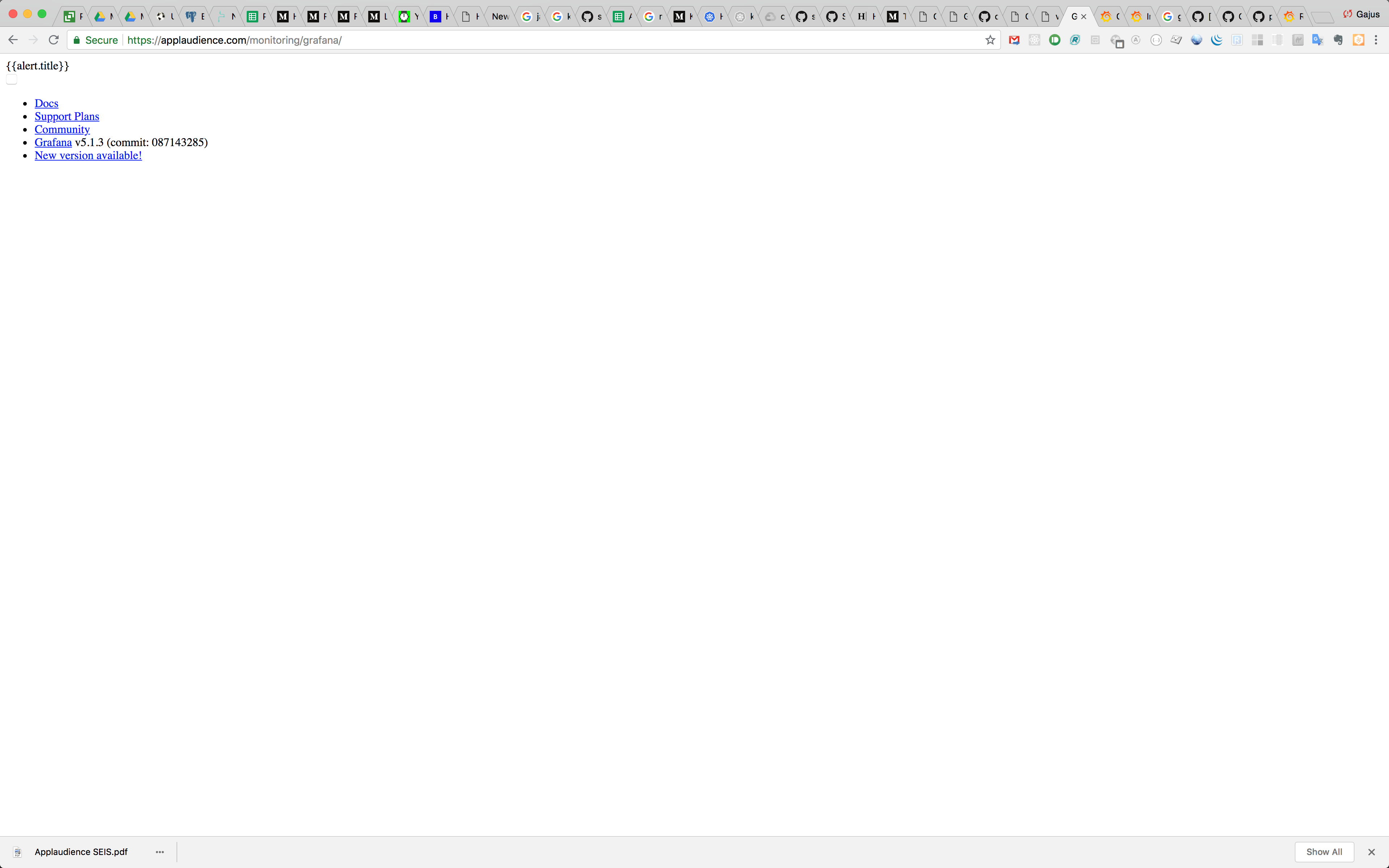
@obeyler did you need to configure anything extra to make the static assets work?
Using equivalent configuration I cannot get static assets to load:
 gajus
on 8 Aug 2018
gajus
on 8 Aug 2018
--set 'grafana.ini'.server.root_url=https://ingress-ops.nd-int-ops-paas.itn/grafana
That doesn't even make a change the yaml output. It does absolutely nothing with helm v2.10.0
 mabushey
on 22 Sep 2018
mabushey
on 22 Sep 2018
@haizaar
I run helm template istio-1.0.2/install/kubernetes/helm/istio --name istio --namespace istio-system --set grafana.enabled=true --set grafana.security.enabled=true --set grafana.security.adminUser=admin --set grafana.security.adminPassword=mypass > istio.yaml
to generate my istio.yaml. None of the --set 'grafana.ini'.server.root_url= parameters actually change the yaml output. Do you know where in the istio.yaml code I can insert the grafana.ini code you listed? I tried adding it to the deployment for grafana under env: but I get:
error: error validating "istio.yaml": error validating data: ValidationError(Deployment.spec.template.spec.containers[0]): unknown field "grafana.ini" in io.k8s.api.core.v1.Container; if you choose to ignore these errors, turn validation off with --validate=false
mabushey
on 22 Sep 2018
don't forget the '\' as the . in 'grafana.ini' cause lot of trouble in parsing
--set 'grafana\.ini'.server.root_url=https://ingress-ops.nd-int-ops-paas.itn/grafana
obeyler
on 22 Sep 2018
The only thing working for me is:
--set grafana\.ini.server.root_url=https://ingress-ops.nd-int-ops-paas.itn/grafana
When I put " or ' around grafana.ini it doesn't work.
That also fits the relevant parsing code if I understand it correctly.
Helm version:
Client: &version.Version{SemVer:"v2.10.0-rc.3", GitCommit:"9ad53aac42165a5fadc6c87be0dea6b115f93090", GitTreeState:"clean"}
Server: &version.Version{SemVer:"v2.10.0-rc.3", GitCommit:"9ad53aac42165a5fadc6c87be0dea6b115f93090", GitTreeState:"clean"}
 gre9ory
on 30 Nov 2018
gre9ory
on 30 Nov 2018
For some reason the solution proposed by @haizaar has not worked for me. The following are chunks from my values.yaml:
Ingress chunk:
ingress:
enabled: true
annotations:
kubernetes.io/ingress.class: nginx
kubernetes.io/tls-acme: "true"
certmanager.k8s.io/cluster-issuer: letsencrypt-prod
ingress.kubernetes.io/secure-backends: "true"
labels:
path: /grafana
hosts:
- foo.bar
tls:
- secretName: foo.bar
hosts:
- foo.bar
grafana.ini:
grafana.ini:
server:
root_url: https://foo.bar/grafana
paths:
data: /var/lib/grafana/data
logs: /var/log/grafana
plugins: /var/lib/grafana/plugins
provisioning: /etc/grafana/provisioning
analytics:
check_for_updates: true
log:
mode: console
grafana_net:
url: https://grafana.net
I get to grafana login just fine when the ingress path is / instead of /grafana.
I have also tried the following with no luck:
grafana.ini:
server:
domain: foo.bar
root_url: https://foo.bar/grafana
paths:
data: /var/lib/grafana/data
logs: /var/log/grafana
plugins: /var/lib/grafana/plugins
provisioning: /etc/grafana/provisioning
analytics:
check_for_updates: true
log:
mode: console
grafana_net:
url: https://grafana.net
 ghost
on 14 Feb 2019
ghost
on 14 Feb 2019
You'll need a rewrite rule for a grafana subpath to work, I'm using the nginx ingress controller and had to do this
ingress:
  enabled: true
  annotations:
     nginx.ingress.kubernetes.io/rewrite-target: /$1
  labels:
  path: /grafana/?(.*)
  hosts:
    - foo.bar
If your version of the nginx ingress controller is < 0.22, then you do
ingress:
  enabled: true
  annotations:
     nginx.ingress.kubernetes.io/rewrite-target: /
  labels:
  path: /grafana
  hosts:
    - foo.bar
See https://kubernetes.github.io/ingress-nginx/examples/rewrite/#rewrite-target
 seanlaff
on 6 Apr 2019
seanlaff
on 6 Apr 2019
Future versions of Grafana will "just work" without this requirement for a rewrite rule. https://github.com/grafana/grafana/pull/17048
 kesor
on 28 May 2019
kesor
on 28 May 2019
You'll need a rewrite rule for a grafana subpath to work, I'm using the nginx ingress controller and had to do this
ingress:
  enabled: true
  annotations:
     nginx.ingress.kubernetes.io/rewrite-target: /$1
  labels:
  path: /grafana/?(.*)
  hosts:
    - foo.bar
If your version of the nginx ingress controller is < 0.22, then you do
ingress:
  enabled: true
  annotations:
     nginx.ingress.kubernetes.io/rewrite-target: /
  labels:
  path: /grafana
  hosts:
    - foo.bar
See https://kubernetes.github.io/ingress-nginx/examples/rewrite/#rewrite-target
not work for me !
 kevinye-2017
on 12 Oct 2019
kevinye-2017
on 12 Oct 2019
With chart grafana-3.10.1, you need to do this:
grafana.ini:
  server:
    domain: foo.bar
    root_url: https://foo.bar/grafana
    serve_from_sub_path: true
  paths:
    data: /var/lib/grafana/data
    logs: /var/log/grafana
    plugins: /var/lib/grafana/plugins
    provisioning: /etc/grafana/provisioning
  analytics:
    check_for_updates: true
  log:
    mode: console
  grafana_net:
    url: https://grafana.net
Works for me.
 mxplusb
on 14 Oct 2019
mxplusb
on 14 Oct 2019
With chart
grafana-3.10.1, you need to do this:grafana.ini: server: domain: foo.bar root_url: https://foo.bar/grafana serve_from_sub_path: true paths: data: /var/lib/grafana/data logs: /var/log/grafana plugins: /var/lib/grafana/plugins provisioning: /etc/grafana/provisioning analytics: check_for_updates: true log: mode: console grafana_net: url: https://grafana.netWorks for me.
Where do I need to write grafana.ini, Is it in values.yaml ,env block.
Does changes need to made in grafana deployment too?
 Sabiha-Syed
on 27 Nov 2019
Sabiha-Syed
on 27 Nov 2019
Make changes in the values.yaml
 AtishSinha
on 31 Jan 2020
AtishSinha
on 31 Jan 2020
Related issues
 rajkumar49
·
3Comments
rajkumar49
·
3Comments
 kminehart
·
3Comments
kminehart
·
3Comments
 paskal
·
3Comments
paskal
·
3Comments
 mluedke
·
3Comments
mluedke
·
3Comments
 tklovett
·
3Comments
tklovett
·
3Comments
Most helpful comment
You'll need a rewrite rule for a grafana subpath to work, I'm using the nginx ingress controller and had to do this
If your version of the nginx ingress controller is < 0.22, then you do
See https://kubernetes.github.io/ingress-nginx/examples/rewrite/#rewrite-target