Chartist-js: Axis labels with HTML
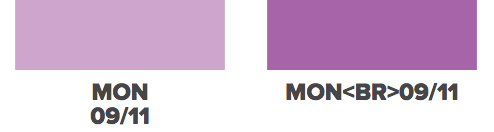
I just updated from 0.9.4 to 0.11.0. In 0.9.4, I was able to include HTML as part of the axis label but now that functionality is gone or changed to something else. I dont see how to do this anymore. I used to pass in something like Mon<br>9/11 and the line break would pass into the rendered chart. Now that tag is being html encoded. How do I get my HTML labels back?
 unhinged
All 3 comments
Usually we try to not include braking changes, even if we are still on the 0.x version. However, in the context of the security fixes and CSP changes, we've changed that the default label rendering uses only textContent and not innerHTML.
You can use this simple plugin in your setup which enables HTML labels in the data object and also for labelInterpolationFnc. For security reasons you should also include an HTML sanitizer if possible. https://jsbin.com/petugug/edit?html,js,output
// HTML Label plugin
Chartist.plugins = Chartist.plugins || {};
Chartist.plugins.ctHtmlLabels = function(options) {
  return function(chart) {
    chart.on('draw', function(context) {
      if (context.type === 'label') {
        // Best to combine with something like sanitize-html
        context.element.empty()._node.innerHTML = context.text;
      }
    });
  }
}

var chart = new Chartist.Line('.chart', {
  labels: ['<a href="#">1</a>', '<a href="#">2</a>', '<a href="#">3</a>', '<a href="#">4</a>', '<a href="#">5</a>'],
  series: [
    [1, 2, 3, 5, 8]
  ]
}, {
  axisY: {
    scaleMinSpace: 40,
    labelInterpolationFnc: function(value, index) {
      return '<strong>Value:</strong>' + value + '<br>' +
        '<strong>Index:</strong>' +index
    },
    offset: 80
  },
  plugins: [Chartist.plugins.ctHtmlLabels()]
});
 gionkunz
on 14 Oct 2017
gionkunz
on 14 Oct 2017
FYI above solution doesnt work on IE11
 AppBroker
on 12 Oct 2018
AppBroker
on 12 Oct 2018
Adding a line break "\r\n" seems to work.
 beerwin
on 26 Apr 2019
beerwin
on 26 Apr 2019
Related issues
 ShlomoRosenheimer
·
3Comments
ShlomoRosenheimer
·
3Comments
 FabienPapet
·
4Comments
ShlomoRosenheimer
·
3Comments
FabienPapet
·
4Comments
ShlomoRosenheimer
·
3Comments
 SimonTernoir
·
5Comments
SimonTernoir
·
5Comments
 imkevinabraham
·
3Comments
imkevinabraham
·
3Comments
Most helpful comment
Usually we try to not include braking changes, even if we are still on the 0.x version. However, in the context of the security fixes and CSP changes, we've changed that the default label rendering uses only textContent and not innerHTML.
You can use this simple plugin in your setup which enables HTML labels in the data object and also for labelInterpolationFnc. For security reasons you should also include an HTML sanitizer if possible. https://jsbin.com/petugug/edit?html,js,output