Chart.js: Make minBarLength work for data that's only <= 0
Feature Proposal
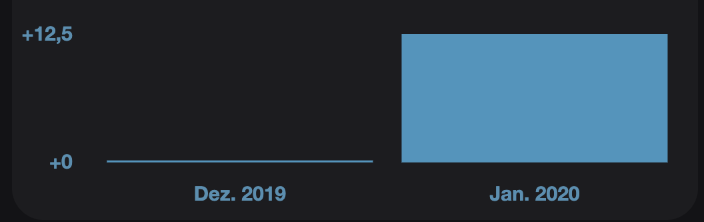
If I set minBarLength = 1 and I have a bar chart with data [0, 12.5], the first bar will be displayed as a very short bar:
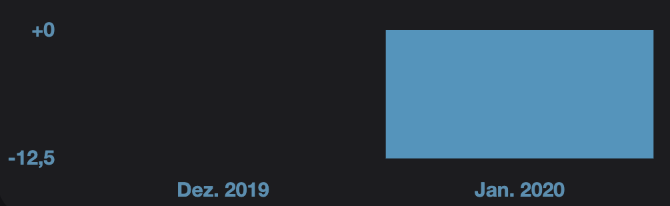
If, however, my data is [0, -12.5], the first bar is invisible:
Feature Use Case
This would be great for bar charts that may display only data thats <= 0.
 nielsjakob
All 8 comments
This is how the minBarLength is drawn right now:

This is what I imagine might be better, although I feel that this might be rather complex to implement:
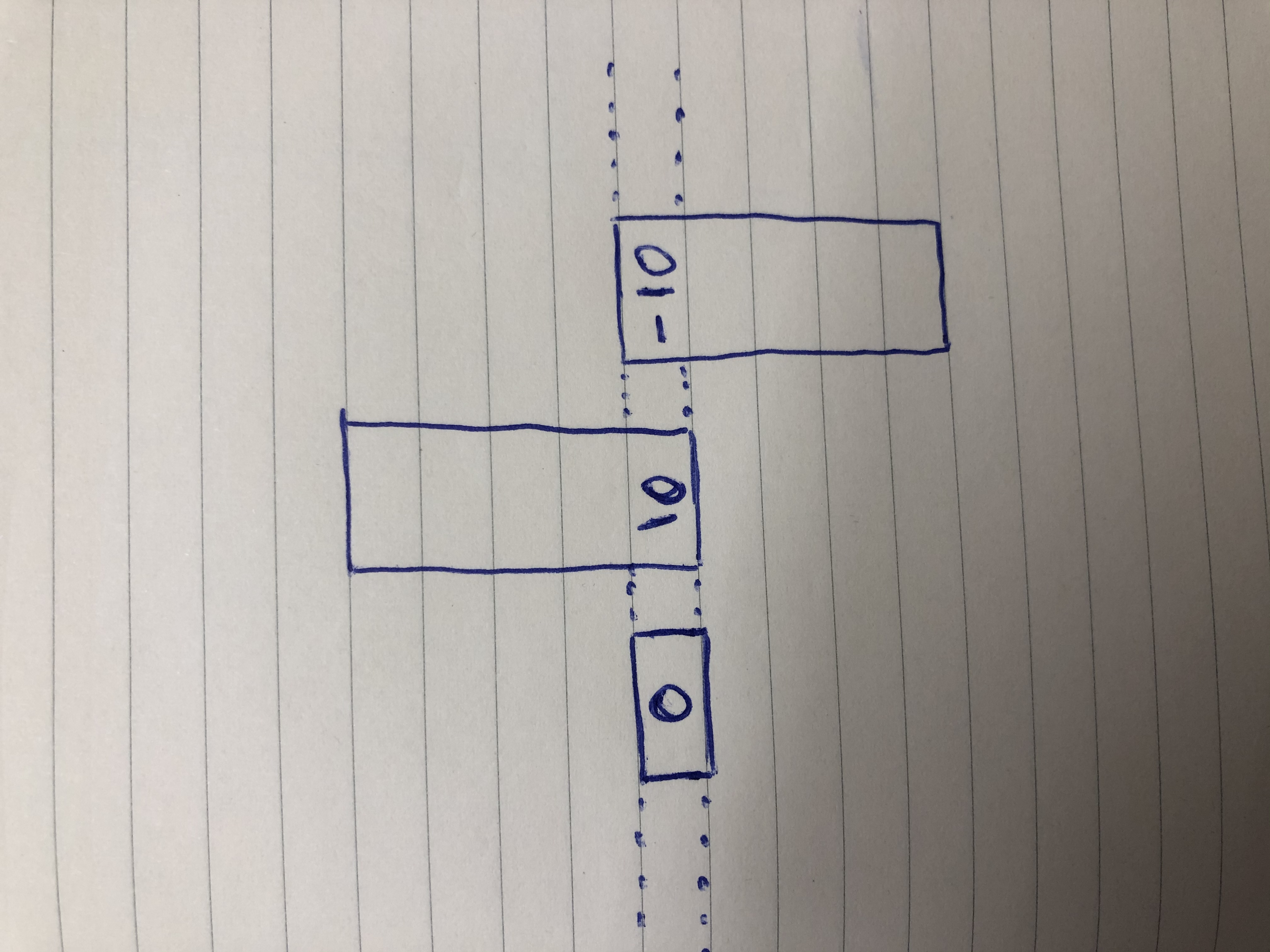
PS: This is weird: on desktop, the photos are rotated by 90° but not on mobile.. apologies for that
nielsjakob
on 18 Jan 2020
The behavior on latest seems correct to me. The behavior on master does not
 benmccann
on 19 Jan 2020
benmccann
on 19 Jan 2020
Both seem incorrect to me, minBarLength should be min length in any direction.
 kurkle
on 19 Jan 2020
kurkle
on 19 Jan 2020
Isn't that what it is on latest? I don't understand what exactly is wrong about it
benmccann
on 19 Jan 2020
Oh, I had messed with the pen. it had '-0.001' onstead of 0.
kurkle
on 19 Jan 2020
For the behaviour on master, seems like we need to decide what to do when the value is the base value.
I think the most intuitive would be:
- base is value scale start: positive
- base is value scale end: negative
- base is in the middle (the samples above): go positive
@benmccann @kurkle how do you feel about solving this for v3? I think we should because it's gotten worse than v2.9.3
 etimberg
on 1 Jun 2020
etimberg
on 1 Jun 2020
When the base is in the middle, how about half above the base, half below?
 fds-github
on 17 Jul 2020
fds-github
on 17 Jul 2020
Related issues
 nanospeck
·
3Comments
nanospeck
·
3Comments
 SylarRuby
·
3Comments
SylarRuby
·
3Comments
 frlinw
·
3Comments
frlinw
·
3Comments
 gabrieldesouza
·
3Comments
gabrieldesouza
·
3Comments
 JAIOMP
·
3Comments
JAIOMP
·
3Comments