Good day
I discovered that the ck editor in this edition is not displaying images, when i checked the source(html) the image is enclosed in the tag but it not displaying in the editor.
please what can i do
 Netrixdesigns
All 8 comments
Its not possible to insert images in the course description
Netrixdesigns
on 4 Jul 2019
Hi @Netrixdesigns
I just verified it on 11.chamilo.org and it is possible to display image in the ckeditor and it is possible to import in the course description as you can see here :
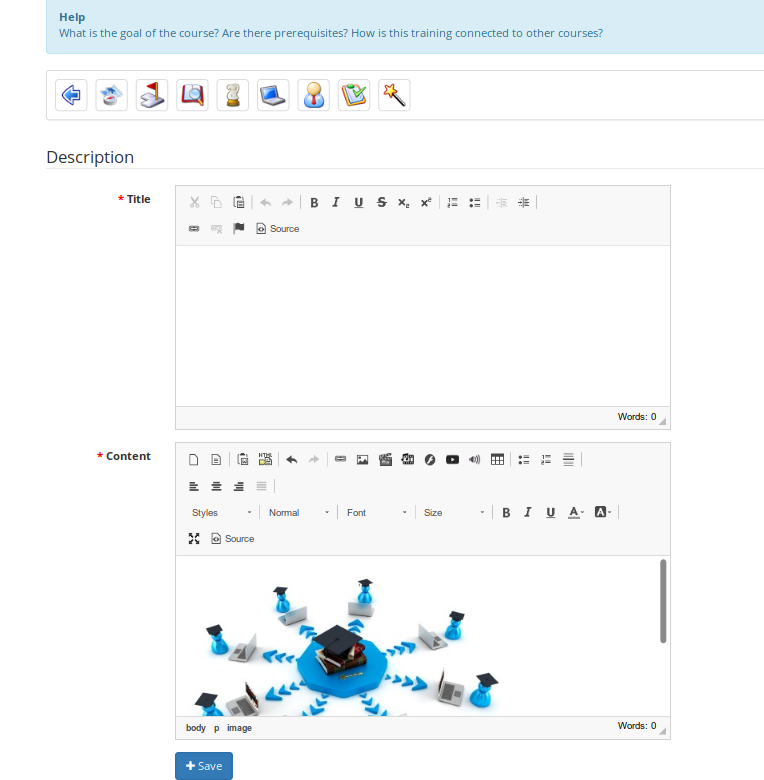
So you have to explain better your problem otherwise we will close the issue
 NicoDucou
on 4 Jul 2019
NicoDucou
on 4 Jul 2019
Good day thanks for your response. Let me upload a screen shot from my own end, it hasnt been displaying images from my end .
Netrixdesigns
on 4 Jul 2019
To make it more clear and proof my claim kindly visit
http://politrixtech.com.ng/learncity/linear/chamilo.mp4
to see it in action, its a very small video presentation, its just 3mb
Netrixdesigns
on 4 Jul 2019
@NicoDucou
Please did you get my message
Netrixdesigns
on 4 Jul 2019
On a test platform I managed changing the path...
Insert the image, which will "display" as a broken link.
Double click on it and in the URL field, add app in the path.
This should look like http://localhost/chamilo/app/documents.... The /app is missing in the path on my side.
1.11.8 didn't have the issue.
 Coursenligne
on 9 Jul 2019
Coursenligne
on 9 Jul 2019
You should not need the app in the path because in the .htaccess file there is :
# Redirect all courses/ to app/courses/
RewriteRule ^courses/([^/]+)/(.*)$ app/courses/$1/$2 [QSA,L]
In my .htaccess from 1.11.x it's on line 46.
@Netrixdesigns
I also see in your video that you are in a sub folder and not directly using a domain name for your Chamilo (the second is recommanded). When using a sub folder you need to configure it in your app/config/configuration.php file :
// Path from your WWW-root to the root of your Chamilo installation,
// example: chamilo (this means chamilo is installed in /var/www/chamilo/
$_configuration['url_append'] = '';
I hope this helps
NicoDucou
on 10 Jul 2019
@NicoDucou
Thanks, issue resolved, i did install into a subdomain and it worked
Netrixdesigns
on 10 Jul 2019
Related issues
 alexiye
·
6Comments
alexiye
·
6Comments
 ywarnier
·
3Comments
ywarnier
·
3Comments
 annickvdp
·
4Comments
annickvdp
·
4Comments
 AldoAbdiel
·
3Comments
AldoAbdiel
·
3Comments
 AulaBit
·
6Comments
AulaBit
·
6Comments
Most helpful comment
You should not need the app in the path because in the .htaccess file there is :
In my .htaccess from 1.11.x it's on line 46.
@Netrixdesigns
I also see in your video that you are in a sub folder and not directly using a domain name for your Chamilo (the second is recommanded). When using a sub folder you need to configure it in your app/config/configuration.php file :
I hope this helps