Chalice: Need help with Cognito user pool authentication + session cookie best practices
This is what I hacked together to be able to authenticate against an AWS Cognito user pool, and use the successful authentication to set a session cookie. It uses the built-in Cognito web UI for login:
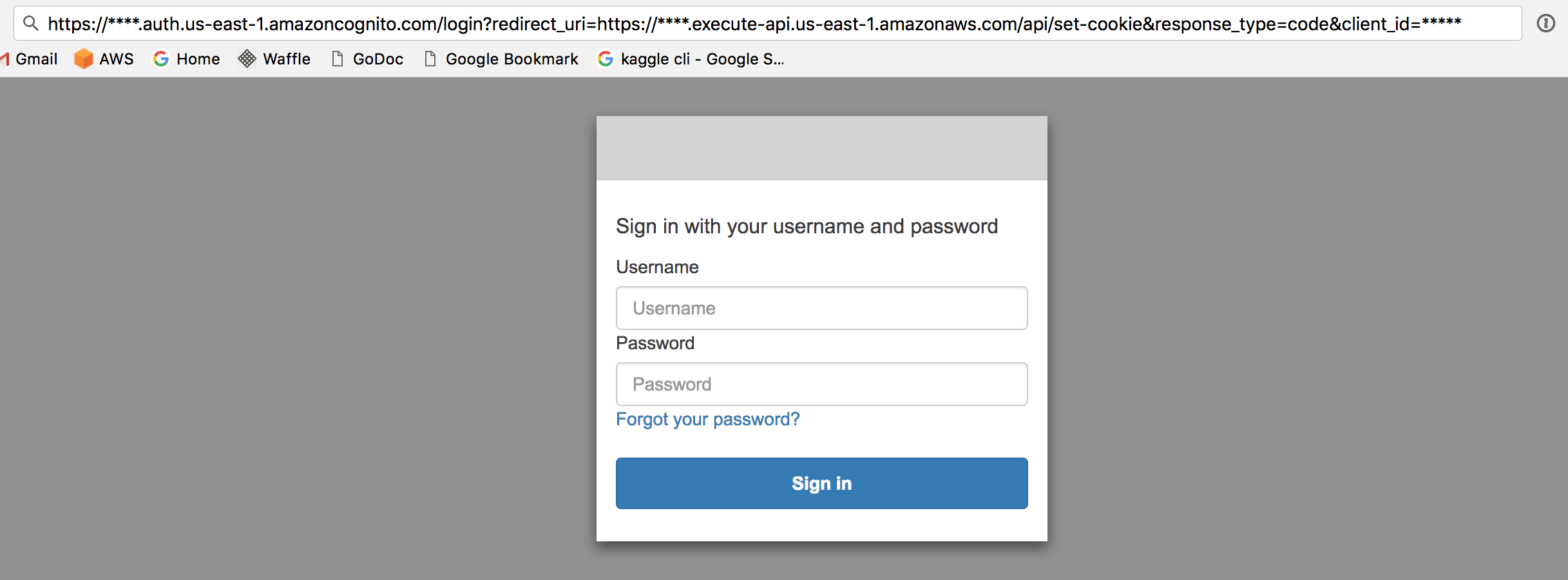

It works, but feels a lot clunkier than it should be .. for example maybe I should be using federated AWS IAM access (how would I control the session length in that case? What would the max session length be?).
Another thing that felt clunky was getting back the authorization code and having to convert it to a JWT token (actually a dictionary of multiple JTW tokens)
The JWT tokens weren't even valid, so I had to set verify=False when decoding. They also showed as the signatures not being verified on jwt.io, although it was a bit confusing because it showed an array of libraries, some of which seemed to be verified.
I'm sharing this in case this helps anyone (saw the posts on AWS Cognito docs needing work), and would love to feedback on how to simplify this and follow best practices! If this isn't the best forum to post this, please let me know where to repost.
from chalice import Chalice
from chalice import Response
from chalice import CognitoUserPoolAuthorizer
import Cookie
import random
import datetime
import requests
import jwt
from jinja2 import Template

app = Chalice(app_name='chalice-webapp')

# AWS Cognito "client id" under AWS Cognito web admin / General Settings / App clients / App client id
CLIENT_ID = "*********************"

# This is the URL of the API after it's deployed to API Gateway.  If you haven't yet deployed this to API Gateway
# via "chalice deploy", then you can't set this.  Resolve the catch22 by running "chalice deploy", grabbing the resulting
# url, and then updating this variable.
API_URL = "https://*******.execute-api.us-east-1.amazonaws.com/api"

# The AWS Cognito domain prefix.  For a given Cognito user pool, corresponds to General Settings / App Integration / App Domain
COGNITO_DOMAIN_PREFIX = "mydomain"

# The AWS region where you defined your Cognito user pool
COGNITO_REGION = "us-east-1"

# How long the session cookie should last
COOKIE_EXPIRATION_DELTA = datetime.timedelta(days=1)

# The Cognito URL for this domain.  The Cognito hosted login endpoint is here, as well as the endpoint to convert the Authorization Code -> JWT Tokens
COGNITO_DOMAIN_URL = "https://{}.auth.{}.amazoncognito.com".format(COGNITO_DOMAIN_PREFIX, COGNITO_REGION)

@app.route('/')
def index():

    if not has_valid_session(app.current_request):
        return show_login_page()

    response_body = "<h1>Welcome!</h1>"
    response_body += "Here are the things you can do"

    return Response(body=response_body, headers={
        "Content-Type": "text/html"
    })


def has_valid_session(req):
    # TODO: There should be a list of valid sessions stored somewhere and
    # TODO: the session ID should be checked against that.  For now it just makes sure
    # TODO: there is a session cookie at all set by this domain.  Not very secure.
    req = app.current_request
    if "cookie" in req.headers:
        cookie_str = req.headers["cookie"]
        if "session" in cookie_str:
            return True
    return False

def show_login_page():

    # Here is the login URL that is on the hosted Cognito UI
    # After login, it will redirect back to this API, to the /set-cookie endpoint, and pass a 'code' param,
    # which is the Authorization Code that can be exchanged for a JWT token
    login_url = "{}/login?redirect_uri={}/set-cookie&response_type=code&client_id={}".format(
        COGNITO_DOMAIN_URL,
        API_URL,
        CLIENT_ID
    )

    login_page_template = """
    <h1>You are not logged in.  You must login to continue</h1>
    <a href="{{ login_url }}">Login</a>
    """

    template = Template(login_page_template)
    response_body = template.render(login_url=login_url)

    return Response(body=response_body, headers={
        "Content-Type": "text/html"
    })


# The set-cookie page is called back after the Cognito login flow is completed.
# It is the redirect_url of the Cognito App.
#
# In my particular case, I don't have any other authorization requirements other than
# "the user was able to login over cognito".  I have self-registration turned off, and
# only a small number of users, who are all basically admin users.  I just want to make
# sure that the user has successfully completed the authentication song-and-dance at COGNITO_DOMAIN_URL,
# and then give them a long lived session cookie.
@app.route('/set-cookie')
def set_cookie():

    req = app.current_request

    # Get the Authorization code parameter that is passed by Cognito after a successful login
    code = "None"
    if "code" in req.query_params:
        code = req.query_params["code"]
    else:
        raise Exception("No authorization code parameter found in request.  You must login first")

    # TODO: verify the code passed back from cognito auth flow
    print("/set-cookie context: {}.  headers: {}".format(app.current_request.context, req.headers))

    # Convert the Authorization Code -> JWT Tokens using the token
    # endpoint per these docs: https://docs.aws.amazon.com/cognito/latest/developerguide/token-endpoint.html
    payload = {
        'grant_type': 'authorization_code',
        'client_id': CLIENT_ID,
        'redirect_uri': '{}/set-cookie'.format(API_URL),
        'code': code
    }
    token_endpoint_url = "{}/oauth2/token".format(COGNITO_DOMAIN_URL)
    r = requests.post(token_endpoint_url, data=payload)

    # The response will look like this:
    #
    # {
    #   "id_token": "hfNPReRmMP28g",
    #   "access_token": "eyJraWQiOiw",
    #   "refresh_token": "eyJjdHkiOiJKV1QiUbmg",
    #   "expires_in": 3600,
    #   "token_type": "Bearer"
    # }
    #

    # Get the id_token field
    id_token = r.json()["id_token"]

    # Decode the id_token
    # TODO: figure out why verify=False is required.  Why can't signature be verified?
    decoded_id_token = jwt.decode(id_token, '', algorithms=['RS256'], verify=False)

    # Make sure there is a "cognito:username" field in the id_token
    if not "cognito:username" in decoded_id_token:
        raise Exception("Invalid id_token.  Missing cognito:username field")

    if not "aud" in decoded_id_token:
        raise Exception("Invalid id_token.  Missing cognito:username field")

    aud = decoded_id_token["aud"]
    if aud != CLIENT_ID:
        raise Exception("Invalid id_token.  aud value does not match expected.")

    response_body = "<h1>Session Created</h1>"
    response_body += "Code: {}".format(code)

    return Response(body=response_body, headers={
        "Set-Cookie": generate_cookie_header_val(),
        "Content-Type": "text/html"
    })


# Generate a cookie header value
def generate_cookie_header_val():

    cookie = Cookie.SimpleCookie()
    cookie["session"] = random.randint(0, 1000000000)
    expiration = datetime.datetime.now() + COOKIE_EXPIRATION_DELTA
    cookie["session"]["expires"] = expiration.strftime("%a, %d-%b-%Y %H:%M:%S PST")
    cookie["session"]["path"] = "/"

    # Workaround the fact that cookie.output returns a string like: 'Set-Cookie: session=650406237; etc..'
    # but we don't want the 'Set-Cookie: ' part in the actual header.
    raw_cookie_output = cookie.output()
    cookie_str = raw_cookie_output.replace("Set-Cookie: ", "")

    return cookie_str
 tleyden
All 5 comments
Thank you for you exemple, here are my understanding, and some questions (I'm a Cognito beginner). Let me know what do you think:
Personally I'm storing the JWT to the Cookie.. and the client can make request with it's JWT.
For every request, the custom authentifier (AWS Lambda) is called and internally uses cognito.getUser with the JWT (AccessToken)
I don't think you need to decode the JWT, just use it as the user access token (unless to need some informations inside it).
PS: And why are you checking cognito:username, aud, etc..? Cognito already checks that everytime you uses it as an access token.
 yvele
on 9 Apr 2018
yvele
on 9 Apr 2018
I'm not sure about best practices in particular but here is a project @kyleknap that looks pretty similar to what you are doing. I don't see why you need to manually do any of the cookie manipulation though since cognito does that for you.
 stealthycoin
on 10 Apr 2018
stealthycoin
on 10 Apr 2018
@stealthycoin I don't quite understand where exactly is Cognito doing all the cookie manipulation (set it on my custom domain)? 🤔
Do you mean using aws-amplify or something browser/mobile side like that? Or is there something in the Cognito API?
yvele
on 10 Apr 2018
This issue has been automatically closed because there has been no response to our request for more information from the original author. With only the information that is currently in the issue, we don't have enough information to take action. Please reach out if you have or find the answers we need so that we can investigate further.
![no-response[bot] picture](https://avatars.githubusercontent.com/u/26350515?v=4&s=40) no-response[bot]
on 7 May 2018
no-response[bot]
on 7 May 2018
@tleyden , thanks for posting this, it was helpful to solve my related problem!
About your TODO: "figure out why verify=False is required. Why can't signature be verified?" you can omit the "verify=False" and instead provide the proper public key to be verified like this:
jwks_json = requests.get(COGNITO_JWKS_URL)
jwks = jwks_json.json()
self.public_keys = {}
for jwk in jwks['keys']:
    kid = jwk['kid']
    self.public_keys[kid] = jwt.algorithms.RSAAlgorithm.from_jwk(json.dumps(jwk))
kid = jwt.get_unverified_header(access_token)['kid']
public_key = self.public_keys[kid]
decoded_id_token = jwt.decode(access_token, key=public_key, algorithms=['RS256'])
 durey
on 8 Oct 2019
durey
on 8 Oct 2019
Related issues
 davidolmo
·
3Comments
davidolmo
·
3Comments
 whatsdis
·
4Comments
whatsdis
·
4Comments
 AtaruOhto
·
3Comments
AtaruOhto
·
3Comments
 stannie
·
4Comments
stannie
·
4Comments
 michaeldimchuk
·
3Comments
michaeldimchuk
·
3Comments
Most helpful comment
@stealthycoin I don't quite understand where exactly is Cognito doing all the cookie manipulation (set it on my custom domain)? 🤔
Do you mean using aws-amplify or something browser/mobile side like that? Or is there something in the Cognito API?