Came up in the forum. I've split the given glb into a glTF with separate bin and textures to make debugging easier:
It's valid according to glTF validator and renders correctly in the glTF viewer:
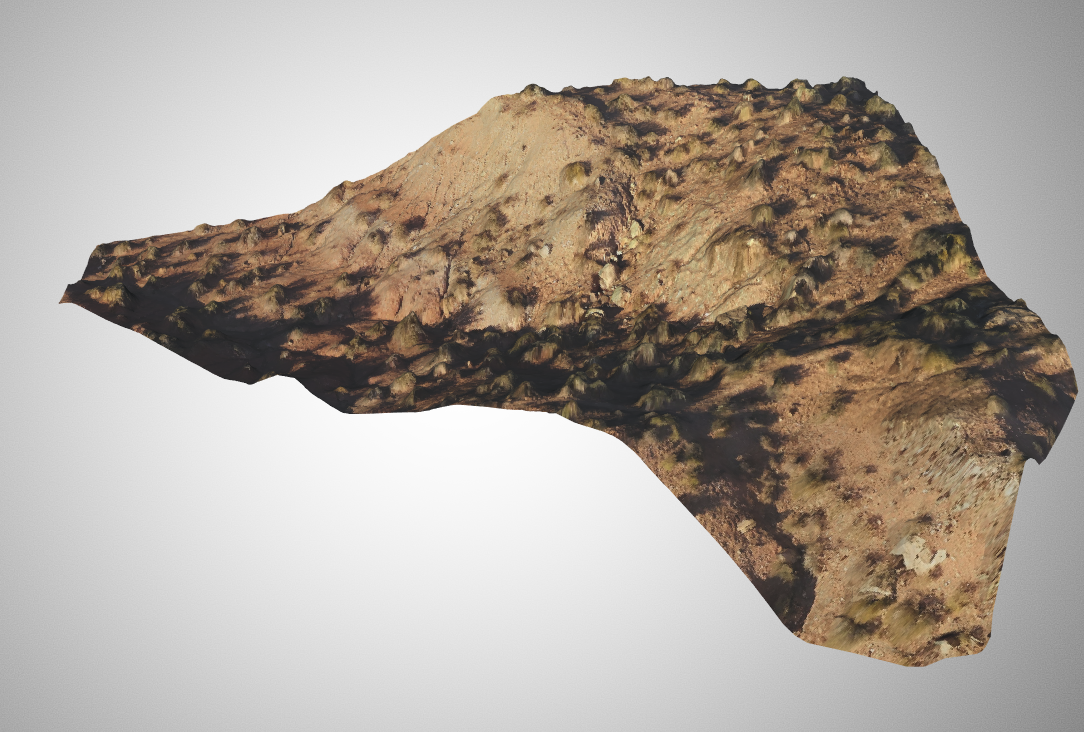
In CesiumJS, it loads with no errors, but nothing is displayed. Initially I thought maybe it was just rendering with a transparent material, but overriding the material in processPbrMaterial still does not display it. It works fine when uploading it to Cesium ion and tiling it as 3D Tiles, so I'm wondering if there's some transform issue/if the geometry is actually pretty far from the origin etc.?
 OmarShehata
All 10 comments
Hi Omar,
I just found out that if I scale the geometry by 1000 with meshlab, then the cesiumjs display is ok.
 DerouineauNicolas
on 11 Sep 2019
DerouineauNicolas
on 11 Sep 2019
Oh I can see it now. If you scale it by 1000 in CesiumJS it's also visible, but since the vertices don't seem centered around the origin, it also moves away when scaled, so it looks like the original mode was just too small.
OmarShehata
on 11 Sep 2019
I tried scaling directly with CesiumJS
var entity = viewer.entities.add({
    name : url,
    position : position,
    orientation : orientation,
    model : {
        uri : url,
        minimumPixelSize : 1,
        maximumScale : 20000,
        scale:1000,
    }
});
But how are you sure it's correctly displayed in the scene ? I tried zooming in/out, nothing appears on the screen.
DerouineauNicolas
on 11 Sep 2019
I was able to see it briefly, it was nowhere near its original location, somewhere off in the atmosphere (and I may have had a higher scale there). I haven't been able to easily reproduce this again though.
OmarShehata
on 11 Sep 2019
Thanks for you answer. But why is not displayed when no scaling is applied ? Is there a minimum "bounding box" diagonal size required by CesiumJS ?
DerouineauNicolas
on 11 Sep 2019
Actually, the model isn't that small. The problem is more that the coordinates aren't centered around the origin. So when you zoom to in CesiumJS, it goes to the (0, 0, 0) but the geometry itself is very far. This would explain why it works in Cesium ion (the geometry gets re-normalized). I verified this with our model inspector (a beta debugging tool):
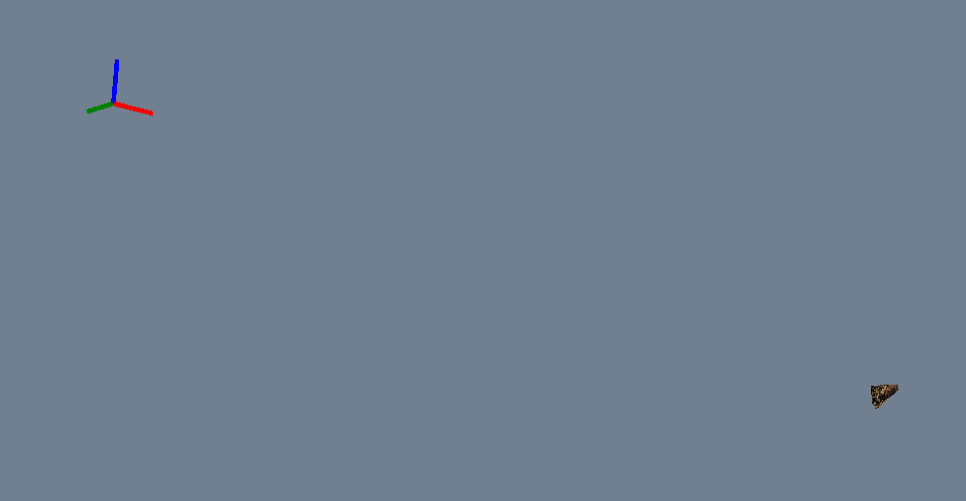
The axes are where the reference frame of the model is, which is what CesiumJS zooms to.
OmarShehata
on 11 Sep 2019
Awesome, thank you very much for the explanation !
DerouineauNicolas
on 11 Sep 2019
Hi @OmarShehata,
I'm still having some questions. What do you mean by re-normalization ? Is the "barycentre" of the object translated to the origin ?
In case I want to keep the distance between the origin and the model, what would be the good display solution ? Zooming at the barycentre ? (I tried that but didn't succeed yet).
DerouineauNicolas
on 12 Sep 2019
One easy way to fix this (and I think this is what uploading to Cesium ion to tile it as 3D Tiles does) is find the center of all the vertices (however you want to compute it) and then subtract all the vertices by that. That way for example instead of your min/max X coordinate of your vertices is 300/350, it becomes 0/50.
I think you can either do this, and then move the model to where you want it to be displayed in your CesiumJS app, or you perhaps you could embed this translation into a transform on the root node in your glTF, instead of having it embedded in the vertices: https://github.com/KhronosGroup/glTF/tree/master/specification/2.0#transformations
OmarShehata
on 12 Sep 2019
This transformation operator at the root node looks promising ! I saw there is the same operator in the 3D Tiles, looks like the good solution. I'm very grateful for your help !
DerouineauNicolas
on 13 Sep 2019
Related issues
 pjcozzi
·
4Comments
pjcozzi
·
4Comments
 nikakhov
·
4Comments
nikakhov
·
4Comments
 thw0rted
·
4Comments
thw0rted
·
4Comments
 hanbollar
·
4Comments
hanbollar
·
4Comments
 lilleyse
·
4Comments
lilleyse
·
4Comments