Cesium: draw a polygon to clippingPlanes terrain not work sometime
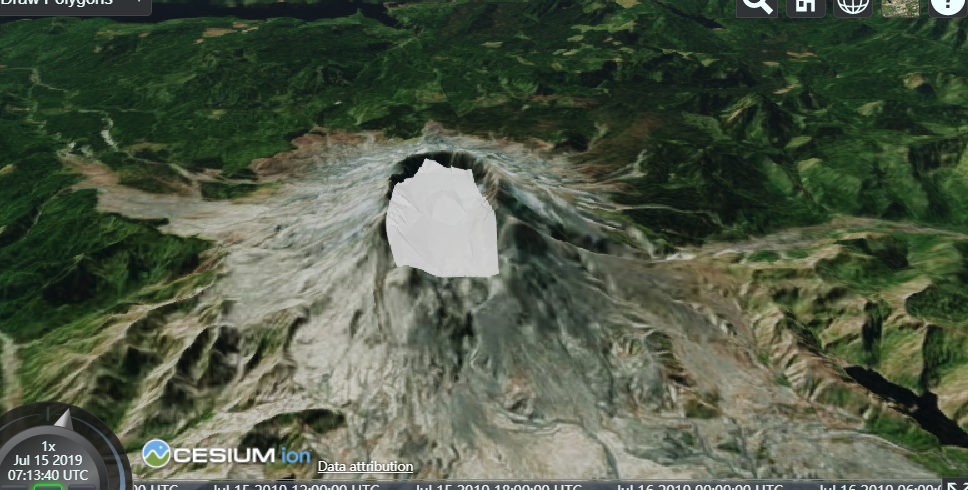
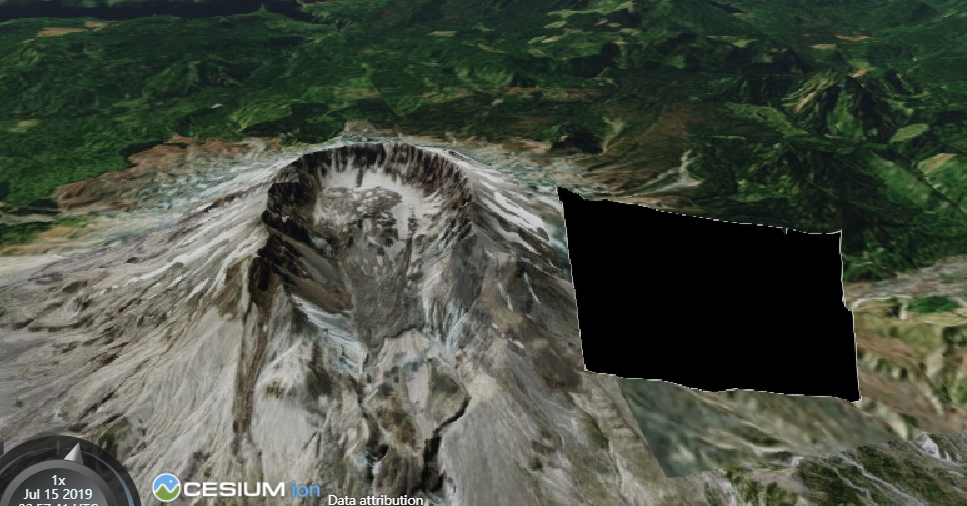
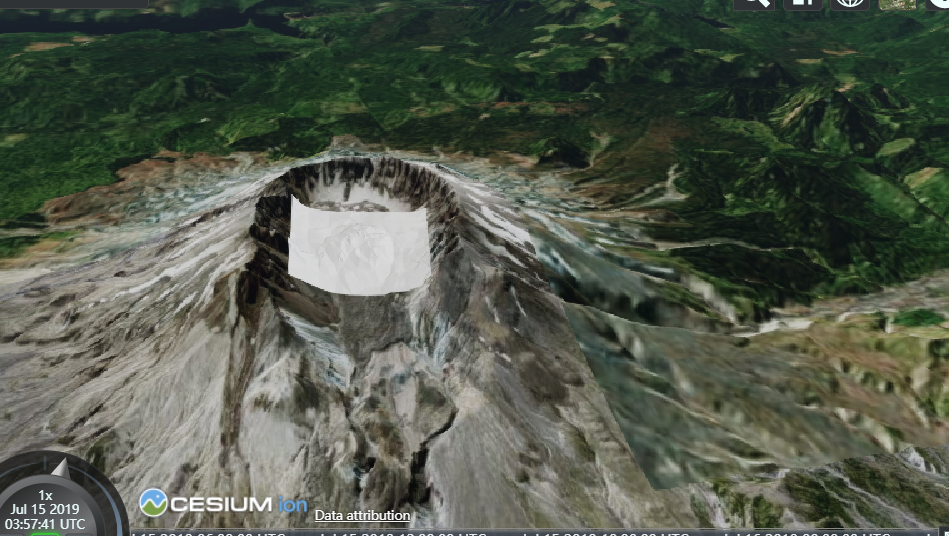
 hemincan
All 6 comments
From first glance it looks like the coordinates or model matrix may not be correctly set up for the clipping plane(s). There's some forum threads that have examples of drawing a clipping plane area, see https://groups.google.com/d/msg/cesium-dev/rRNeE6vQb7g/dOLhS6LXAwAJ and https://groups.google.com/d/msg/cesium-dev/Jgc8BSoCAfc/MSAaJxDJCgAJ.
Feel free to start a new forum thread if you're still having issues and I'd be happy to take a look there. We try to keep GitHub issues specifically for bug reports and feature requests.
 OmarShehata
on 15 Jul 2019
OmarShehata
on 15 Jul 2019
Congratulations on closing the issue! I found these Cesium forum links in the comments above:
https://groups.google.com/d/msg/cesium-dev/rRNeE6vQb7g/dOLhS6LXAwAJ
https://groups.google.com/d/msg/cesium-dev/Jgc8BSoCAfc/MSAaJxDJCgAJ
If this issue affects any of these threads, please post a comment like the following:
The issue at https://github.com/AnalyticalGraphicsInc/cesium/issues/7999 has just been closed and may resolve your issue. Look for the change in the next stable release of Cesium or get it now in the master branch on GitHub https://github.com/AnalyticalGraphicsInc/cesium.
 cesium-concierge
on 15 Jul 2019
cesium-concierge
on 15 Jul 2019
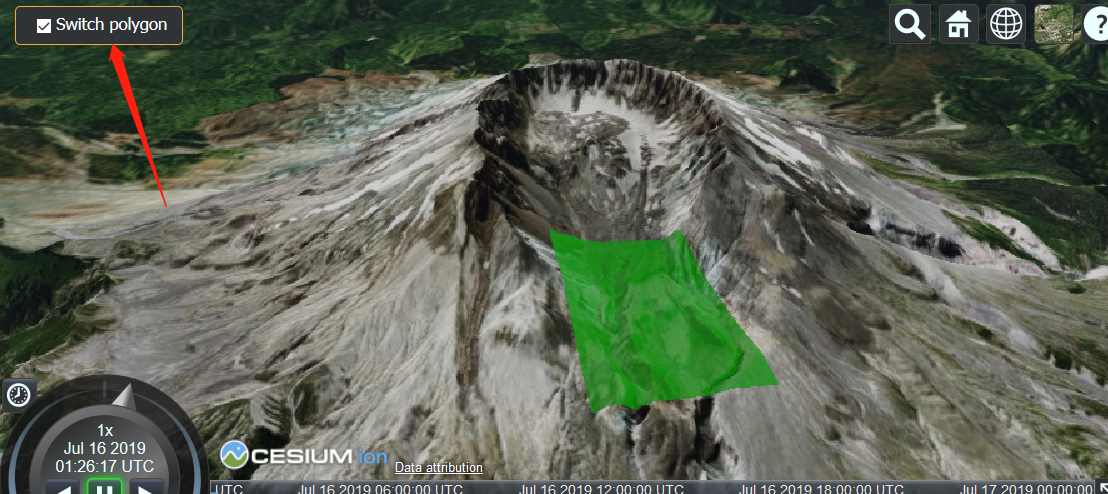
I am so sorry I cant find my answer from your link,Look at the example below, the same code has different polygons, but one can clip, one can't. @OmarShehata
see this Sandcastle example
hemincan
on 16 Jul 2019
Thanks for following up with the additional code example @hemincan . It looks like the issue is that the winding order for the polygon that doesn't work is reversed.
You can see this more clearly in this modified Sandcastle. I've labelled each point so you can compare the order of the vertices between the polygon that works and the one that doesn't. If you replace the points with the new fixedFirstPoints I created there, it should work.
I wonder if it would be worth having CesiumJS at least throw a warning or error of some kind to let the user know about this.
OmarShehata
on 16 Jul 2019
@OmarShehata Thank you very much for your reply and helped me solve the problem that confuses me.
I thought it was a bug. I think this may need to throw a error or write on the document. because it is very confusing.
thank you very much again.
hemincan
on 16 Jul 2019
Actually, I thought about a little more, and the confusion here is coming from treating the "clipping plane" as if it were a "clipping polygon", which it isn't. CesiumJS itself does not require any particular winding order for polygons, the problem is the function you wrote assumes a specific winding order to create the planes in the right direction.
So if you were to draw the planes you're creating, I think you'll see that they're pointing the wrong way when the winding order is reversed.
It does seem like a common use case, so perhaps building some helper tools to make this easier would be really useful here. I opened an issue on the Cesium ion repo for that here: https://github.com/AnalyticalGraphicsInc/cesium-ion-community/issues/198
OmarShehata
on 16 Jul 2019
Related issues
 hanbollar
·
4Comments
hanbollar
·
4Comments
 puckey
·
4Comments
OmarShehata
·
4Comments
puckey
·
4Comments
OmarShehata
·
4Comments
 pjcozzi
·
4Comments
pjcozzi
·
4Comments
 rahwang
·
3Comments
rahwang
·
3Comments
Most helpful comment
Thanks for following up with the additional code example @hemincan . It looks like the issue is that the winding order for the polygon that doesn't work is reversed.
You can see this more clearly in this modified Sandcastle. I've labelled each point so you can compare the order of the vertices between the polygon that works and the one that doesn't. If you replace the points with the new
fixedFirstPointsI created there, it should work.I wonder if it would be worth having CesiumJS at least throw a warning or error of some kind to let the user know about this.