Cert-manager: Temporary SSL issues in MacOS Catalina
Describe the bug:
Temporary Certificates issued when a valid certificate issuance all seem to have the same serial numbers, which in MacOS Catalina causes both Firefox and Chrome to block even allowing access to the sites.
Chrome gives a standard ERR_CERT_INVALID error, and firefox gives a SEC_ERROR_REUSED_ISSUER_AND_SERIAL error.
Expected behaviour:
The option to bypass the invalid SSL which was the behaviour in previous versions of MacOS.
Steps to reproduce the bug:
Attempt to visit a URL with a temporary SSL attached to it in Firefox or Chrome in MacOS Catalina.
Anything else we need to know?:
Environment details::
- Kubernetes version (e.g. v1.10.2): v1.14.6-gke.1
- Cloud-provider/provisioner (e.g. GKE, kops AWS, etc): GKE
- cert-manager version (e.g. v0.4.0): 0.10.1
- Install method (e.g. helm or static manifests): helm
/kind bug
 bruce2409
All 24 comments
Thanks for the report 😄
So a few things:
1) these certificates are not really meant for consumption by users/web browsers, and in fact only exist to 'patch up' a few specifics of the way ingress-gce works when solving HTTP01 challenges.
2) cert-manager from v0.11 onwards will not generate a temporary certificate by default anymore (it requires an additional annotation adding to the Certificate).
3) we actually rely on this serial number being fixed in order to identify that the certificate itself is a 'temporary' one. These certificates should not be used for serving user traffic for this reason.
What exactly is your use case/reason for requiring access whilst the temporary certificates have been issued and the real ones are unavailable?
 munnerz
on 9 Oct 2019
munnerz
on 9 Oct 2019
The problem is that the certificate is not good for the new Apple policies.
 boesbo
on 9 Oct 2019
boesbo
on 9 Oct 2019
Thanks for the report 😄
So a few things:
- these certificates are not really meant for consumption by users/web browsers, and in fact only exist to 'patch up' a few specifics of the way
ingress-gceworks when solving HTTP01 challenges.- cert-manager from v0.11 onwards will _not_ generate a temporary certificate by default anymore (it requires an additional annotation adding to the Certificate).
- we actually rely on this serial number being fixed in order to _identify_ that the certificate itself is a 'temporary' one. These certificates should not be used for serving user traffic for this reason.
What exactly is your use case/reason for requiring access whilst the temporary certificates have been issued and the real ones are unavailable?
So essentially we provide a service that allows people to host websites within kubernetes. We use cert-manager to provide the SSLs and the temporary SSLs are needed to allow proper loading of the site over https because of SNI before a URL's DNS is pointed over to allow the issuance of a let's encrypt cert. Mostly this is to help with migrations, but it's quite important to be able to test things before going live!
Having had a look at the apple updated docs for 10.15 it does seem that the certificates just need to have an extendedKeyUsage added to them at issuance, so I think the firefox SSL error might be misleading or not related to the Chrome issue.
At the very least would it be possible to look at getting temporary certificates to generate with the required extendedKeyUsage?
bruce2409
on 10 Oct 2019
Which extendedKeyUsage is it that's required here? Could you provide a link to those docs? 😄
munnerz
on 10 Oct 2019
Which
extendedKeyUsageis it that's required here? Could you provide a link to those docs? 😄
https://support.apple.com/en-us/HT210176
Here's the apple docs describing their SSL validity requirements in Catalina, and the extendedKeyUsage is the only thing missing from the temporary SSLs.
bruce2409
on 10 Oct 2019
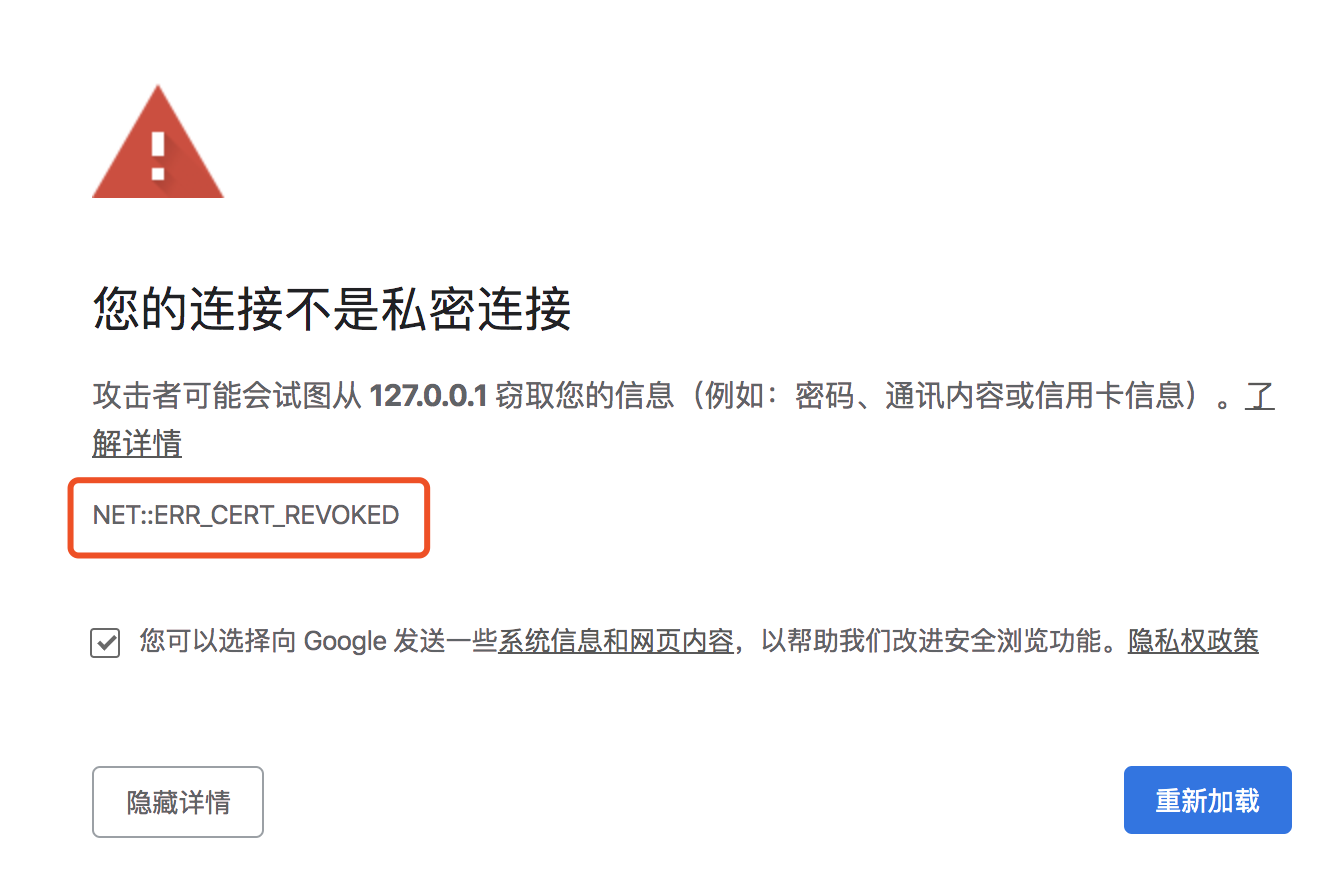
NET::ERR_CERT_REVOKED
 zenoven
on 12 Oct 2019
zenoven
on 12 Oct 2019
i cannot type in AWS and a few other applications due to the new Catalina OS upgrade. I am on the apps latest versions and have disabled secure keyboard function in terminal....yet i still cannot type in AWS. There seems to be some other security feature that doesnt enable me to perform basic keyboard functions; does anyone have a permanent suggestion? (also I have removed the AWS app and re-installed the latest version, as well as used the web version which has horrible latency issues in every browser)
Thanks!
 goblue212
on 14 Oct 2019
goblue212
on 14 Oct 2019
There is a similar issue to this. Catalina does not allow the routine way of accessing AWS EMR JupyterHub as temporary SSL certificates are created for the master node.
 winfieldxu
on 16 Oct 2019
winfieldxu
on 16 Oct 2019
Hey Jetstack/Cert-Manager, thanks! Any suggestions?
On Wed, Oct 16, 2019 at 3:05 AM Winfield Xu notifications@github.com
wrote:
There is a similar issue to this. Catalina does not allow the routine way
of accessing AWS EMR JupyterHub as temporary SSL certificates are created
for the master node.—
You are receiving this because you commented.
Reply to this email directly, view it on GitHub
https://github.com/jetstack/cert-manager/issues/2168?email_source=notifications&email_token=ANPQLNF22TUEVS2Q6LIW2GLQO24MZA5CNFSM4I6U5X7KYY3PNVWWK3TUL52HS4DFVREXG43VMVBW63LNMVXHJKTDN5WW2ZLOORPWSZGOEBLLX3I#issuecomment-542555117,
or unsubscribe
https://github.com/notifications/unsubscribe-auth/ANPQLNFQT5L6MXIFEAOJ3SDQO24MZANCNFSM4I6U5X7A
.
goblue212
on 16 Oct 2019
+1 on the ExtendedKeyUsage that is missing from the generated Certificates.
Docs :
https://tools.ietf.org/html/rfc5280#page-44
I don't know what Apple expect in this as there is a anyExtendedKeyUsage that may be set as default but : Applications that require the presence of a
particular purpose MAY reject certificates that include the
anyExtendedKeyUsage OID
Maybe id-kp-clientAuth and id-kp-serverAuth as default then ?
 prune998
on 25 Oct 2019
prune998
on 25 Oct 2019
Note that this is a pretty urgent issue as all updated Apple clients (MacOS/IOS) either can't connect or (in my cas) can't oAuth.
Thanks @munnerz
prune998
on 25 Oct 2019
Can someone running Catalina try adding server auth to the list of keyUsages on the certificate.spec?
You should specify all 3 of the following:
...
kind: Certificate
...
spec:
  dnsNames:
  - example.com
  keyUsages:
  - digital signature
  - key incipherment
  - server auth
I _believe_ that should fix the issue in the short term. We may need to consider adding serverAuth as one of the default keyUsages set on Certificate resources: https://github.com/jetstack/cert-manager/blob/79711c5e3454b846fd661ecc2b5788a8efb7a920/pkg/apis/certmanager/v1alpha2/types.go#L129
cc @JoshVanL
munnerz
on 29 Oct 2019
I've opened #2303 to update the default keyUsages - if someone on Mac OS Catalina could give this a go, that'd be great 😄
munnerz
on 29 Oct 2019
(it's sufficient to just try the above steps ^ instead of fetching a the 'canary' controller image to verify that the patch works)
munnerz
on 29 Oct 2019
@munnerz I'm testing right now, will let you know
Thanks
prune998
on 29 Oct 2019
I'm creating a certificate with my own CA using version v0.10.1 like :
apiVersion: certmanager.k8s.io/v1alpha1
kind: Certificate
metadata:
  name: cert-authd2.alerting.devops.services
  namespace: istio-system
spec:
  commonName: authd2.alerting.devops.services
  dnsNames:
  - authd.2alerting.devops.services
  issuerRef:
    kind: ClusterIssuer
    name: ca-issuer
  usages:
  - digital signature
  - key encipherment
  - server auth
  secretName: cert-authd2.alerting.devops.services
I confirm I have in the resulting SSL cert :
            X509v3 Key Usage: critical
                Digital Signature, Key Encipherment
            X509v3 Extended Key Usage:
                TLS Web Server Authentication
The workaround is working !
Thanks again !
Note : to have it working I had to delete the certificate and the secret, then re-publish the certificate. Else, you will have to wait until the current SSL certificate expire (close to it) so Cert-Manager will renew it, hopefully with the new EKU added (I haven't tested it though)
prune998
on 29 Oct 2019
Note the right usages to use :
  usages:                                   <-- valid JSON name
  - digital signature
  - key encipherment               <-- Encipherment, not Incipherment
  - server auth
This workaround doesn't work with [email protected]:
Just that in generated certificate, no X509v3 Extended Key Usage:
X509v3 extensions:
  X509v3 Key Usage: critical
      Digital Signature, Key Encipherment
  X509v3 Basic Constraints: critical
      CA:FALSE
 ohardy
on 30 Oct 2019
ohardy
on 30 Oct 2019
I'm still on v0.10.1. I'll try to upgrade (but I see no reasons why it would not work).
Can you provide your certificate definition @ohardy ?
Thanks
prune998
on 30 Oct 2019
@prune998
apiVersion: cert-manager.io/v1alpha2
kind: Certificate
metadata:
  name: example
  namespace: example
spec:
  commonName: example
  secretName: example
  issuerRef:
    name: example
    kind: Issuer
  organization:
  - Example
  dnsNames:
  - example-0.example.com
  usages:
  - digital signature
  - key encipherment
  - server auth
  - code signing
@munnerz Any idea when you'll be able to get that PR merged/make a release of cert-manager with these changes?
 Oats87
on 6 Nov 2019
Oats87
on 6 Nov 2019
When is Apple releasing a patch to fix this issue, i have upgraded my macOS to Catalina last week and both Safari and Chrome are no longer opening even google.com with Chrome trowing the error above, can someone provide better instruction for the workaround to resolve this issue please...
 bnoubiap1
on 12 Nov 2019
bnoubiap1
on 12 Nov 2019
@bnoubiap1, while I don't think your issue is related to Cert-Manager, you certainly have something wrong with your host. Lots of people upgraded to Catalina and do not have any issue with google.com...
If you do use Cert-Manager, there's a workaround, which is described here
prune998
on 12 Nov 2019
TL;DR
Typethisisunsafeon your google chrome page where you're seeing this error and this should let you access the page.
Folks, I was trying to access Jupyter Hub running on AWS EMR using ssh tunneling & foxy proxy but for some reason, I was seeing ERR_CERT_INVALID error in Google Chrome. I messed around it but finally, this is a little trick solved my problem.
Type anywhere on google chrome (make sure you're on the page where you are seeing this error) and just type thisisunsafe using your keyboard and boom. This will let you access the page that previously giving you trouble with https/ssl.
 prakash360
on 7 Feb 2020
prakash360
on 7 Feb 2020
Related issues
 howardjohn
·
3Comments
howardjohn
·
3Comments
 munjal-patel
·
3Comments
munjal-patel
·
3Comments
 timblakely
·
4Comments
timblakely
·
4Comments
 kragniz
·
4Comments
kragniz
·
4Comments
 cpick
·
3Comments
cpick
·
3Comments
Most helpful comment
Folks, I was trying to access Jupyter Hub running on AWS EMR using ssh tunneling & foxy proxy but for some reason, I was seeing
ERR_CERT_INVALIDerror in Google Chrome. I messed around it but finally, this is a little trick solved my problem.Type anywhere on google chrome (make sure you're on the page where you are seeing this error) and just type
thisisunsafeusing your keyboard and boom. This will let you access the page that previously giving you trouble with https/ssl.