Cert-manager: Namespace kube-system doesn't match the current namespace cert-manager
Describe the bug:
Launching cert-manager 0.6.5 from Rancher Catalog with the default name and namespace (cert-manager), will result in the following error:
Failed to install app cert-manager. Error: release cert-manager failed: resource's namespace kube-system doesn't match the current namespace cert-manager
Expected behaviour:
The app to launch without any problems.
Steps to reproduce the bug:
From Rancher 2.1.6 Catalog Apps, Launch cert-manager from the official Library with the default settings.
Anything else we need to know?:
The bug is present in both 0.6.0 and 0.6.5
Environment details::
- Kubernetes version (e.g. v1.11.6):
- Cloud-provider/provisioner (e.g. GKE, kops AWS, etc): custom (Debian Stretch)
- cert-manager version (e.g. v0.4.0): v0.6.5
- Install method (e.g. helm or static manifests): Rancher Official Catalog Library
/kind bug
 easyhash
All 6 comments
We don't manage or publish the Rancher application catalogue version of cert-manager, so I'm not able to provide too much support here.
That said, it is expected that we create a resource in the kube-system namespace - you can see the resource in question here: https://github.com/jetstack/cert-manager/blob/cba4b5053e5bd07cf1af7ecdb6a6e2a5bff76b6a/deploy/manifests/cert-manager.yaml#L1093-L1100
I would say this is more a bug in the way that the Rancher app catalogue works, as it should allow resources to be created in multiple namespaces IMO.
I'm going to close this however, as it's outside the scope of things we control and manage, so there's not much we can do to help 😬
 munnerz
on 19 Feb 2019
munnerz
on 19 Feb 2019
Also, see #1367 as it's been proposed that we improve support for Rancher here recently too 😄
munnerz
on 19 Feb 2019
@easyhash There is a workaround for this issue. Simply install version 0.5.2 to the desired namespace, then upgrade it to 0.6.5. Tested on rancher 2.1.7.
 xvonabur
on 13 Mar 2019
xvonabur
on 13 Mar 2019
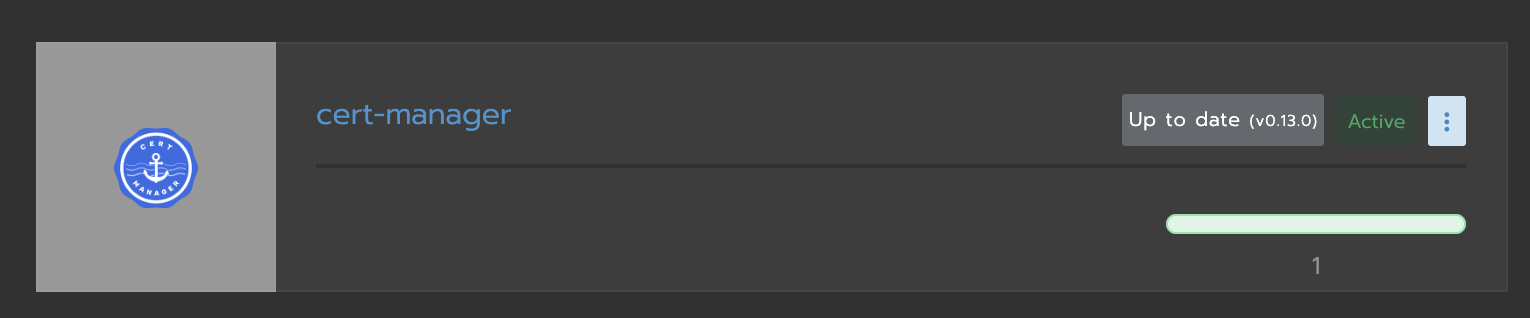
Duplicate the solution (https://github.com/rancher/rancher/issues/23850) here for googlers:
Install the custom resource definition before the helm app:
kubectl apply --validate=false -f https://raw.githubusercontent.com/jetstack/cert-manager/v0.13.0/deploy/manifests/00-crds.yamlInstall the helm app with values:
global.leaderElection.namespace = cert-manager
webhook.enabled = false
---
  global:
    leaderElection:
      namespace: "cert-manager"
  webhook:
    enabled: "false"
- Upgrade the helm app with values:
global.leaderElection.namespace = cert-manager
webhook.enabled = true
---
  global:
    leaderElection:
      namespace: "cert-manager"
  webhook:
    enabled: "true"
- Profit!
 beshkenadze
on 4 Feb 2020
beshkenadze
on 4 Feb 2020
Sorry for the pollution:
Confirming here that the
installCRDs = true
global.leaderElection.namespace = cert-manager
webhook.enabled = true
values worked for install using helm3 jetstack helm repo, and install through Rancher Apps, chart v1.0.0-beta.0
I installed into System project and a new cert-manager namespace.
(rancher v2.4.5)
 krumware
on 26 Aug 2020
krumware
on 26 Aug 2020
Thanks @krumware
Your example needed to be slight updated for version v1.1.0-alpha.1.
Here's the correct copy paste solution for the answers section:
installCRDs: true
global:
  leaderElection:
    namespace: cert-manager
 hyperfocus1337
on 5 Nov 2020
hyperfocus1337
on 5 Nov 2020
Related issues
 Azylog
·
3Comments
Azylog
·
3Comments
 f-f
·
4Comments
f-f
·
4Comments
 Stono
·
3Comments
Stono
·
3Comments
 jakubknejzlik
·
3Comments
jakubknejzlik
·
3Comments
 kragniz
·
4Comments
kragniz
·
4Comments
Most helpful comment
Duplicate the solution (https://github.com/rancher/rancher/issues/23850) here for googlers:
Install the custom resource definition before the helm app:
kubectl apply --validate=false -f https://raw.githubusercontent.com/jetstack/cert-manager/v0.13.0/deploy/manifests/00-crds.yamlInstall the helm app with values: