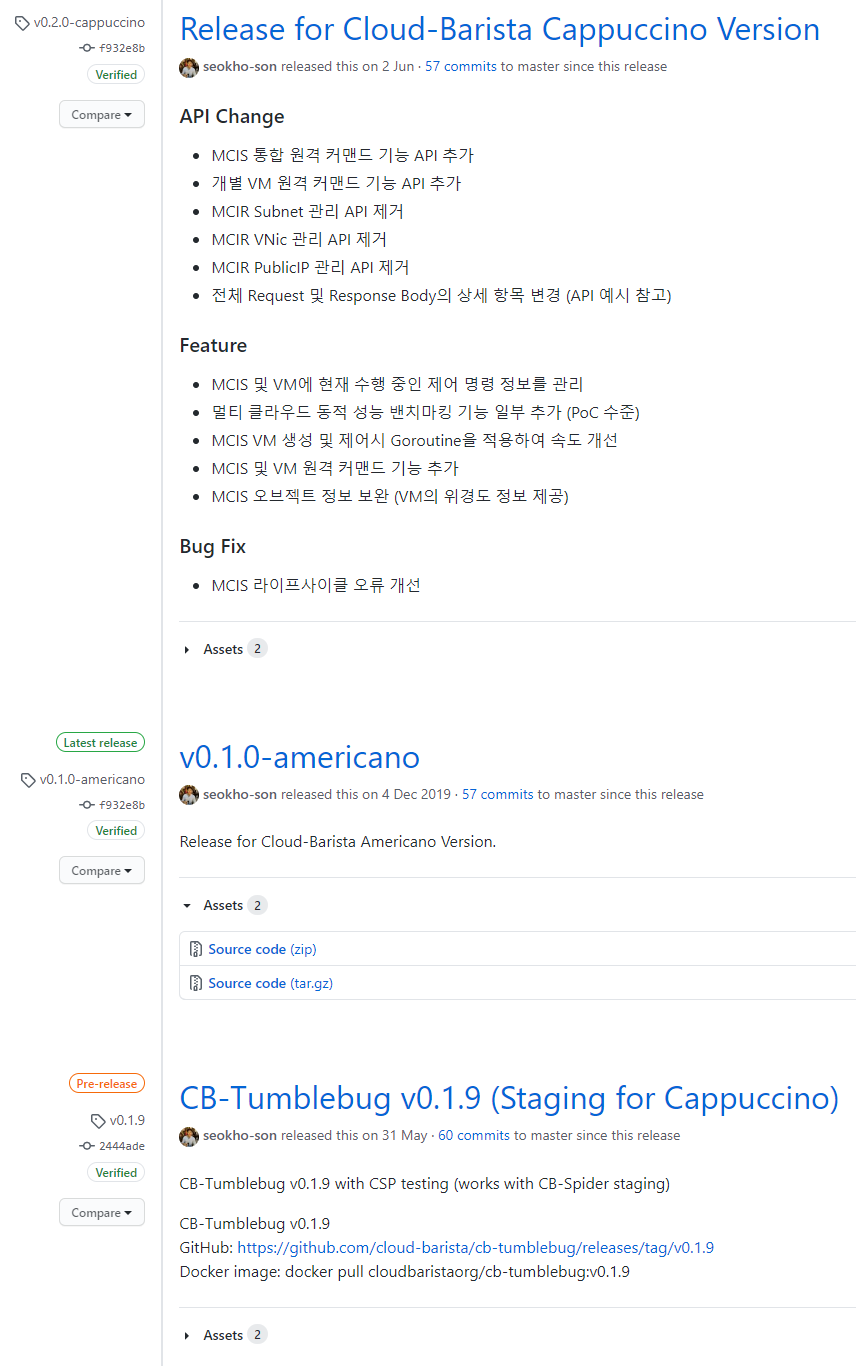
Cb-tumblebug: GitHub says v0.1.0-americano is the latest release

 jihoon-seo
All 3 comments
Issue-Label Bot is automatically applying the label bug to this issue, with a confidence of 0.84. Please mark this comment with :thumbsup: or :thumbsdown: to give our bot feedback!
Links: app homepage, dashboard and code for this bot.
![issue-label-bot[bot] picture](https://avatars.githubusercontent.com/in/27079?v=4&s=40) issue-label-bot[bot]
on 14 Jul 2020
issue-label-bot[bot]
on 14 Jul 2020
I am working on this
 seokho-son
on 15 Jul 2020
seokho-son
on 15 Jul 2020
v0.1.0-americano had a wrong commit which leads the latest release.
I changed the commit and date for v0.1.0-americano tag.
Please check, https://github.com/cloud-barista/cb-tumblebug/releases/tag/v0.1.0-americano
Now, the latest release bug has been resolved.
FYI : procedure to change commit and date for an existing tag. (cf: @jihoon-seo, @powerkimhub)
git show-ref --tags
// check existing tagsgit log
// check commit log to find a target commitgit checkout c6b6d73
// checkout to the target commitGIT_COMMITTER_DATE="$(git show --format=%aD | head -1)" git tag -a v0.1.0-americano -m "v0.1.0-americano" -f
// retag for a target tag with the target commit with the force option ("-f")git checkout v0.1.0-americano
// checkout to the target taggit log
// check the target commit is HEADgit push upstream v0.1.0-americano -f
// push the changed tag to upstream with the force option ("-f")
seokho-son
on 16 Jul 2020
👍2
Was this page helpful?
0 / 5 - 0 ratings
Related issues
seokho-son
·
3Comments
seokho-son
·
3Comments
seokho-son
·
5Comments
seokho-son
·
3Comments
jihoon-seo
·
4Comments
Most helpful comment
v0.1.0-americano had a wrong commit which leads the latest release.
I changed the commit and date for v0.1.0-americano tag.
Please check, https://github.com/cloud-barista/cb-tumblebug/releases/tag/v0.1.0-americano
Now, the latest release bug has been resolved.
FYI : procedure to change commit and date for an existing tag. (cf: @jihoon-seo, @powerkimhub)
git show-ref --tags// check existing tags
git log// check commit log to find a target commit
git checkout c6b6d73// checkout to the target commit
GIT_COMMITTER_DATE="$(git show --format=%aD | head -1)" git tag -a v0.1.0-americano -m "v0.1.0-americano" -f// retag for a target tag with the target commit with the force option ("-f")
git checkout v0.1.0-americano// checkout to the target tag
git log// check the target commit is HEAD
git push upstream v0.1.0-americano -f// push the changed tag to upstream with the force option ("-f")