Cataclysm-dda: Look around cursor does not appear in the center of the game window
Describe the bug
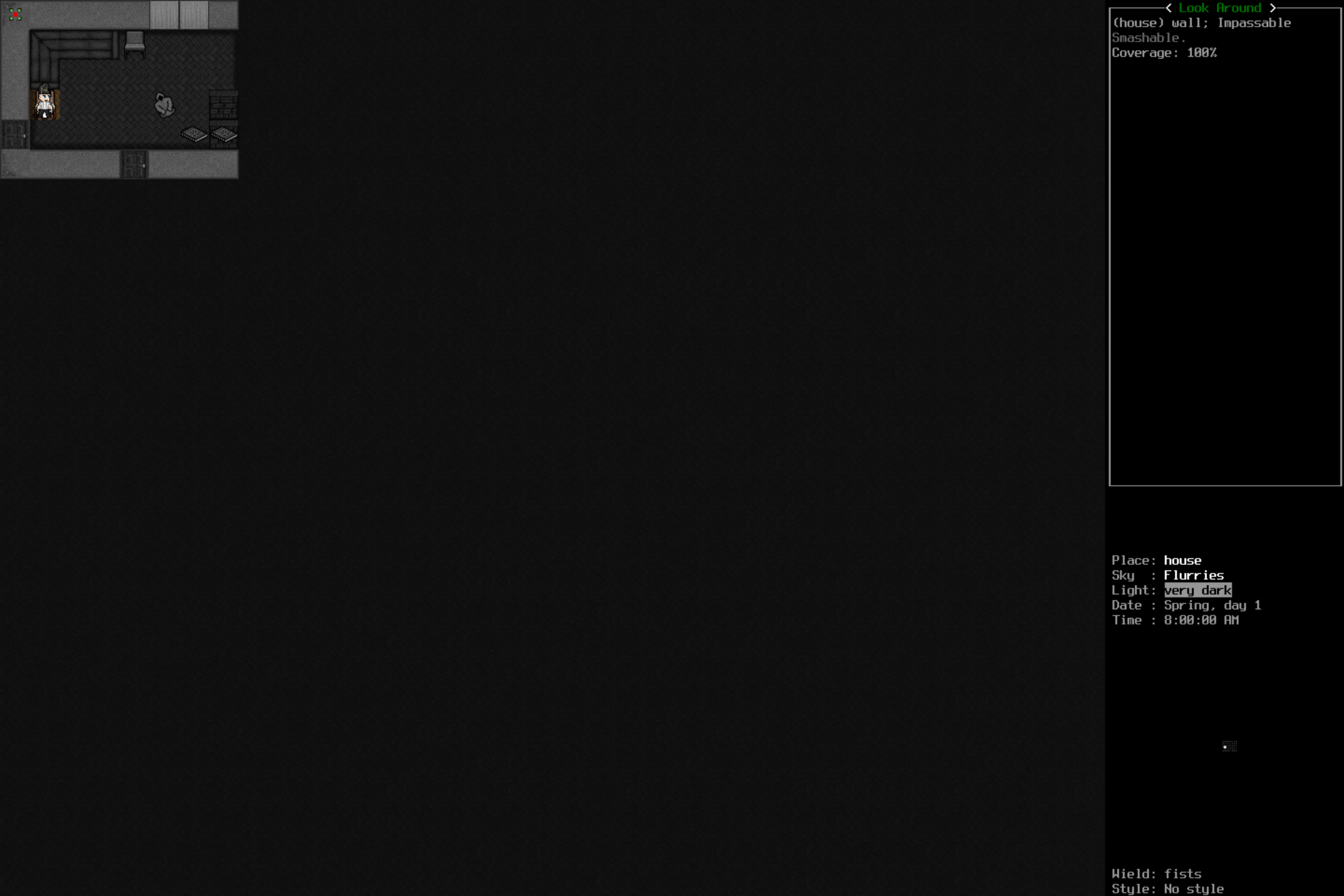
When looking around (';' or 'x' by default), the cursor appears in the upper left corner, rather than starting at the player.
Probably related to #29825.
Steps To Reproduce
Steps to reproduce the behavior:
- Make a character.
- Press ';' (or whatever your look around binding is)
- The cursor appears in the upper left. The right panel shows information about the tile in the upper left corner.
Expected behavior
Yesterday, look around began centered at the player.
Screenshots
Versions and configuration
- OS: Windows 10 [64-bit]
- Game Version: 0.D-2935-g4da9158
- Graphics Version: Tiles
- Mods loaded: [
Dark Days Ahead [dda],
Disable NPC Needs [no_npc_food]
]
 dsmky117
All 28 comments
Yep, same here
 dom4op
on 14 May 2019
dom4op
on 14 May 2019
Yes, same here
 gr0mazeka
on 14 May 2019
gr0mazeka
on 14 May 2019
I'm having a dickens of a time trying to reproduce this (and haven't managed to do so so far). :(
 esotericist
on 14 May 2019
esotericist
on 14 May 2019
Could I have one of you guys toss your options.json file in here for me?
esotericist
on 14 May 2019
Pardon my github illiteracy, it doesn't seem to like .json files, so I've uploaded as a .txt.
dsmky117
on 15 May 2019
Pardon my github illiteracy, it doesn't seem to like .json files, so I've uploaded as a .txt.
worked well enough. I would have also accepted pastebin or gist.github.com.
aggravatingly, this still isn't enough for me to replicate the problem in my windows VM with the same version of the game as you. :( I was really hoping there'd be something in the config settings that could be at fault.
Out of curiosity, if you try playing the game windowed instead of full screen, does it make a difference?
esotericist
on 15 May 2019
Same problem on Windows 7. No difference between fullscreen and windowed.
I notice that whenever the cursor is activated, it momentarily appears over the character and it's immediately re-positioned at the top leftmost tile.
Setting "Edge Scrolling" in the interface options to disabled will cause the cursor to behave normally.
 overlord624
on 15 May 2019
overlord624
on 15 May 2019
Yup, went back to normal behavior by changing Settings > Interface > 40: Edge Scrolling (the last option) to disabled.
dsmky117
on 15 May 2019
When this option Edge Scrolling is disabled, the cursor works as it should (windows 10 x64), but flashing does not work on the map
gr0mazeka
on 15 May 2019
When this option Edge Scrolling is disabled, the cursor works as it should (windows 10 x64), but flashing does not work on the map
Aghl. I can't reproduce this either.
esotericist
on 15 May 2019
@dsmky117 @dom4op Do either of you have problems with the minimap not cycling with edge scroll disabled?
And @gr0mazeka just to be absolutely sure, you haven't inadvertantly set Enemy beacon blink speed to 0 in the Graphics tab, have you?
esotericist
on 15 May 2019
Enemy beacon blink speed = 10. I have a computer and a notebook with different operating systems (W7 and W10), but the problem is the same.
gr0mazeka
on 15 May 2019
This is going to drive me mad. The fact I can't replicate these problems in any of my test rigs makes it exceptionally hard to troubleshoot.
But here's some bonus questions: do you have any difference in the problematic behavior if you change "Renderer"? I know dsmky117 is using direct3d from the provided options file. Do any of you get anything different behavior-wise using "software", "opengl" or "direct3d11" ?
Also do any of you have multiple monitors? If so, does the game behave differently for these issues if it's told to run on a different monitor?
esotericist
on 15 May 2019
render no difference
gr0mazeka
on 15 May 2019
render no difference
I hate to ask this, but you restarted the game after changing the renderer setting, right?
esotericist
on 15 May 2019
opengl good work. if enabled direct3d - then the problem
gr0mazeka
on 15 May 2019
@esotericist I can confirm that my map cursor did stop blinking when I disabled edge scrolling. The cursor "blinks" when I move it. If I hold down a direction, it blinks normally. Pressing a directional key once causes the brackets to appear/disappear.
I tried all of the different renderers (with restarts) and found no difference to the look cursor or minimap blinking issue.
If it helps, I'm on Windows 10.0.17134. I'm using the launcher, but running cataclysm-tiles.exe directly doesn't make a difference.
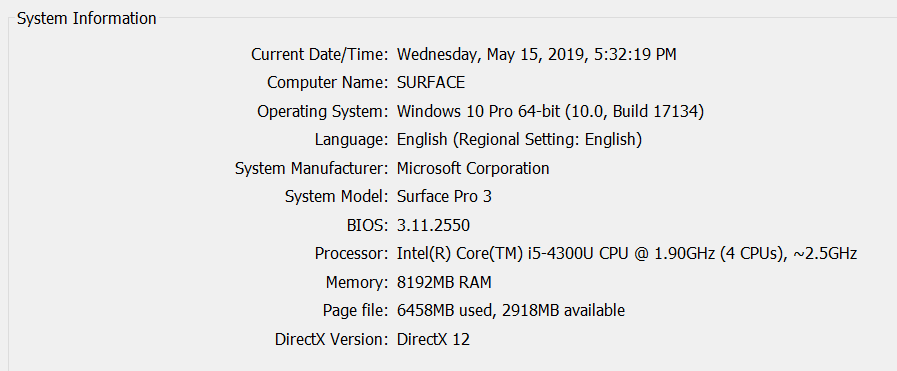
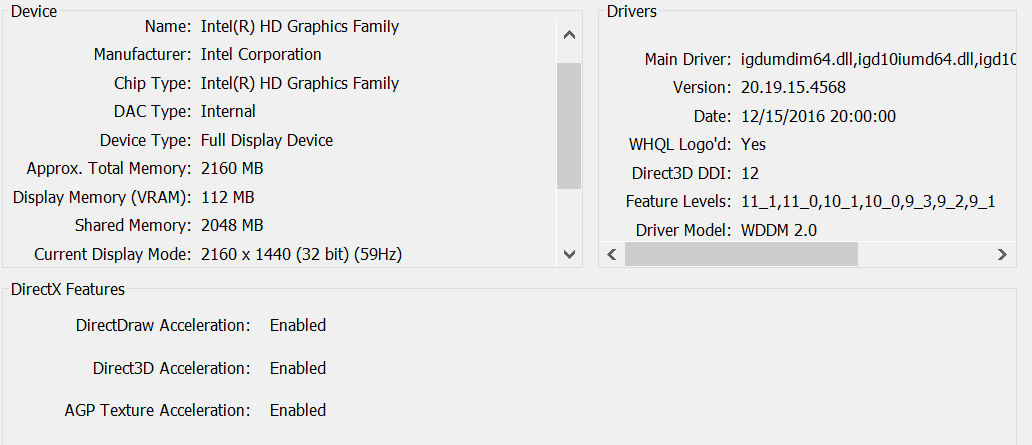
This might be grasping at straws, but here is my dxdiag results:
dsmky117
on 15 May 2019
I can confirm that my map cursor did stop blinking when I disabled edge scrolling. The cursor "blinks" when I move it. If I hold down a direction, it blinks normally. Pressing a directional key once causes the brackets to appear/disappear.
OH! overmap cursor! I thought we were talking about the minimap enemy indicator for some reason
Now I have something I can replicate (I see the problem now) and try to fix!!
I still don't understand what's going on with the "look around" cursor for you folks, but I think I can at least fix the cursor blinking problem on the overmap (m screen).
esotericist
on 16 May 2019
Silly question: does the cursor you guys see in the top left when you hit x to look around... well, move if you move the mouse?
esotericist
on 16 May 2019
Silly question: does the cursor you guys see in the top left when you hit
xto look around... well, move if you move the mouse?
Yes, it follows the mouse cursor.
overlord624
on 16 May 2019
Okay. I might have found a possible cause of this problem, but I can't be 100% sure, since I still can't reproduce the problem myself. I'll do what I can.
esotericist
on 16 May 2019
build 8972 last one that works correctly for me. https://youtu.be/Ci7IJgbzt4I
gr0mazeka
on 16 May 2019
Yeah, I know which PR introduced the problem, I'm just trying to figure out how to fix it, while
a) not being able to reproduce it myself (and thus know if I've fixed it)
b) not backing out the new features of the PR
esotericist
on 16 May 2019
thanks, it works...
gr0mazeka
on 16 May 2019
To be clear, what works now?
I'm confident I fixed the map blinking as of build 8989, but since I never managed to replicate the cursor issue, I had to stab at it blindly. Is that fixed as well, with edge scroll enabled?
esotericist
on 16 May 2019
yes
gr0mazeka
on 16 May 2019
Edge scrolling enabled: The look around cursor appears centered at the player, this appears to be fixed.
Edge scrolling disabled: The overmap cursor blinks normally, also fixed.
dsmky117
on 16 May 2019
Closing then.
 Night-Pryanik
on 16 May 2019
Night-Pryanik
on 16 May 2019
Related issues
 Taberone
·
3Comments
Taberone
·
3Comments
 AdonaiJr
·
3Comments
AdonaiJr
·
3Comments
 natsirt721
·
3Comments
natsirt721
·
3Comments
 jeremyshannon
·
3Comments
jeremyshannon
·
3Comments
 Tsunder
·
3Comments
Tsunder
·
3Comments