Cataclysm-dda: In-game font settings not working
Describe the bug
Recently, font settings were introduced in-game in https://github.com/CleverRaven/Cataclysm-DDA/pull/28122. However, even when settings are applied, font size doesn't change whatsoever, not even restarting the game as it used to be with file-based settings.
To Reproduce
Steps to reproduce the behavior:
- Update to 8744 with known font settings.
- Size, width and height will be reset to default (as intended)
- Change settings. They don't apply.
Expected behavior
In-game font setting works.
Versions and configuration(please complete the following information):
- OS: Windows 10
- Game Version: 0.D-1619-ge5b4597
- Graphics version: Tiles
- Renderer: Direct3D
- Fullscreen: No
Additional context:
On further testing, it seems changing font width while windowed has an effect in window size (related to terminal width, perhaps?)
 Break-Off
All 2 comments
I'm also seeing some oddness on my system (Ubuntu Linux using xmonad) after the change as well, but I'm still trying to figure out what's going on. It seems like after changing the font sizes the game will use the whole screen for the overland map, but the regular tiles map only uses a portion of the screen. Fonts look warped and weird if set to anything but the default.
Can confirm that going back to a pre-28122 build resolves the issue.
 pjf
on 9 Apr 2019
pjf
on 9 Apr 2019
I believe changing font width while windowed is expected to change the window size (Font width x Terminal width = window size in pixels horizontal, Font height x Terminal height = window size in pixels vertical).
However, I am definitely seeing changes beyond just moving where the settings are.
- OS: Windows 10
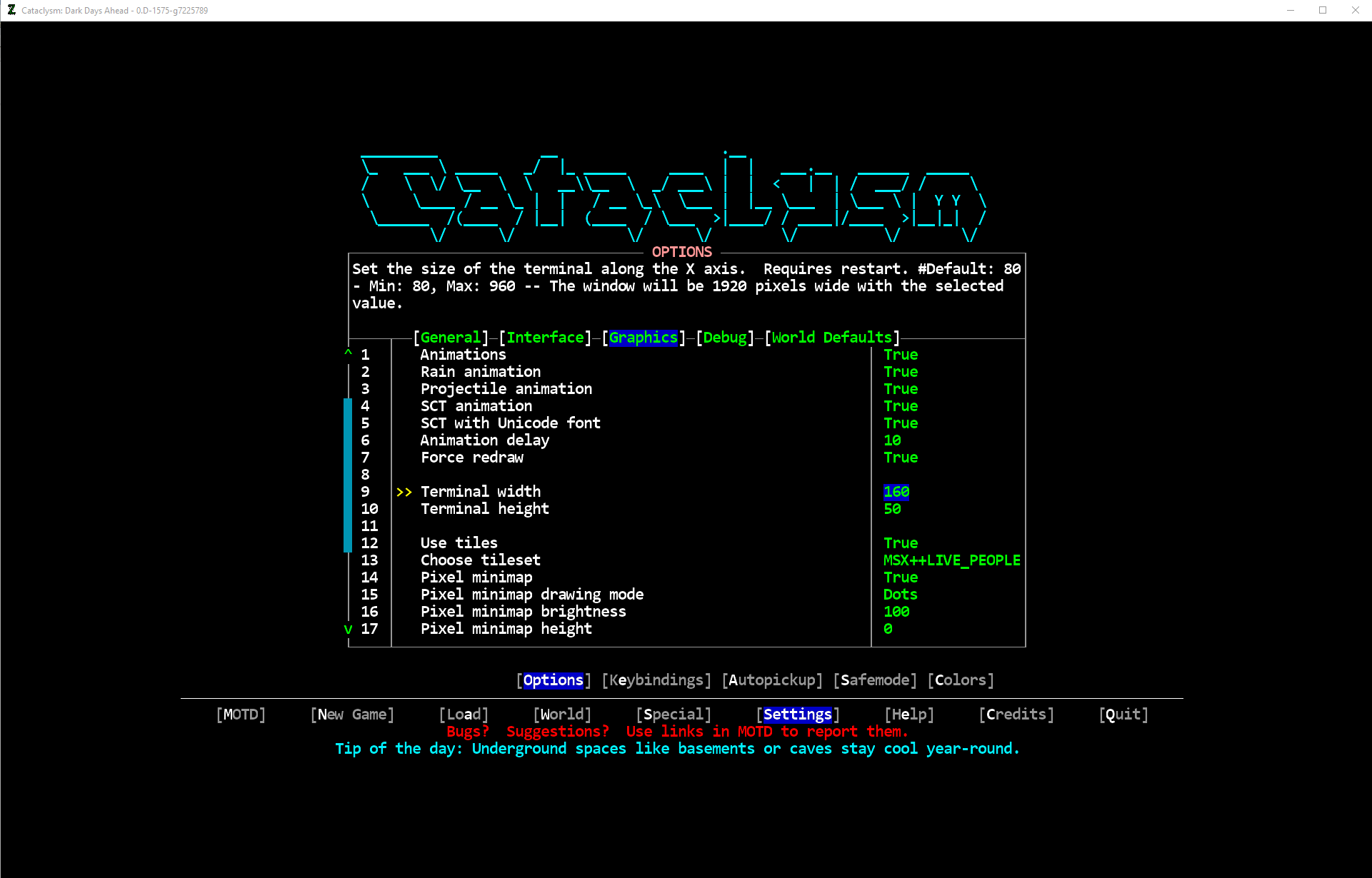
- Game Version: 0.D-1619-ge5b4597 vs 0.D-1575-g7225789
- Graphics version: Tiles
- Renderer: Direct3D
- Fullscreen: No
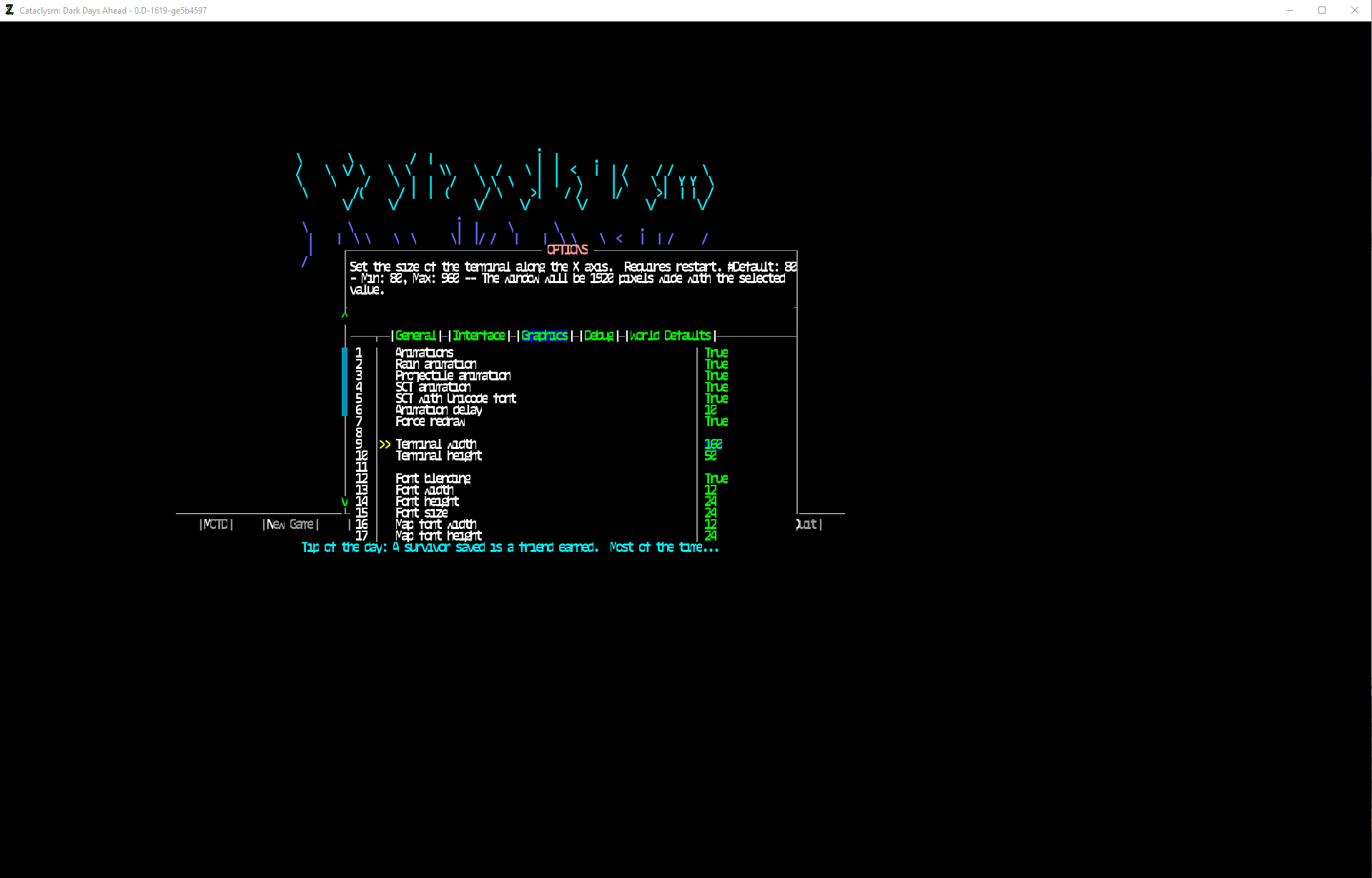
Adding my previously working settings from fonts.json to the new in game options window results in display issues.
e.g.
Font W/H/S: 12/24/24 Consolas Bold
Map Font W/H/S: 12/24/24 Consolas Bold
Over Map W/H/S: 22/22/22 White Rabbit
Build 8743 with fonts.json
Build 8744 after starting, adjusting the Font options to match what was in fonts.json, exiting and restarting
 jimmydoh
on 9 Apr 2019
jimmydoh
on 9 Apr 2019
Related issues
 railmonkey
·
43Comments
railmonkey
·
43Comments
 chriseich21
·
67Comments
chriseich21
·
67Comments
 Nioca
·
49Comments
Nioca
·
49Comments
 MrHrulgin
·
55Comments
MrHrulgin
·
55Comments
 bpwatts
·
74Comments
bpwatts
·
74Comments
Most helpful comment
I believe changing font width while windowed is expected to change the window size (Font width x Terminal width = window size in pixels horizontal, Font height x Terminal height = window size in pixels vertical).
However, I am definitely seeing changes beyond just moving where the settings are.
Adding my previously working settings from fonts.json to the new in game options window results in display issues.
e.g.
Font W/H/S: 12/24/24 Consolas Bold
Map Font W/H/S: 12/24/24 Consolas Bold
Over Map W/H/S: 22/22/22 White Rabbit
Build 8743 with fonts.json

Build 8744 after starting, adjusting the Font options to match what was in fonts.json, exiting and restarting
