Cascadia-code: Bug Report: Some Geometric Shape characters have incorrect contour directions
Environment
Cascadia Code version number: 1911.20
Application (with version) used to display text: UWP Character Viewer
OS platform and version: Windows 10 1909
Screen resolution (i.e. 220dpi): 100% dpi

Any other software?
Details
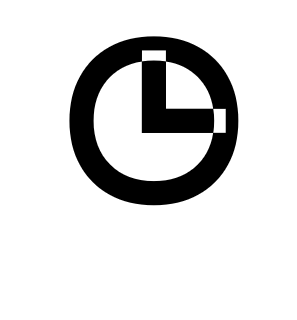
Some of the contours have errors looking at the latest released 1911.20 version of the font.
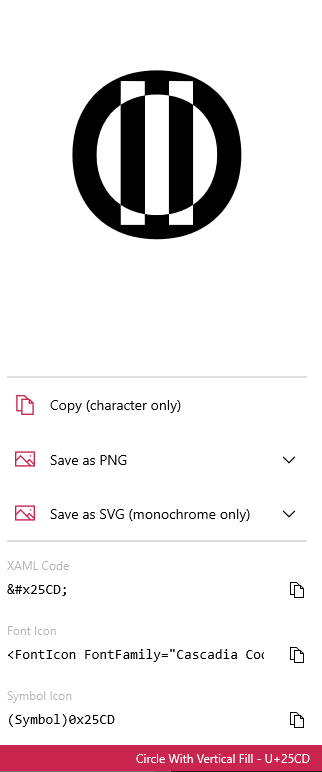
and with the circle quarters
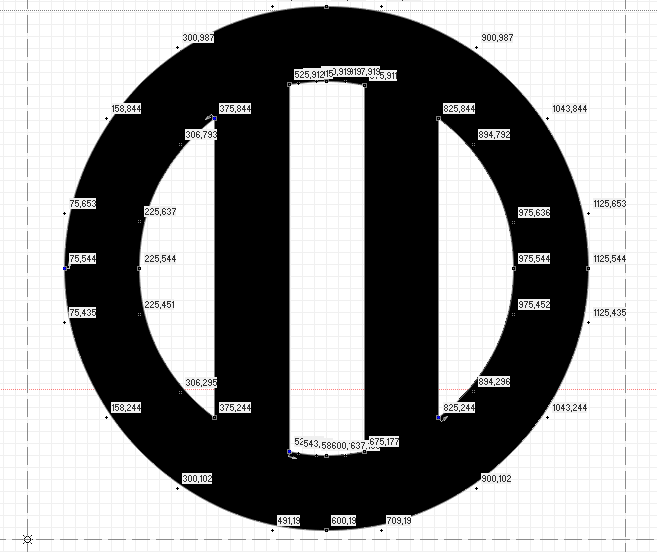
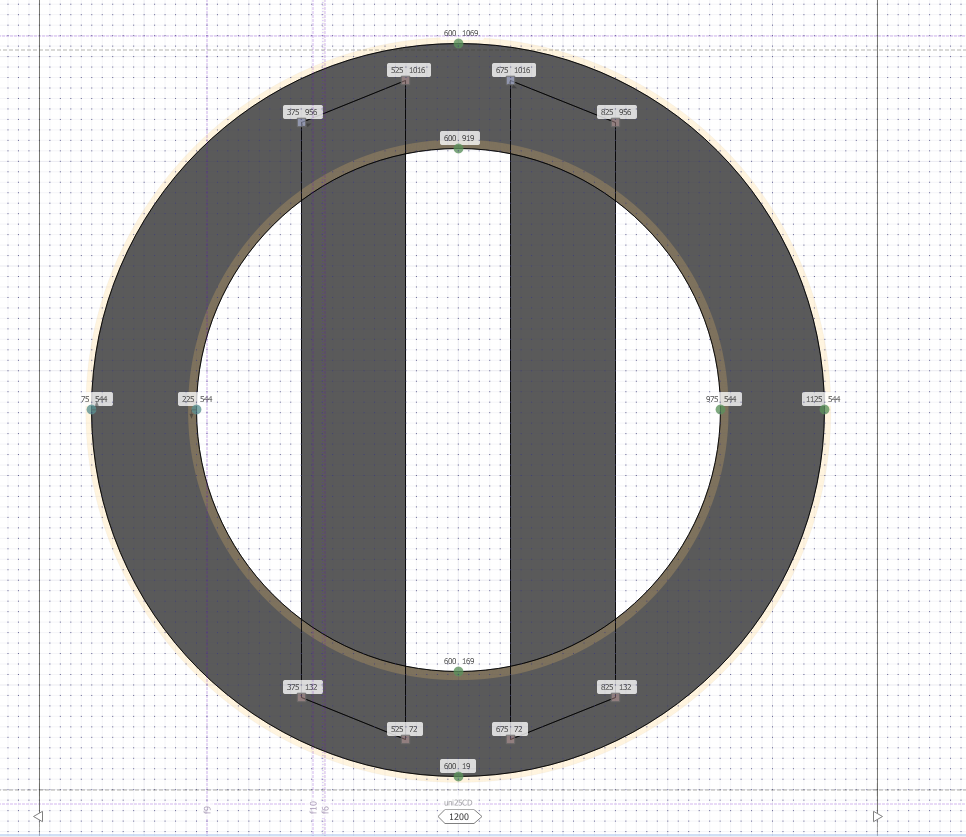
These do not appear in the TTF file I generated, which were used to add the glyphs
 mdtauk
All 7 comments
Interesting. It looks like the path directions got a little out of whack with these glyphs... I wonder why.
 DHowett-MSFT
on 21 Nov 2019
DHowett-MSFT
on 21 Nov 2019
Interesting. It looks like the path directions got a little out of whack with these glyphs... I wonder why.
I submitted a TTF where the contours were collapsed. But perhaps they were redrawn, and the path directions were not made correctly.
mdtauk
on 21 Nov 2019
It also looks like there's a hinting program in the source for those glyphs which is getting ignored. Curious.
@aaronbell any idea?
DHowett-MSFT
on 21 Nov 2019
It also looks like there's a hinting program in the source for those glyphs which is getting ignored. Curious.
@aaronbell any idea?
I imported the glyphs file, added the new Glyphs in FontLab 6, removed the other glyphs so only those codepages were there, and exported to TTF
mdtauk
on 21 Nov 2019
Yeah, when I integrated @mdtauk's ttf in, I was correcting the cubic / quadratic conversion and thought it easier to split the outer circle from the inner section (as round to straight lines get particularly messy), but it appears that Glyphs decided that the contour directions should be flipped and I didn't notice. I'll have a quick fix for it here in a min.
 aaronbell
on 21 Nov 2019
aaronbell
on 21 Nov 2019
Yeah, when I integrated @mdtauk's ttf in, I was correcting the cubic / quadratic conversion and thought it easier to split the outer circle from the inner section (as round to straight lines get particularly messy), but it appears that Glyphs decided that the contour directions should be flipped and I didn't notice. I'll have a quick fix for it here in a min.
Thanks @aaronbell, it was only when I explored the released version, that I noticed it. Sorry to be a bummer for the version release.
mdtauk
on 21 Nov 2019
@aaronbell If I submit any more glyphs in the future, I will be sure to submit as OpenType OTF, so the curves retain their bezier nodes.
mdtauk
on 22 Nov 2019
Related issues
 ratishphilip
·
3Comments
ratishphilip
·
3Comments
 flowchartsman
·
6Comments
flowchartsman
·
6Comments
 khoshroomahdi
·
4Comments
khoshroomahdi
·
4Comments
 dreamer
·
4Comments
dreamer
·
4Comments
 xmha97
·
3Comments
xmha97
·
3Comments
Most helpful comment
@aaronbell If I submit any more glyphs in the future, I will be sure to submit as OpenType OTF, so the curves retain their bezier nodes.