Cartodb: Wrong user flow involving analyses and empty layers
Context
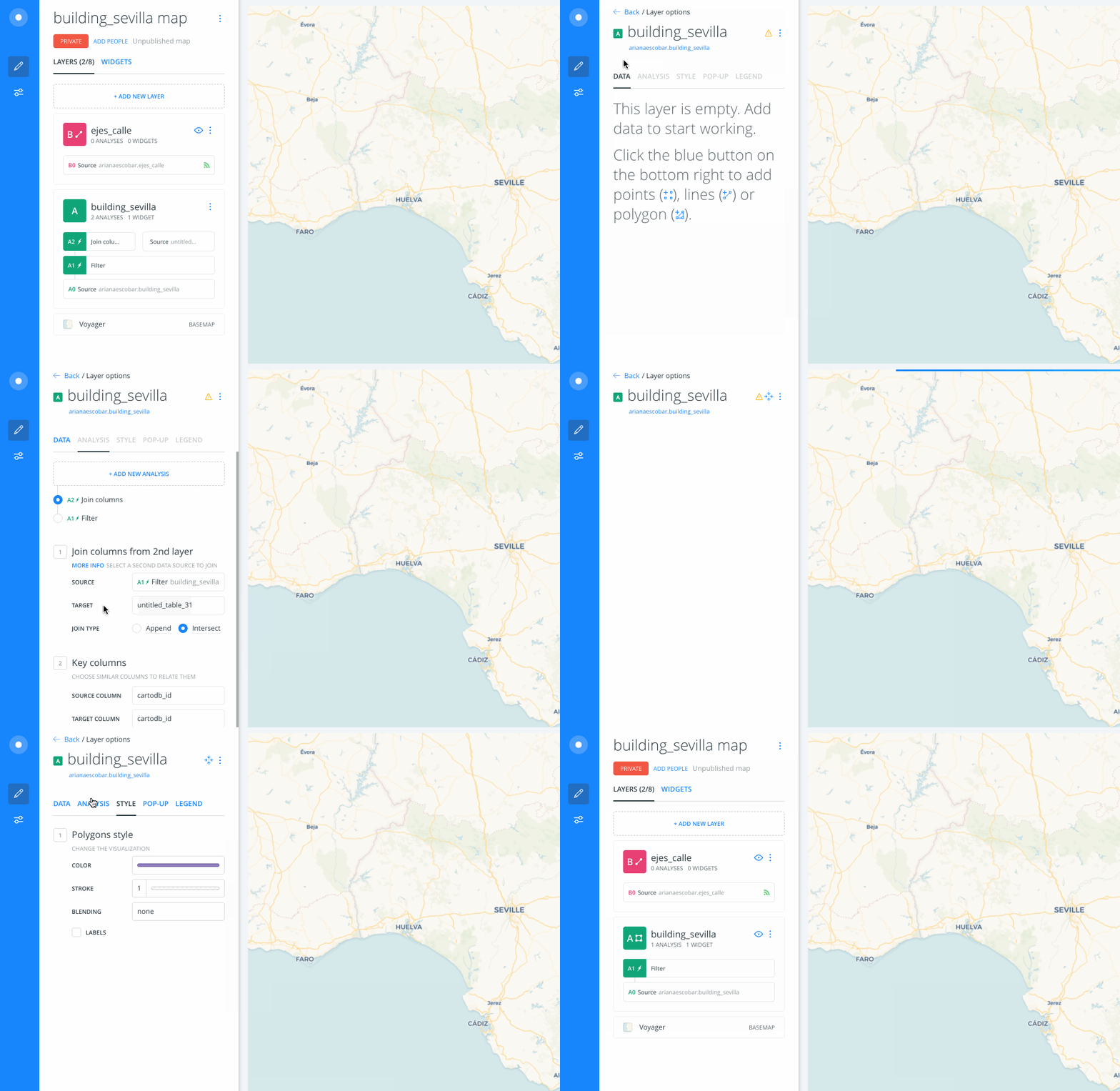
Right now, if you add certain analysis to a layer that doesn't return any data, Builder considers that layer as empty. And, being an empty layer, it disables all the other tabs, but Data. So users are unable to access the Analysis tab to edit or delete said analyses.
There's a workaround, by accessing them through the Layers list' analysis nodes "shortcuts" but users should be able to access them from both sides.
Steps to Reproduce
- Apply an analysis in a layer that will filter out all the data in that layer.
- Go back to the Layers list.
- Access the layer again.
Expected result
In that instance, when an analysis is filtering out all the data, we shouldn't consider the layer as empty, but as a filtered.
This is an important one @ramiroaznar
PR
- Wrong user flow involving analyses and empty layers: https://github.com/CartoDB/cartodb/pull/13489
 arianaescobar
All 20 comments
@arianaescobar Should we take the user to the analysis tab when the layer is empty and has any analysis applied? I think we should, right?
 jesusbotella
on 1 Feb 2018
jesusbotella
on 1 Feb 2018
It shouldn't be a particular new state, it should be the default state with everything enabled.
arianaescobar
on 1 Feb 2018
Should we enable Style, Pop-up, and Legends tabs too? The behaviour of disabling these three tabs wasn't modified when we disabled the analysis tab in the empty layer state, it was changed before.
jesusbotella
on 1 Feb 2018
Everything has to be enabled. This isn't an empty state, it's a default normal state with inputs from the user on the analysis tab.
Disabling those tabs was never meant for this instance.
arianaescobar
on 1 Feb 2018
@matallo and I have been talking about this, and even though the tabs should be enabled when layer is empty because of an analysis filtering, it requires further action that should be addressed in other issue.
The tabs were disabled in https://github.com/CartoDB/cartodb/commit/8c8509a559677a4af8f02a6d8bdb95cfdb6d80a2#diff-3b326ab1e0768bfa962d6b8ed71e4677.
These actions that I mentioned above involve Style, Popup and Legend tabs.
In the Style tab, the style shouldn't be reset when the layer is empty to restore the previous state after reverting the filter if the layer geometry and querySchemaModel has the same schema.
In the Popup tab, we shouldn't let the user select any column when the layer is empty.
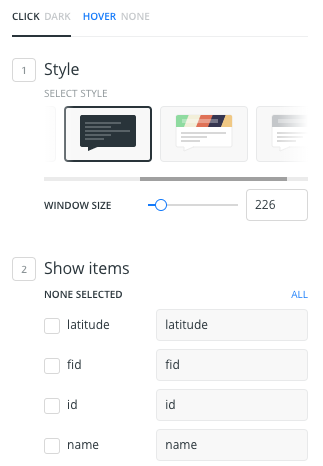
In the Legends tab, we shouldn't let the user modify the current legend because we don't have the current layer styles, so there won't be any items in the legend.
In order not to block the important fix for more time, what do you think about addressing the thing of the disabled tabs in another issue?
jesusbotella
on 2 Feb 2018
@arianaescobar It is now deployed in ded11 to test.
jesusbotella
on 2 Feb 2018
I don't think we should address it in a separate issue because of interactions like the following two (take a look at how the tabs change all of the sudden in both):
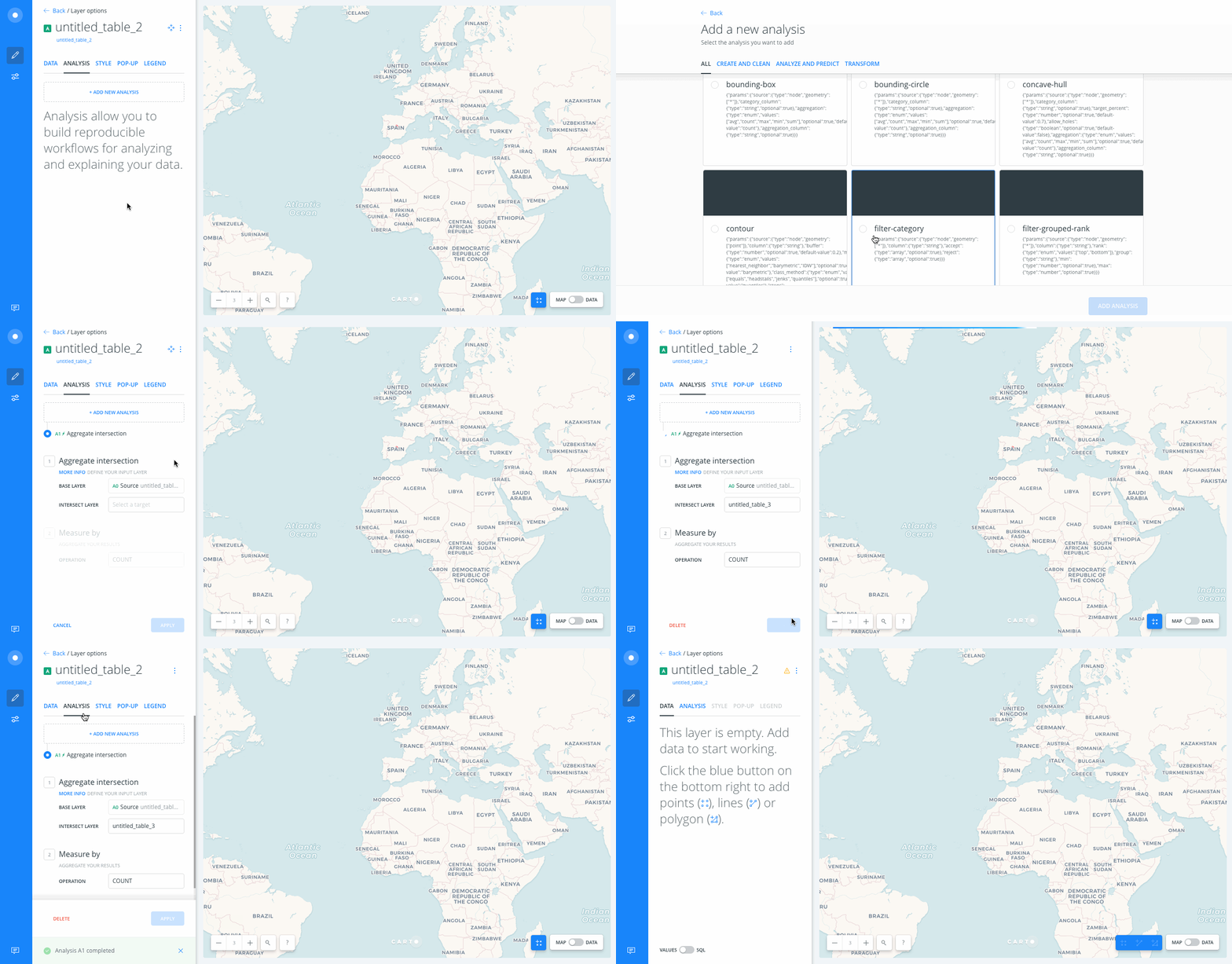
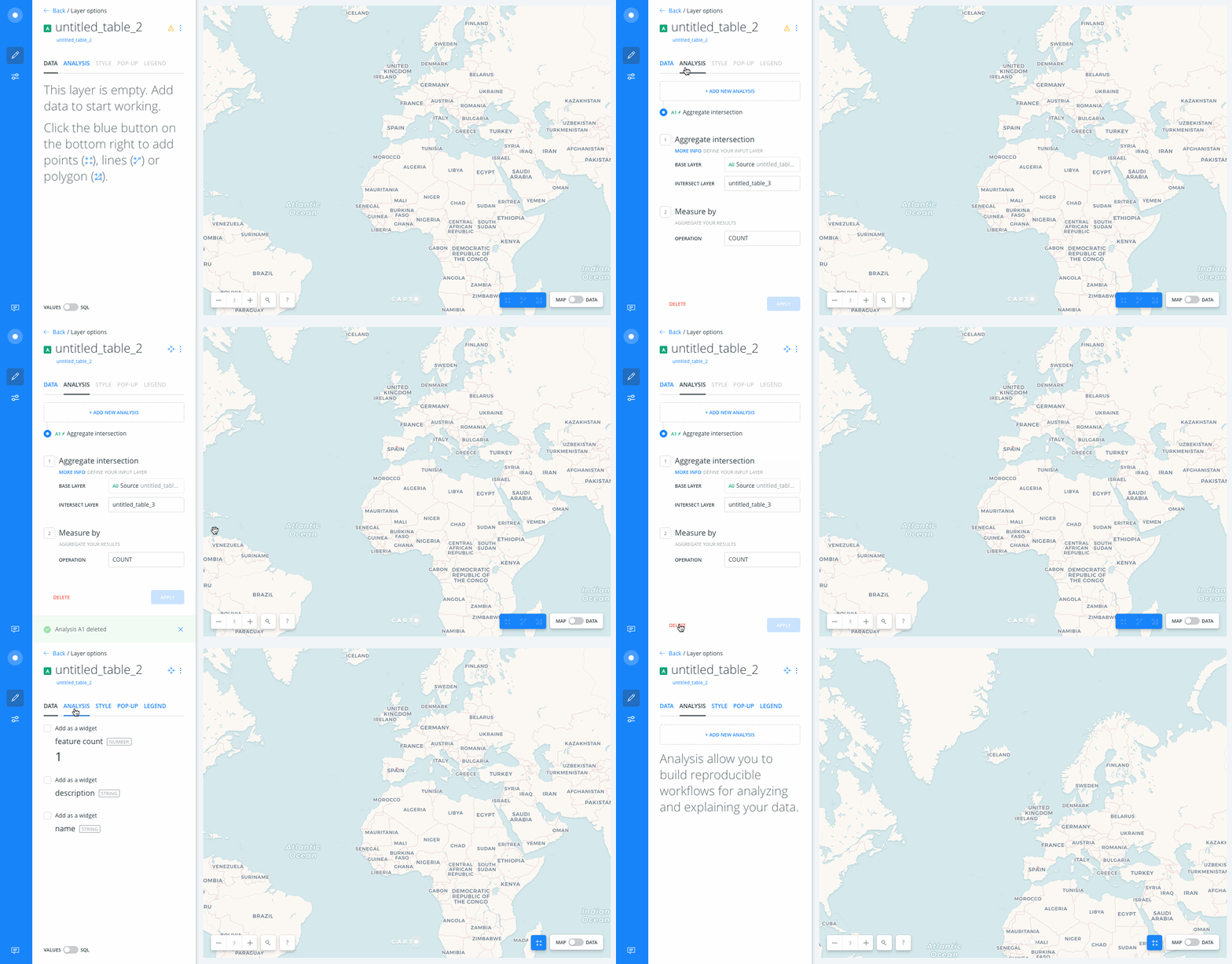
We shouldn't merge it to production like this :(
arianaescobar
on 2 Feb 2018
Yes, you are totally right. I am looking at those cases to fix them ASAP.
jesusbotella
on 2 Feb 2018
I have just uploaded a new revision to ded11 staging. The two bugs that @arianaescobar mentioned should be fixed.
The tabs have been enabled when the layer is empty and has any analyses. And the second bug, which was a routing bug, should be resolved as well.
jesusbotella
on 5 Feb 2018
@arianaescobar @jesusbotella I have checked and this is also happening when applying a query that does not show any geometry (for instance not adding cartodb_id or the_geom_webmercator). That needs to be fixed as well.
 ramiroaznar
on 5 Feb 2018
ramiroaznar
on 5 Feb 2018
A few other things...
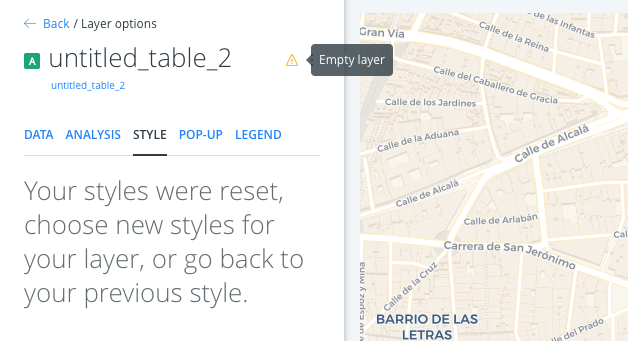
We're still showing the layer as if it were an "Empty layer" and it is not. This icon shouldn't appear.
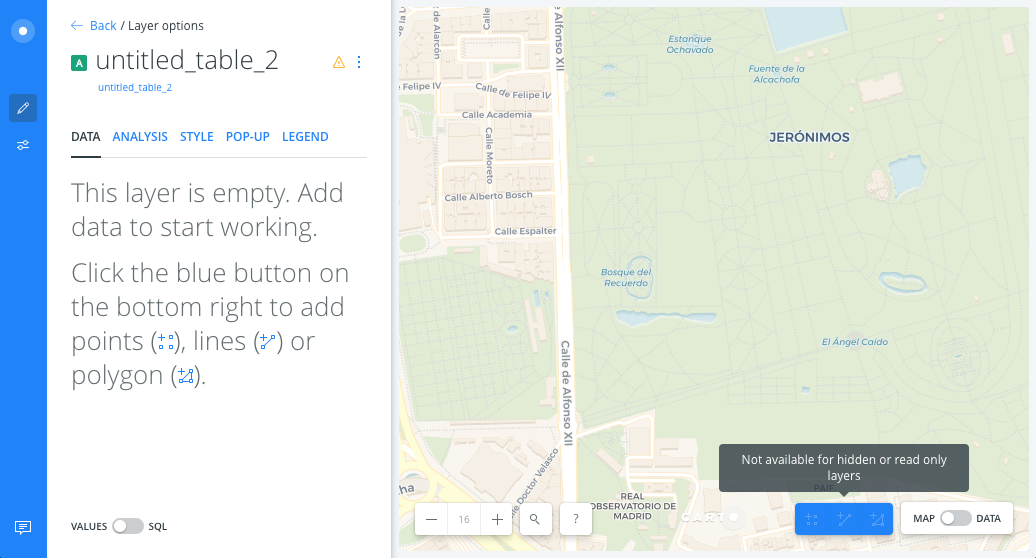
If we go to the DATA tab, we should this message from the Empty layer state but in this case, it doesn't apply. Users can't even use the Add geometry feature.
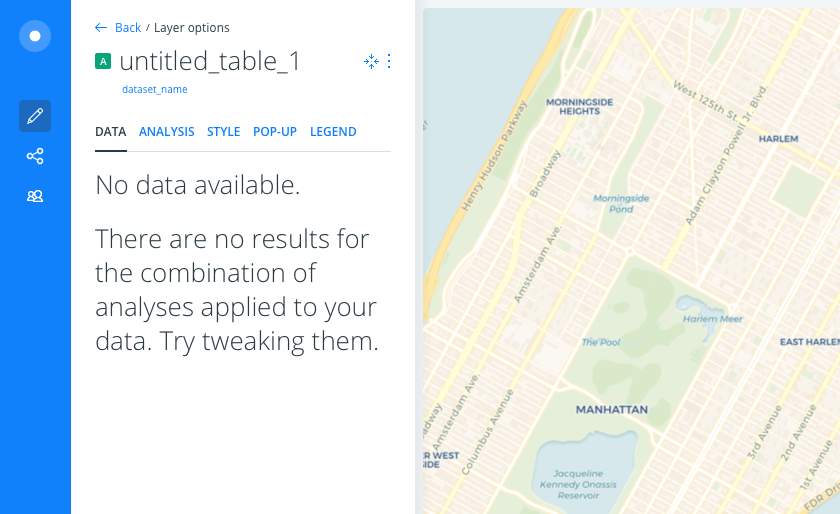
Let's change it do this:
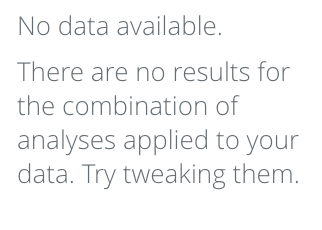
No data available.
There are no results for the combination of analyses applied to your data. Try tweaking them.
It might be a good idea to also show this message in all the other tabs –but Analysis–.
arianaescobar
on 5 Feb 2018
I've already added this message in the "Data" view.
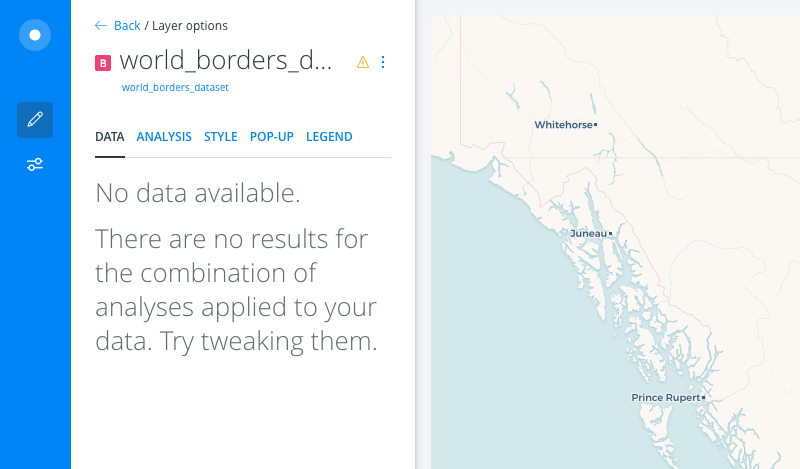
It might be a good idea to also show this message in all the other tabs –but Analysis–.
Do you mean the same message? Or instead of "No data available" write "No style available"? (and the same with infowindows and legends) cc @arianaescobar
 elenatorro
on 13 Feb 2018
elenatorro
on 13 Feb 2018
Awesome, Elena!
The same exact one! Without data, you can't style or add pop-ups nor legends. So that's step 1.
arianaescobar
on 13 Feb 2018
Got it! Thanks!
elenatorro
on 13 Feb 2018
Is this issue solved then?
ramiroaznar
on 19 Feb 2018
backend tests not passing, ASAP they do we're merging
 matallo
on 19 Feb 2018
matallo
on 19 Feb 2018
Cool! I thought it was a RT issue, but I see Bravo is taking care of it.
ramiroaznar
on 19 Feb 2018
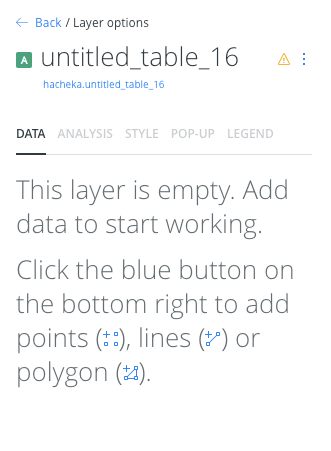
The layer is empty (no rows in the dataset)
- Only data tab enabled.
- Text:
This layer is empty - Warning icon should be visible both in layer list and in layer edition panels.
The layer is filtered (there are rows but an analysis returns 0 of them)
- Warning icon should NOT be displayed in any place.
- Analysis tab should be accesible.
- Data, Style, Popup and legend should show the following text.
Layer that needs geocoding
- What text in data tab?
- What tabs are enabled?
- Should we display the warning icon?
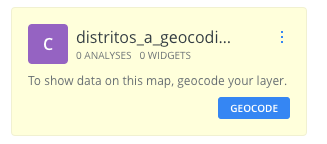
Waiting for @arianaescobar to answer those questions about geocoding state.
 ivanmalagon
on 22 Feb 2018
ivanmalagon
on 22 Feb 2018
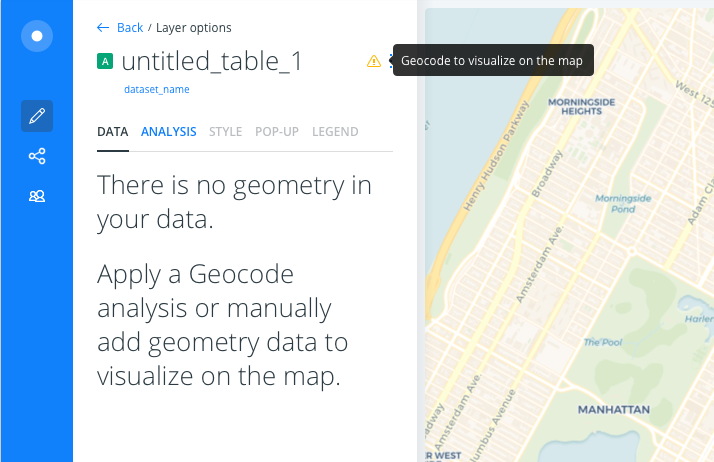
What text in data tab?
"There is no geometry in your data.
Apply a Geocode analysis or manually add geometry data to visualize on the map."
What tabs are enabled?
Only DATA and ANALYSIS.
Should we display the warning icon?
Yes, but only inside the layer.
Tooltip: "Geocode to visualize on the map"
arianaescobar
on 22 Feb 2018
🚀 Shipped!
ivanmalagon
on 16 Mar 2018
Related issues
 saleiva
·
4Comments
saleiva
·
4Comments
 xavijam
·
5Comments
saleiva
·
4Comments
xavijam
·
5Comments
saleiva
·
4Comments
 atlefren
·
3Comments
ramiroaznar
·
4Comments
atlefren
·
3Comments
ramiroaznar
·
4Comments
Most helpful comment
🚀 Shipped!