Context
Refer to this ticket
https://github.com/CartoDB/design/issues/1032
 urbanphes
All 26 comments
back to development
 matallo
on 17 Nov 2017
matallo
on 17 Nov 2017
Documenting this because it's friday and we might forget.
There are a few things missing
- [x] When the geocoding analyses finishes correctly, navigate towards the style tab.
- [x] When the geocoding finishes, view should re-render. You're currently locked out of the other tabs.
- [ ] We should remove a bunch of dead code that's around, like all the georeference placeholders that show on the other tabs.
- [x] The current solution marks empty layers as layers that need georeferencing. This doesn't make sense, but on the layer list we don't know if a layer has any rows.
- [ ] Show loading state for the above 👆
First 3 are most likely straightforward. Fourth one requires doing an arbitrary number of requests on the layer list view, for all layers that:
- Don't have a geocoding applied
- Don't have a geometry
- Don't have a custom query
Having no rows is the fourth condition that needs to pass, so we should fetch it if all of the above are true.
Bonus points: It would be interesting to know if users use the add empty dataset button often, and / or also what percentage of the datasets that users have without geometry are also datasets that have no rows.
 rjimenezda
on 17 Nov 2017
rjimenezda
on 17 Nov 2017
I discussed this issue with design and they are already aware of the new states for the layers in the layers list. Feel free to ping them directly to ask for those new styles @rjimenezda
/cc @urbanphes @piensaenpixel
matallo
on 21 Nov 2017
I already did the asynchronous loading, so I'm open to implementing a new style / add a transition or whatever for the layer component 🤗
rjimenezda
on 21 Nov 2017
In case you'd like to track our work for that: https://github.com/CartoDB/design/issues/1074
 arianaescobar
on 21 Nov 2017
arianaescobar
on 21 Nov 2017
@urbanphes
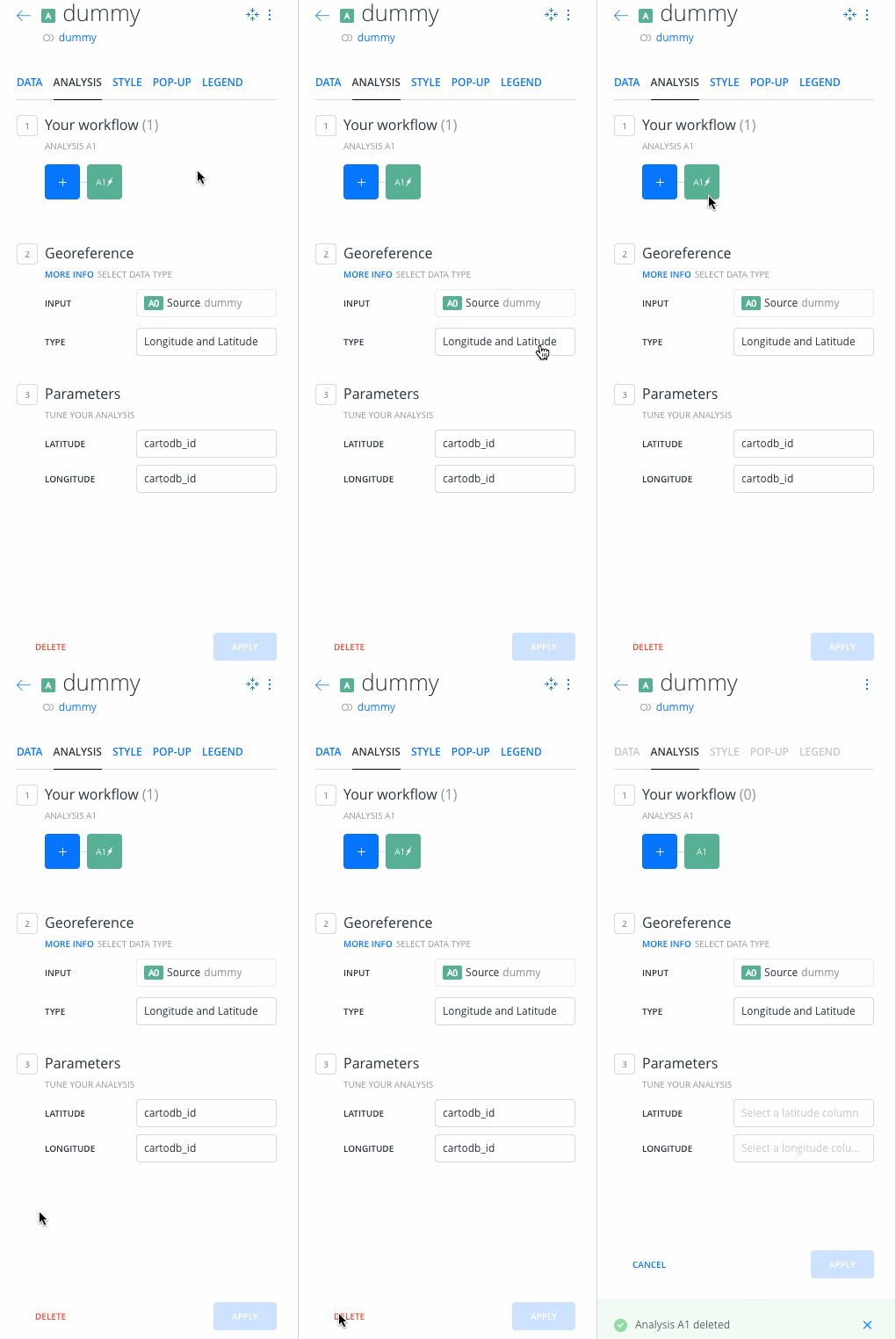
There's a case that's not covered on the mocks. What happens if the user deletes the geocoding analysis? I see two options:
A) After it’s deleted, the user is immediately presented with an unsaved georeference analysis. This is what happens when the user clicks on the layer on this new approach.
B) There’s an intermediate step in which we tell the user: Hey, you have to georeference the layer, with a button that causes A)
B) is what we have on the analysis tab right now on production (for a non-geocoded layer), but with disabled tabs.
rjimenezda
on 22 Nov 2017
@rjimenezda In that case, I think we go with the option A. Our premise here is that the layer will be geocoded and the best way to gain this is with the _option A_.
urbanphes
on 22 Nov 2017
Here they are in motion, I like A because there are less steps and is consistent, but it might be a bit weird for the user?
This is option A):
This is option B):
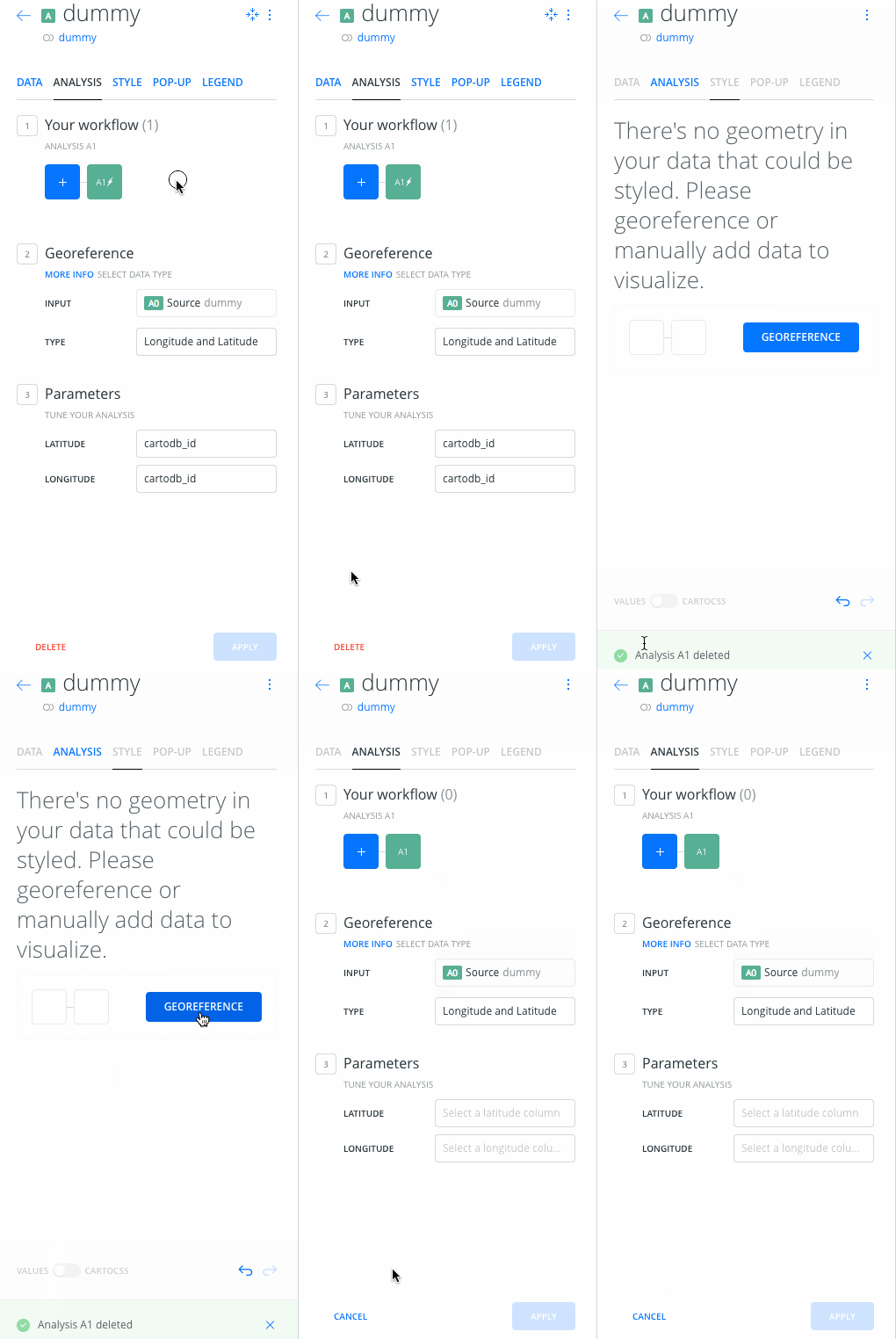
(please ignore the bug with the selected tab)
rjimenezda
on 22 Nov 2017
I've uploaded this to ded15
rjimenezda
on 24 Nov 2017
I'm sorry for not answering before. This was talking between @rjimenezda and me, at last, we are going with the B Option, it's more natural.
urbanphes
on 24 Nov 2017
Acceptance on ded12:
I've left a map prepared with 3 layers there, on user ruben-ded12:
- An empty layer
- A Layer that needs geocoding
- A regular layer (airbnb listings)
Things to look out for:
- The empty layer and the layer that needs geocoding should show the new 'loading' state for a bit.
- When clicking on the layer that needs geocoding, only the analysis tab is enabled, already showing a geocoding analysis that can't be canceled.
- After applying this analyisis (for instance, geocode with coordinates, use cartodb_id for both lat/lon), it should redirect to the style tab. Tabs should be reenabled
- On the layer list, the layer should display as a regular layer now.
- Removing the geocoding analysis should show an intermediate step to let the user know that they should apply an analysis, which won't show if the user goes back to the layer list and back to the layer.
All of this new behavior should not affect regular layers & old behaviour.
rjimenezda
on 29 Nov 2017
@urbanphes or someone from design, can you give it a try?
rjimenezda
on 29 Nov 2017
While writing the above I noticed that I forgot to disable the add analysis button, so the user can change the analysis. I'll fix that at some point today, but I would appreciate if anyone can give it a look, since I have to switch back to this issue 💋
rjimenezda
on 29 Nov 2017
Hi @rjimenezda, I've tested the following steps:
- [x] The empty layer and the layer that needs geocoding should show the new 'loading' state for a bit.
- [x] When clicking on the layer that needs geocoding, only the analysis tab is enabled, already showing a geocoding analysis that can't be canceled.
- [x] After applying this analyisis (for instance, geocode with coordinates, use cartodb_id for both lat/lon), it should redirect to the style tab. Tabs should be reenabled
- [x] On the layer list, the layer should display as a regular layer now.
- [x] Removing the geocoding analysis should show an intermediate step to let the user know that they should apply an analysis, which won't show if the user goes back to the layer list and back to the layer.
... and the feature works well.
My only concern is when I've deleted the analysis, the following screen say something like this.
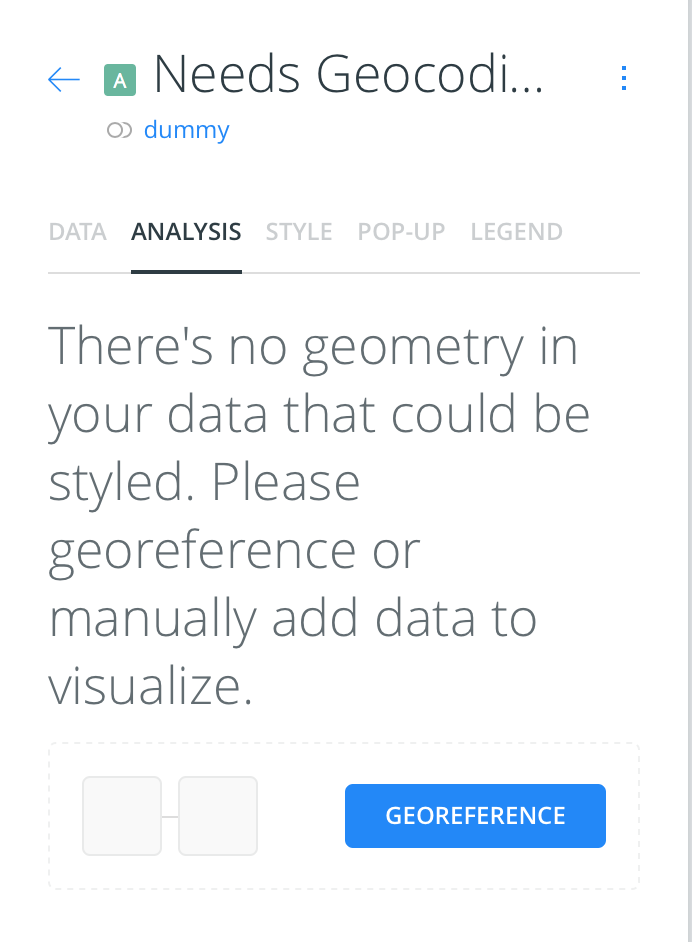
At this point, I would remove the part " or manually add data to visualize" Because we look forward that the layer will be geocoding. But It will be great if anybody from @CartoDB/design can help us here.
urbanphes
on 29 Nov 2017
Truth be told, I didn't even read that copy, it's the same that we used to show on the other tabs. While it's techincally true, user could manually add geometry, I think it doesn't make any sense to show that there. I'll remove the 'add data' 👍 and also fix the bug that I mentioned before
rjimenezda
on 29 Nov 2017
What do you think something like? "There's no geometry in your data, please geocode it"
 piensaenpixel
on 29 Nov 2017
piensaenpixel
on 29 Nov 2017
@piensaenpixel @urbanphes What should I do with the add analysis button, on the horizontal list. It shouldn't do anything. Do we prefer removing it or adding a disabled state?
rjimenezda
on 29 Nov 2017
We are changing it, so the easiest thing for you
piensaenpixel
on 29 Nov 2017
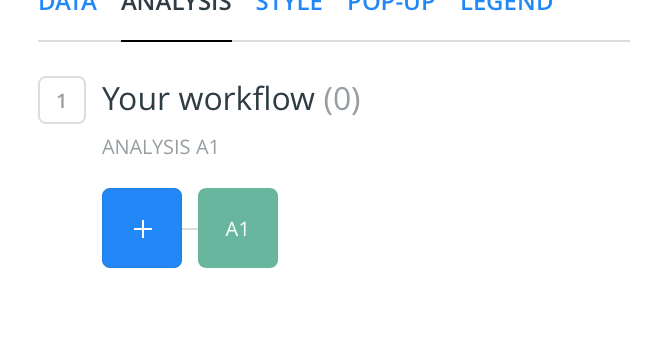
I don't know if the new add buttons (the ticket sharing https://github.com/CartoDB/design/issues/1071) will release this ticket. These are the examples:
Current button:
New button:
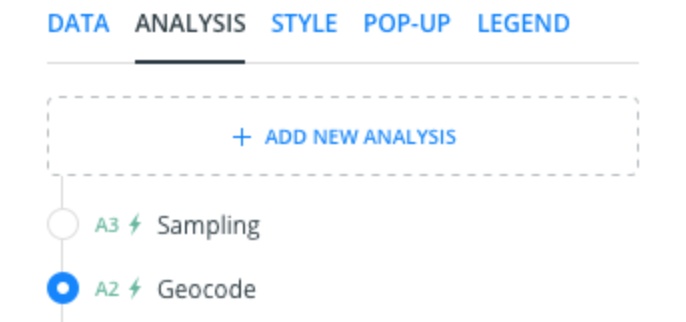
Apart from that, I think we can do:
- If the new buttons release after, we can disable the current button (blue box with "+") with a 24% opacity. The same that we use in all UI.
- If the new buttons release before; we can add the new buttons with the same disabled state: 24% opacity.
What do you think?
urbanphes
on 30 Nov 2017
I think this'll release before, hopefully today 🤔
Since it was going to be changed at some point & @piensaenpixel gave me the choice, I removed the button completely. It's simpler than adding a new state to the button, because of how the code is
rjimenezda
on 30 Nov 2017
@urbanphes On ded12 one more time, with the button gone in that particular case
rjimenezda
on 30 Nov 2017
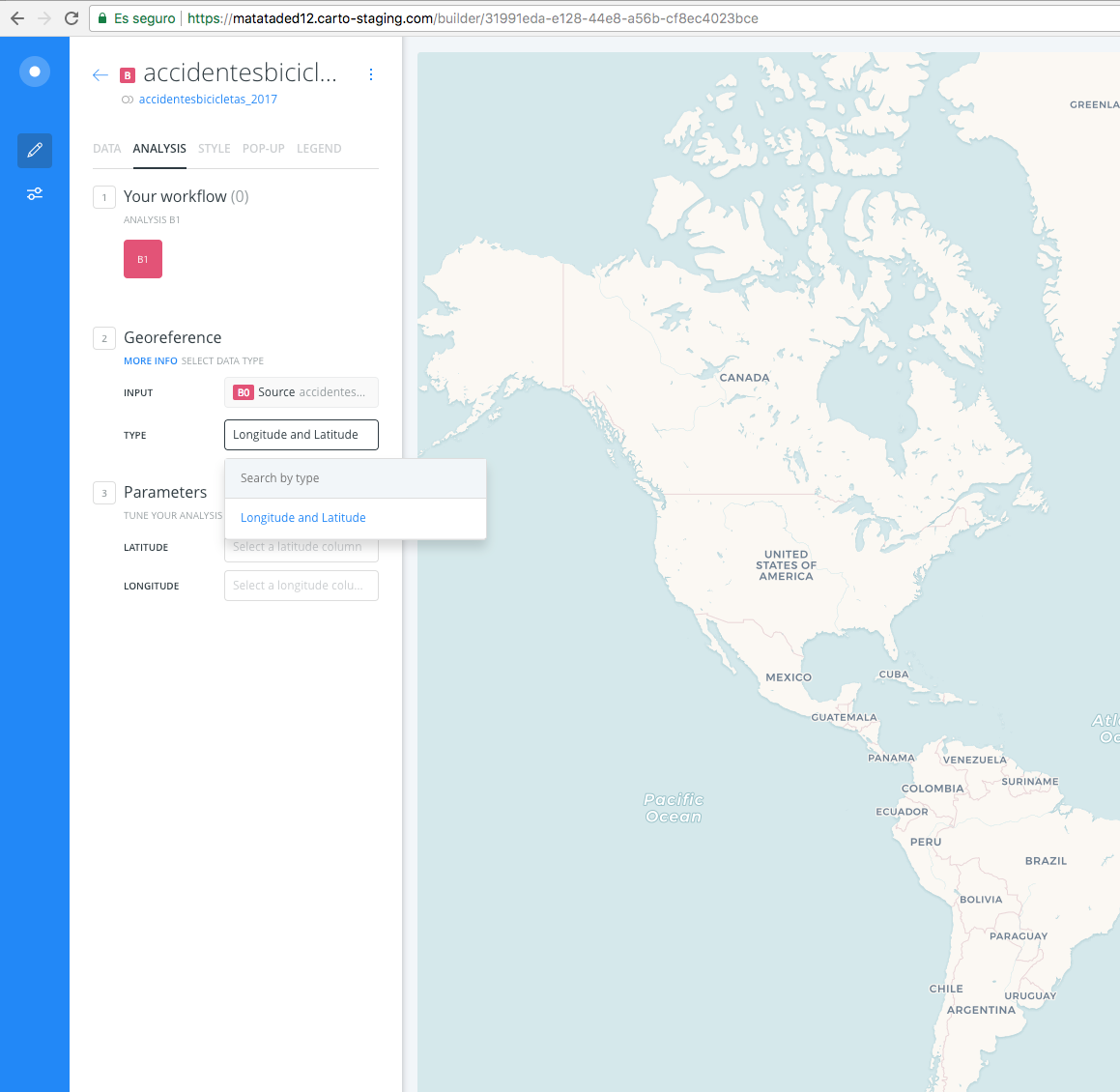
I'm not sure if this is related to, but... in ded12 I only can geocode it with lat and long.
piensaenpixel
on 1 Dec 2017
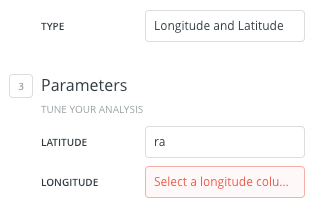
Only one very small thing, if you think we can do it know ok, if not we can do it later:
- [] To be consistent, could we put latitude and longitude in the same order?
piensaenpixel
on 1 Dec 2017
Label or controls?
rjimenezda
on 1 Dec 2017
y prefer the select (type)
piensaenpixel
on 1 Dec 2017
The rest is ok!
piensaenpixel
on 1 Dec 2017
Related issues
 jesusbotella
·
4Comments
jesusbotella
·
4Comments
 javitonino
·
5Comments
javitonino
·
5Comments
 nygeog
·
5Comments
nygeog
·
5Comments
 ivanmalagon
·
3Comments
ivanmalagon
·
3Comments
 saleiva
·
4Comments
saleiva
·
4Comments
Most helpful comment
I think this'll release before, hopefully today 🤔
Since it was going to be changed at some point & @piensaenpixel gave me the choice, I removed the button completely. It's simpler than adding a new state to the button, because of how the code is