Cartodb: Display "error" notification when limits are being reached in API
Basically, if any limit is being hit by the current user, APIs request will start returning 4XX errors, and Builder should display a proper notification.
But for accomplishing that, we need to "receive" the error from CARTO.js (or DI.js). So we need first changes there, tackled in https://github.com/CartoDB/cartodb.js/issues/1714).
 xavijam
All 30 comments
after the 'meeting', we decide to show the infobox only in the layer list :)
Thanks guys
 piensaenpixel
on 4 Oct 2017
piensaenpixel
on 4 Oct 2017
Right now the error is:
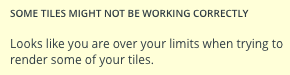
But what happens if the tiles are working and the limit error is thrown by any other thing?
I mean, the limit error is not only related to tiles, it could come from a widget, a SQL query, interaction (wax), etc... should this message be more generic?
cc @CartoDB/design
 rubenmoya
on 4 Oct 2017
rubenmoya
on 4 Oct 2017
Merged!
xavijam
on 17 Oct 2017
Reopening due to https://github.com/CartoDB/cartodb/issues/12968. But we need to enable them again because if not the user will not have any clue about the errors those appear over the map. Unfortunately, we don't have enough information about the source of the "error", so the options are:
- Make a new request (no idea where but from Builder) in order to collect the necessary error info. If the problem comes from limits, we should display the infobox we used to have.
- Display an infobox with another message, more standard, not providing anything about upgrade and pointing to our docs (like the overlay does in the CARTO.js side).
If you ask me, I'd go with the second option.
@noguerol @matallo @rjimenezda @rubenmoya
xavijam
on 19 Oct 2017
I'll go for the second option too, and change the documentation so it doesn't show only information about pricing but also show that it could be a connection problem or our servers being down
rubenmoya
on 19 Oct 2017
The first one is not realistic, and wouldn't work well on an offline / shoddy connection scenario, which also causes a tile error.
I'd go with the second one, we can point the CTA towards the same place as the 'Learn more' on the Overlay, but the message has to be decided by someone. Currently:
Looks like you are over your limits when trying to render some of your tiles. Try to:
As @rubenmoya pointed out this morning, hopefully on other scenarios (wax, mvt, torque) we can emit a more specific error, and display it. But for raster tiles we're pretty much limited to a generic error.
 rjimenezda
on 19 Oct 2017
rjimenezda
on 19 Oct 2017
while ideal I agree it's not realistic to get further information just for the raster errors, who shall confirm the new literal @xavijam ?
ps: just to give an example, this is what G does in a similar situation:
Oops! Something went wrong.
This page didn't load Google Maps correctly. See the JavaScript console for technical details.
https://team.carto.com/u/matallo/viz/048e7cac-ff3c-11e3-b20a-0edbca4b5057/public_map
 matallo
on 19 Oct 2017
matallo
on 19 Oct 2017
I'd write something like:
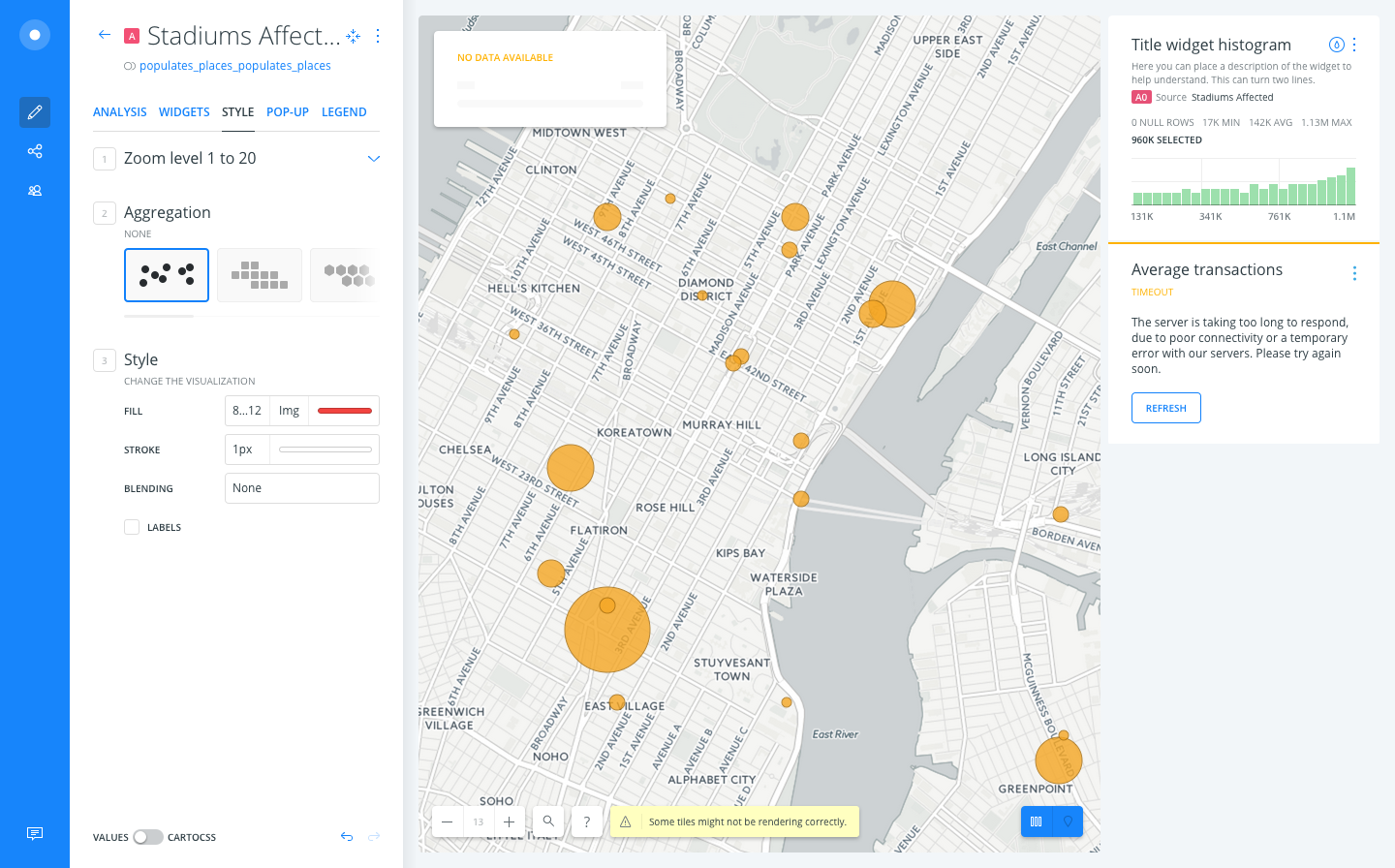
Something happened and some tiles were not displayed. If the problem persists contact us or check our docs.
xavijam
on 19 Oct 2017
I'll put that temporarily.
So if we're not sure what exactly caused this, should the CTA still take the user to the pricing page? Should we point to some specific docs page? Should we remove the button altogether?
rjimenezda
on 19 Oct 2017
Hey, just a comment. It doesn't matter how good is the msg if the error still pops up a lot of times. Prior to any decision: is there any way we can know the number of users that are seeing it?
CTA should point to the docs, yes. My suggestion for the msg is Some tiles were not displayed. If the problem persists check our docs or contact us
 noguerol
on 19 Oct 2017
noguerol
on 19 Oct 2017
Hey, +1 to noguerol's suggestion
piensaenpixel
on 19 Oct 2017
I am no expert, but we can probably add some event (FS?).
This error will show for any user that has a problem loading as little as one tile (for whatever reason).
(Right now, nobody will see it because we removed it on a previous PR.)
Is pointing to carto.com/docs enough?
rjimenezda
on 19 Oct 2017
I am no expert, but we can probably add some event (FS?).
we can
Is pointing to carto.com/docs enough?
there's an open issue for that https://github.com/CartoDB/learn/issues/425
matallo
on 19 Oct 2017
We cannot measure this in FS because every free user is currently using vector maps. But even without metrics I still feel we cannot afford to have such a visible generic tile error, so I suggest we either
a) Figure out a way to only activate this notifications for vector users (via a feature flag or somehow discriminating sources; dunno if that is even technically possible)
b) Delay the re-deploy of these notifications until every user is using vector maps, which should happen shortly.
noguerol
on 19 Oct 2017
The button should be gone. About @noguerol message, sounds good to me, but it is your call mates. And about the stat, yes, we can take those stats, but it will be ambiguous, because the causes are different...
On 19 Oct 2017, at 14:55, Javier Noguerol notifications@github.com wrote:
Hey, just a comment. It doesn't matter how good is the msg if the error still pops up a lot of times. Prior to any decision: is there any way we can now the number of users that are seeing it?
CTA should point to the docs, yes. My suggestion for the msg is Some tiles were not displayed. If the problem persists check our docs or contact us
—
You are receiving this because you were mentioned.
Reply to this email directly, view it on GitHub, or mute the thread.
xavijam
on 19 Oct 2017
The stats will ve valid as long as the error message is generic. So @matallo tell me is a) is feasible and if its not, then we go for b)
noguerol
on 19 Oct 2017
Just my 2 cents:
We're already showing a very subtle error on the map view, which coupled with the striped tiles gives a clear impression of 'something's not right'.
I would keep this very "in-your-face" error for things that we can 100% identify and point the user towards a solution. As a matter of fact, the other error that is displayed on that area is the one for maximum number of Layers reached, which is something we can tell the user how to fix.
rjimenezda
on 19 Oct 2017
we left this at PR https://github.com/CartoDB/cartodb/pull/12974 with a more generic message and the rest of the requested changes
bear with me, why should we only show this for vector maps? just want to wrap my head around this
matallo
on 19 Oct 2017
This is what we've agreed to do:
Only show notifications/error tiles for vector maps until @CartoDB/design works in a much subtle version of the last one, which will be then implemented at least for raster. In other words, we:
- Work on a light tile error version
- Disable notifications for raster maps and implement the light tile error
- Notifications/Tile error for vector remains the same until we understand the impact of activating limits
noguerol
on 23 Oct 2017
What about one of our firsts approaches on this?
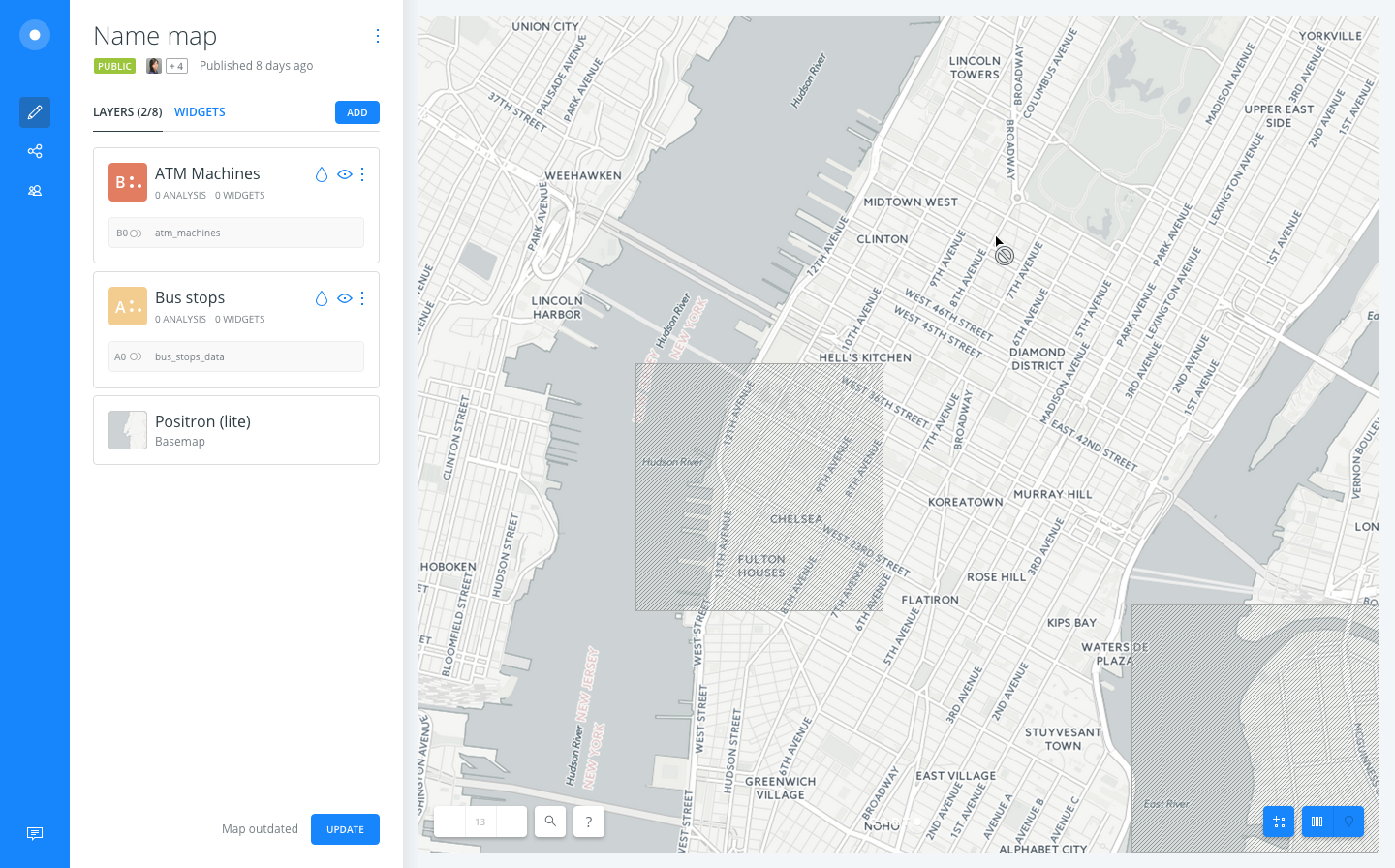
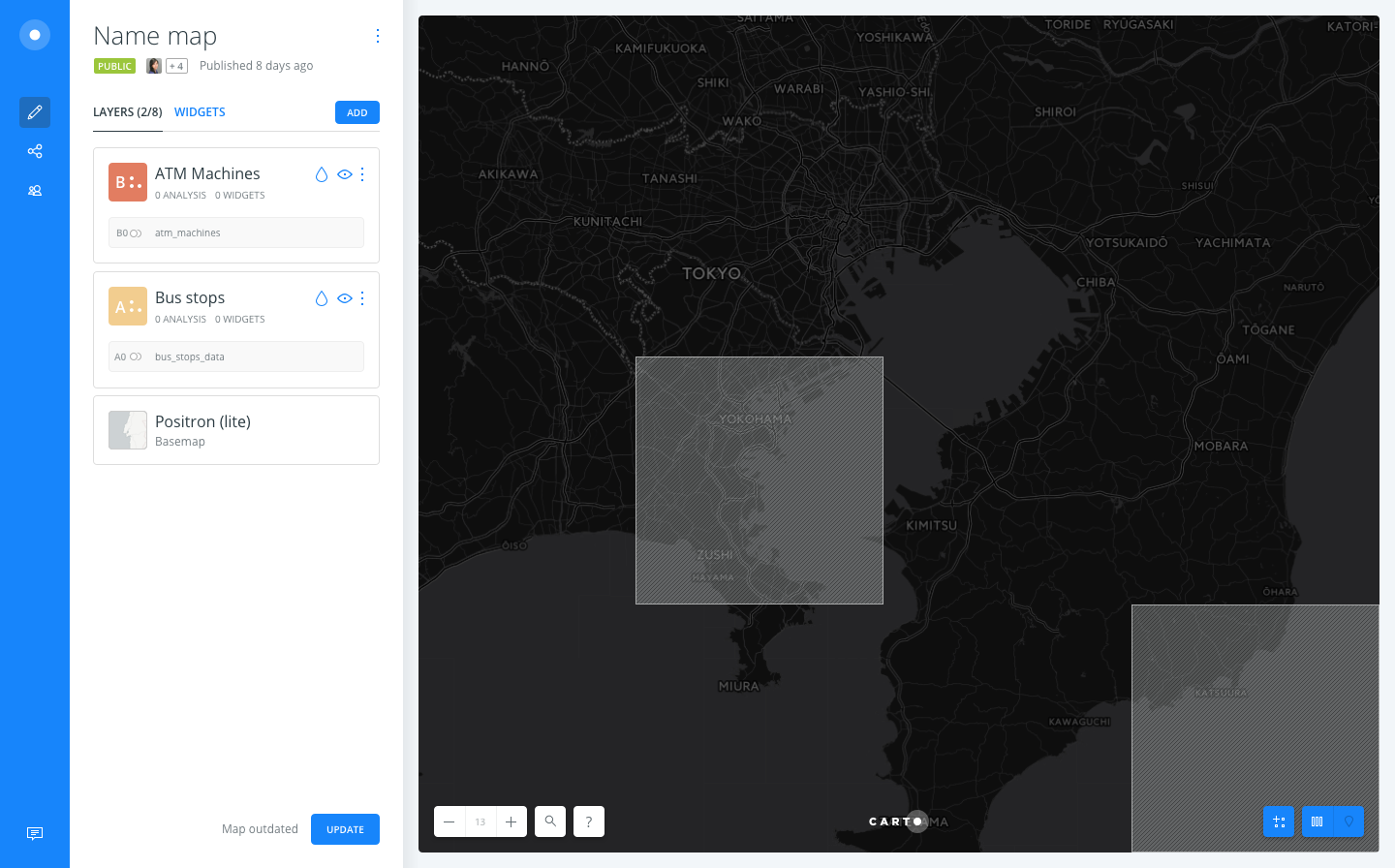
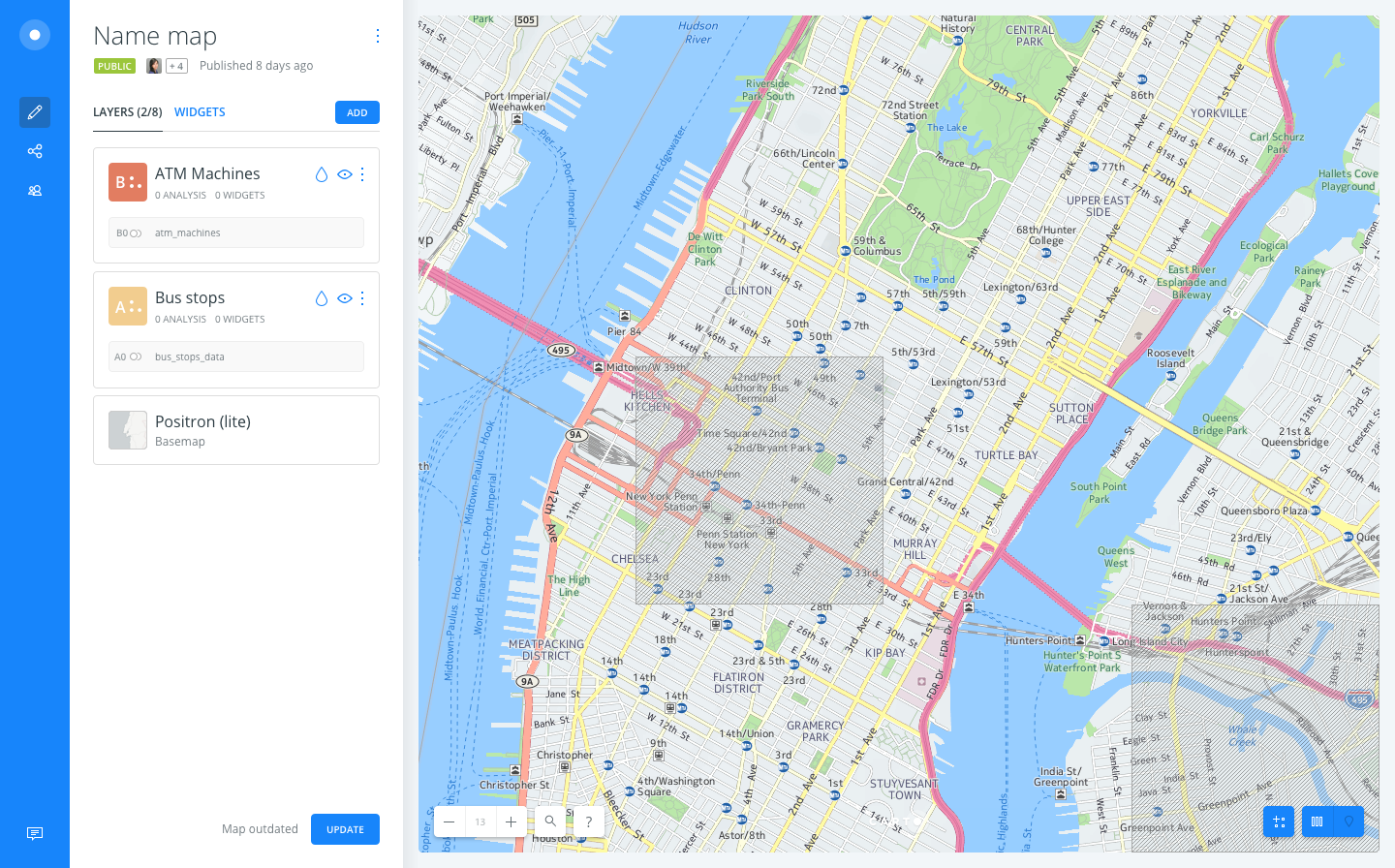
 josecruz
on 24 Oct 2017
josecruz
on 24 Oct 2017
Hi @josecruz can we talk later about this?
Because thinking about this I think we should only show an error tile when it is a limit thing if we don't know where the error is I'd try to show an alert message rather than an error one.
cc/ @noguerol
piensaenpixel
on 24 Oct 2017
Ok so after talking with @piensaenpixel we will keep the current behavior for vector.
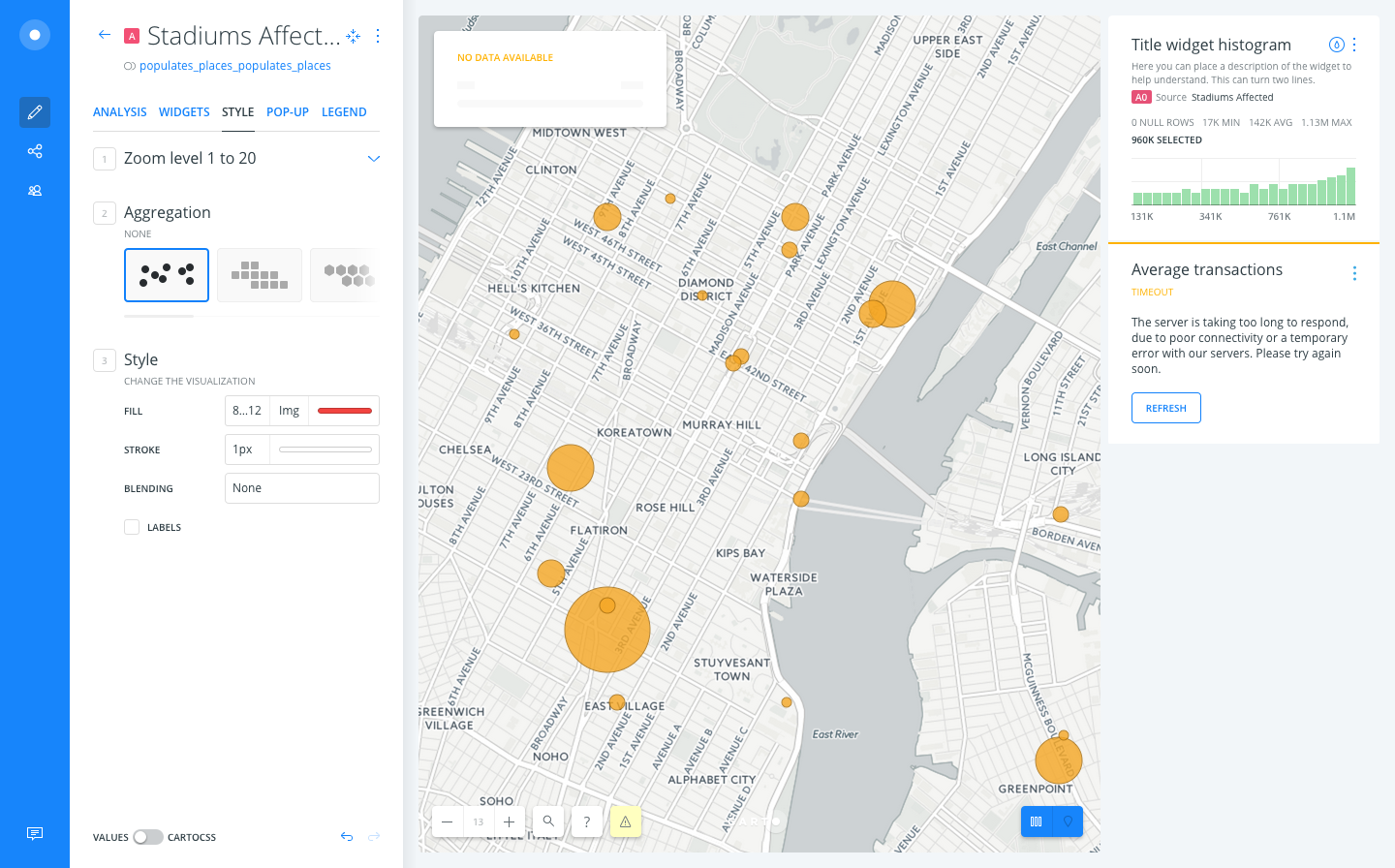
For raster maps we'll use the notification on the Map Buttons:

josecruz
on 24 Oct 2017
I think this is the best approach cc @noguerol
piensaenpixel
on 24 Oct 2017
Thanks!
Just to be safe, by 'The current behaviour for vector' do we mean:
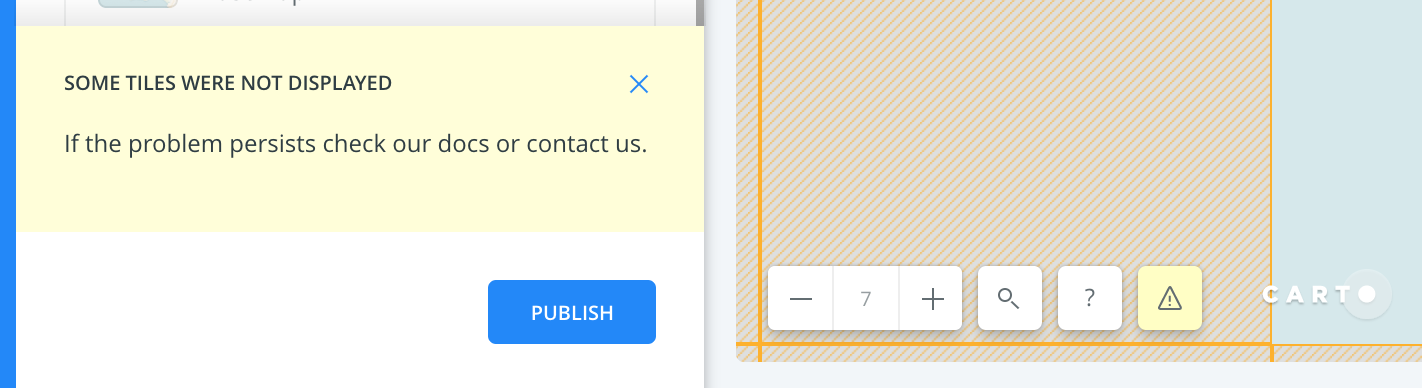
Warning + Infobox + orange tile?
rjimenezda
on 24 Oct 2017
Vector is not available in builder so ... :(
piensaenpixel
on 24 Oct 2017
not yet, but it can be detected, unlike raster (whenever the implementation for it is finished)
@rjimenezda as we can differentiate between the limits error, and the general error I think in that case we should go on with the limit error we left in the en.json
as @piensaenpixel suggested, for any raster error no tile, no infobox, just overlay warning, thrown via img.onError event
ps: back to development
matallo
on 24 Oct 2017
I start to be part of the project, talking to @matallo to understand internals and roll-up. Specifically those things that are pretty linked to Engine.
But in terms of the global user experience, and that doesn't understand about our separations between Builder/Engine and so on, I wonder how we will communicate users about the limits. Well, I see we have plans for displaying alerts about errors and limits, but where can be found that information about limits.
@noguerol
Is there any part on the dashboard giving information about that?
Is there any part on documentation explaining those limits? Is that documentation dynamically connected to the limits configuration, so that when one part is updated the other one reflects it?
Is there any part of the rollup taking care about that but in future steps?
 inigomedina
on 26 Oct 2017
inigomedina
on 26 Oct 2017
Hi! As you know I've been in the response team last week so I'm kind of lost here. Right now we're showing a generic message and the orange tile, if I've read correctly we want to stop showing both of them, and just keep the map overlay (the yellow button in the bottom left corner) is that correct? The PRs are already open, should I prioritize this?
@noguerol @inigomedina
rubenmoya
on 30 Oct 2017
We've been talking in the standup and the backend will send us the error tile, so finally what we're doing is:
- No infobox
- No map overlay
- Tile error sent by backend
rubenmoya
on 30 Oct 2017
It is worth to get back this issue created by @saleiva for the design team, looking for a solution to upsell from this kind of errors: https://github.com/CartoDB/design/issues/800
I've included one point for that on the roll-up of the Limits v1 Project: https://github.com/CartoDB/cartodb-management/issues/4976
inigomedina
on 30 Oct 2017
Related issues
 arianaescobar
·
4Comments
arianaescobar
·
4Comments
 jesusbotella
·
4Comments
jesusbotella
·
4Comments
 ramiroaznar
·
5Comments
ramiroaznar
·
5Comments
 ivanmalagon
·
3Comments
xavijam
·
5Comments
ivanmalagon
·
3Comments
xavijam
·
5Comments
Most helpful comment
not yet, but it can be detected, unlike raster (whenever the implementation for it is finished)
@rjimenezda as we can differentiate between the limits error, and the general error I think in that case we should go on with the limit error we left in the
en.jsonas @piensaenpixel suggested, for any raster error no tile, no infobox, just overlay warning, thrown via img.onError event
ps: back to development