Cartodb: [vector] Custom color on icons not being reflected properly on the embed
Context
I changed the color of an icon and inside Builder the change was made perfectly but on the embed it didn't. Seems like the colored icon is being shown underneath the original icon.
Steps to Reproduce
- I added a layer
- Performed a Georeference analysis which returned a geometry of points
- Styled it with a marker icon and painted it blue
- Published it
Current Result
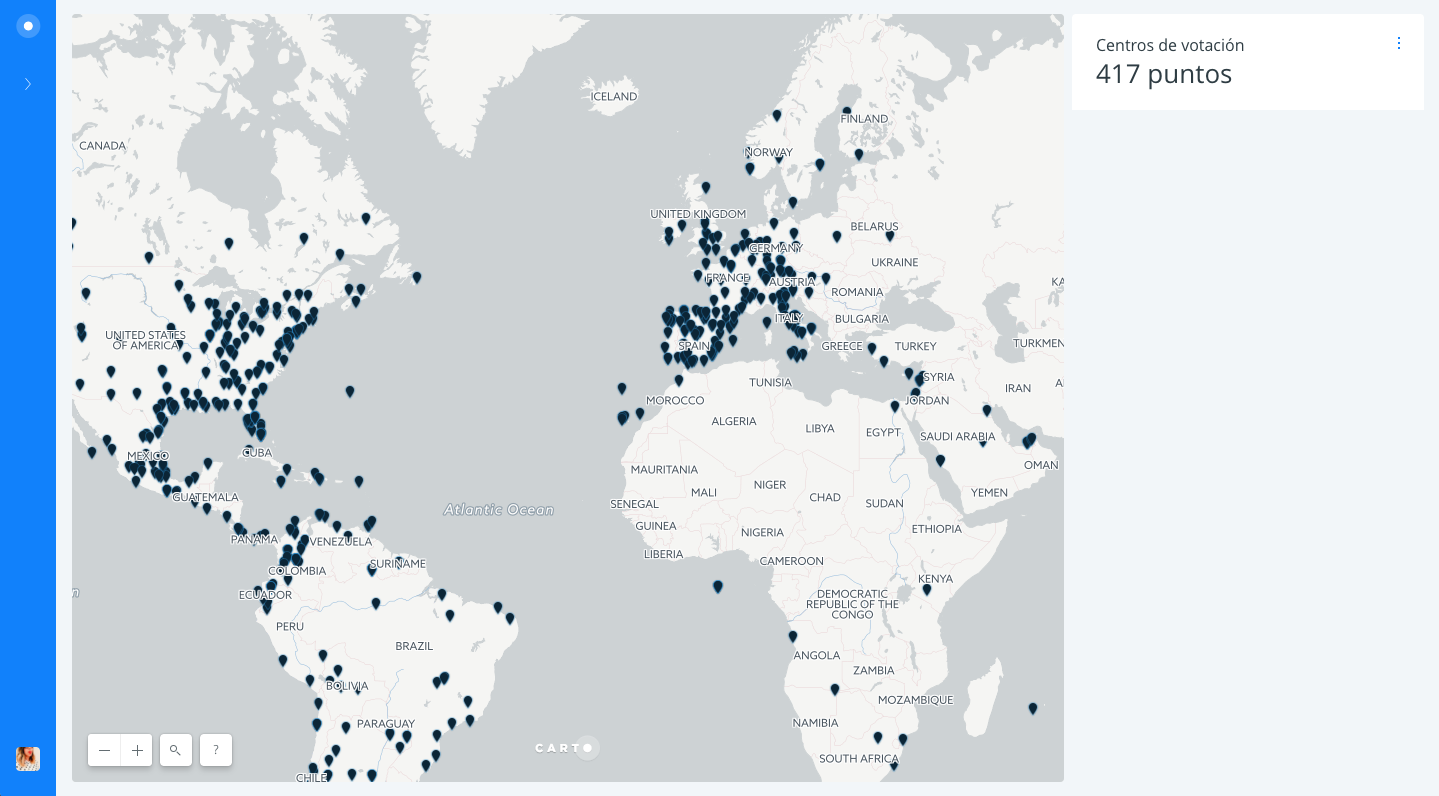
Expected result
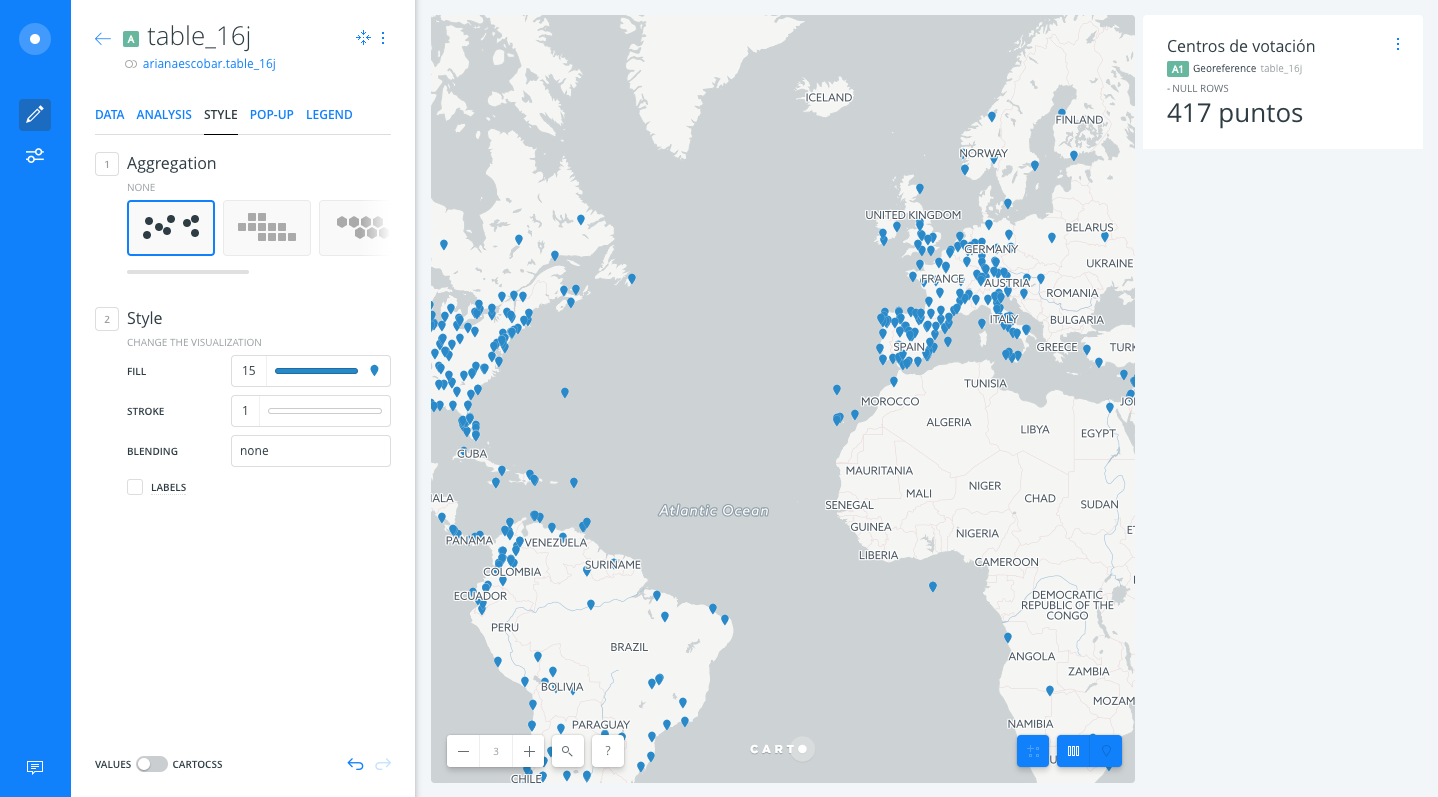
Browser and version
Chrome Version 59.0.3071.115 (Official Build) (64-bit)
.carto file
Donde votar el 16J en el exterior (on 2017-07-17 at 08.24.38).carto.zip
 arianaescobar
All 15 comments
@noguerol
arianaescobar
on 19 Jul 2017
After testing for a while, It's something that only happens when rendering using vectors. It might have something to do with the way we are drawing icons on features
 saleiva
on 19 Jul 2017
saleiva
on 19 Jul 2017
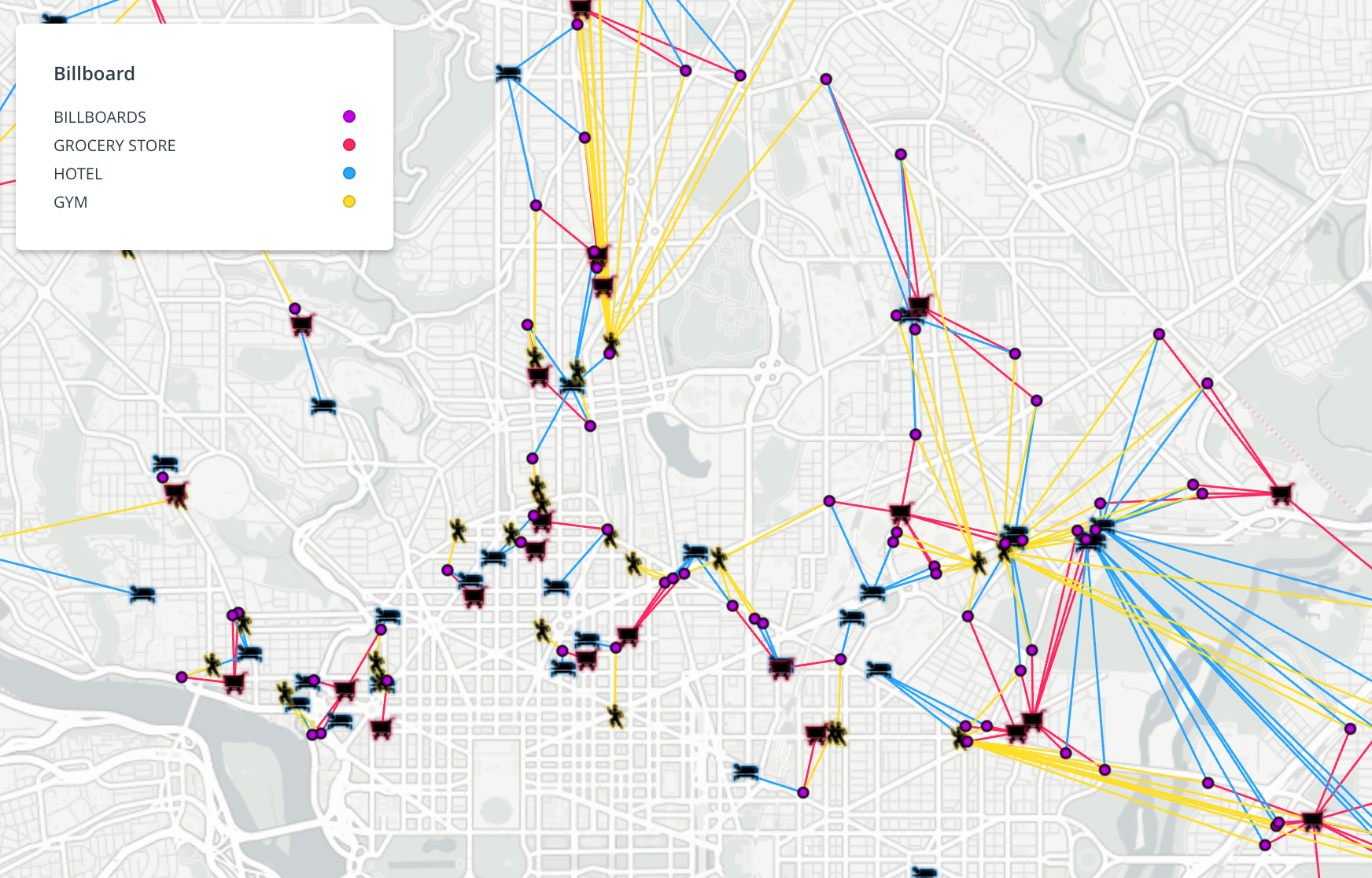
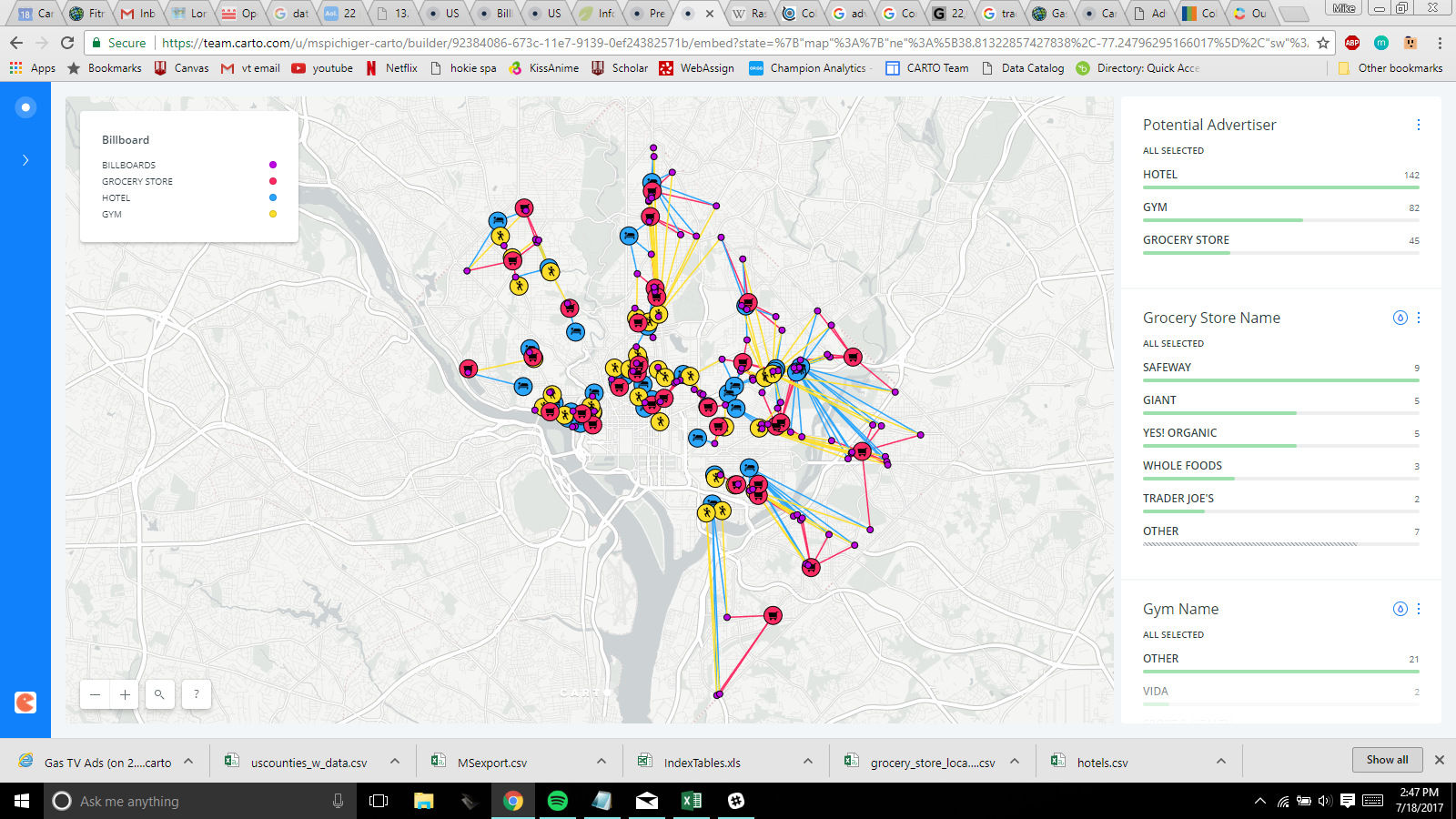
reported by @MichaelSpichiger in #cartography-help he's noticing this happening with CartoCSS attachments too. For example, putting a circle as an attachment as a frame for an icon.
Attaching Ariana's .carto file again with the attachment CartoCSS included.
Donde votar el 16J en el exterior (on 2017-07-19 at 18.14.28).carto.zip
Michael's images:
Current Result:
Expected Result:
cc @MichaelSpichiger @ztephm
 makella
on 19 Jul 2017
makella
on 19 Jul 2017
Here's @MichaelSpichiger 's original too:
Billboard Ads (on 2017-07-19 at 18.36.43).zip
 ztephm
on 19 Jul 2017
ztephm
on 19 Jul 2017
What is the situation with this one, @rubenmoya?
 noguerol
on 24 Jul 2017
noguerol
on 24 Jul 2017
@noguerol I was going to start with it, but I realised @IagoLast and @rochoa were already working on it
 rubenmoya
on 25 Jul 2017
rubenmoya
on 25 Jul 2017
Current Status
After a little research we found that tangram.js doesn´t have the capability to replace the color in an svg image and since our icons are gray by default they are going to be displayed in a darker color than the desired.
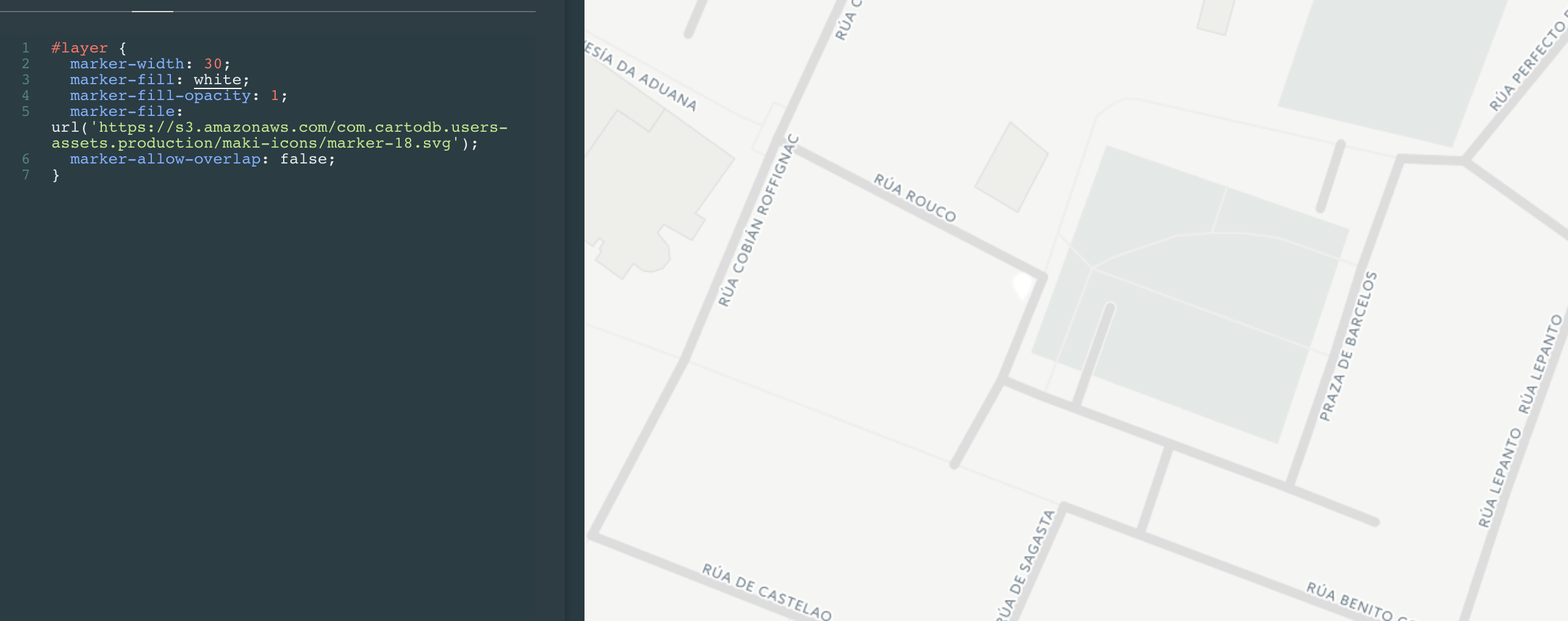
Raster rendered with the color set to white.
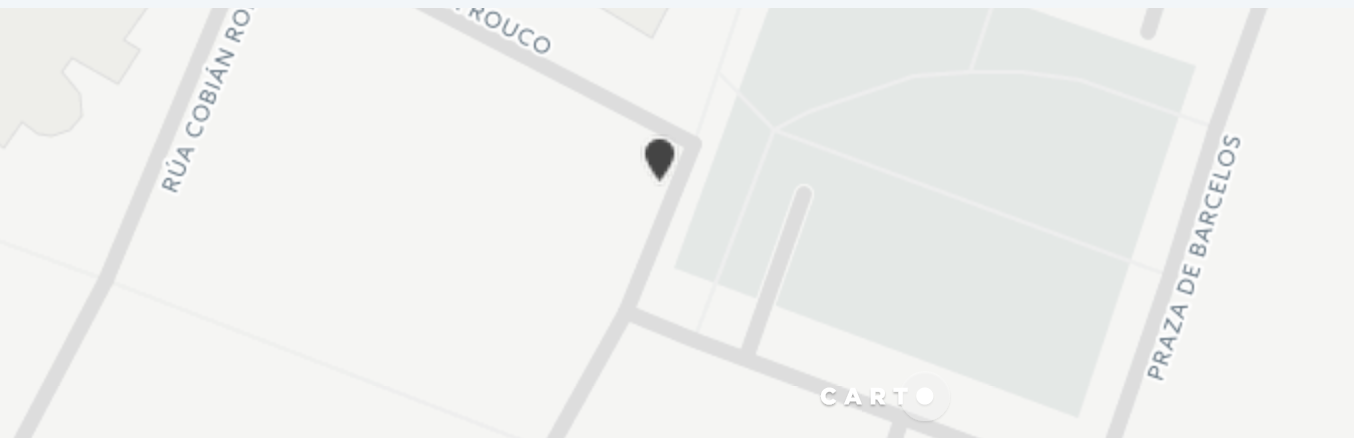
Tangram rendered with the color set to white
Options
a) Remove image-marker support for vector maps
Since we want all our maps to be vector-based this this option makes no sense long term.
b) Limit the scope of this feature
Warn the users: To use colored markers in svg maps they should upload white/transparent assets.
c) Try to fix this in tangram.js
This will be nice but it takes a lot of work and as we have found out the tangram.js team is not in favor of implementing this feature.
d) Fix tangram.js and create a fork
IMO forks should be always the last option...
 IagoLast
on 25 Jul 2017
IagoLast
on 25 Jul 2017
B for sure, but I don't like it either. Wild question: can't we programmatically change every uploaded svg icon bg to transparent? Because to be honest, our users have very little control about their icon's background so warning them about it it's going to be confussing and unexpected.
In any case, I HEREBY SUMMON @CartoDB/design for:
- Changing every icon in our library to transparent :tada:
- In the case we cannot do the programmatic thing I propose, to properly show the warning ("Transparent .svg icons recommended") when uploading a custom icon.
noguerol
on 25 Jul 2017
Wild question: can't we programmatically change every uploaded svg icon bg to transparent?
Good point here, whats the API managing the marker file uploads?
IagoLast
on 25 Jul 2017
changing every icon could affect every map. Also, we cannot enforce our users to upload transparent icons since that's not the standard. I'd go with c
saleiva
on 25 Jul 2017
I just created an issue asking tangram for help to style markers. I think we should continue this discussion once we get a response.
IagoLast
on 26 Jul 2017
According the response from tangram:
We don't currently support these other modes but they are in development now.
So IMO we should use raster-mode as a fallback while tangram does not implement this.
IagoLast
on 27 Jul 2017
+1
saleiva
on 27 Jul 2017
ok!
noguerol
on 27 Jul 2017
We are already falling back to raster in this scenario.
 rochoa
on 12 Sep 2017
rochoa
on 12 Sep 2017
Related issues
 xavijam
·
3Comments
xavijam
·
3Comments
 ramiroaznar
·
4Comments
xavijam
·
5Comments
rochoa
·
4Comments
saleiva
·
4Comments
ramiroaznar
·
4Comments
xavijam
·
5Comments
rochoa
·
4Comments
saleiva
·
4Comments