Cartodb: Multiple time-series widgets at the same time
Steps to Reproduce
- Add a time series widget for a numeric / date column
- Add a histogram widget
- Edit that widget and set the type to time-series
- GOTO 2
Current Result
Multiple time series are added, and nothing works as expected.
Expected result
It's not possible to edit and switch to time series if there's already a time series widget available
Browser and version
Chrome 59, 4.8.16
Additional info
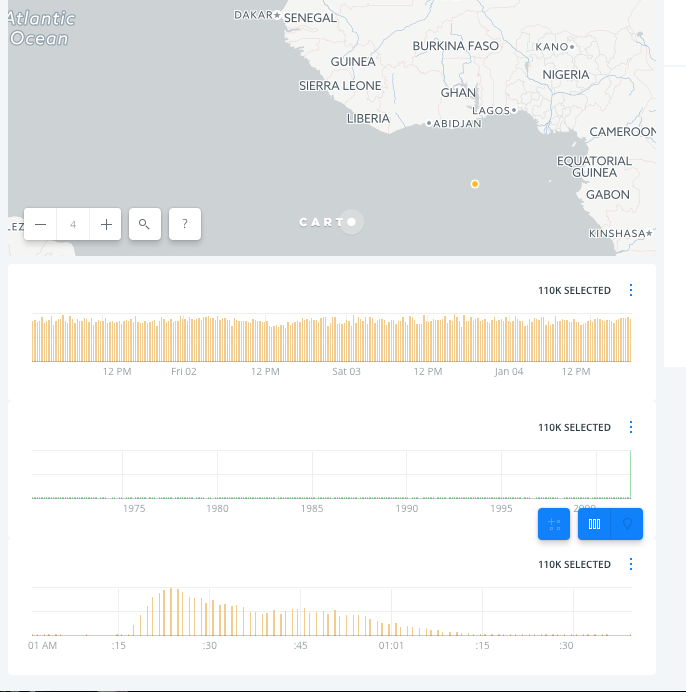
 rjimenezda
All 21 comments
:+1:
 xavijam
on 27 Jun 2017
xavijam
on 27 Jun 2017
I love this one. And also for the record: this is also happening with the pseudo time series in torque maps.
 noguerol
on 28 Jun 2017
noguerol
on 28 Jun 2017
I haven't checked, but I think the edit workflow ignores a lot of the restrictions there are in place.
rjimenezda
on 28 Jun 2017
We should not allow the user to change a widget to a time-series type when there is already one selected.
xavijam
on 29 Jun 2017
That solution can be tricky from the user feedback point of view. How are we planning to inform users then?
 saleiva
on 6 Jul 2017
saleiva
on 6 Jul 2017
Hiding the time-series icon would be simple, but I think it would cause confusion.
Since the widget edition has no 'confirm' action, we should probably disable the widget type button. Visually bring the opacity down or make the icon Black & White, or both. We should probably show a tooltip too.
rjimenezda
on 6 Jul 2017
I agree with @rjimenezda, we should turn it into a disable state + a tooltip.
xavijam
on 6 Jul 2017
@urbanphes, @josecruz fancy taking a quick look?
saleiva
on 6 Jul 2017
I agreed with this kind of solutions:
If we have a TimeSeries widget added we can remove the option on the carrousel for change by TimeSeries. This way we avoid this kind of problem that somebody can change a histogram widget by TimeSeries.
 urbanphes
on 6 Jul 2017
urbanphes
on 6 Jul 2017
Let's go for it then
noguerol
on 10 Jul 2017
If you have time, please @Jesus89, take care of this.
xavijam
on 24 Aug 2017
I have also these ones:
- It would be nice to create a Widget (continue) with
Enter(You can delete it withEnter) - (Bug) Creating any (Category|Histogram|Formula) widget after a TimeSeries do not refresh the map panel size
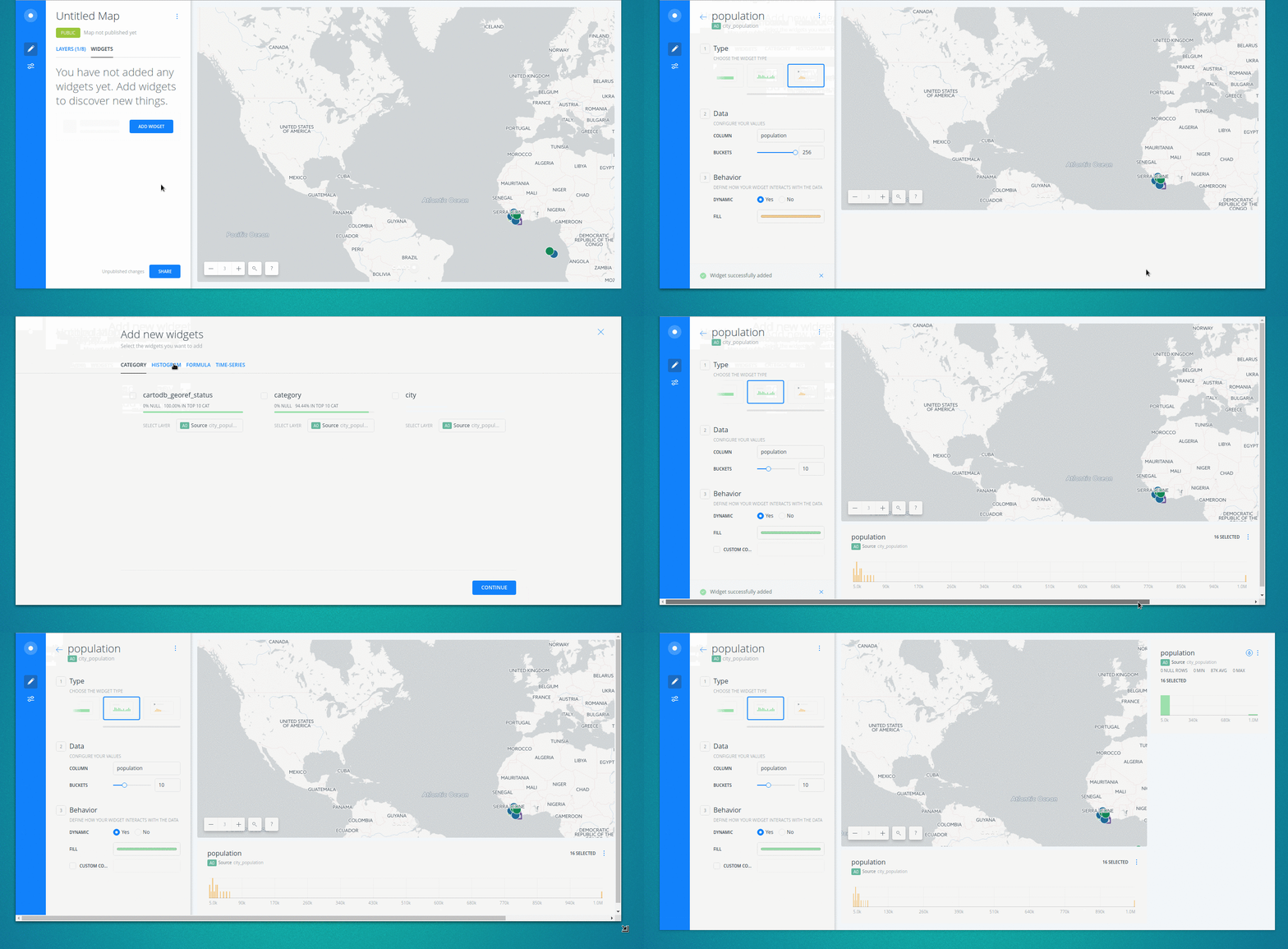
 Jesus89
on 25 Aug 2017
Jesus89
on 25 Aug 2017
I think we should show a message if there is already a TimeSeries when a new TimeSeries is created. Something like: "Your current TimeSeries has been replaced" ?
cc @urbanphes @josecruz
Jesus89
on 25 Aug 2017
Also found:
- When the AddWidgetView is created, it is not focused so
Enterkey refreshes the view (init, render, render) until it is focused. I think this is a bug
Jesus89
on 25 Aug 2017
Hey @Jesus89 nice catch!
Due we're not showing those "yes/no" warnings (that would require an extra screen) I'd keep it simple by showing on the infobox something like this:
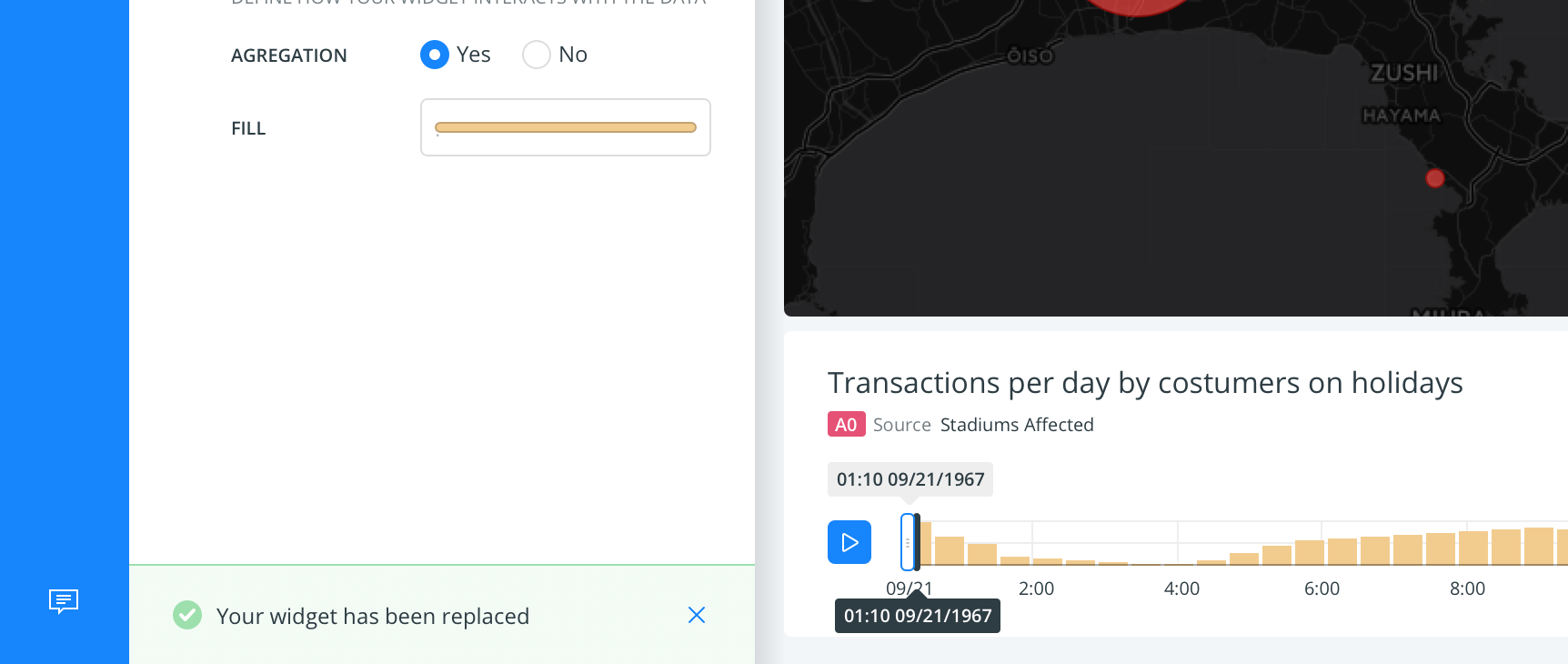
 josecruz
on 25 Aug 2017
josecruz
on 25 Aug 2017
Now it shows: "Widget succesfully added". Should the new message replace this one @josecruz?
May be a better message would be: "Widget succesfully replaced" ?
Jesus89
on 25 Aug 2017
Hey guys, didn't we agreed that when one time series is active there is no way for adding / replacing it? That is why we want to remove the TS option from the carrousel in such situation, right?
@Jesus89 nice catches! please report them on different tickets.
noguerol
on 25 Aug 2017
Ok! I will create new tickets for the text replacement in the notification and the overflow bug :+1:
I have already implement the Enter fix :P
Jesus89
on 25 Aug 2017
Why do we need a replacement text for?
noguerol
on 25 Aug 2017
@noguerol this is the new issue: https://github.com/CartoDB/cartodb/issues/12653
Jesus89
on 25 Aug 2017
Closed by #12654.
 nobuti
on 31 Aug 2017
nobuti
on 31 Aug 2017
Related issues
 atlefren
·
3Comments
atlefren
·
3Comments
 rochoa
·
3Comments
rochoa
·
3Comments
 ramiroaznar
·
5Comments
xavijam
·
3Comments
ramiroaznar
·
5Comments
xavijam
·
3Comments
 javitonino
·
5Comments
javitonino
·
5Comments