Cartodb: Add warning/info on privacy settings button for shared datasets
Context
My colleague shared a dataset with me that is set to 'private'. Another colleague wanted access, so i attempted to click "PRIVATE" (see img below) but the button was inactive. My first thought was that my mouse or browser were acting incorrectly, so I tried it in other browsers and same effect. Then I realized that I don't have access to change the permissions of the dataset since I am not the original owner.

Steps to Reproduce
- Share a private dataset with a colleague
- Ask the colleague to attempt to change the privacy settings
- Colleague will not be able to do this (expected behavior).
Current Result
The button is inactive (expected), but visually it looks no different than an active button.
Expected result
Change the UI/UX so that it's obvious that changing permissions is not allowed for shared datasets when the user is not the owner.
What would be great is if the following happened instead:
- A warning that you cannot change the permissions on a dataset owned by someone else
- The privacy button that looks inactive
Browser and version
Chrome 55.0
Safari 10.0.2
.carto file
I don't think it's possible to share a .carto file that allows me to reproduce this.
Additional info
Thanks!
 andy-esch
All 15 comments
Super +1
Prioritizing it
 saleiva
on 24 Jan 2017
saleiva
on 24 Jan 2017
Hey what do you think about this tooltip?
Following Builder guidelines, the most natural solution was showing a tooltip from the deactivated tag:

 josecruz
on 25 Jan 2017
josecruz
on 25 Jan 2017
Looks good! What about including the owner name in that tooltip?
"You're not able to change the privacy of this dataset. Contact the owner '{ownername}'."
andy-esch
on 25 Jan 2017
Totally agree @ohasselblad! Doing that we're opening one path for the user instead of letting it totally blocked. Thanks for pointing that out.
Would you put the email that they used to sign up in CARTO?
josecruz
on 25 Jan 2017
Including the email sounds good, but would they be able to copy & paste the email from the tooltip? What about clicking the button copies the email of the owner to the clipboard?
andy-esch
on 25 Jan 2017
I like the idea you're suggesting but I don't think that clicking and copying the email is the expected behaviour when clicking the inactive button. So, I would just show the email or username of the owner.

Honestly I would use the CARTO username of the owner to avoid exposing any emails, does that makes sense?
josecruz
on 25 Jan 2017
Agree, looks great like that :)
andy-esch
on 25 Jan 2017
Like! !
saleiva
on 25 Jan 2017
Smart solution. When solved I would expand the scope in the future a little bit: https://github.com/CartoDB/design/issues/509
 noguerol
on 25 Jan 2017
noguerol
on 25 Jan 2017
_Using this ticket for hiring_
 xavijam
on 30 Jun 2017
xavijam
on 30 Jun 2017
In production 🚀 !
 rubenmoya
on 29 Aug 2017
rubenmoya
on 29 Aug 2017
Looks great!! :)
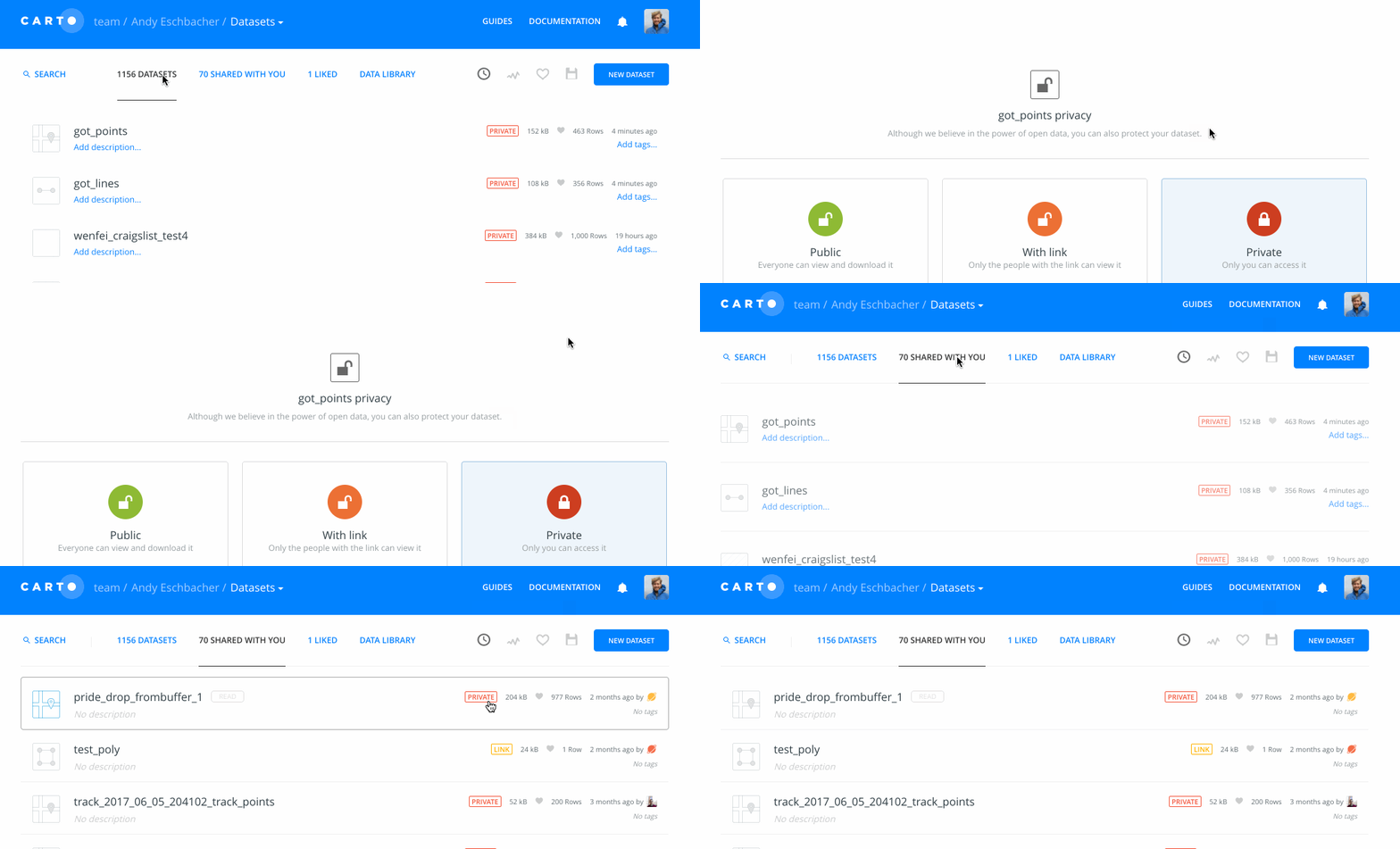
Just realized that there are share settings in the shared dataset dashboard that could be similarly confusing since the share buttons act differently between shared and non-shared datasets:
andy-esch
on 29 Aug 2017
Agree. I guess we should not have to put any label on the "shared with you" datasets.
noguerol
on 30 Aug 2017
There might still be value in showing the privacy settings. For example, knowing whether a user can do authenticated SQL API calls against a dataset or not.
andy-esch
on 30 Aug 2017
But then it makes no sense to change anything, right? There is no need for a modal window in other users tables.
noguerol
on 31 Aug 2017
Related issues
xavijam
·
5Comments
 rochoa
·
3Comments
rochoa
·
3Comments
 piensaenpixel
·
4Comments
piensaenpixel
·
4Comments
 nygeog
·
5Comments
rochoa
·
4Comments
nygeog
·
5Comments
rochoa
·
4Comments