Carla: Question about distortion in scene image from CARLA simulator
Sorry, I have a question related to a past issue #56
When I implemented a code which transforms a point(u,v) on the image into wold coord's point(x,y,z) according to your formula(#56 ), I found scene images from CARLA simulator have some distortion.
Example of transformation between 2 images(t,t+1) is following.
img(t)
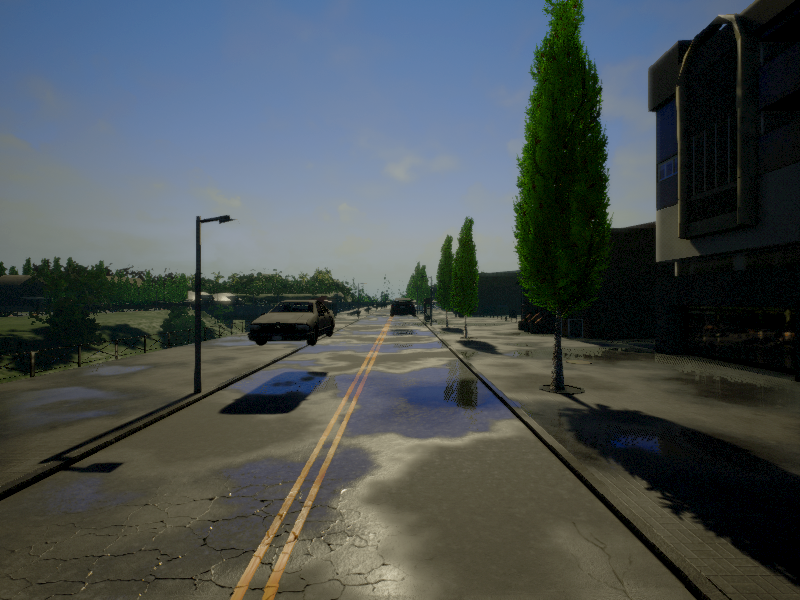
img(t+1)

The result of transformation t->t+1 is following.
Points on img(t) are projected on img(t+1) using GT information of depth, camera position and camera rotation. And assuming that camera intrinsic parameter are following.
fx = camImgWidth / (2. * tan((camFOV / 2.) * π / 180.))
fy = camImgHeight / (2. * tan((camFOV / 2.) * π / 180.))
cx = camImgWidth / 2
cy = camImgHeight /2
(camImgWidth=800, camImgHeight=600, camFOV=90)
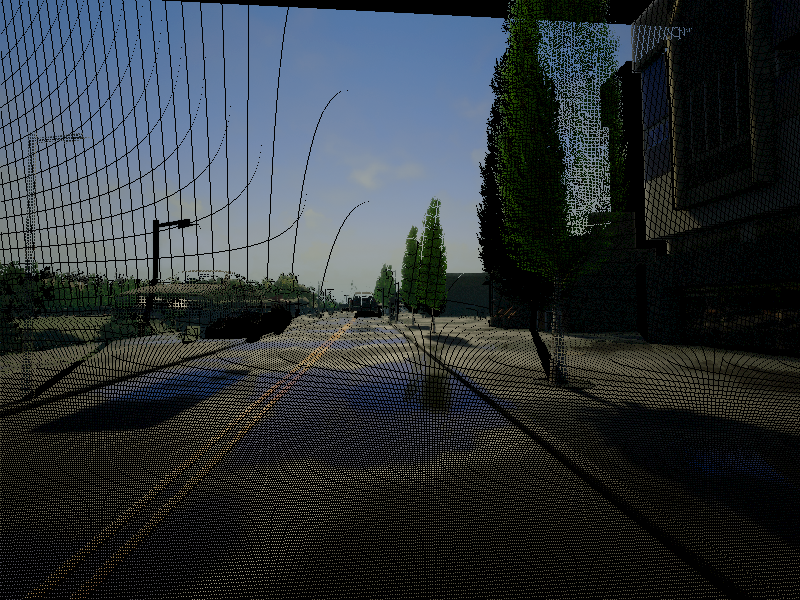
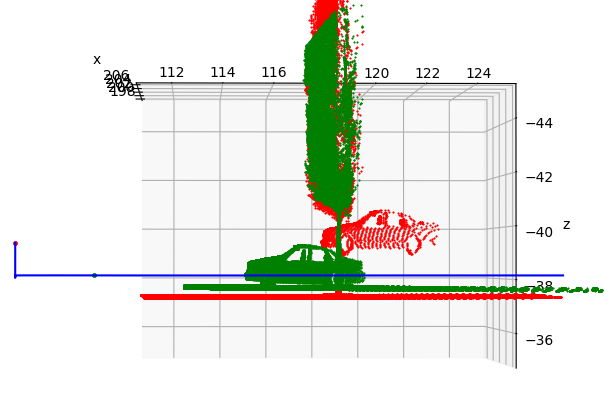
At first glance, you think transformation is good. However, plotting all these points in world coords and comparing these, you will find this has some distortion. Following figure is the result of plotting point clouds. This figure is seen from right side of this world coords.
(Red points are from img(t), Green points are from img(t+1), Blue line is all trajectory from the moving vehicle.)
I think red(img(t)) and green(img(t+1)) would match on this map if there is no distortion.
(In particular, the ground part, bottom and horizontal side of this figure, is unmatched between 2 images, which is because the edge part of image could be strongly affected by distortion)
I think this distortion is caused from provided by Unreal Engine.
Maybe or
effect this distortion for creating realistic image.
Could you tell me how to undistort scene images taken by CARLA? Or If you could, please add a function to adjust or turn off this distortion in CARLA simulator in the future...
Best regards.
 syinari0123
All 4 comments
Hi @syinari0123,
First of all thanks for a well elaborated question :)
I think this distortion is caused from Post Process Effects provided by Unreal Engine.
Maybe Vignette or Depth of Field effect this distortion for creating realistic image.
The server is codifying the depth before any post processing effect change, so I'm almost sure that this is not the problem.
While it's true that I'm facing a really small point separation between different times too (maybe due to depth precision error), I'm not getting any big error like you do.
Where red = t and green = t+1:
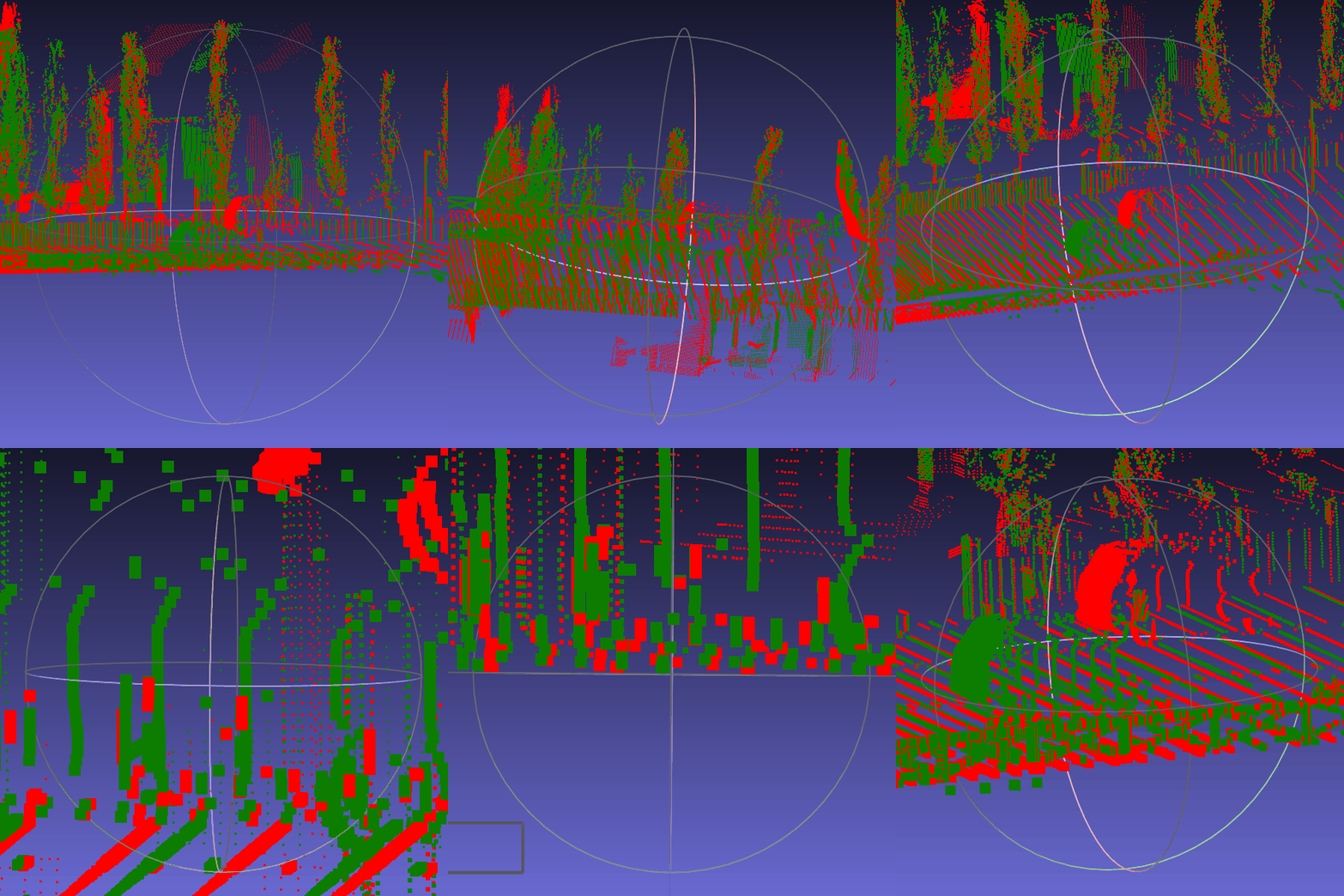
All your understanding looks good to me (again). Perhaps there is an implementation error in your code?
Please considere to change to the pointCloud #100 branch and try it.
Remeber that you need to recompile the server.
Hope this helps.
 marcgpuig
on 12 Feb 2018
marcgpuig
on 12 Feb 2018
Sorry for replying too late...
Thanks for checking visualization of Pointclouds between different times!
OK, I would update CARLA's version in my PC and check whether my implementation is correct or not.
Thanks.
syinari0123
on 17 Feb 2018
Nice @syinari0123!
I hope you get the same results as me.
Please feel free to close this issue when you get a solution, otherwise keep posting here if you have some troubles or doubts so I'll re-check my code.
Regards.
marcgpuig
on 19 Feb 2018
Thank you for a kind help, @marcgpuig!
Finally, I got correct result using pointCloud #100 branch!
It's a Wonderful Simulator! Thanks!
Best regards.
syinari0123
on 20 Feb 2018
Related issues
 AftermathK
·
3Comments
AftermathK
·
3Comments
 robertnishihara
·
4Comments
robertnishihara
·
4Comments
 qixiaoshuai0120
·
3Comments
qixiaoshuai0120
·
3Comments
 chankim
·
3Comments
chankim
·
3Comments
 Super-Tree
·
4Comments
Super-Tree
·
4Comments