Cardview: Android - ListView inside Carousel Scrolling issue
Hi @AndreiMisiukevich, please take a look at the gif, when I pull down to refresh, the listview will be shaking like that. Can you help checking for me?

 huyjack178
All 24 comments
Hi, try MoveThresholdDistance = 20 or 10
 AndreiMisiukevich
on 22 Jan 2020
AndreiMisiukevich
on 22 Jan 2020
@AndreiMisiukevich issue is still happened
huyjack178
on 22 Jan 2020
@AndreiMisiukevich issue is still happened
okay, with 50 too ?
AndreiMisiukevich
on 22 Jan 2020
Try OppositePanDirectionDisablingThreshold = 1
AndreiMisiukevich
on 22 Jan 2020
Enable that property makes my listview scroll is hard and too laggy
huyjack178
on 22 Jan 2020
I try the new version, and the issue is happening in iOS as well
huyjack178
on 22 Jan 2020
Try OppositePanDirectionDisablingThreshold = 1
try tot set 5 or 10
AndreiMisiukevich
on 22 Jan 2020
Enable that property makes my listview scroll is hard and too laggy
As I told you, enable that property make my listview scroll is hanging and too laggy
huyjack178
on 22 Jan 2020
Weird. This property just disallow horizontal scrolling, if the gesture is vertical
AndreiMisiukevich
on 22 Jan 2020
Are you experienced your initial issue on iOS? or android only?
AndreiMisiukevich
on 22 Jan 2020
https://drive.google.com/file/d/1ZWvZZ-eL47HddAwzm-TbPEdZPPtOjAly/view?usp=sharing
Please help check for Android, let's check the LiveScore.Features -> Scores -> Views -> ScoresView.xaml
huyjack178
on 23 Jan 2020
I just confirmed I have the same issue on Android. Even using OppositePanDirectionDisablingThreshold as 1 or 10. I also tried setting MoveThresholdDistance to 20.
As a workaround I just disabled panning in the carouselview. It is acceptable in my project.
 akamud
on 30 Jan 2020
akamud
on 30 Jan 2020
Hmm @akamud @huyjack178
Who knows how to resolve this stupid bug? Does anybody want to debug?
AndreiMisiukevich
on 31 Jan 2020
@AndreiMisiukevich , Hi, I had time to debug your code, I see the problem throws in these lines of code in CardsView.cs, in OnPanUpdated line 584, remove the code for Android, I don't know why you set OnTouchChanged for Android when Gesture is Completed
[EditorBrowsable(EditorBrowsableState.Never)]
        public void OnPanUpdated(PanUpdatedEventArgs e)
        {
            if (ItemsCount <= 0 || !IsPanInteractionEnabled)
            {
                return;
            }

            var diff = e.TotalX;
            var oppositeDirectionDiff = e.TotalY;
            if (!IsHorizontalOrientation)
            {
                var tempDiff = diff;
                diff = oppositeDirectionDiff;
                oppositeDirectionDiff = tempDiff;
            }
            switch (e.StatusType)
            {
                case GestureStatus.Started:
                    OnTouchStarted();
                    return;
                case GestureStatus.Running:
                    OnTouchChanged(diff, oppositeDirectionDiff);
                    return;
                case GestureStatus.Canceled:
                case GestureStatus.Completed:
                    // I remove these lines then the issue has gone
                    //if (Device.RuntimePlatform == Device.Android)
                    //{
                    //    OnTouchChanged(diff, oppositeDirectionDiff);
                    //}
                    OnTouchEnded();
                    return;
            }
        }
If I did that, it was needed.
AndreiMisiukevich
on 5 Feb 2020
AndreiMisiukevich
on 6 Feb 2020
Thanks, waiting for new version
huyjack178
on 6 Feb 2020
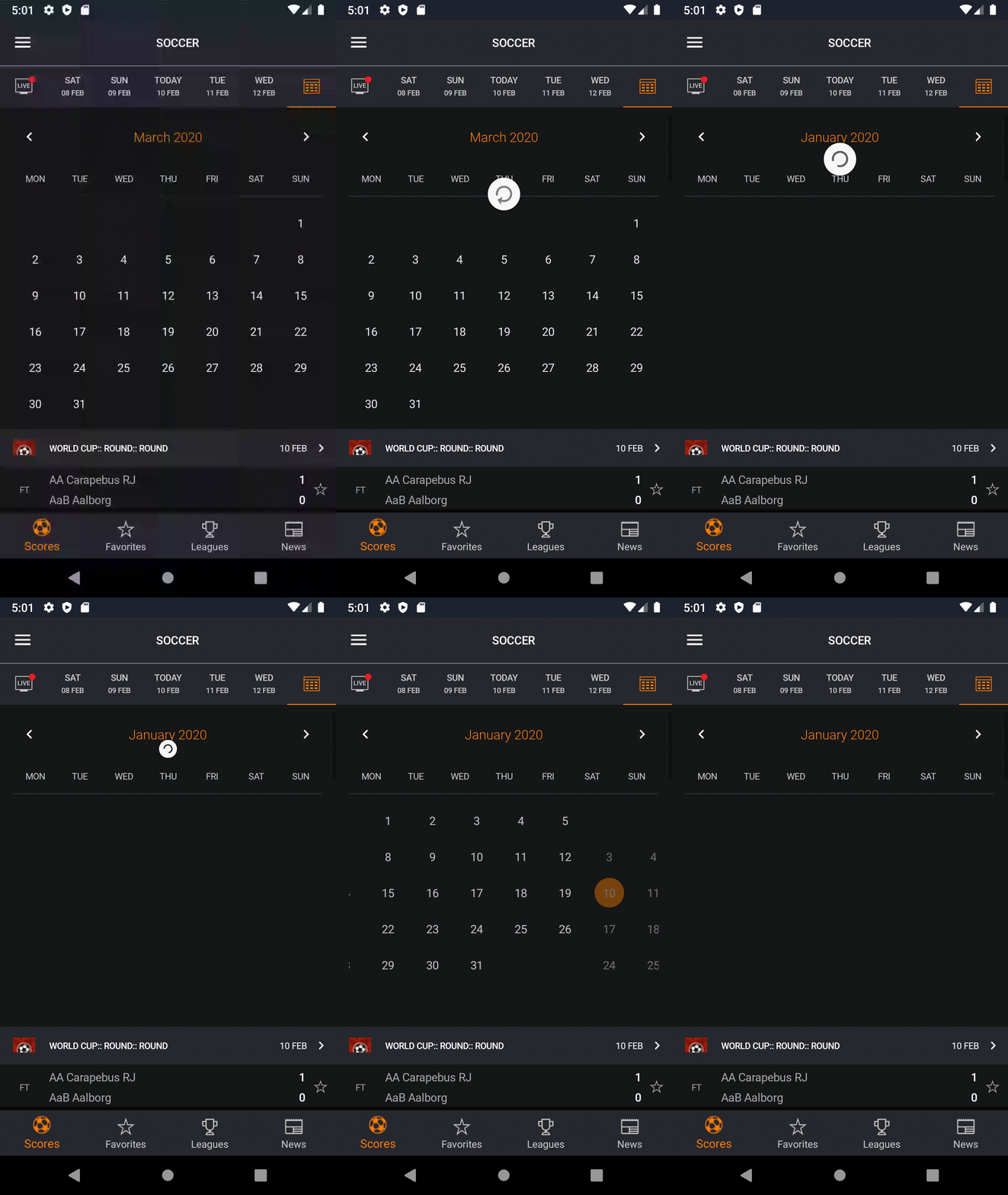
Hi @AndreiMisiukevich, I have another issue, I used CarouselView as a ListView Header, when I pull down to refresh, it also affects the CarouselView. Please take a look at the gif below
huyjack178
on 10 Feb 2020
Hi @AndreiMisiukevich, I have another issue, I used CarouselView as a ListView Header, when I pull down to refresh, it also affects the CarouselView. Please take a look at the gif below
Well, the previous issue is resolved, right?
AndreiMisiukevich
on 10 Feb 2020
OppositePanDirectionDisablingThreshold = 1 doesn't help, does it?
AndreiMisiukevich
on 10 Feb 2020
Yes, it doesn't
huyjack178
on 11 Feb 2020
Can you get rid of headers? Just use datatemplateselector for this
AndreiMisiukevich
on 11 Feb 2020
What do you mean?
huyjack178
on 11 Feb 2020
What do you mean?
You said that the carousel view is the header of ListView.
I propose to put carousel view as a separate cell (first cell)
AndreiMisiukevich
on 11 Feb 2020
Related issues
 stealthcold
·
6Comments
stealthcold
·
6Comments
 troyvnit
·
8Comments
troyvnit
·
8Comments
 toshitani23
·
6Comments
toshitani23
·
6Comments
 EldinHb
·
8Comments
EldinHb
·
8Comments
 LeoJHarris
·
3Comments
LeoJHarris
·
3Comments
Most helpful comment
I just confirmed I have the same issue on Android. Even using
OppositePanDirectionDisablingThresholdas 1 or 10. I also tried settingMoveThresholdDistanceto 20.As a workaround I just disabled panning in the carouselview. It is acceptable in my project.