Cardview: Xamarin.Forms.Xaml.XamlParseException: Position 189:26. Type cards:CarouselView not found in xmlns clr-namespace:PanCardView;assembly=PanCardView
Hi,
It is ok during designing but when I run the application I am getting this error.
Xamarin.Forms.Xaml.XamlParseException: Position 189:26. Type cards:CarouselView not found in xmlns clr-namespace:PanCardView;assembly=PanCardView
btw I am using Xamarin.Forms.3.1.0.583944
 rexconcepcion
All 22 comments
Show please whole xaml markup
 AndreiMisiukevich
on 10 Jul 2018
AndreiMisiukevich
on 10 Jul 2018
I think, this is something with your visual studio..(
AndreiMisiukevich
on 10 Jul 2018
Have you added cards as a xmlns on the page/views root element?
 thedjnova
on 10 Jul 2018
thedjnova
on 10 Jul 2018
I am calling the page after the login page
var page = new Sample() { Title = "Sample" };
App.Current.MainPage = page;
<?xml version="1.0" encoding="UTF-8"?>
<ContentPage xmlns="http://xamarin.com/schemas/2014/forms"
             xmlns:x="http://schemas.microsoft.com/winfx/2009/xaml"
             xmlns:cards="clr-namespace:PanCardView;assembly=PanCardView"
             x:Class="ExceedMobile.Sample">
    <ContentPage.Content>
        <StackLayout>
            <cards:CarouselView
                Items="{Binding NewsItems}"
                SlideShowDuration="3000"
                CurrentIndex="{Binding CurrentIndex}">
                 <cards:CarouselView.Items>
                        <x:Array Type="{x:Type View}">
                            <ContentView>
                                <Image Source="approve.png"/>
                            </ContentView>
                            <RelativeLayout>
                                <Button Text="Click" />
                            </RelativeLayout>
                            <StackLayout>
                                <Label Text="any text"/>
                            </StackLayout>
                        </x:Array>
                </cards:CarouselView.Items>

            </cards:CarouselView>
        </StackLayout>
    </ContentPage.Content>
</ContentPage>
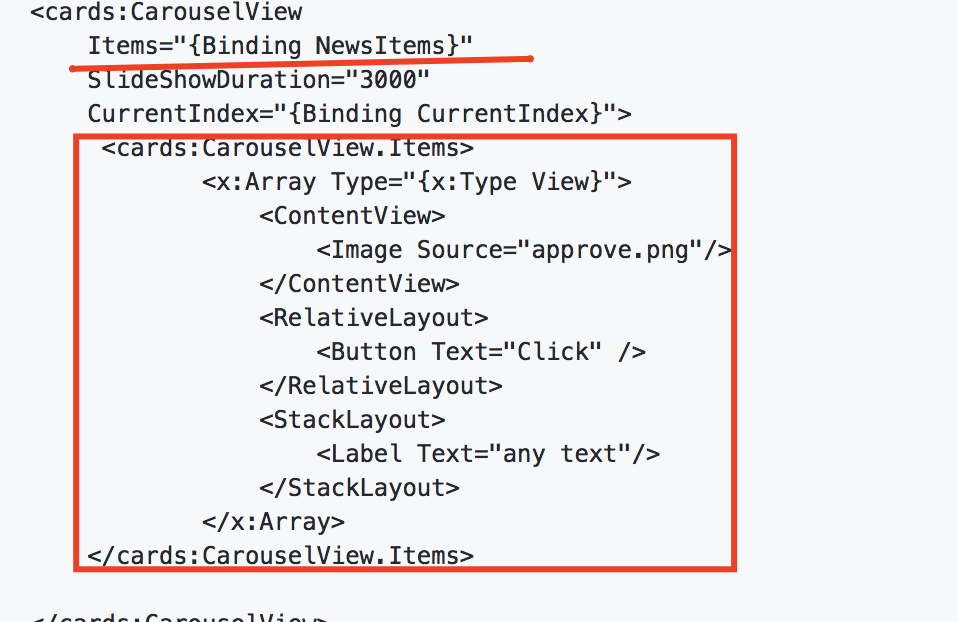
oh) but you declare Items property two times..
You should select one way for showing cards..
AndreiMisiukevich
on 10 Jul 2018
I clean the xaml file and set the Sample as the main page, clean, rebuild, and still getting the error.
I already restarded vstudio.
Type cards:CarouselView not found in xmlns clr-namespace:PanCardView;assembly=PanCardView
<?xml version="1.0" encoding="UTF-8"?>
<ContentPage xmlns="http://xamarin.com/schemas/2014/forms"
             xmlns:x="http://schemas.microsoft.com/winfx/2009/xaml"
             xmlns:cards="clr-namespace:PanCardView;assembly=PanCardView"
             x:Class="ExceedMobile.Sample">
    <ContentPage.Content>
        <StackLayout>
            <cards:CarouselView
                SlideShowDuration="3000" >
                 <cards:CarouselView.Items>
                        <x:Array Type="{x:Type View}">
                            <ContentView>
                                <Image Source="approve.png"/>
                            </ContentView>
                            <RelativeLayout>
                                <Button Text="Click" />
                            </RelativeLayout>
                            <StackLayout>
                                <Label Text="any text"/>
                            </StackLayout>
                        </x:Array>
                </cards:CarouselView.Items>
            </cards:CarouselView>
        </StackLayout>
    </ContentPage.Content>
</ContentPage>
hmm, try to remove package from the solution
Remove all bin and obj folders
install package again (into all projects)
AndreiMisiukevich
on 10 Jul 2018
Removed Package
Removed Bin and Obj folders
Install CardsView Package
I am still getting the same error.
Theres no problem during design time. Usually the IDE will detect if the Type is not found during design time and there is no error there. It is only during the run time that error shows up.
rexconcepcion
on 10 Jul 2018
@rexconcepcion could you try with code?
I'm sure, it's VS error.. because I have no such error on VS for Mac
AndreiMisiukevich
on 10 Jul 2018
Send me small sample with this error, please. I will try it on my VS for mac
AndreiMisiukevich
on 10 Jul 2018
Did anybody face with the same issue?
AndreiMisiukevich
on 11 Jul 2018
Probably, this is the reason of our headache
    <!--Net Standard-->
    <file src="PanCardView\bin\Release\PanCardView.dll" target="lib\netstandard1.0\PanCardView.dll" />

    <!--Core PCL-->
    <file src="PanCardView\bin\Release\PanCardView.dll" target="lib\portable-win+net45+wp80+win81+wpa81\PanCardView.dll" />
I will add netstandard2.0 support
AndreiMisiukevich
on 12 Jul 2018
@rexconcepcion Did you resolve this issue?
AndreiMisiukevich
on 12 Jul 2018
try latest PRE-release version https://www.nuget.org/packages/CardsView/1.5.0-netstandard2.0-possible-fix
if issue is still reproducing, reopen this issue please
AndreiMisiukevich
on 12 Jul 2018
I use .Net Standard 2 already and everything is fine.
thedjnova
on 12 Jul 2018
@thedjnova very-very strange issue..
AndreiMisiukevich
on 12 Jul 2018
I'm facing the same issue right now, I tried with latest release and 1.5.0-netstandard2.0-possible-fix and still happens.
Was working until I updated Visual Studio for Mac elements to the latest version due requirement this noon... any clue?
 requenaxii
on 7 Aug 2018
requenaxii
on 7 Aug 2018
Try to create it from code
AndreiMisiukevich
on 7 Aug 2018
For some reason I had this problem as well, just on iOS. I 'fixed' it by calling CardsViewRenderer.Preserve() in AppDelegate.
Just adding this in case someone else might run into it.
 EldinHb
on 4 Feb 2019
EldinHb
on 4 Feb 2019
@Eldin66 yeah, i added this step to setup section :)
AndreiMisiukevich
on 4 Feb 2019
This is amazing !
I had the problem on iOS. When I call the CardsViewRenderer.Preserve() in AppDelegate.
The problem has gone.
 Unlonlyness
on 8 Apr 2019
Unlonlyness
on 8 Apr 2019
@Unlonlyness cool
AndreiMisiukevich
on 8 Apr 2019
Related issues
 LeoJHarris
·
3Comments
LeoJHarris
·
3Comments
 jolugarbe
·
8Comments
jolugarbe
·
8Comments
 SkeletonJohn
·
3Comments
SkeletonJohn
·
3Comments
 InquisitorJax
·
6Comments
InquisitorJax
·
6Comments
 morhung
·
7Comments
morhung
·
7Comments
Most helpful comment
For some reason I had this problem as well, just on iOS. I 'fixed' it by calling CardsViewRenderer.Preserve() in AppDelegate.
Just adding this in case someone else might run into it.