Carbon: UI Shell - AIW violation for non-semantic list items
Environment
Operating system
macOS 10.15.7
Browser
Chrome 87
Automated testing tool and ruleset
Accessibility Insights for Web
Assistive technology used to verify
N/A
Detailed description
What version of the Carbon Design System are you using?
10.9.0
What did you expect to happen?
Expected HeaderMenu.js to have an optional role attribute
What happened instead?
No role attribute on HeaderMenu.js. This component will fails accessibility checks
What WCAG 2.1 checkpoint does the issue violate?
WCAG 1.3.1 - listitem
Steps to reproduce the issue
- Create valid nav menu markup using the following:
<HeaderNavigation>
  <HeaderMenu aria-label="Label Name" menuLinkName="Link Name">
    <HeaderMenuItem />
    <HeaderMenuItem />
    <HeaderMenuItem />
     ...
  </HeaderMenu>
</HeaderNavigation>
- Run Accessibility Inisghts for Web
- Observe fail of WCAG 1.3.1 on
<HeadMenu />
CodeSandbox
https://codesandbox.io/s/fast-leftpad-vhvef?file=/src/index.js
 pdnellius
All 14 comments
@emyarod potential PR for you. I couldn't assign it to myself
pdnellius
on 1 Dec 2020
gotcha @pdnellius, in the future you can leave a comment in the issue to let us know that you have a fix incoming!
 emyarod
on 1 Dec 2020
emyarod
on 1 Dec 2020
What error are you seeing? Can you post a screen shot? I'm unable to recreate. @pdnellius
 dakahn
on 1 Dec 2020
dakahn
on 1 Dec 2020
Can be seen here @dakahn:
https://codesandbox.io/s/fast-leftpad-vhvef?file=/src/index.js
pdnellius
on 2 Dec 2020
@dakahn I updated the example adding the proper aria attributes on the other elements. You'll notice everything passes except for the HeaderMenu component. I believe that item needs a role assigned to it, which I implemented in my PR, but maybe there's a better way to solve.
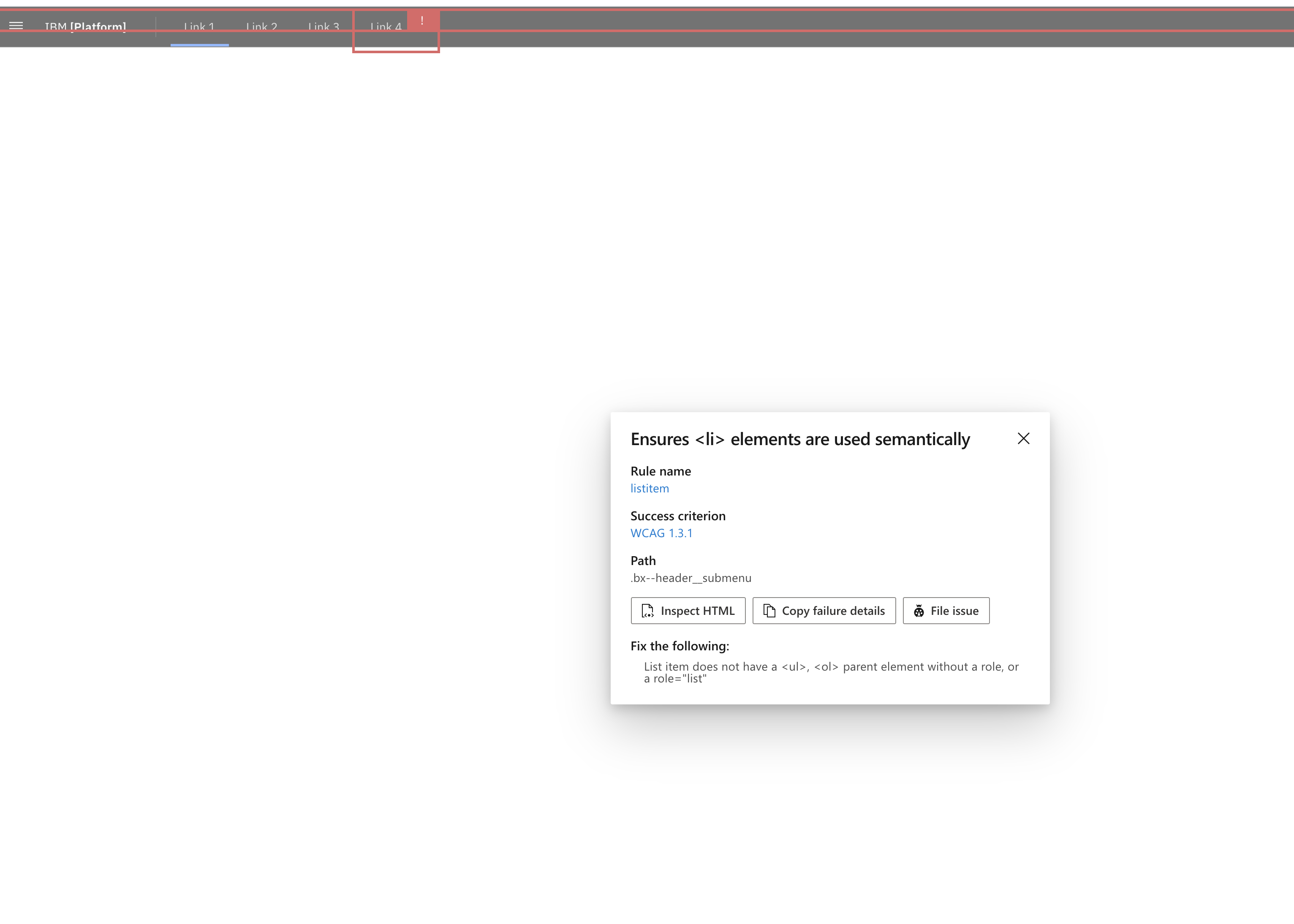
pdnellius
on 2 Dec 2020
Seems like this error is caused by the <li> not having a <ul> parent element. Inspecting the code we can see that in fact, these list items are children of a div.
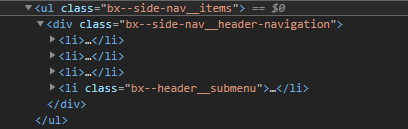
Removing this div is the preferred solution and will clear the error.
dakahn
on 2 Dec 2020
Renamed the issue so it more clearly describes the problem 👍
dakahn
on 2 Dec 2020
ideally whatever styling or layout we're getting from that div can just be raised up to the <ul>. 😟
dakahn
on 2 Dec 2020
@dakahn shall I modify the PR to reflect your suggested solution?
pdnellius
on 2 Dec 2020
@dakahn I'm not seeing a div within the ul in the codesandbox example I provided here:
https://codesandbox.io/s/fast-leftpad-vhvef?file=/src/index.js
pdnellius
on 3 Dec 2020
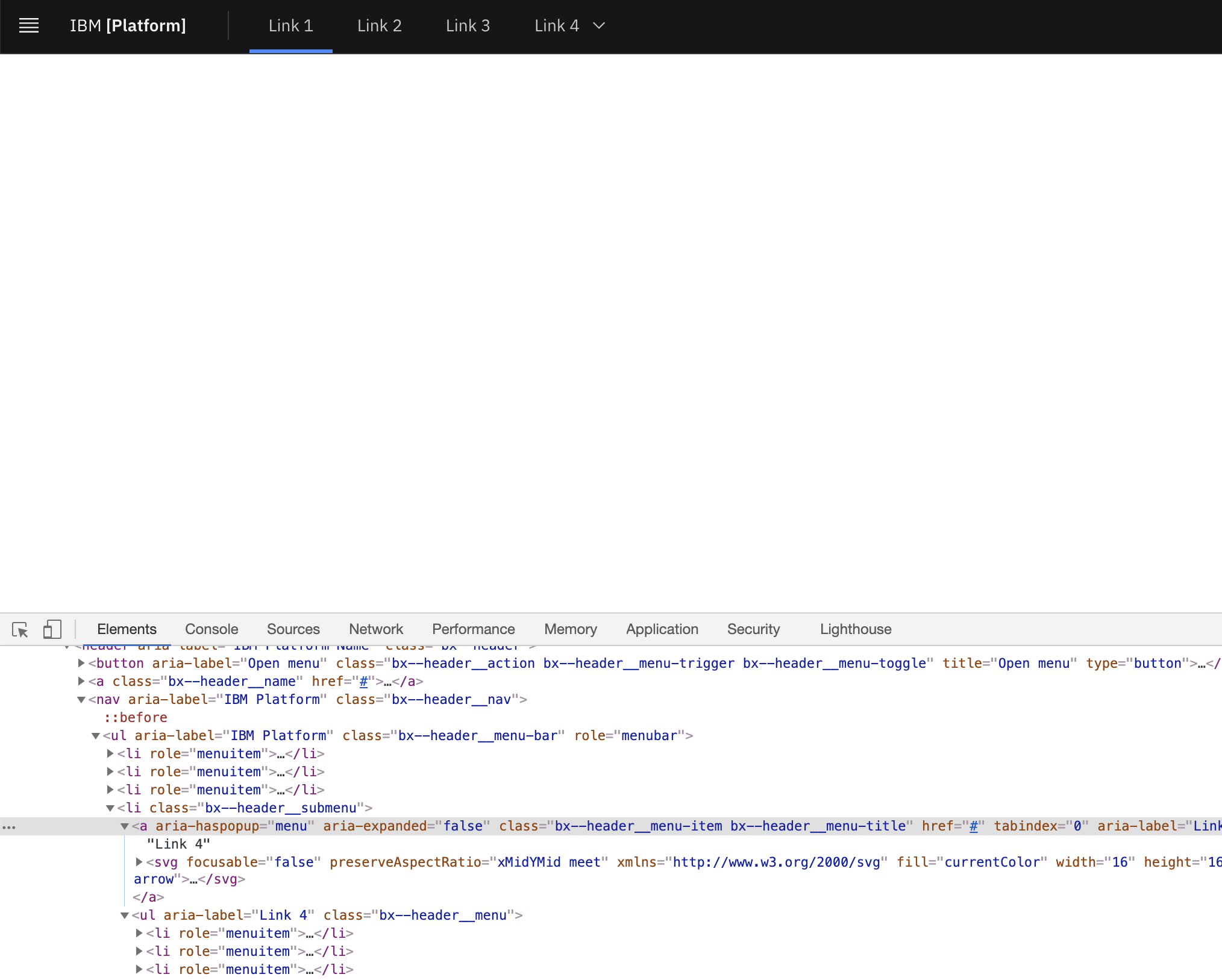
can you diff your implementation with the ours in the React Storybook
dakahn
on 4 Dec 2020
@dakahn The below screenshot is from the React Storybook. Are you perhaps looking at a different component view? I see the class bx--side-nav__items in your screenshot. That class does not appear on the component in question, which is "Header Base W Navigation"
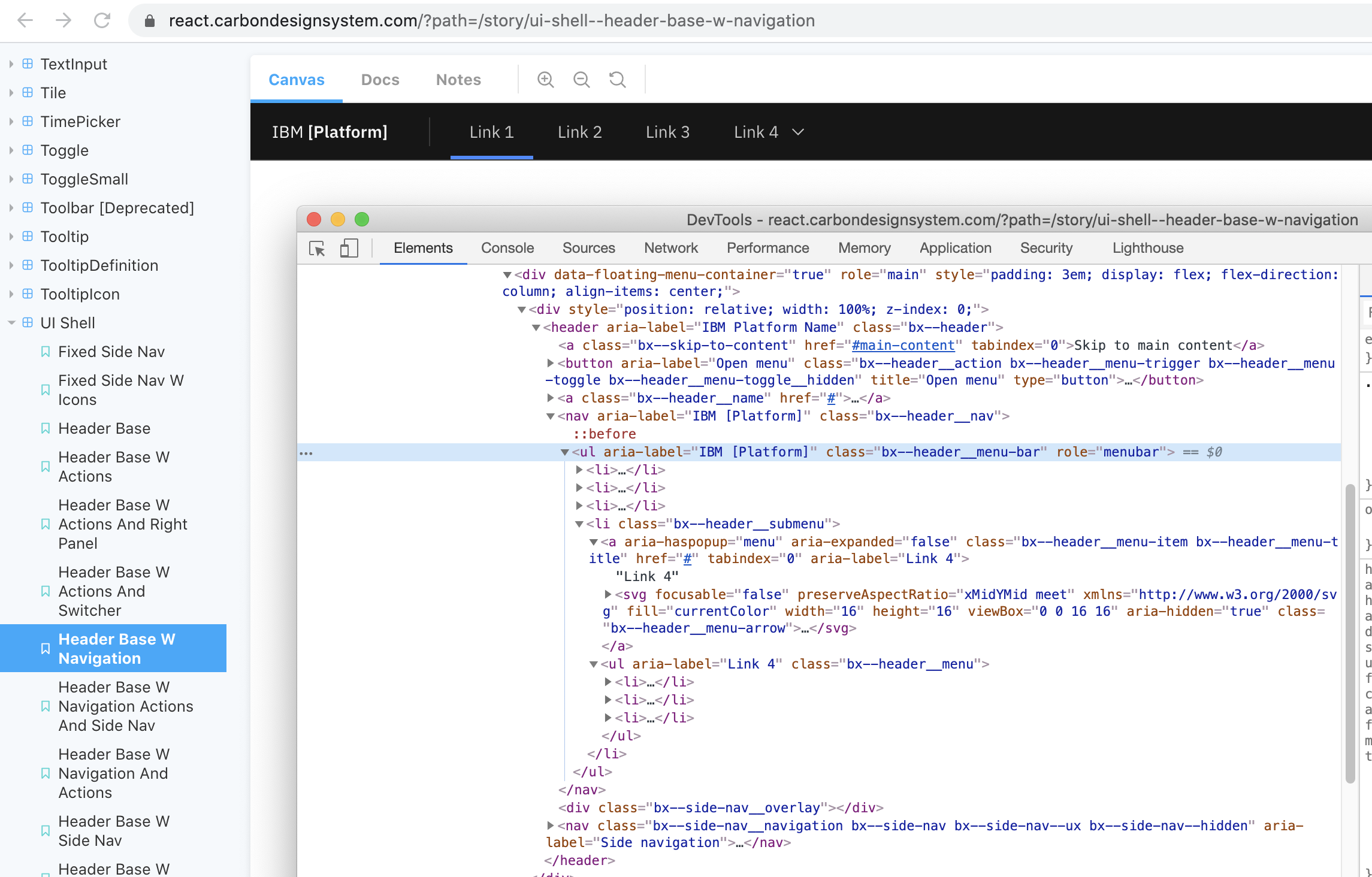
In the Storybook implementation with no modifications, all of the sample nav items fail AIW:

pdnellius
on 4 Dec 2020
Ah! I figured it out. We've got roe="menubar" on the <ul> itself in horizontal mode (not mobile, in a dialog). In AIW's eyes this negates any semantics we get from that <ul> -- thus the warning.
We should remove that role altogether. We're not replicating a desktop UI interaction here. In testing that fixes the violation and doesn't negatively impact the accessibility tree.
dakahn
on 8 Dec 2020
@dakahn I'm rolling off this project so you may want to assign someone to handle this issues.
Thanks!
-Pete
pdnellius
on 15 Dec 2020
Related issues
 ahoyahoy
·
3Comments
ahoyahoy
·
3Comments
 carmacleod
·
3Comments
carmacleod
·
3Comments
 joshblack
·
3Comments
joshblack
·
3Comments
 laurenmrice
·
3Comments
laurenmrice
·
3Comments
 snidersd
·
3Comments
snidersd
·
3Comments