Carbon: Bug: issue related to overflow menu item's z-index and position
What package(s) are you using?
- [x]
carbon-components - [x]
carbon-components-react
Detailed description
Overflow menu seems to work correctly in storybook only. When using it with the outer frame of CP4S platform, we got the following issues.
- Wrong position of OverflowMenu items and scrolling up the whole page while clicking on OverflowMenu

For the click and scrolling issue, you may check the attached demo video.
overflow-menu-click-and-scroll.gif.zip
Z-index of OverflowMenu items being set too high. It should be covered by the top gradient of the platform frame.

Scrolling data table also makes the position of overflow menu items in other component changing...
For scrolling A but also got B scrolling issue, you may check the attached demo video.
scroll a but also affect b.gif.zip
Is this issue related to a specific component?
OverflowMenu component
What did you expect to happen? What happened instead? What would you like to
see changed?
- OverflowMenu items being placed correctly.
- Clicking on overflow menu button won't automatically scroll up the whole web page.
- Z-index of OverflowMenu items being calculated dynamically so we can have OverflowMenu items hidden behind top gradient of platform frame when scrolling up the web page.
- Scrolling on A component shouldn't change the position of OverflowMenu items of B component.
What browser are you working in?
FireFox, Chrome
What version of the Carbon Design System are you using?
"carbon-components": "10.23.2"
"carbon-components-react": "7.23.2"
What offering/product do you work on? Any pressing ship or release dates we
should be aware of?
Steps to reproduce the issue
- Step one
- Step two
- Step three
- etc.
Please create a reduced test case in CodeSandbox
Additional information
- Screenshots or code
- Notes
 JennChao
All 7 comments
@SimonFinney
Please help tracking this issue for it is highly related to issue in Carbon Security.
https://github.com/carbon-design-system/ibm-security/issues/841
JennChao
on 18 Nov 2020
Hello! I've created a reduced test case for this - https://codesandbox.io/s/thirsty-swanson-o1l1f
This appears to happen when the OverflowMenu(s) exist within a container that has either fixed or sticky positioning, while the rest of the viewport has the ability to scroll.
 SimonFinney
on 18 Nov 2020
SimonFinney
on 18 Nov 2020
to resolve this, you can add the data-floating-menu-container attribute to the containing element https://codesandbox.io/s/distracted-framework-0zb51
 emyarod
on 19 Nov 2020
emyarod
on 19 Nov 2020
to resolve this, you can add the
data-floating-menu-containerattribute to the containing element https://codesandbox.io/s/distracted-framework-0zb51
@SimonFinney
Should we have this fix in Carbon Security?
JennChao
on 20 Nov 2020
Thanks @emyarod! That solution resolves the original issue with scrolling, but it looks like this has its own implications 😭
- Open and close the first
OverflowMenu:

- Scroll and re-open the first
OverflowMenu:

SimonFinney
on 20 Nov 2020
@emyarod
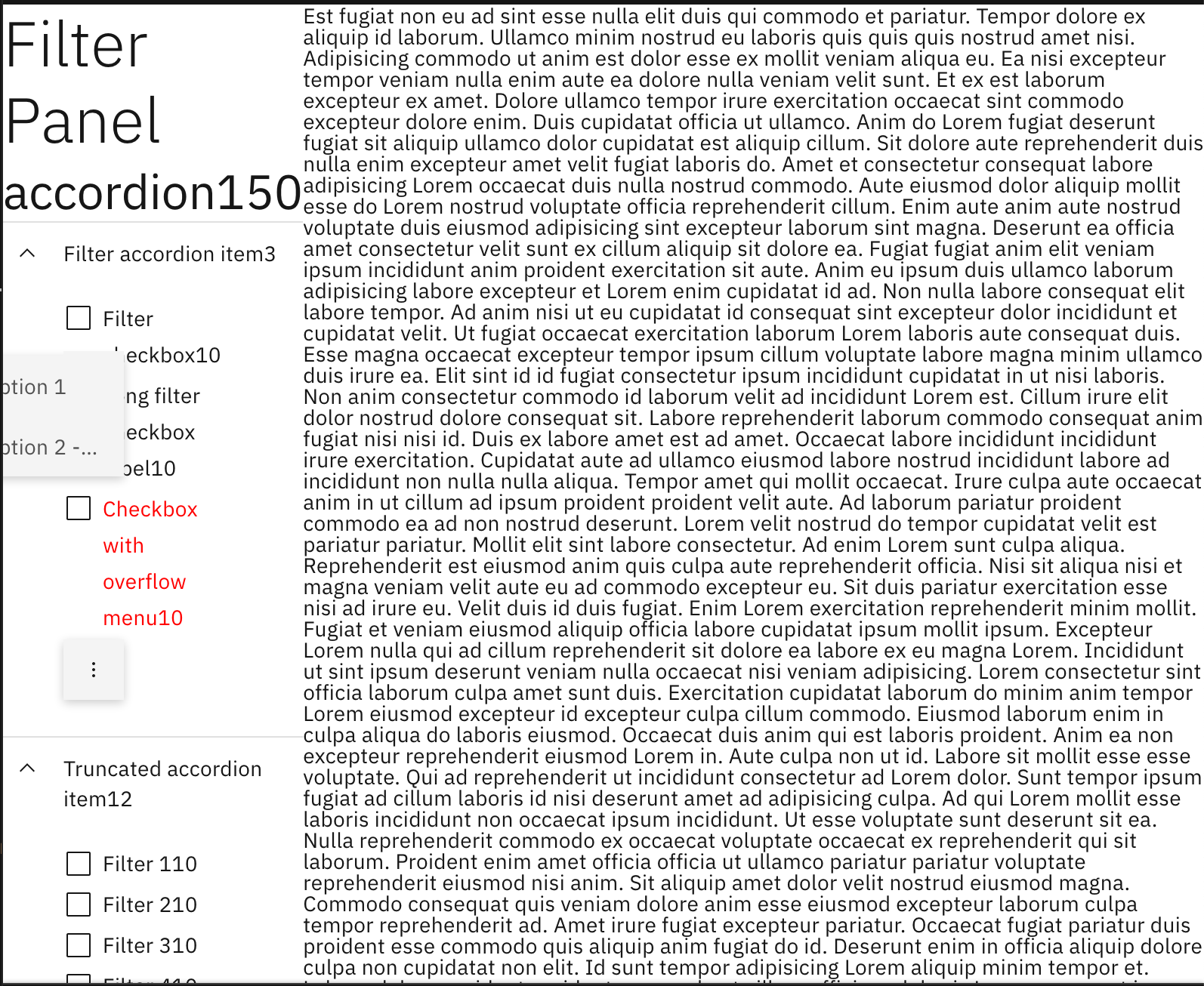
The scrolling issue didn't get resolved by adding data-floating-menu-container to the component.
Please see this small demo.
https://codesandbox.io/s/demo-filter-panel-issue-dhx9q?file=/src/index.js:1397-1432
- First, click on overflow menu to open overflow menu options.
- Second, scroll filter panel and then you can see the scrolling issue.
JennChao
on 26 Nov 2020
this should be resolved in #7323
emyarod
on 30 Nov 2020
Related issues
 kalyanixraut
·
3Comments
kalyanixraut
·
3Comments
 ahoyahoy
·
3Comments
ahoyahoy
·
3Comments
 ajdaniel
·
3Comments
ajdaniel
·
3Comments
 snidersd
·
3Comments
snidersd
·
3Comments
 AnthumChris
·
3Comments
AnthumChris
·
3Comments
Most helpful comment
this should be resolved in #7323