Carbon: [component audit] data table bugs
Code bugs:
- [x]
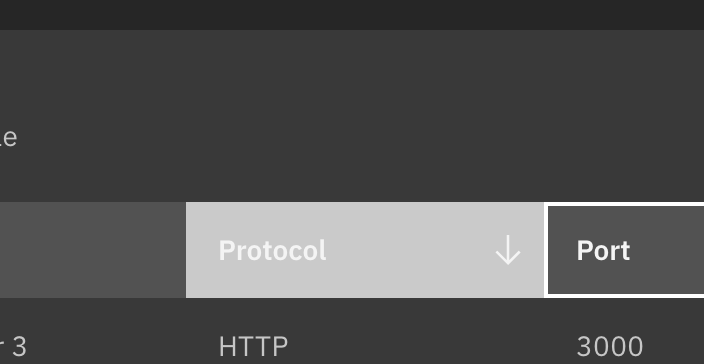
trrow hover should be using tokenhover-uiand nothover-field - [x] ~In Safari, focus is not appearing on the column headers~ See TJs comment below
- [x] Disabled row styling is missing.
- [x] Zebra stripes: in the G90 and G100 themes the first row and the table headers are blending together. The first row should use the default color and the second row should use the zebra color. (we may need to re-evaluate this from a design perspective but this will resolve the main issue for now).

Visual bugs:
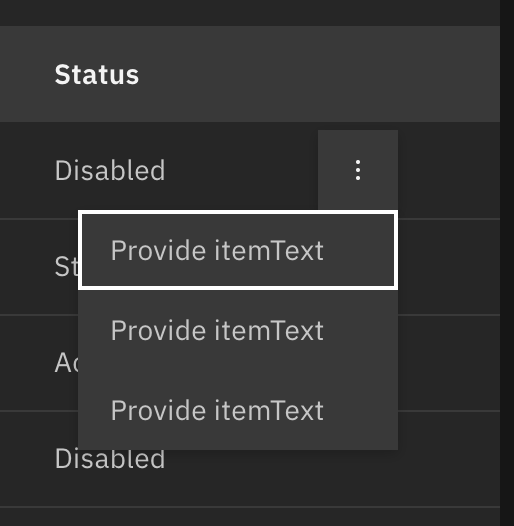
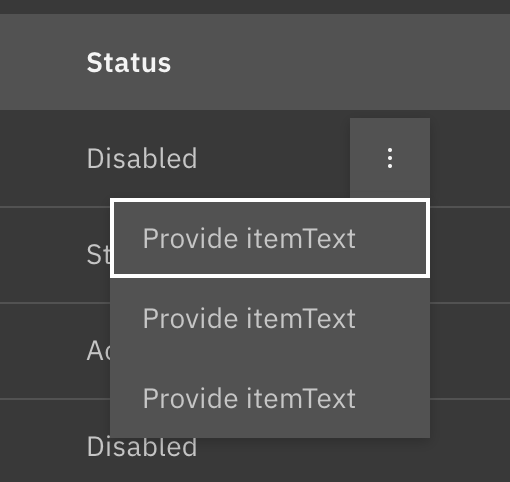
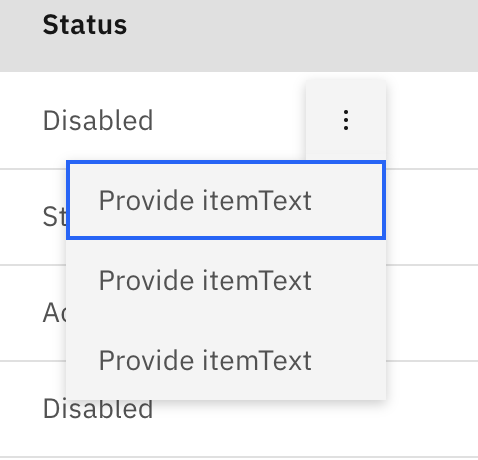
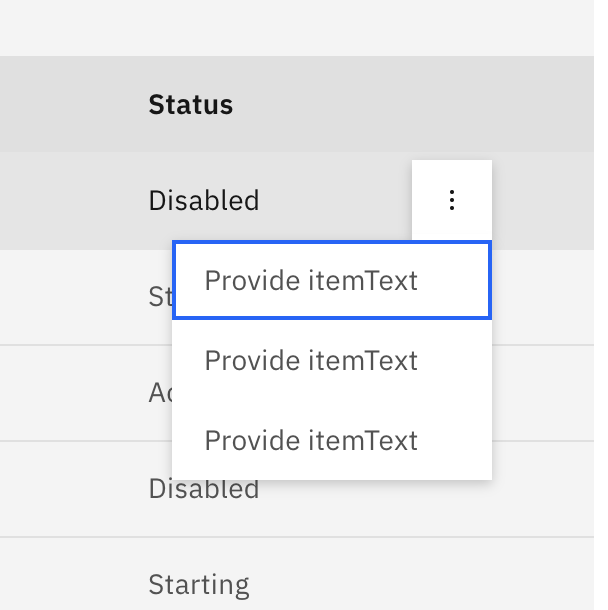
- [x] Overflow menu: in G100 theme the menu blends into the table background.

Questions:
- Is the row of a data table supposed to be focusable? I cannot get it to focus in the storybook.
- Is disabling a row or the whole table possible?
 aagonzales
All 5 comments
Safari recenty changed how they handle focus so you may need to change your settings (Preferences --> Advanced)

Once I enable that, I'm able to get focus styles when I tab through elements. Chrome / Firefox / Safari all handle click focus differently (Chrome will show and keep focus on click, the others won't)

Rows can't be focused, only the focusable elements (since no action can be taken on a row). If you tab through a selectable row, the focus is on the input (since that is what is being checked / unchecked)

 tw15egan
on 3 Nov 2020
tw15egan
on 3 Nov 2020
Regarding the Overflow Menu, an end-user application would be able to use the light property to use the lighter variant of the menu when using the g100 theme, but we don't have any way to specify a different variable per theme. We could turn on the light prop in the storybook, but we'd have that across all 4 themes
Reference if we uselight in all themes:
Also, do we need to update the value for $data-table-column-hover in the dark themes?
tw15egan
on 9 Nov 2020
Also regarding disabled styles, we allow the focusable inputs (selection, expansion, sorting) to be disabled, but there are no full row disabled styles. If we want to add that in it may be best to track that in a separate issue as an enhancement 👍
tw15egan
on 9 Nov 2020
@tw15egan Turning on the light prop for the overflow I think would solve that problem. I'm ok with it being like that across themes.
And yes we need to update $data-table-column-hover.
- G100:
#4C4C4C - G90:
#656565
aagonzales
on 10 Nov 2020
Looks like those values were already there, just some issue with my local build. Deployed preview is using the correct values 👍 Just made the rest of the changes
tw15egan
on 10 Nov 2020
Related issues
 antonmc
·
3Comments
antonmc
·
3Comments
 jendowns
·
3Comments
jendowns
·
3Comments
 PatrickDuncan
·
3Comments
PatrickDuncan
·
3Comments
 ConradSchmidt
·
3Comments
ConradSchmidt
·
3Comments
 laurenmrice
·
3Comments
laurenmrice
·
3Comments
Most helpful comment
Safari recenty changed how they handle focus so you may need to change your settings (Preferences --> Advanced)

Once I enable that, I'm able to get focus styles when I tab through elements. Chrome / Firefox / Safari all handle click focus differently (Chrome will show and keep focus on click, the others won't)

Rows can't be focused, only the focusable elements (since no action can be taken on a row). If you tab through a selectable row, the focus is on the input (since that is what is being checked / unchecked)
