Carbon: Combo-box filtering issue: Search hides the top result by the dropdown menu
Search in combo box component hides the top result by the dropdown menu.
when we search for a word in the combo-box, top result is hidden by the dropdown menu.

this only happens when you have 4 or more results with the filter items are not first in the list:
example Try out code here:
https://codesandbox.io/s/combobox-filtering-c3zjl?file=/src/index.js
 deeptical17
All 10 comments
@joshblack is this something you are aware of?
 andrea-gm
on 8 Jun 2020
andrea-gm
on 8 Jun 2020
This looks like intended behavior. The list is automatically scrolling because the highlighted option is based on the text you have entered in the input field
 emyarod
on 8 Jun 2020
emyarod
on 8 Jun 2020
@emyarod i’d expect the cut-off to be at the bottom, not top right?
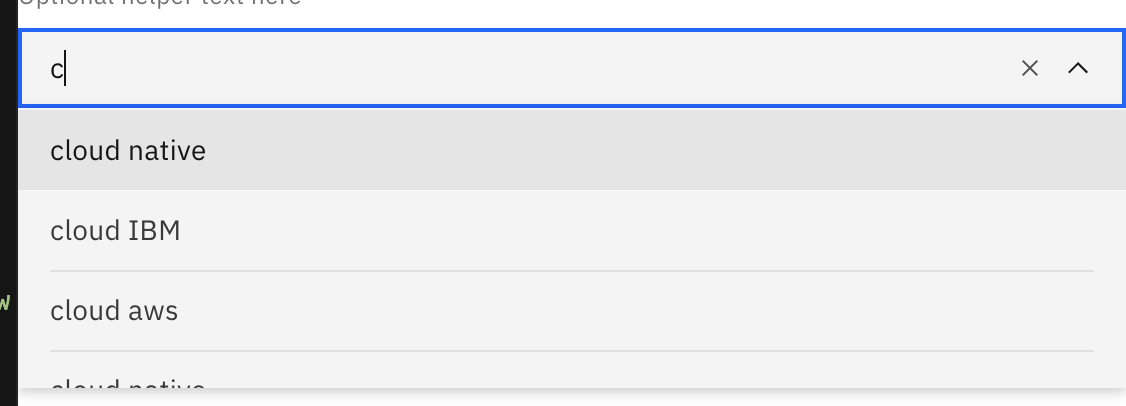
in our case, its at the top,, and this happens only when filter items are not first in the list:
deeptical17
on 8 Jun 2020
the highlighted item in your example is "cloud aws" which is not visible when you open the dropdown, so the menu scrolls until it is visible
emyarod
on 8 Jun 2020
We also have a PR up increasing the items shown so these instances should happen less often
 tw15egan
on 8 Jun 2020
tw15egan
on 8 Jun 2020
This needs to be re-opened and fixed ASAP.
The first item that matches in the filtered dropdown list should NOT be cut off at the top. If we are going to make the dropdown list have a height of 3.5 or 5.5, the half-an-item should always be at the bottom of the list so that the user knows there are more options available if they key or scroll down.
Increasing the default height from 3.5 to 5.5 might make this problem happen less often, but it's still a problem that needs to be fixed.
I don't understand what @emyarod means by this comment:
the highlighted item in your example is "cloud aws" which is not visible when you open the dropdown, so the menu scrolls until it is visible
Typing "c" should filter the list of items in the dropdown and highlight the top-most matching item in the list. What's weird is when I type "c" it highlights "cloud native," and then when I type "cl" it highlights "cloud aws." In both cases "cloud" should be highlighted because it is the first matching item.
 joshua-vaughn
on 10 Jun 2020
joshua-vaughn
on 10 Jun 2020
https://codesandbox.io/s/combobox-filtering-c3zjl?file=/src/index.js
if you want to try the code
deeptical17
on 10 Jun 2020
I did try your code, and that's what I was referencing in all of my previous comments
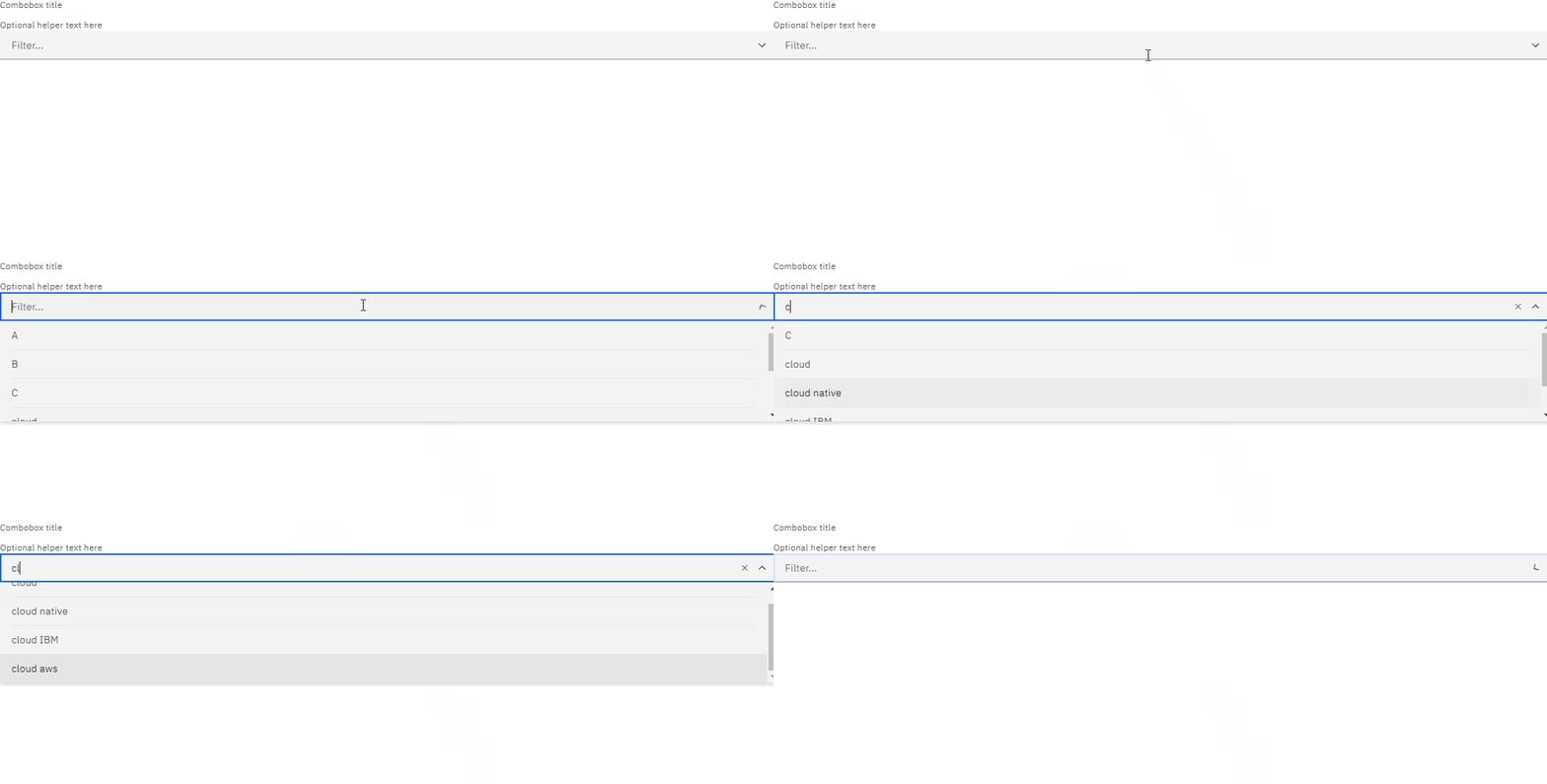
because of your filtering logic, pressing "c" brings you to "cloud native", which is not visible in the dropdown at the start, so the menu scrolls until the item is visible. When an item that is not visible is highlighted, the default behavior is to scroll the menu until the item is visible at the bottom (this is a common pattern across the web, including native HTML <select>). If you continue typing, you will see that it proceeds to highlight "cloud aws", which is also not visible so the pattern continues (the menu scrolls until the highlighted item is visible).
here is what it looks like when your own filtering logic is removed (csb link for reference https://codesandbox.io/s/combobox-filtering-0jst4):
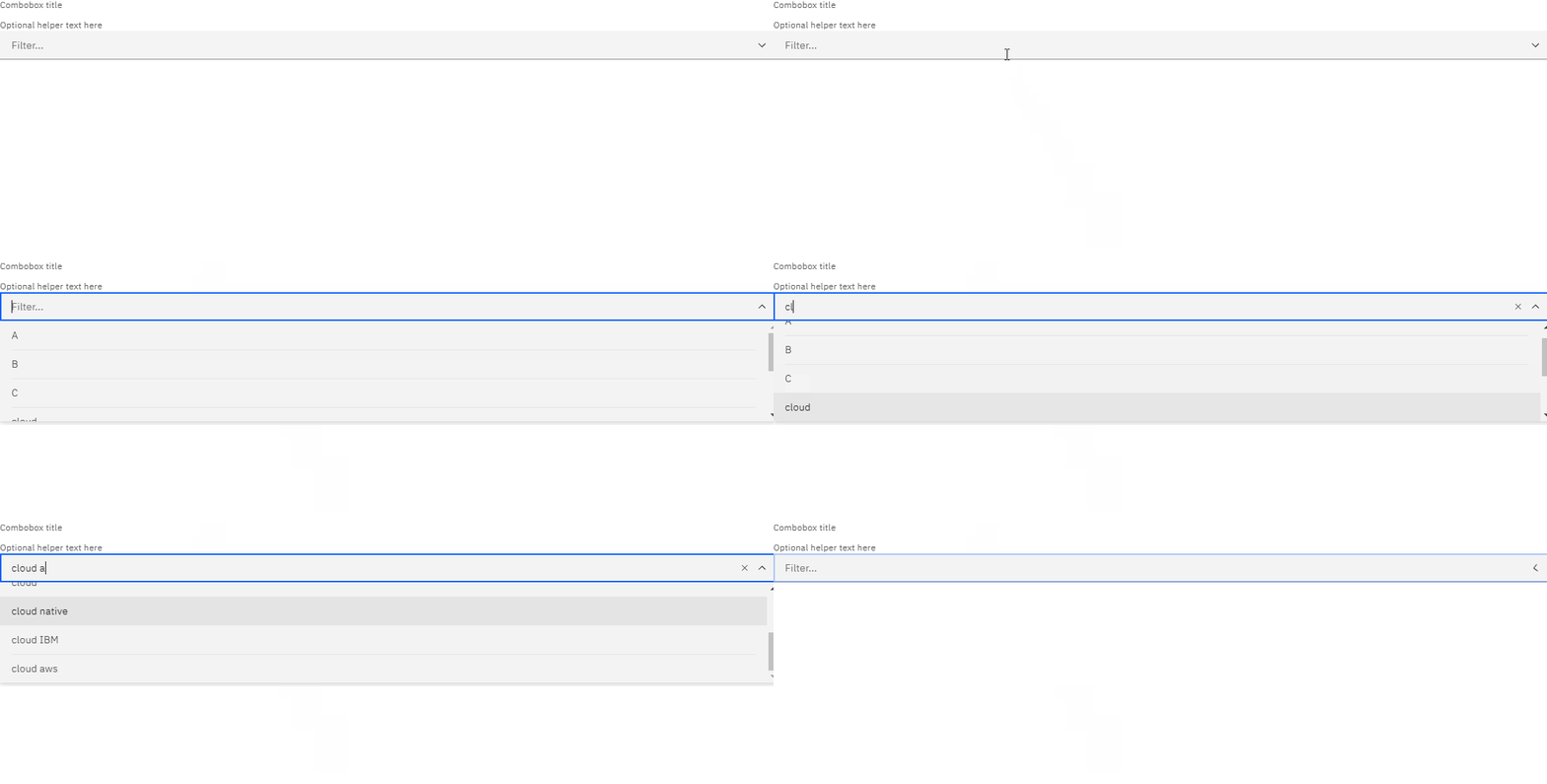
what you are describing is not the same as what you have coded. it sounds like you expect the 2nd GIF, but you have written and provided me with a component that behaves like the first GIF (which is working as intended)
emyarod
on 10 Jun 2020
@emyarod without the shouldFilterItem filtering doesnt even work, even in your second gif.
its not filtering. when you type c its showing A and B as well in the dropdown. we want it filter right away as user types and show only matching strings
deeptical17
on 10 Jun 2020
I see, so the distinction here is this issue does not necessarily happen with searching across the board, and it only happens when the indices of the menu items change instead. based on our responses, you can tell this point was overlooked even after the many edits in each reply
emyarod
on 10 Jun 2020
Related issues
 laurenmrice
·
3Comments
laurenmrice
·
3Comments
 ConradSchmidt
·
3Comments
ConradSchmidt
·
3Comments
 xrissot-ibm
·
3Comments
xrissot-ibm
·
3Comments
 JordanWSmith15
·
3Comments
JordanWSmith15
·
3Comments
 windgaucho
·
3Comments
windgaucho
·
3Comments
Most helpful comment
I see, so the distinction here is this issue does not necessarily happen with searching across the board, and it only happens when the indices of the menu items change instead. based on our responses, you can tell this point was overlooked even after the many edits in each reply