Carbon: Although sort order is none on DataTable, arrow shows until clicking other area.
Detailed description
Describe in detail the issue you're having.
Current DataTable show the arrow until clicking other area although there is no sorting. In this case, user could think that the sorting does not work.
Is this a feature request (new component, new icon), a bug, or a general issue?
I think it is a bug.
Is this issue related to a specific component?
DataTable
What did you expect to happen? What happened instead? What would you like to see changed?
Arrow icon should disappear when rows are not sorted.
Steps to reproduce the issue
Go to story book page for DataTable : https://pages.github.ibm.com/cloud-integration-design/ap-carbon-theme/?selectedKind=DataTable&selectedStory=with%20sorting&full=0&addons=1&stories=1&panelRight=0&addonPanel=storybook%2Factions%2Factions-panel
Click the name on header three times.
You can see the arrow icon like below image although rows are not sorted.

 blbird
All 19 comments
I'm not able to reproduce, as soon as focus is taken off of the arrow it disappears if the row is not sorted. What browser/version are you seeing this in?
 alisonjoseph
on 24 Jul 2018
alisonjoseph
on 24 Jul 2018
I used chrome 67.0.3396.99. As I tested on firefox a few minutes ago, if mouse is out of the header area, arrow is disappeared. I think it can be acceptable. However, in chrome, the action for losing focus is clicking other area. I think that it may be not acceptable because user could be recognized that sorting order is ascending before user clicks the other area.
blbird
on 24 Jul 2018
Oh ok, I see what you are saying. I think this is a browser limitation without changing the design of the sorting component.
Any thoughts on this @aagonzales
alisonjoseph
on 24 Jul 2018
Hmm I'm not sure what's happening there. It should just sort up or down on click. I'm not sure what that third click is doing.
 aagonzales
on 24 Jul 2018
aagonzales
on 24 Jul 2018
@aagonzales what should the visual style be for that third click? Basically the control itself is a button so it has a focus state before any sort direction has been specified that is causing the confusion here, I think.
 joshblack
on 30 Jul 2018
joshblack
on 30 Jul 2018
So its:
- First click: focus (nothing changes)
- Second click: sort up
- Third click: sort down
Is there any way we can get rid of the first click?
aagonzales
on 1 Aug 2018
I think the order is more so:
- First click: sort in descending order
- Second click: sort in ascending order
- Third click: go to unsorted state
The third click is when the arrow still is focused and shows the descending arrow even though the table isn’t sorted.
joshblack
on 2 Aug 2018
Is unsort a normal function? I'm not sure the user would intuitively know that's what the third click is doing.
If you mouse away after the third click the sort caret disappears which is good but if you stay hovered of the area the carets is still visible. Can we make be that on that 3rd click the caret automatically disappears and its not just on focus off/away?
aagonzales
on 2 Aug 2018
Is unsort a normal function?
I think by default tables tend to just have the sort behavior, for sure, and not have something that un-sorts the table. We can definitely just have it default to desc or asc sort order if that works 👍
joshblack
on 7 Aug 2018
We can definitely just have it default to desc or asc sort order if that works
Jumping in here to say I agree just having sort/unsort makes the most sense. I don't think you usually see an "unsort" option on a table sort anywhere.
alisonjoseph
on 7 Aug 2018
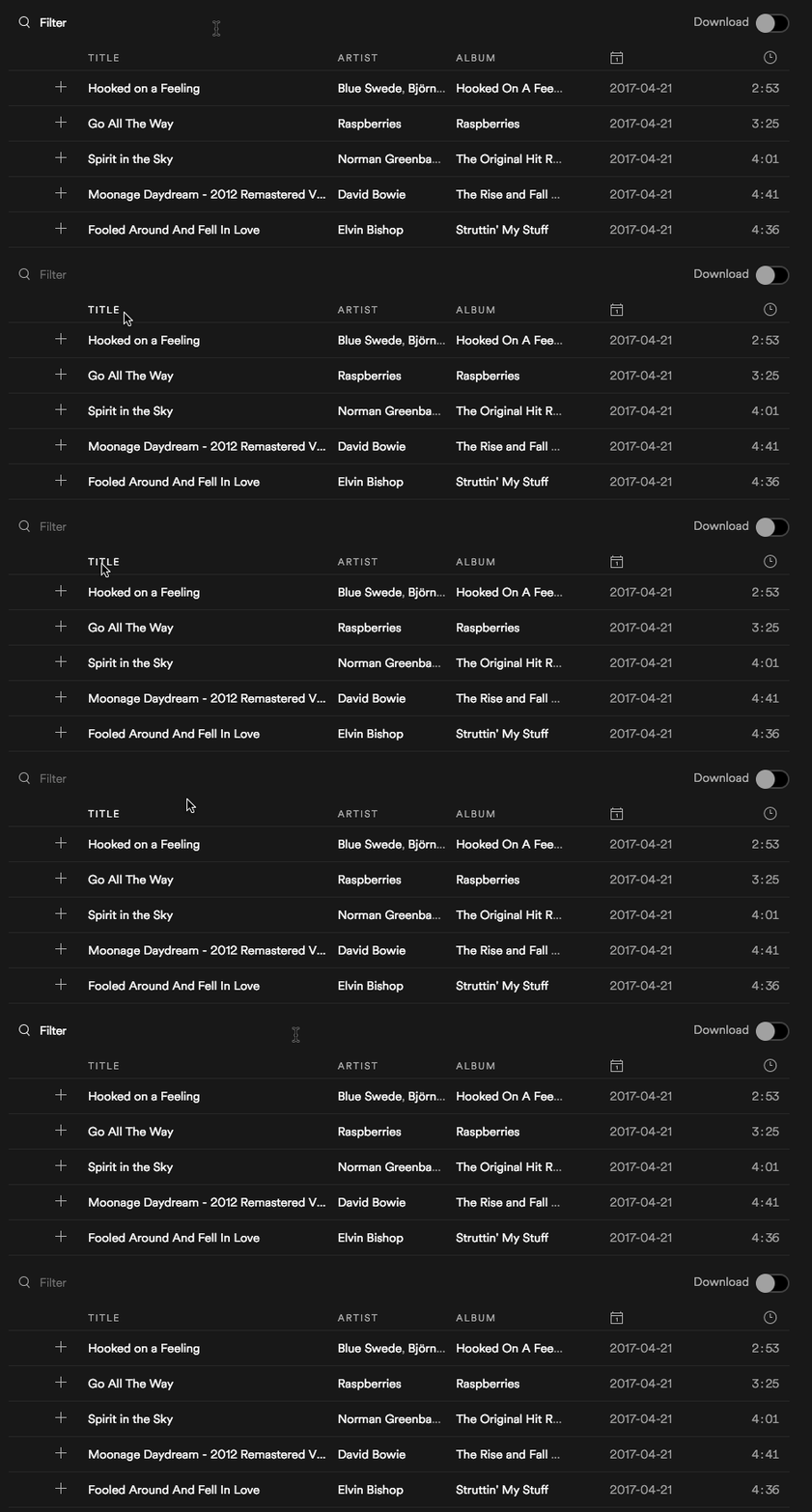
I think one example of the tri-state sort would be Spotify, actually. If the rows themselves are ordered, like tracks in a playlist, then we would need that "un-sorted" state so that the order is preserved.
Example:
joshblack
on 28 Aug 2018
Oh good point. So unsort would bring it back to a "default" state. Now I'm not sure what my opinion is.
alisonjoseph
on 28 Aug 2018
ah i was just writing an issue about this, thanks to @alisonjoseph for linking me to this discussion!
i think all we need to do for button.bx--table-sort-v2:focus, is hide the SVG underneath it. then it will look as expected!

(maybe it would be nice to also change the font or background color in the header to make the state change more obvious?)
 lovemecomputer
on 28 Aug 2018
lovemecomputer
on 28 Aug 2018
@lovemecomputer I think we might still need to provide a visual affordance for the focus on the button, whatever that might be. Agreed that the focus on a sort arrow looks strange since it's not focused that way, but I believe we still need to provide a visual indicator that focus is on the button (correct me if I'm wrong here!)
joshblack
on 28 Aug 2018
@joshblack yeah that would be best for keyboard accessibility! i find the current implementation to be confusing though. aside from a more refined design update, we could do a small fix by doing something along the lines of setting the SVG fill to transparent, so that the focus border would still appear but the icon wouldn't be confusing?
lovemecomputer
on 28 Aug 2018
We've marked this issue as stale because there hasn't been any activity for a couple of weeks. If there's no further activity on this issue in the next three days then we'll close it. Thanks for your contributions.
![stale[bot] picture](https://avatars3.githubusercontent.com/in/1724?v=4&s=40) stale[bot]
on 2 May 2019
stale[bot]
on 2 May 2019
Hi there! :wave: If you're wondering why this issue was moved, we're currently updating our repo structure so that every package is found in the same project.
This should not have any impact for you, but we wanted to give you a heads up in case you were wondering what is going on. If you have any questions, feel free to reach out to us on Slack or contact us at: [email protected]. Thanks!
 carbon-bot
on 9 May 2019
carbon-bot
on 9 May 2019
We've marked this issue as stale because there hasn't been any activity for a couple of weeks. If there's no further activity on this issue in the next three days then we'll close it. You can keep the conversation going with just a short comment. Thanks for your contributions.
stale[bot]
on 13 Jun 2019
As there's been no activity since this issue was marked as stale, we are auto-closing it.
stale[bot]
on 16 Jun 2019
Related issues
 snidersd
·
3Comments
snidersd
·
3Comments
 AnthumChris
·
3Comments
AnthumChris
·
3Comments
 ConradSchmidt
·
3Comments
ConradSchmidt
·
3Comments
 xrissot-ibm
·
3Comments
xrissot-ibm
·
3Comments
 skaparelos1
·
3Comments
skaparelos1
·
3Comments