Carbon: Accessibility markup problems in Carbon react overflow menu
In the Carbon react overflow menu:
- the
divcontaining the overflow icon needs to haverole="button", notrole="menu" - the button needs a nice default label in case one is not provided, say
aria-label="Menu" - the
ulwithrole="menu"needs to have the samearia-labelas the button - there's a
divwithrole="menuitem"in the DOM for no apparent reason
(see screen snap, below. This may be the cause of https://github.com/IBM/carbon-components-react/issues/1237) - the
divwithrole="button"(see 1) and theulwithrole="menu"need to be siblings, i.e. theulshould immediately follow the button in the DOM, so that screen reader users can use their virtual cursor to read through the menu items without getting totally lost.

 carmacleod
All 21 comments
We've marked this issue as stale because there hasn't been any activity for a couple of weeks. If there's no further activity on this issue in the next three days then we'll close it. Thanks for your contributions.
![stale[bot] picture](https://avatars3.githubusercontent.com/in/1724?v=4&s=40) stale[bot]
on 1 May 2019
stale[bot]
on 1 May 2019
Actually, this isn't that low a priority. It makes the Carbon react Overflow menu work oddly in screen readers.
carmacleod
on 6 May 2019
@carmacleod "priority: low" means the issue is valid and worth fixing, but lower priority than issues describing broken functionality, nasty regressions, or inaccessibility.
 dakahn
on 6 May 2019
dakahn
on 6 May 2019
Hi there! :wave: If you're wondering why this issue was moved, we're currently updating our repo structure so that every package is found in the same project.
This should not have any impact for you, but we wanted to give you a heads up in case you were wondering what is going on. If you have any questions, feel free to reach out to us on Slack or contact us at: [email protected]. Thanks!
 carbon-bot
on 9 May 2019
carbon-bot
on 9 May 2019
by @emyarod in https://github.com/carbon-design-system/carbon/pull/2906#pullrequestreview-245450384
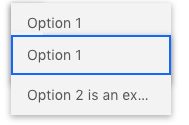
there's a visual bug where the overflow menu overlaps with the trigger button. this might be because the menu body is being rendered in two separate locations. this could also be affecting keyboard navigation
the aria attribute changes look good to me, but the fix for the screen reader getting lost (making the
ul[role="menu"]a sibling of thediv[role="button"]) is not so straightforward as replacingwrappedMenuBodywithmenuBodyand moving it. instead I think we should modify the target of the<FloatingMenu>portal
 dakahn
on 4 Jun 2019
dakahn
on 4 Jun 2019
Wrt 5. - Overflow menu tends to be used in table cell and thus putting menu body next to the menu trigger button (in a table cell) causes the menu body's visibility constrained by the table cell's box. Looks that aria-owns may help this problem space.
 asudoh
on 5 Jun 2019
asudoh
on 5 Jun 2019
when taken out of the context of #2906 that quote doesn't make sense since it's referencing changes that were made in the PR
but as @asudoh mentioned, making the menu a sibling to the trigger button can be an issue when the menu is placed inside a container like a table cell. support for non floating menus was recently deprecated in https://github.com/carbon-design-system/carbon-components-react/issues/1921
 emyarod
on 5 Jun 2019
emyarod
on 5 Jun 2019
So where does that leave us? I don't understand what "...I think we should modify the target of the <FloatingMenu> portal" means. 😕
dakahn
on 6 Jun 2019
we can ignore the quote since it's no longer in context or relevant. right now we can't apply the suggested fix of placing the menu next to the trigger button, so we need to come up with an alternative solution. aria-owns as @asudoh mentioned may be a possibility
emyarod
on 6 Jun 2019
WH is actually working on Overflow Menu now for handlebars implementation of Carbon and we've ran in to many of the same issues as logged by @carmacleod but have it working when there is overflow: hidden parent. I have a meeting with our designer today that will hopefully lead to some collaboration on this component based off of my findings.
 elizabethsjudd
on 6 Jun 2019
elizabethsjudd
on 6 Jun 2019
wrt item 5: I was speaking with Sharon on IBMa, and when the trigger is a sibling of the menu, the trigger element should also use the aria-controls attribute to create the relationship between the two elements.
elizabethsjudd
on 7 Jun 2019
the main issue we are facing is making the menu a sibling of the trigger button. is there an alternative to that markup structure?
emyarod
on 7 Jun 2019
@emyarod For accessibility I have always had to have the trigger as a sibling to the menu. I've built multiple working examples of this component that are accessible and work in various different use cases. The UX is different so maybe if we could set up a meeting between are two teams to discuss?
elizabethsjudd
on 7 Jun 2019
we recently deprecated our non floating menu which would be used in this scenario, so we have to first reexamine our decision to deprecate it if there is no suitable workaround using the current floating menu
unfortunately I can't link to the relevant issue or PR since it appears it was lost during the monorepo move and/or when the issue tracker was disabled on the old React repo...
emyarod
on 7 Jun 2019
I think getting a meeting together to discuss some of our options would be a good idea. Is there someone from @carbon-design-system/design to include as well? I'll look to set something up for later next week.
elizabethsjudd
on 7 Jun 2019
BTW from https://www.w3.org/TR/wai-aria-1.1/#aria-owns:
Identifies an element (or elements) in order to define a visual, functional, or contextual parent/child relationship between DOM elements where the DOM hierarchy cannot be used to represent the relationship.
asudoh
on 8 Jun 2019
Apologies for my suggestion to use "Menu" as a default aria-label when a label is not provided.
Windows screen readers say "[label] menu button" (NVDA) or "[label] button menu" (JAWS) when focus goes to a button with aria-haspopup="true", and so it turns out that "Menu" is redundant (i.e. NVDA says "Menu menu button" and JAWS says "Menu button menu"). A better default string might be "Overflow" or "More...".
Regarding the label for the dropdown ul, it should really use aria-labelledby if possible, which can be set to the id for the button, so that the menu always picks up the same label as the button. That would also work if the button had visible text instead of an icon. See the APG menu button example for an example of using aria-labelledby on the dropdown menu element.
Regarding the problem of having the menu show when the button is in a table and sibling markup is used, this example seems to have solved that problem.
carmacleod
on 18 Jun 2019
Thanks @carmacleod for more suggestion!
Regarding the problem of having the menu show when the button is in a table and sibling markup is used, this example seems to have solved that problem.
By constraining the height of <div class="table-responsive"> in the link, it demonstrates one of the problems I demonstrated offline - The menu is crippled by the scrolling container.
asudoh
on 18 Jun 2019
The menu is crippled by the scrolling container.
Ah, I see. I was only looking at the first menu button. :)
carmacleod
on 18 Jun 2019
We've marked this issue as stale because there hasn't been any activity for a couple of weeks. If there's no further activity on this issue in the next three days then we'll close it. You can keep the conversation going with just a short comment. Thanks for your contributions.
stale[bot]
on 18 Jul 2019
As there's been no activity since this issue was marked as stale, we are auto-closing it.
stale[bot]
on 21 Jul 2019
Related issues
 jhpedemonte
·
3Comments
jhpedemonte
·
3Comments
 windgaucho
·
3Comments
windgaucho
·
3Comments
 drewdistefano
·
3Comments
drewdistefano
·
3Comments
 laurenmrice
·
3Comments
laurenmrice
·
3Comments
 skaparelos1
·
3Comments
skaparelos1
·
3Comments