Carbon: Date picker: bugs on mobile devices
Detailed description
On mobile devices the date picker is not rendering correct styles for single date picker and date range.
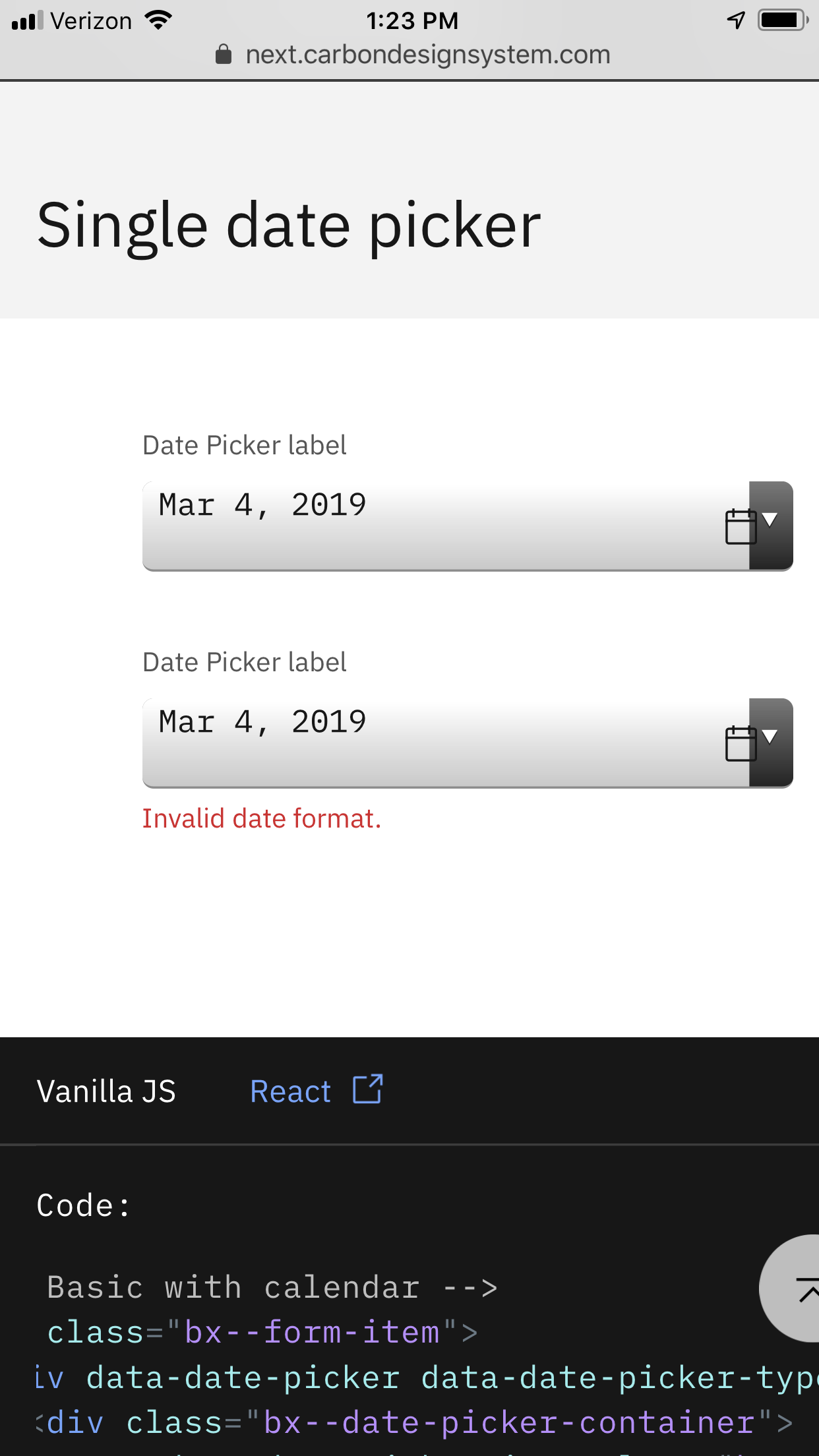
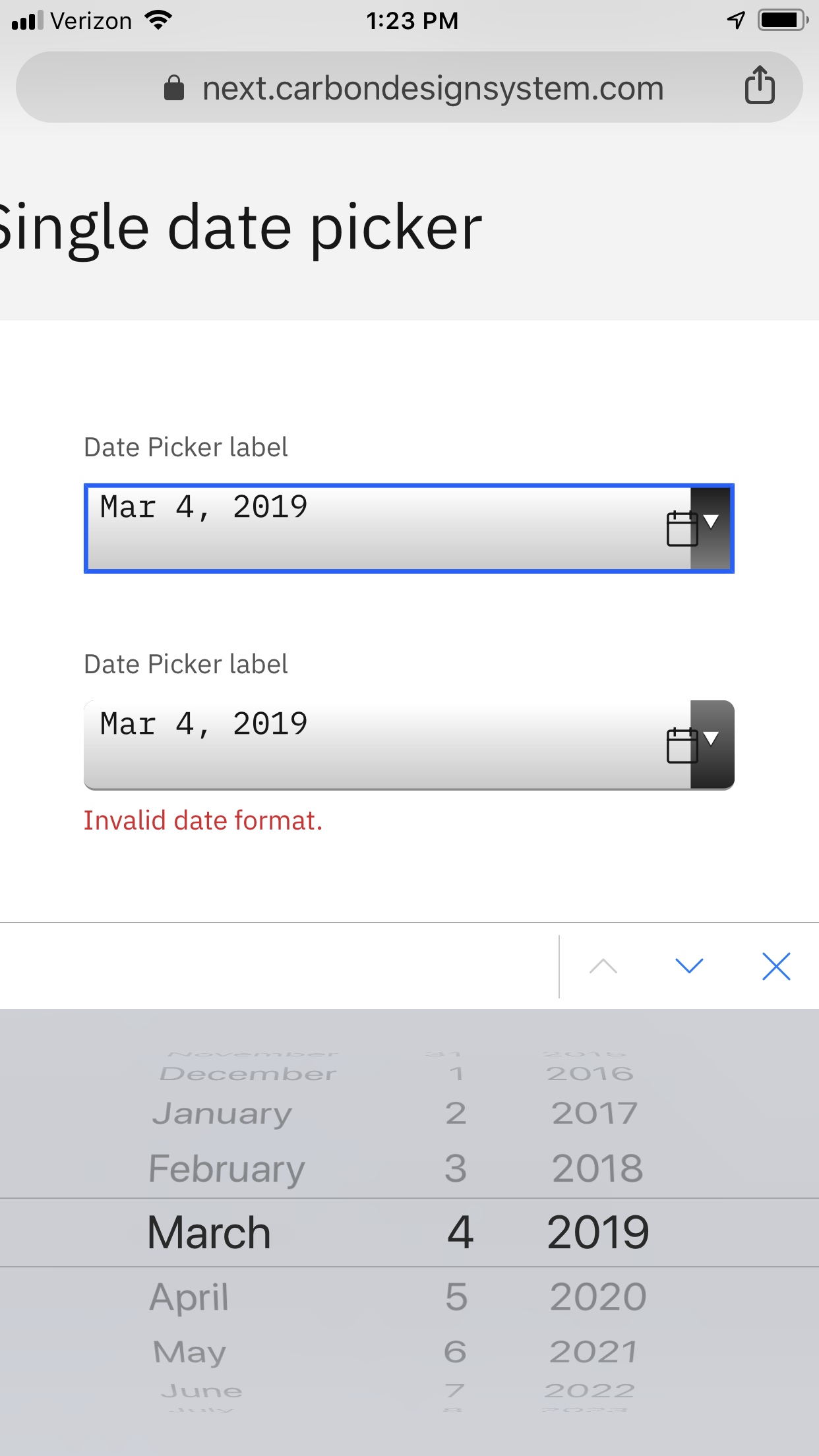
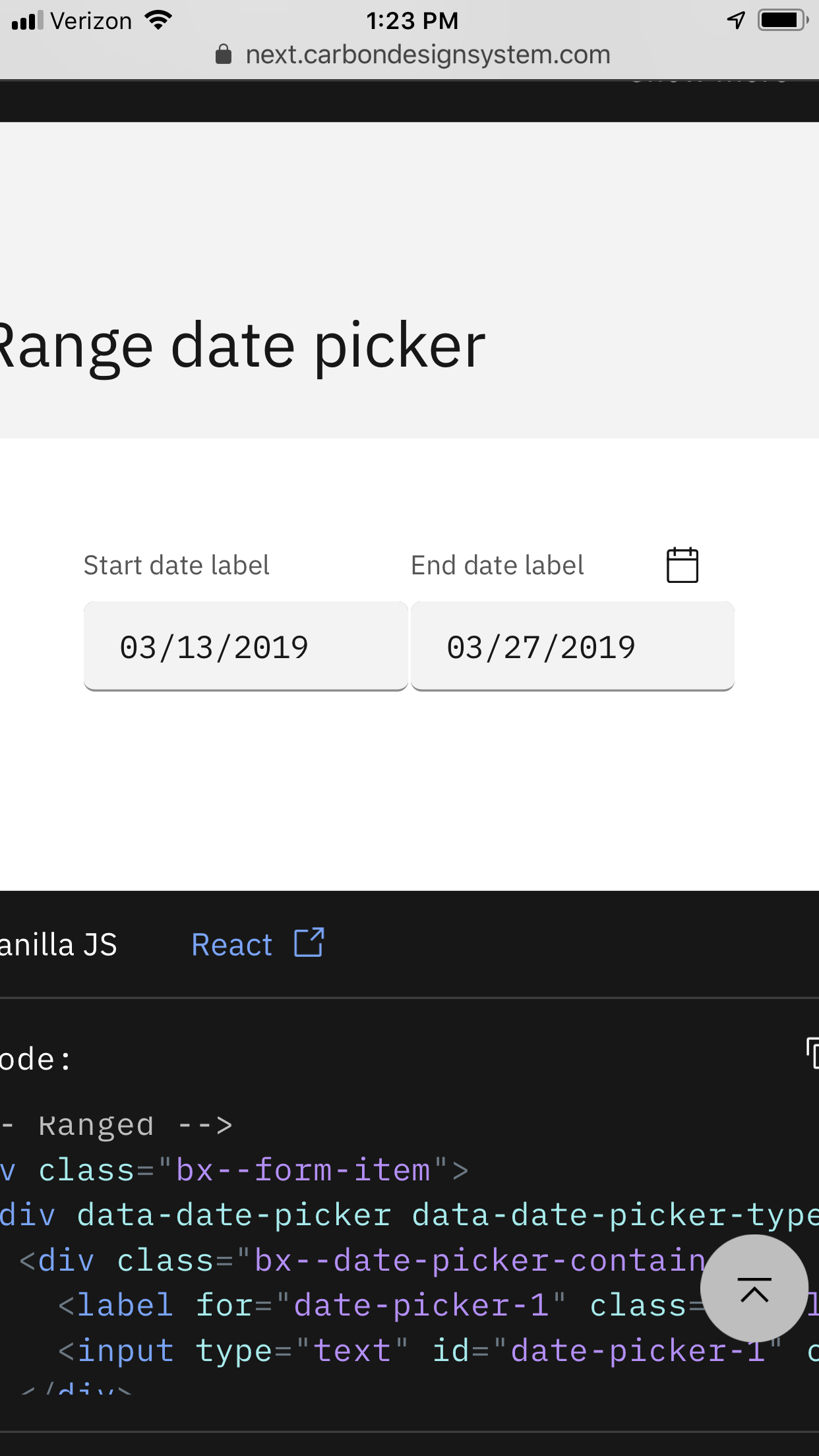
What did you expect to happen? What happened instead? What would you like to see changed?
Should still look and preform like date pickers on the desktop view
What browser are you working in?
iOS Chrome
What version of the Carbon Design System are you using?
10 beta
 aagonzales
All 9 comments
related: https://github.com/IBM/carbon-components/issues/1775
if I'm not mistaken, the website uses the React version of the component and its dependencies are outdated by several versions
opened https://github.com/IBM/carbon-components-react/issues/1965 to sync the vanilla and React date pickers
 emyarod
on 4 Mar 2019
emyarod
on 4 Mar 2019
@emyarod Component demos for most components use vanilla, if it was your question above. Only React-only components use React for demos.
 asudoh
on 4 Mar 2019
asudoh
on 4 Mar 2019
Would throwing a -webkit-appearance: none; on the input work? I can't replicate the problem on my computer even using the iPhone 8 user agent. I can see the problem on my phone though
 tw15egan
on 4 Mar 2019
tw15egan
on 4 Mar 2019
we should update the site dependencies or examine the latest component library examples first so we can figure out which issues still persist, since I think some of these have already been addressed
emyarod
on 4 Mar 2019
We've marked this issue as stale because there hasn't been any activity for a couple of weeks. If there's no further activity on this issue in the next three days then we'll close it. Thanks for your contributions.
![stale[bot] picture](https://avatars3.githubusercontent.com/in/1724?v=4&s=40) stale[bot]
on 1 May 2019
stale[bot]
on 1 May 2019
Still rendering wrong on mobile. Need to fix.
aagonzales
on 2 May 2019
We've marked this issue as stale because there hasn't been any activity for a couple of weeks. If there's no further activity on this issue in the next three days then we'll close it. You can keep the conversation going with just a short comment. Thanks for your contributions.
stale[bot]
on 16 May 2019
Stop it stale bot, still a bug.
aagonzales
on 16 May 2019
I'm no longer seeing this issue on my phone, closing this issue. If someone is still seeing please re-open with steps to reproduce.
 alisonjoseph
on 5 Feb 2020
alisonjoseph
on 5 Feb 2020
Related issues
 kalyanixraut
·
3Comments
kalyanixraut
·
3Comments
 carmacleod
·
3Comments
carmacleod
·
3Comments
 ConradSchmidt
·
3Comments
ConradSchmidt
·
3Comments
 joshblack
·
3Comments
joshblack
·
3Comments
 ajdaniel
·
3Comments
ajdaniel
·
3Comments