Carbon: AVT 3 - Carbon X Slider does not announce status correct using a screen reader
Environment
macOS Mojave version 10.14.2
Chrome version 72.0.3626.96 (Official Build) (64-bit)
Windows 7
Chrome version 72.0.3626.96 (Official Build) (64-bit)
JAWS
Description
AVT 3 - Slider status numbers are announced incorrectly with VoiceOver and not announced at all with JAWS. The number input field is announced as a stepper which makes it difficult to understand the field that is focused.
The example should follow the keyboard interaction and ARIA attributes outlined in the ARIA Authoring Practices Horizontal Slider Design Pattern.
 snidersd
All 8 comments
We've marked this issue as stale because there hasn't been any activity for a couple of weeks. If there's no further activity on this issue in the next three days then we'll close it. Thanks for your contributions.
![stale[bot] picture](https://avatars3.githubusercontent.com/in/1724?v=4&s=40) stale[bot]
on 1 May 2019
stale[bot]
on 1 May 2019
This issue should remain open until it is fixed and retested.
snidersd
on 1 May 2019
We've marked this issue as stale because there hasn't been any activity for a couple of weeks. If there's no further activity on this issue in the next three days then we'll close it. You can keep the conversation going with just a short comment. Thanks for your contributions.
stale[bot]
on 13 Jun 2019
@dakahn Retested with VoiceOver and this is still an issue for the Vanilla component.
snidersd
on 13 Jun 2019
@snidersd tested in the VoiceOver in Safari and it seems like VO is maybe bugged?
https://www.w3.org/TR/2019/NOTE-wai-aria-practices-1.1-20190814/examples/slider/slider-1.html
Testing the WAI-ARIA example and the controls for moving the slider don't work and the slider itself reads poorly. Tested with JAWS and seems pretty great? Can you confirm?
 dakahn
on 21 Nov 2019
dakahn
on 21 Nov 2019
@dakahn I tested VO on macOS with Safari and Chrome and get the same results. JAWS works for both the Carbon React Component. I also tested the ARIA slider example with VO and Safari on iOS and it works, but it does not work with the React Carbon slider, so I can't confirm that its VO or an issue related to the macOS.
snidersd
on 21 Nov 2019
Marking as blocked until we can confirm where the underlying issue resides. Also ran into what @dakahn mentioned in VO on Safari:
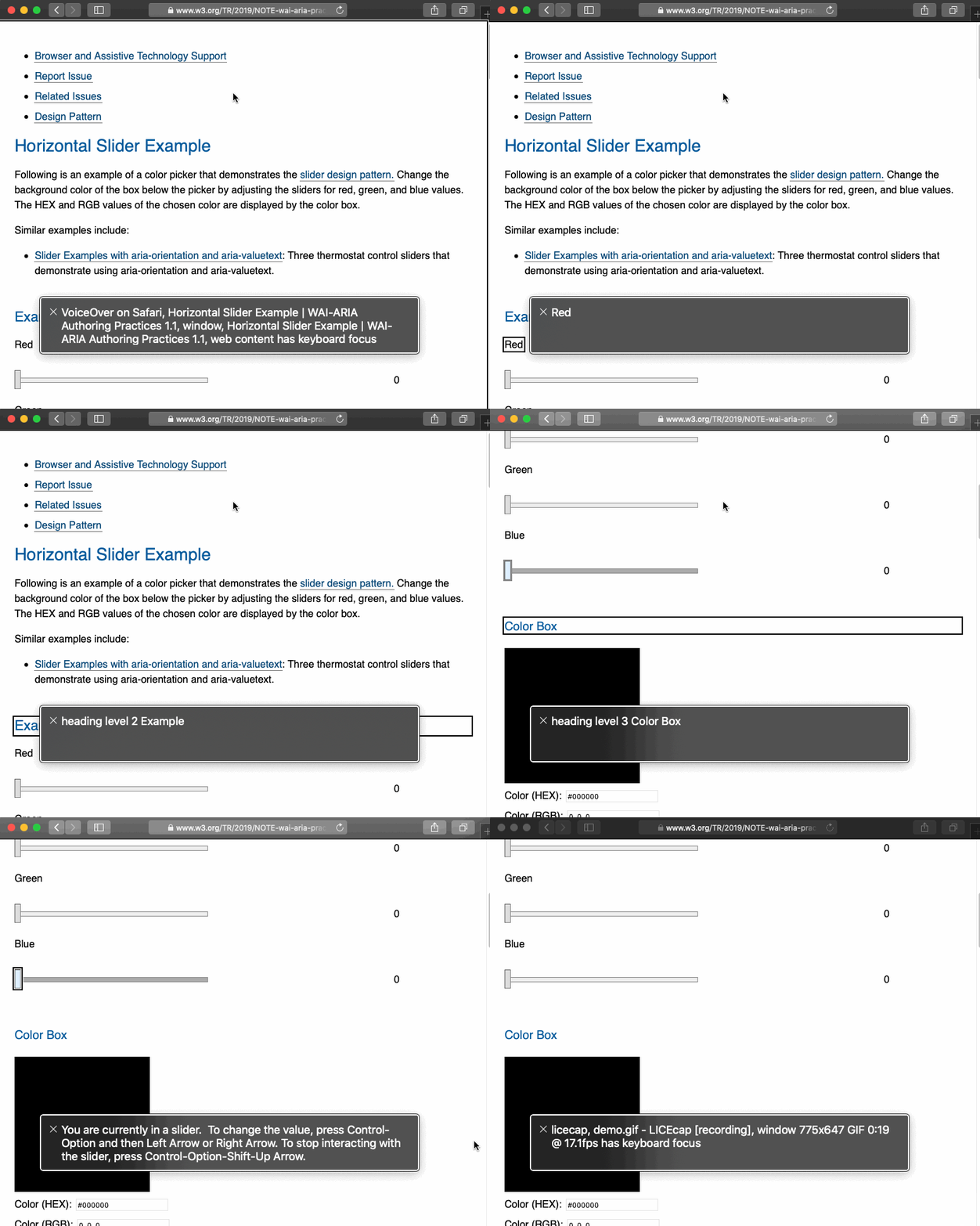
Procedure
- Navigate to Slider
- Press Control+Option+Shift+Down Arrow
- Press Control+Option+Right Arrow
Expected: Slider to increment value
Actual: Slider value remains the same
 joshblack
on 22 Nov 2019
joshblack
on 22 Nov 2019
It seems like this might be a bug on Safari's end. Using the WAI-ARIA slider example as a neutral test case we see the same problem (unable to move slider and have number read reliably). There's a bug filed in the Webkit bug tracker we'll watch for updates.
dakahn
on 16 Jan 2020
Related issues
 drewdistefano
·
3Comments
drewdistefano
·
3Comments
 ajdaniel
·
3Comments
ajdaniel
·
3Comments
 kalyanixraut
·
3Comments
kalyanixraut
·
3Comments
 ahoyahoy
·
3Comments
ahoyahoy
·
3Comments
 antonmc
·
3Comments
antonmc
·
3Comments