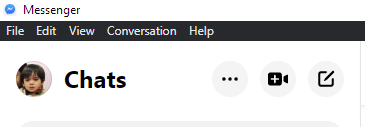
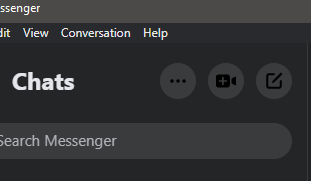
Caprine: Dark mode not working. Running latest caprine.
 JGabT
JGabT
All 5 comments
Not sure if this has been updated/changed since version 2.51.2, but you can:
- Press F12 while focused on the caprine window.
- Paste
document.querySelector('html').classList.add('__fb-dark-mode')into the console. - Close the console.
And that should enable a decent dark theme.
 Rozkipz
on 5 Jan 2021
Rozkipz
on 5 Jan 2021
This issue is fixed and merged into master. The fix will be available on next update (the one after 2.51.2 since that's the latest one). Regarding the quick fix, @Rozkipz is right. That's how we fixed it basically with minor patches.
 dusansimic
on 5 Jan 2021
dusansimic
on 5 Jan 2021
Is there a way to open the console from the UI? The F12 keybinding is intercepted by my OS, and there doesn't seem to be an immediately obvious way to open it from the menu bar.
 nmd1
on 7 Jan 2021
nmd1
on 7 Jan 2021
I think you should be able to open DevTools by right clicking anywhere on the app and clicking 'Inspect Element' menu option. That should then show DevTools window. Then just click on the 'Console' tab and the code from comments.
I'm not sure if this will work since I don't use a Mac but it works on Linux and Windows.
dusansimic
on 7 Jan 2021
can't you do command+shift+c or command+shift+i
JGabT
on 8 Jan 2021
Related issues
 Martina-Neumayer
·
4Comments
Martina-Neumayer
·
4Comments
 sindresorhus
·
4Comments
sindresorhus
·
4Comments
 willashley23
·
3Comments
willashley23
·
3Comments
 mmatyas
·
3Comments
mmatyas
·
3Comments
 bsucker98
·
3Comments
bsucker98
·
3Comments
Most helpful comment
This issue is fixed and merged into master. The fix will be available on next update (the one after 2.51.2 since that's the latest one). Regarding the quick fix, @Rozkipz is right. That's how we fixed it basically with minor patches.