Capacitor: White screen in capacitor/electron app after migration to Ionic 4.7 / Angular 8
Description of the problem:
I followed the migrate step from Ionic 4.5/Angular 7 to Ionic 4.7/Angular 8.
The migration was strait forward and the app runs fine in the browser when I run "ionic serve".
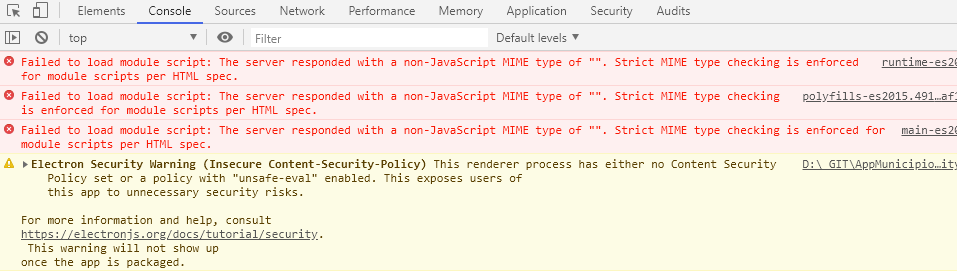
But when I copy www content to my capacitor electron app and run the project I get an white screen with the following error:
Failed to load module script: The server responded with a non-JavaScript MIME type of "". Strict MIME type checking is enforced for module scripts per HTML spec.
polyfills-es2015.491de8af1ffe55992902.js:1 Failed to load module script: The server responded with a non-JavaScript MIME type of "". Strict MIME type checking is enforced for module scripts per HTML spec.
main-es2015.b0ace934eaafbfa1fe5e.js:1 Failed to load module script: The server responded with a non-JavaScript MIME type of "". Strict MIME type checking is enforced for module scripts per HTML spec.
Affected platform
- [ ] Android
- [ ] iOS
- [ x] electron
- [ ] web
OS of the development machine
- [ x] Windows
- [ ] macOS
- [ ] linux
Other information:
Ionic info:
Ionic:
   Ionic CLI                     : 5.2.3 (C:\Users\myuser\AppData\Roaming\nvm\v12.6.0\node_modules\ionic)
   Ionic Framework               : @ionic/angular 4.7.1
   @angular-devkit/build-angular : 0.801.2
   @angular-devkit/schematics    : 8.1.2
   @angular/cli                  : 8.1.2
   @ionic/angular-toolkit        : 2.0.0

Capacitor:

   Capacitor CLI   : 1.1.1
   @capacitor/core : 1.1.1

Cordova:

   Cordova CLI       : 8.1.2 ([email protected])
   Cordova Platforms : none
   Cordova Plugins   : no whitelisted plugins (0 plugins total)

Utility:

   cordova-res : not installed
   native-run  : not installed

System:

   Android SDK Tools : 26.1.1 (C:\Users\myuser\AppData\Local\Android\Sdk)
   NodeJS            : v12.6.0 (C:\Program Files\nodejs\node.exe)
   npm               : 6.9.0
   OS                : Windows 10
Capacitor version: 1.1.0
node version: 12.6.0
npm version: 6.9.0
Steps to reproduce:
Migrate an app from an old version of Ionic. You can reproduce this using the sample Ionic projects:
Start a new ionic project (for example a sidemenu sample project);
- Migrate to the new versions;
- Add capacitor to the project;
- Build the project as prod;
- Copy the files to the electron project;
- Run the the electron app.
You will see a white page.
 eduboxgithub
All 4 comments
Can you provide a sample app?
 jcesarmobile
on 27 Jul 2019
jcesarmobile
on 27 Jul 2019
@jcesarmobile yes, of course....
You can download this sample app:
IonicElectron.zip
- npm install on root
- npm install inside electron folder
It's just an sidemenu starter app from Ionic 4.
Since yesterday Ionic has updated the starter apps to the latest version (angular 8 and ionic 4.7.1), so we don't need to update them manually.
I followed this steps:
- ionic start (selected sidemenu option)
- cd "app-name"
- npm install --save @capacitor/core @capacitor/cli
- ionic serve (just to see if everything is ok and running)
- ionic build --prod
- npx cap init
- npx cap add electron
- npx cap copy
- npx cap open electron
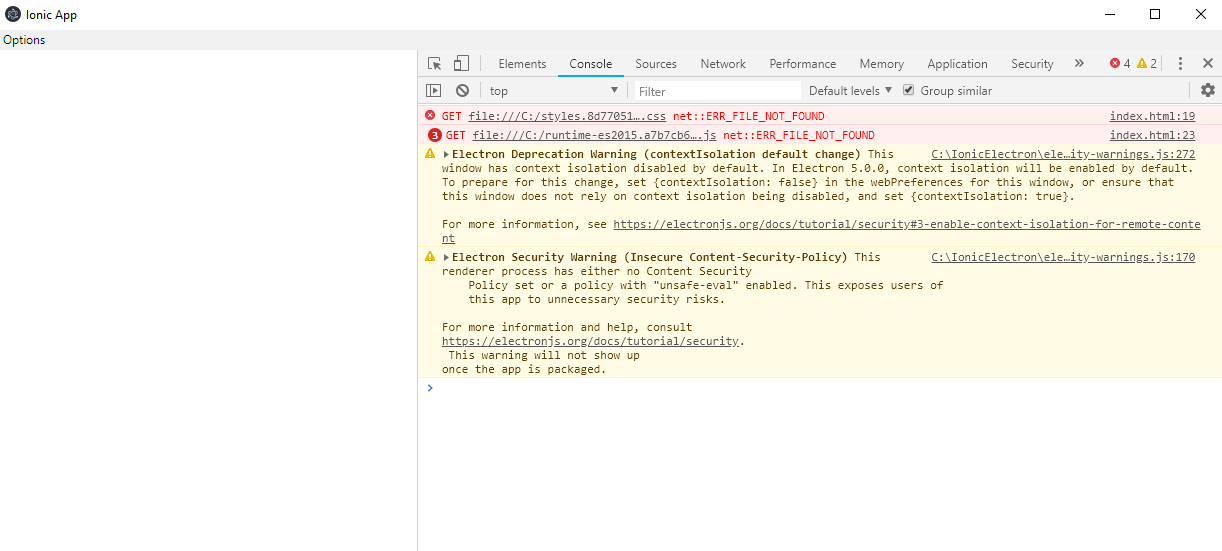
When I run the capacitor/electron app I get this errors and a white screen:
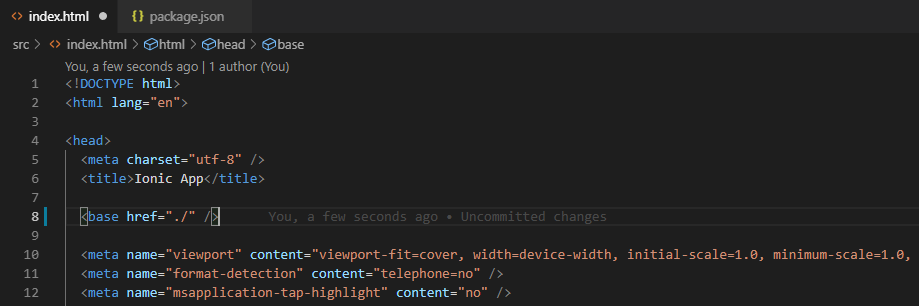
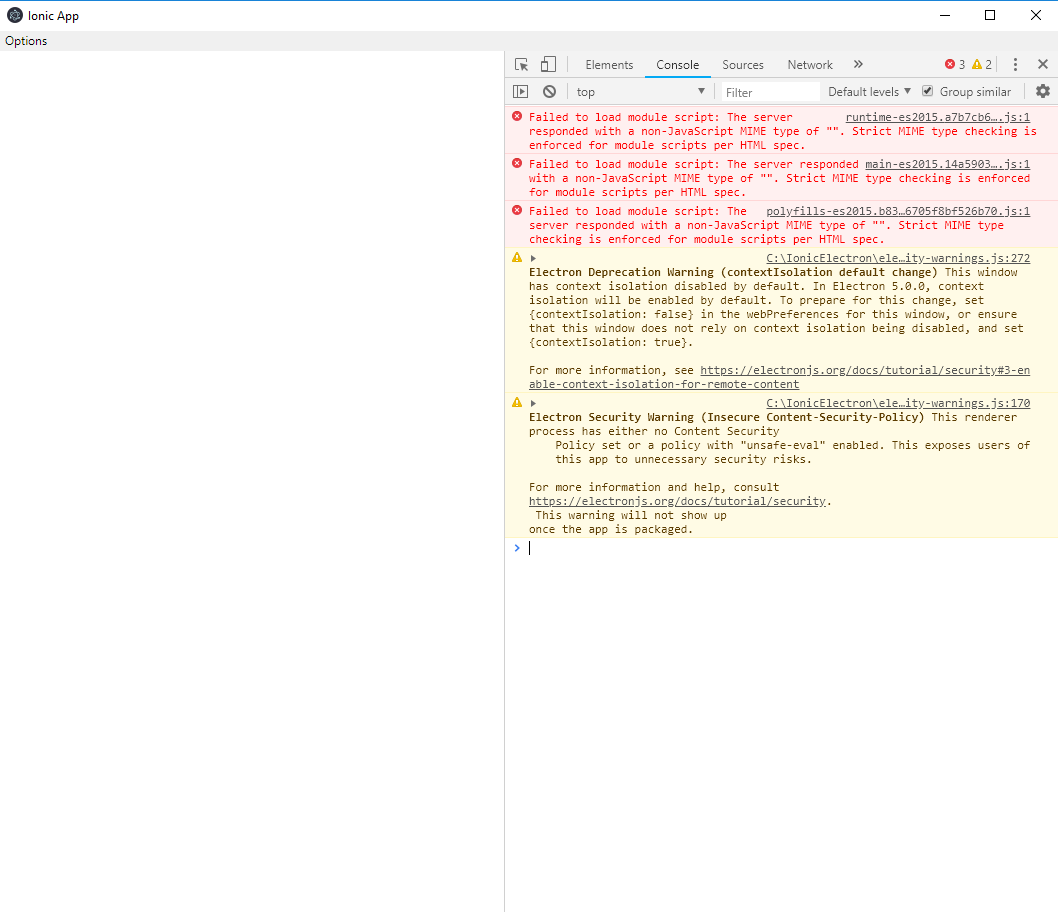
I also tried to change the base path but still got errors (my app was previously
running this way without problems):
eduboxgithub
on 27 Jul 2019
This is not really a Capacitor bug, but a build problem in your part related to the Angular 8 build settings not being compatible with electron.
You can change the target in tsconfig.json from es2015 to es5, or add
"browserslist": [
  "> 5%"
]
in the package.json
see https://stackoverflow.com/questions/56400290/white-screen-on-fresh-new-angular-8-electron-5-app
jcesarmobile
on 28 Jul 2019
Thank you so much for your time... I tested and it's working!
 hatsantos
on 28 Jul 2019
hatsantos
on 28 Jul 2019
Related issues
 Kepro
·
3Comments
Kepro
·
3Comments
 stripathix
·
3Comments
stripathix
·
3Comments
 mlynch
·
3Comments
mlynch
·
3Comments
 ebk46
·
3Comments
ebk46
·
3Comments
 danielsogl
·
3Comments
danielsogl
·
3Comments
Most helpful comment
This is not really a Capacitor bug, but a build problem in your part related to the Angular 8 build settings not being compatible with electron.
You can change the target in tsconfig.json from
es2015toes5, or addin the package.json
see https://stackoverflow.com/questions/56400290/white-screen-on-fresh-new-angular-8-electron-5-app