Camunda-modeler: Wrong snap lines are shown on paste
__Describe the Bug__
When multi-element pasting wrong/confusing snap lines are shown to the user:
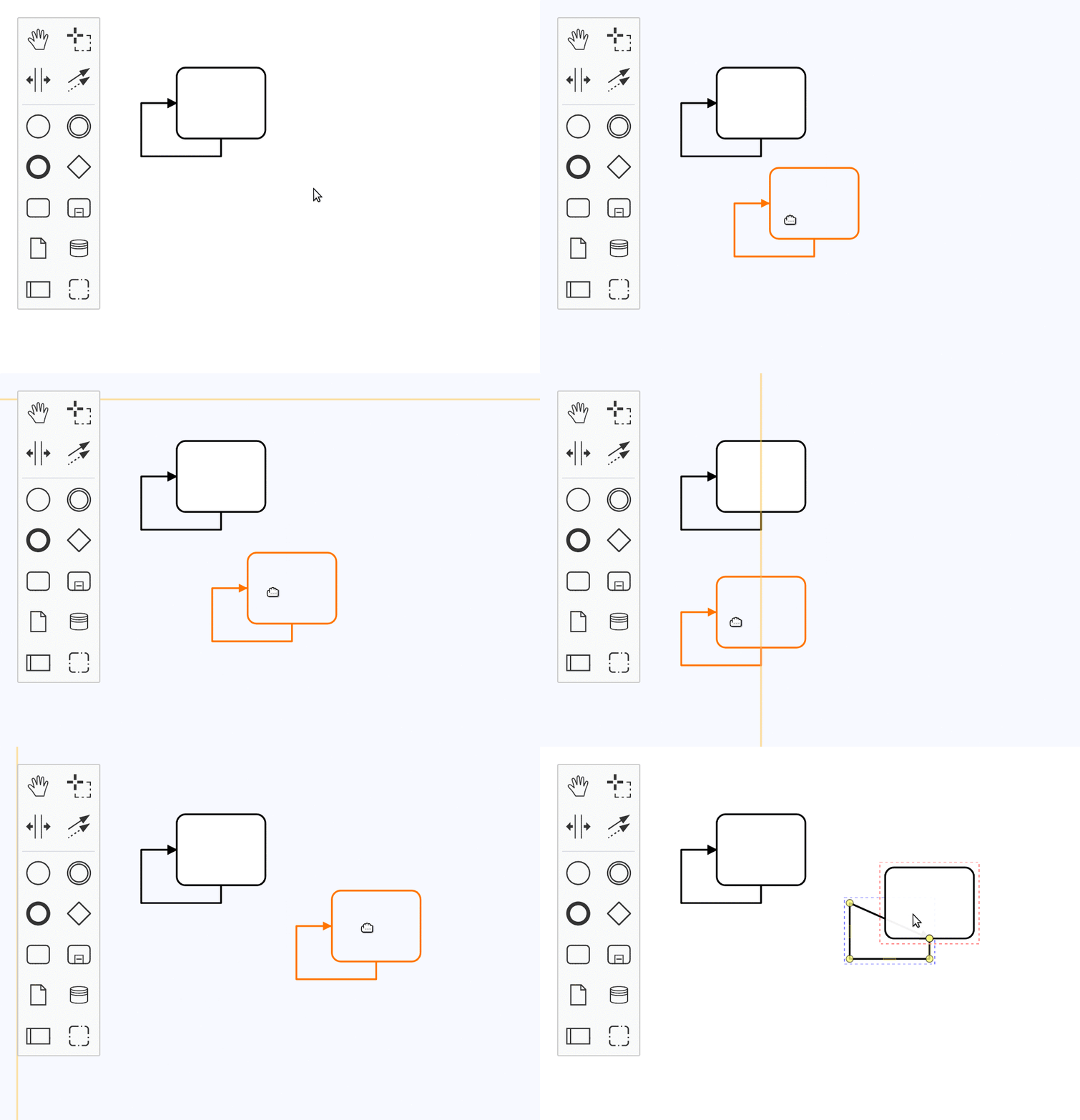
__Steps to Reproduce__
- Open test diagram
- Copy all elements
- Start two-step pasting
- See snap lines being shown relative to coordinate origin _?_ under certain circumstances
__Expected Behavior__
Snap lines are not shown at all _or_ show next to the diagram.
__Environment__
- OS: Any
- Camunda Modeler Version: v3.4.1, v3.5.0
bug
 nikku
nikku
All 4 comments
Oh no. 😢
 philippfromme
on 27 Nov 2019
philippfromme
on 27 Nov 2019
👎2
😕1
I thought we fixed this one but apparently we did not.
nikku
on 27 Nov 2019
By having a first look, the problem seems to be that we make a calculation error when setting snap origins for connections inside BpmnCreateMoveSnapping (docking).
In the buggy example file:
An origin point set for the connection -> (-428, -221)
An origin point set for the shape mid point -> (20, -10)
These numbers don't make much sense as the connection and the mid point share the same Y coordinate.
 oguzeroglu
on 12 Dec 2019
oguzeroglu
on 12 Dec 2019
Was this page helpful?
0 / 5 - 0 ratings
Related issues
 theelectricsoul
·
4Comments
theelectricsoul
·
4Comments
 sebwarnke
·
4Comments
sebwarnke
·
4Comments
 tasso94
·
5Comments
tasso94
·
5Comments
 leolux
·
5Comments
philippfromme
·
5Comments
leolux
·
5Comments
philippfromme
·
5Comments