Cameraview: On Android 6.0 infinity start onResume, onPause after deny permissions of camera
Android Studio 3.6, Android 6.0
in app/build.gradle:
dependencies {
    implementation fileTree(dir: 'libs', include: ['*.jar'])
    implementation 'com.google.android.material:material:1.2.0-alpha03'
    implementation 'com.google.android.gms:play-services-maps:17.0.0'
    implementation "com.otaliastudios:cameraview:2.5.0"
    implementation('com.crashlytics.sdk.android:crashlytics:2.10.1@aar') { transitive = true; }
    implementation 'com.google.firebase:firebase-ml-vision:24.0.1'
    implementation "org.jetbrains.kotlin:kotlin-stdlib-jdk7:$kotlin_version"
    implementation 'com.synnapps:carouselview:0.1.4'
    implementation 'androidx.appcompat:appcompat:1.1.0'
Here my xml layout:
<?xml version="1.0" encoding="utf-8"?>
<layout xmlns:android="http://schemas.android.com/apk/res/android"
    xmlns:app="http://schemas.android.com/apk/res-auto"
    xmlns:tools="http://schemas.android.com/tools">

    <data>

    </data>

    <androidx.constraintlayout.widget.ConstraintLayout
        android:layout_width="match_parent"
        android:layout_height="match_parent">

        <include
            android:id="@+id/profileDetailsToolbar"
            layout="@layout/tool_bar"
            app:layout_constraintEnd_toEndOf="parent"
            app:layout_constraintStart_toStartOf="parent"
            app:layout_constraintTop_toTopOf="parent"
            app:title="@{@string/scan_check}" />

        <com.otaliastudios.cameraview.CameraView
            android:id="@+id/cameraView"
            android:layout_width="0dp"
            android:layout_height="0dp"
            android:keepScreenOn="true"
            app:cameraAudio="off"
            app:cameraPictureFormat="jpeg"
            app:layout_constraintBottom_toBottomOf="parent"
            app:layout_constraintEnd_toEndOf="parent"
            app:layout_constraintStart_toStartOf="parent"
            app:layout_constraintTop_toBottomOf="@+id/profileDetailsToolbar" />

        <com.google.android.material.button.MaterialButton
            android:id="@+id/detectButton"
            android:layout_width="0dp"
            android:layout_height="@dimen/button_height"
            android:layout_margin="@dimen/default_margin"
            android:text="@string/get"
            app:layout_constraintBottom_toBottomOf="parent"
            app:layout_constraintEnd_toEndOf="parent"
            app:layout_constraintStart_toStartOf="parent" />


    </androidx.constraintlayout.widget.ConstraintLayout>

</layout>
Here my activity:
import android.content.Intent
import android.graphics.Bitmap
import android.os.Bundle
import android.widget.Toast
import androidx.databinding.DataBindingUtil
import com.google.firebase.ml.vision.FirebaseVision
import com.google.firebase.ml.vision.common.FirebaseVisionImage
import com.google.firebase.ml.vision.text.FirebaseVisionText
import com.myproject.R
import com.myproject.api.model.Check
import com.myproject.common.util.Debug
import com.myproject.common.util.GsonUtil
import com.myproject.databinding.ScanCheckActivityBinding
import java.io.File.separator
import java.io.File
import java.io.FileNotFoundException
import java.io.FileOutputStream
import java.io.IOException
import com.otaliastudios.cameraview.CameraListener
import com.otaliastudios.cameraview.PictureResult

class ScanCheckActivity : RootActivity() {
    private lateinit var dataBinding: ScanCheckActivityBinding

    companion object {
        val TAG = ScanCheckActivity::class.java.name
    }

    override fun onCreate(savedInstanceState: Bundle?) {
        super.onCreate(savedInstanceState)
        Debug.d(TAG, "onCreate")
        dataBinding = DataBindingUtil.setContentView(this, R.layout.scan_check_activity)
        init()
    }

    private fun init() {
        setSupportActionBar(findViewById(R.id.toolBar))
        getSupportActionBar()?.setDisplayHomeAsUpEnabled(true)
        getSupportActionBar()?.setHomeButtonEnabled(true)
        getSupportActionBar()?.setDisplayShowTitleEnabled(false)

        dataBinding.cameraView.setLifecycleOwner(this);

        initLogic()
    }

    private fun initLogic() {
        dataBinding.detectButton.setOnClickListener({
            Debug.d(TAG, "detectButton: onClick:")
            dataBinding.cameraView.addCameraListener(object : CameraListener() {

                override fun onPictureTaken(result: PictureResult) {
                    Debug.d(TAG, "detectButton: onPictureTaken: result = $result")
                    // If planning to show a Bitmap, we will take care of
                    // EXIF rotation and background threading for you...
                    result.toBitmap(
                        dataBinding.cameraView.width,
                        dataBinding.cameraView.height,
                        {
                            runDetector(it)
                        });
                }
            })
            Debug.d(TAG, "detectButton: takePicture:")
            dataBinding.cameraView.takePicture()
        })
    }

    override fun onResume() {
        super.onResume()
        Debug.d(TAG, "onResume:")
        dataBinding.cameraView.open();
    }

    override fun onPause() {
        super.onPause()
        Debug.d(TAG, "onPause:")
        dataBinding.cameraView.close();
    }

    override fun onDestroy() {
        super.onDestroy()
        Debug.d(TAG, "onDestroy:")
        dataBinding.cameraView.destroy();
    }
When I start app activity first time I get permission dialog.
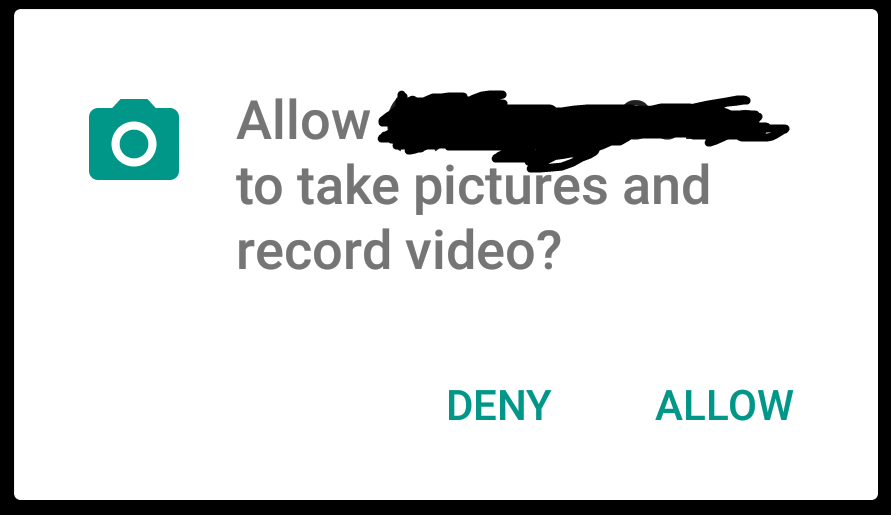
I press "Deny"
Then show another dialog:
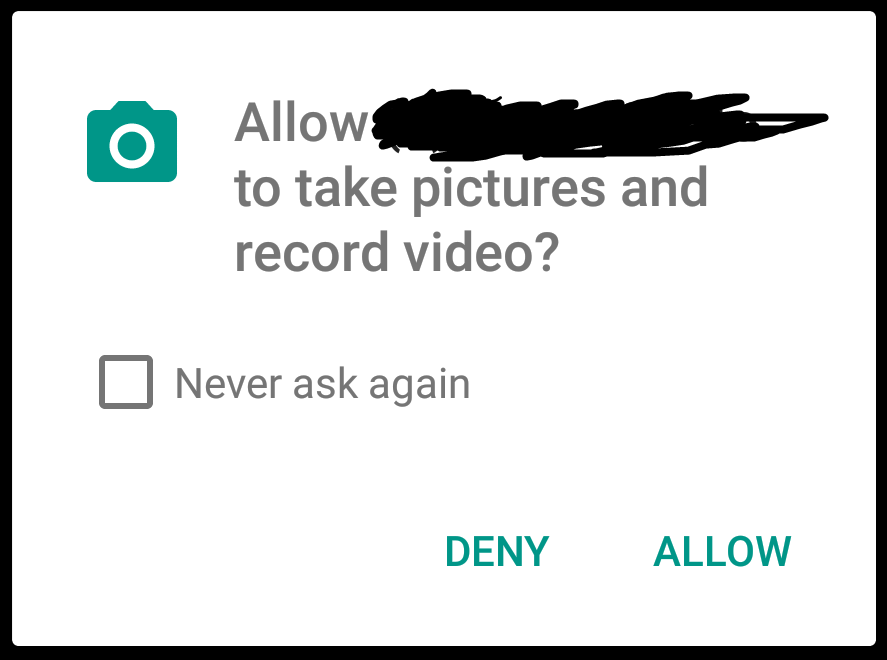
I checked "Never ask again" and press "Deny" button.
After that show INFINITY THE NEXT MESSAGES:
12-25 12:17:33.930 D/com.myproejct.activity.ScanCheckActivity( 5005): onPause:
12-25 12:17:33.935 V/FA      ( 5005): Screen exposed for less than 1000 ms. Event not sent. time: 43
12-25 12:17:33.954 V/FA      ( 5005): Activity paused, time: 53318489
12-25 12:17:33.976 W/InputMethodManagerService(  663): Window already focused, ignoring focus gain of: com.android.internal.view.IInputMethodClient$Stub$Proxy@3e5d334 attribute=null, token = android.os.BinderProxy@18fb14a
12-25 12:17:33.990 D/com.myproejct.activity.ScanCheckActivity( 5005): onResume:
12-25 12:17:33.995 V/FA      ( 5005): Activity resumed, time: 53318550
12-25 12:17:33.997 I/ActivityManager(  663): START u0 {act=android.content.pm.action.REQUEST_PERMISSIONS pkg=com.google.android.packageinstaller cmp=com.google.android.packageinstaller/com.android.packageinstaller.permission.ui.GrantPermissionsActivity (has extras)} from uid 11633 on display 0
12-25 12:17:34.012 W/Activity( 5005): Can reqeust only one set of permissions at a time
12-25 12:17:34.033 D/com.myproejct.activity.ScanCheckActivity( 5005): onPause:
12-25 12:17:34.035 V/FA      ( 5005): Screen exposed for less than 1000 ms. Event not sent. time: 42
12-25 12:17:34.038 V/FA      ( 5005): Activity paused, time: 53318592
12-25 12:17:34.078 W/InputMethodManagerService(  663): Window already focused, ignoring focus gain of: com.android.internal.view.IInputMethodClient$Stub$Proxy@7a6eea0 attribute=null, token = android.os.BinderProxy@18fb14a
12-25 12:17:34.091 D/com.myproejct.activity.ScanCheckActivity( 5005): onResume:
And as result I can't do anything. Button "Back" not work. Nothing not work.
If I remove app from memory (by application manager) and again start app and start my activity I again get this infinity message. And again nothing not work!!!
How I can fix this?
 alexei-28
All 6 comments
In the next version, you can use app:cameraRequestPermissions="false" and request permissions yourself, until we implement a better permission strategy.
 natario1
on 28 Dec 2019
natario1
on 28 Dec 2019
I update version
implementation "com.otaliastudios:cameraview:2.6.0"
And now I can set app:cameraRequestPermissions="false"
As result the dialog of request permissions is not show.
So how this flag can help me to fix my problem ? Infinity call onPause and onResume
alexei-28
on 31 Dec 2019
You simply request permissions yourself. And use setLifecycleOwner
natario1
on 31 Dec 2019
You simply request permissions yourself. And use setLifecycleOwner
Here my solution:
implementation "com.otaliastudios:cameraview:2.6.0"
In my xml layout:
```
android:layout_width="0dp"
android:layout_height="0dp"
android:keepScreenOn="true"
app:cameraAudio="off"
app:cameraPictureFormat="jpeg"
app:cameraRequestPermissions="false"
app:layout_constraintBottom_toBottomOf="parent"
app:layout_constraintEnd_toEndOf="parent"
app:layout_constraintStart_toStartOf="parent"
app:layout_constraintTop_toBottomOf="@+id/profileDetailsToolbar" />
in my Activity:
private var isPermissionGranted: Boolean = false
override fun onCreate(savedInstanceState: Bundle?) {
super.onCreate(savedInstanceState)
Debug.d(TAG, "onCreate")
dataBinding = DataBindingUtil.setContentView(this, R.layout.scan_check_activity)
init()
}
private fun init() {
    setSupportActionBar(findViewById(R.id.toolBar))
    getSupportActionBar()?.setDisplayHomeAsUpEnabled(true)
    getSupportActionBar()?.setHomeButtonEnabled(true)
    getSupportActionBar()?.setDisplayShowTitleEnabled(false)
    isPermissionGranted = isPermissionGranted()
    dataBinding.cameraView.setLifecycleOwner(this);
    if (!isPermissionGranted) {
        requestPermission();
    }
    initLogic()
}
private fun requestPermission() {
// my logic to request camera's permission
}
override fun onResume() {
super.onResume()
Debug.d(TAG, "onResume: ")
dataBinding.cameraView.open();
}
override fun onPause() {
    super.onPause()
    Debug.d(TAG, "onPause:")
    dataBinding.cameraView.close();
}

override fun onDestroy() {
    super.onDestroy()
    Debug.d(TAG, "onDestroy: ")
    dataBinding.cameraView.destroy();
}
```
As you can see:
- use flag: app:cameraRequestPermissions="false"
- Use my custom method to request camera's permissions:
requestPermission()
And now as result the methods onResume()and onPause() not call INFINITY times (as in version 2.5.0).
Nice. This flag app:cameraRequestPermissions="false"fix my problem.
Thanks.
alexei-28
on 31 Dec 2019
If you use the lifecycle owner you can remove onStart/onPause/onDestroy.
You could also call camera.open() during onPermissionRequestResults() but in practice this is not needed because when the permission dialog is closed, your UI receives a resume call.
natario1
on 31 Dec 2019
If you use the lifecycle owner you can remove onStart/onPause/onDestroy.
You could also call camera.open() during onPermissionRequestResults() but in practice this is not needed because when the permission dialog is closed, your UI receives a resume call.
Do you mean this?
private var isPermissionGranted: Boolean = false

 override fun onCreate(savedInstanceState: Bundle?) {
        super.onCreate(savedInstanceState)
        Debug.d(TAG, "onCreate")
        dataBinding = DataBindingUtil.setContentView(this, R.layout.scan_check_activity)
        init()
    }

   private fun init() {
       dataBinding.cameraView.setLifecycleOwner(this);
        if (!isPermissionGranted) {
            requestPermission();
        }
        initLogic()
    }

private fun requestPermission() {
  // my logic to request camera's permission
}

 override fun onResume() {
        super.onResume()
        Debug.d(TAG, "onResume: ")
        dataBinding.cameraView.open();
    }

}
Not need call onPause/onDestroy()
?
alexei-28
on 31 Dec 2019
Related issues
 therealshabi
·
10Comments
therealshabi
·
10Comments
 Cutta
·
3Comments
Cutta
·
3Comments
 YumcoderCom
·
5Comments
YumcoderCom
·
5Comments
 gabriel-TheCode
·
8Comments
gabriel-TheCode
·
8Comments
 vedmedenko
·
9Comments
vedmedenko
·
9Comments