Calva: [feature] highlight syntax in REPL
Again i will compare it to Cursive.

First part is input, next is output. On the bottom I pressed arrow up to display last input to show it work even during writing in REPL.
 kwladyka
All 8 comments
Yeah, that is wonderful. Unfortunately VS Code does not allow for extensions to build a GUI like that. We have to make do with the built in terminal, which is pretty lame in comparison.
 PEZ
on 4 May 2018
PEZ
on 4 May 2018
Do you know right place where we can suggest this as a feature in VS Code? This example of solution is good to show it has value.
kwladyka
on 4 May 2018
This plugin gets you some of the way there: https://github.com/venantius/ultra
 RicSwirrl
on 22 Sep 2018
RicSwirrl
on 22 Sep 2018
@RicSwirrl have you tried using the plugin together with Calva? It seems it should work, and I will try it, but have limited time right now.
PEZ
on 22 Sep 2018
A Leiningen plugin for a superior development environment
What about clj and deps.edn?
kwladyka
on 22 Sep 2018
@PEZ it works inside the vscode terminal
RicSwirrl
on 24 Sep 2018
@RicSwirrl, now I got around to testing it out. It is pretty neat!
@kwladyka, this would only help someone using Leiningen.
PEZ
on 2 Oct 2018
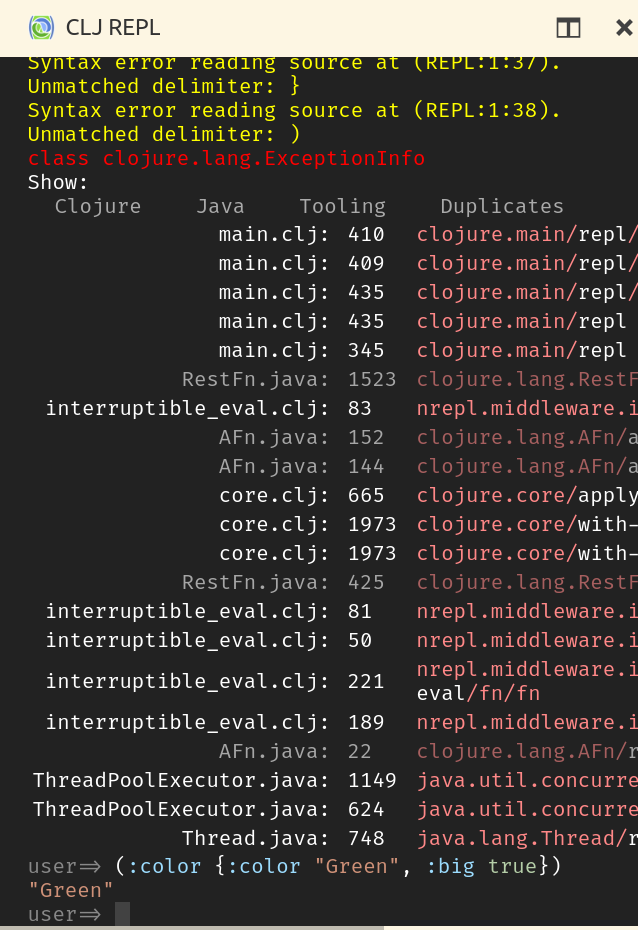
With the New REPL Window, isn't this feature basically implemented now?
Looking at PEZ replying to #141
Here's what it looks like right now:
 amitnovick
on 25 Mar 2019
amitnovick
on 25 Mar 2019
Related issues
 bpringe
·
5Comments
bpringe
·
5Comments
 zerg000000
·
6Comments
zerg000000
·
6Comments
 denistakeda
·
6Comments
denistakeda
·
6Comments
 kstehn
·
4Comments
kstehn
·
4Comments
 andon
·
3Comments
andon
·
3Comments