For users with small screens or who otherwise prefer not to see illustrations, it would be nice to have an option to turn them off.
Want to back this issue? Post a bounty on it! We accept bounties via Bountysource.
 despens
All 8 comments
We are not gonna add an option to hide illustrations all together.
Please provide some screenshots from smaller screens, where illustrations are too big. I'm happy to make them smaller / responsive in that case.
 georgehrke
on 16 Feb 2020
georgehrke
on 16 Feb 2020
Screenshot at 1440 physical pixel screen height, with default 200% scaling from OS:
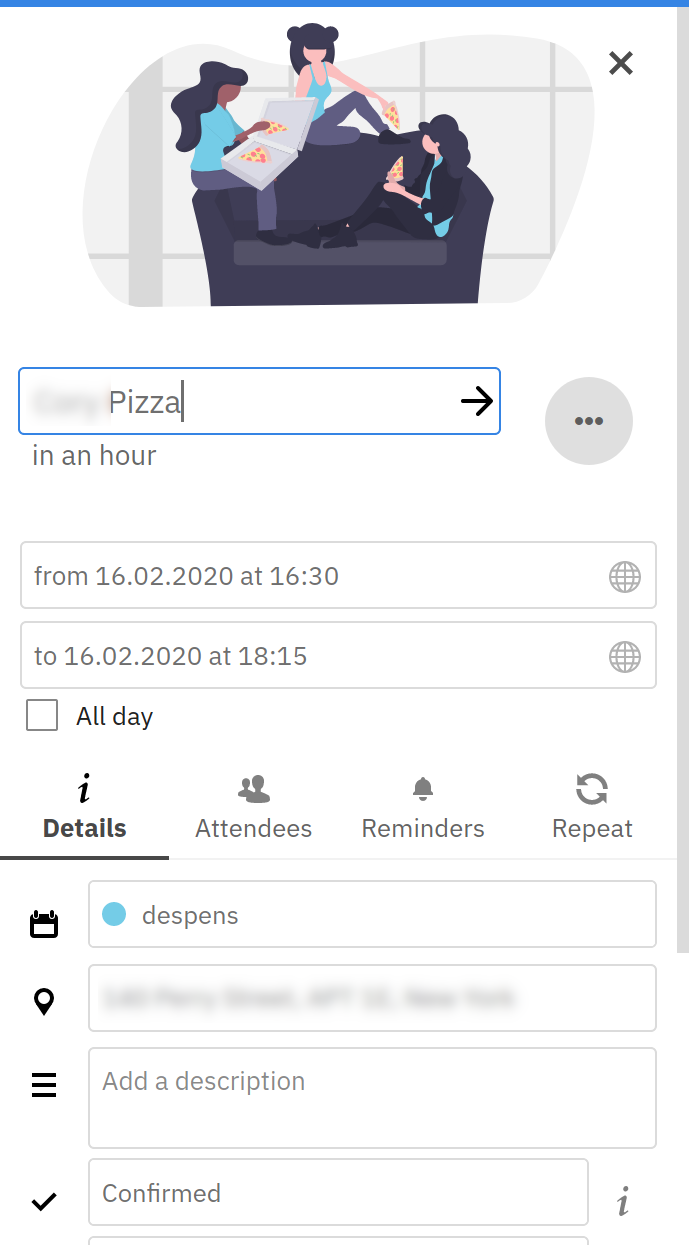
Three input fields + update button are only reachable by scrolling.
The CSS theming app can be used to remove the illustration, that dislocates the event details closing :heavy_multiplication_x: button a little though:
div.app-sidebar-header__figure {
  display: none;
}
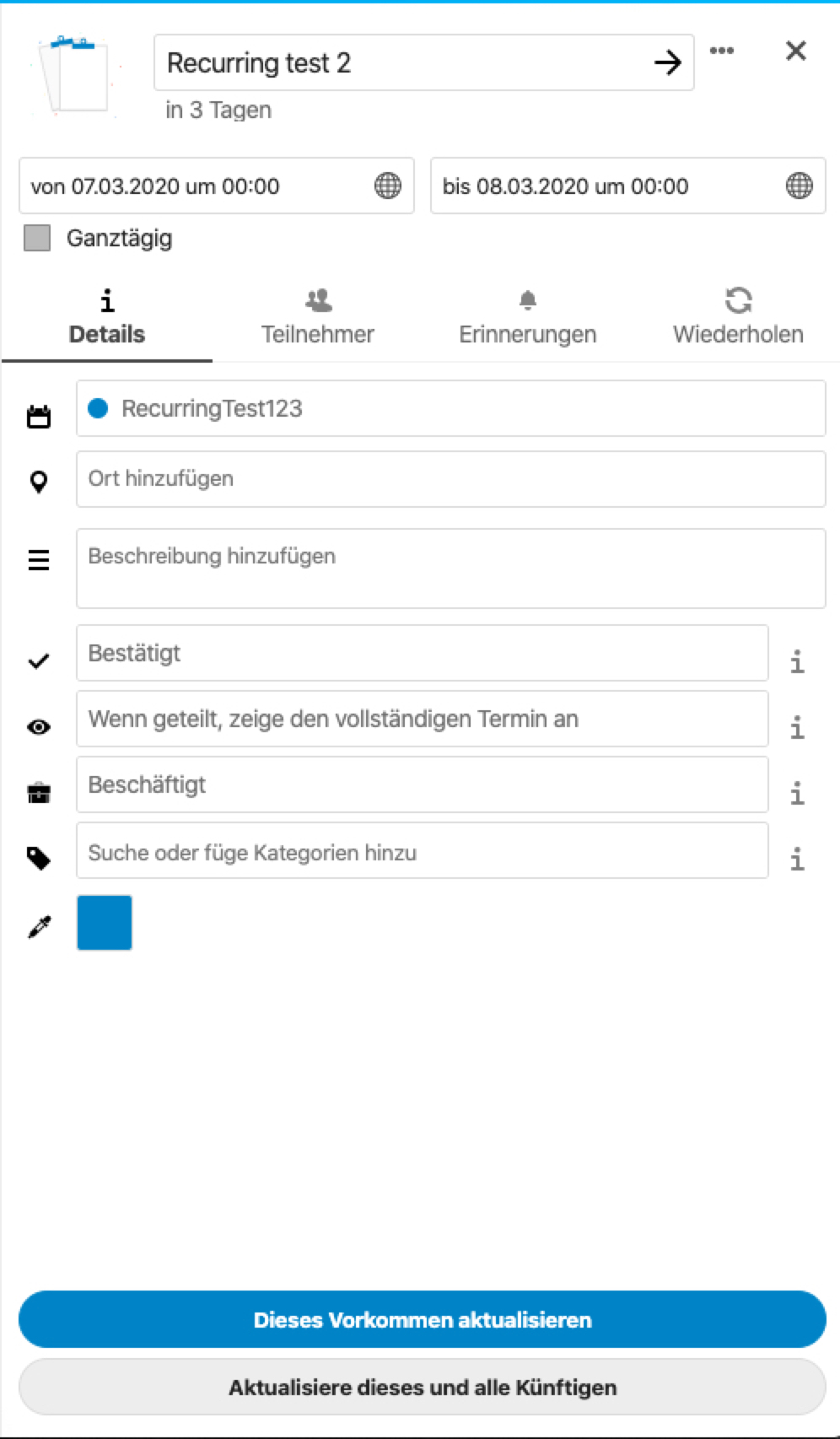
If the screen's height is too small, we should switch to compact mode:
georgehrke
on 3 Mar 2020
We are not gonna add an option to hide illustrations all together.
Would the project consider a pull request for this feature?
 ctag
on 1 Apr 2020
ctag
on 1 Apr 2020
We are not gonna add an option to hide illustrations all together.
Would the project consider a pull request for this feature?
No, we want sensible defaults and not configuration options for every tiny detail.
If illustrations are too big on small screens, we should just make them smaller.
georgehrke
on 1 Apr 2020
@ctag However, if you are willing to contribute a PR, it would be very much appreciated if you implemented the responsiveness.
The small preview i showed further above is easily done by setting compact to true in the AppSidebar: https://nextcloud-vue-components.netlify.com/#/Components/App%20containers?id=appsidebar
The only things that's really needed is the code that handles the window resize event and sets compact to true or false depending on whatever limits we decide on.
georgehrke
on 1 Apr 2020
@georgehrke Understood. If I can find some time this week I'll see if I can put together that PR.
ctag
on 5 Apr 2020
Had to tweak the CSS I use to hide these images. Sharing here in case it's useful.
.app-sidebar .illustration-header, .event-popover .popover-inner .illustration-header {
  height: 50px;
}

div.illustration-header svg {
  display: none;
}
And I found a resource that explains my thoughts on the illustrations better than I could:
https://www.youtube.com/watch?v=lFb7BOI_QFc
ctag
on 8 Feb 2021
Related issues
 GLLM
·
4Comments
GLLM
·
4Comments
 scorewinner
·
3Comments
scorewinner
·
3Comments
 raimund-schluessler
·
3Comments
raimund-schluessler
·
3Comments
 jancborchardt
·
3Comments
jancborchardt
·
3Comments
 deanforrest
·
4Comments
deanforrest
·
4Comments
Most helpful comment
If the screen's height is too small, we should switch to compact mode: