Calendar: Feature request: Share multiple calendars in one link
Hello,
I'd really love to see the following feature.
It would be awesome if you could share multiple calendars in one link.
For example I want to implement a calendar in an iframe on a website.
Let's say I have the two calendars "sport" and "meeting" with two different colors and I want to implement both of them on my website in one iframe, so the user sees all events with different colors.
Thank you,
Lucas
Want to back this issue? Post a bounty on it! We accept bounties via Bountysource.
 Ich5003
All 58 comments
As a first step we should just allow a user to pass multiple sharing tokens to the embed / public sharing site:
Right now it's like:
http://nextcloud.local/index.php/apps/calendar/p/token1
http://nextcloud.local/index.php/apps/calendar/embed/token1
The tokens are alphanumerical, so we can just use a dot (or a dash) as a separator and hand over a list of tokens like this:
http://nextcloud.local/index.php/apps/calendar/p/token1.token2.token3
http://nextcloud.local/index.php/apps/calendar/embed/token1.token2.token3
I'm not sure how to design a GUI that would allow a user to build these sharing URLs with multiple tokens (or whether that's necessary at all).
 georgehrke
on 3 Feb 2018
georgehrke
on 3 Feb 2018
If possible, we should do http://nextcloud.local/index.php/apps/calendar/p/token1/token2/token3 but I'm not sure if that's possible with the Nextcloud routing.
georgehrke
on 3 Feb 2018
What about something like this?
But I think it would be a good start to implement this without a GUI.

Ich5003
on 3 Feb 2018
Well, I think the primary question should be how often this feature is gonna be used.
While I see a use-case for certain scenarios (mostly by advanced users) I don't see the average user ever use this feature. And if that's the case, we shouldn't add a new UI element as prominently as you suggested imho.
cc @nextcloud/designers
georgehrke
on 5 Feb 2018
Yes, I agree @georgehrke. The url modification is already nice for sure. We can check how to better integrate this afterwards.
 jancborchardt
on 7 Feb 2018
jancborchardt
on 7 Feb 2018
Is somebody working on this or can I please get started with this for my rgsoc 2018?
 arunikayadav42
on 27 Feb 2018
arunikayadav42
on 27 Feb 2018
@arunikayadav42 I'm not aware of anyone working on this, so please go ahead :)
Please don't hesitate to ask if you have any question or need a hint where to start!
georgehrke
on 27 Feb 2018
@georgehrke alright!thanks for approving the request!
arunikayadav42
on 27 Feb 2018
@georgehrke I have already fiddled with this a bit but still cannot figure out how to get started with it!Can you please help me?
arunikayadav42
on 2 Mar 2018
If you need help installing Nextcloud on Ubuntu, please check out our developer manual :)
https://docs.nextcloud.com/server/13/developer_manual/general/devenv.html
It's very important that you don't install the calendar app via the app management inside Nextcloud.
You have to go into the apps folder and clone this repo in there. Afterwards you can build the calendar app by running make on your command line.
georgehrke
on 2 Mar 2018
Can you please let me know how will we use the make command .I have cloned the repo and downloaded nextcloud too.
arunikayadav42
on 5 Mar 2018
Also can you please hint me on getting started with solving the issue?
arunikayadav42
on 5 Mar 2018
Can you please let me know how will we use the make command .I have cloned the repo and downloaded nextcloud too.
To run make, you need to make sure that the following ubuntu packages are installed:
Afterwards you can simply run make from your terminal (inside the calendar directory).
Also can you please hint me on getting started with solving the issue?
This is the place to start: https://github.com/nextcloud/calendar/blob/master/js/app/controllers/calcontroller.js#L138
constants.publicSharingToken is the token for one calendar at the moment.
To get started, define a delimiter (I'd recommend . for now), split the string by the delimiter and call getPublicCalendar for each individual token. :)
georgehrke
on 5 Mar 2018
Can I please know if the code is in pure JS or is it angularJs?
arunikayadav42
on 6 Mar 2018
The code that you need to touch to implement this feature is pure javascript. Nothing specific to angular. :)
georgehrke
on 6 Mar 2018
also I am finding it difficult to understand the the code completely, any suggestions to resolve this please :)
arunikayadav42
on 6 Mar 2018
like what is the string that I need to split?
arunikayadav42
on 6 Mar 2018
The string you need to split is constants.publicSharingToken in https://github.com/nextcloud/calendar/blob/v1.6.1/js/app/controllers/calcontroller.js#L143
Right now, this is only one token that looks like nfyYiKeneo8YnfDM.
Now we want to be able to pass to multiple tokens, so constants.publicSharingToken could be nfyYiKeneo8YnfDM but also nfyYiKeneo8YnfDM.ikH6AaJfXEeGK8qg.
So before you pass the token to CalendarService.getPublicCalendar, you need to split it up by the given delimiter and then pass each token to CalendarService.getPublicCalendar individually.
                is.loading = false;
                // TODO - scope.apply should not be necessary here
                $scope.$apply();
should only be called once all calendars are loaded. :)
georgehrke
on 7 Mar 2018
@georgehrke I have finally installed nextcloud and it is running on my local server but I can't see anything in my calendar window, how do I see the changes made to the calcontroller.js file, please tell :)
arunikayadav42
on 8 Mar 2018
What was the output of the make command?
Are there any javascript logs?
Can you please post a screenshot of what you are seeing? :)
georgehrke
on 10 Mar 2018
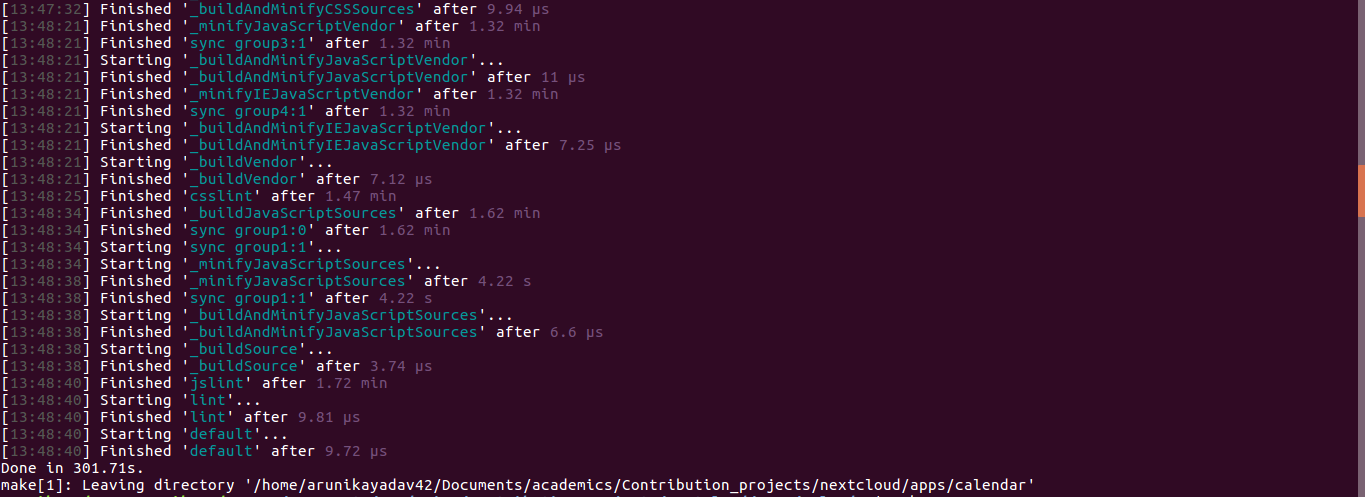
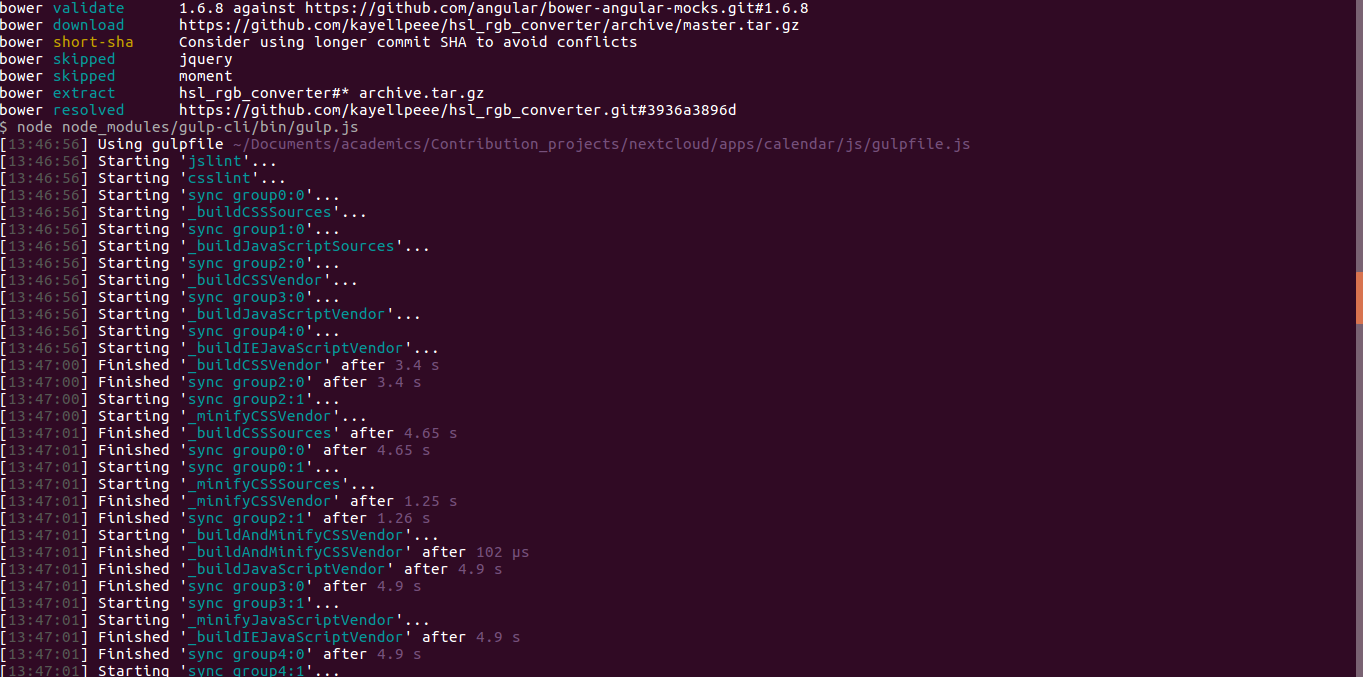
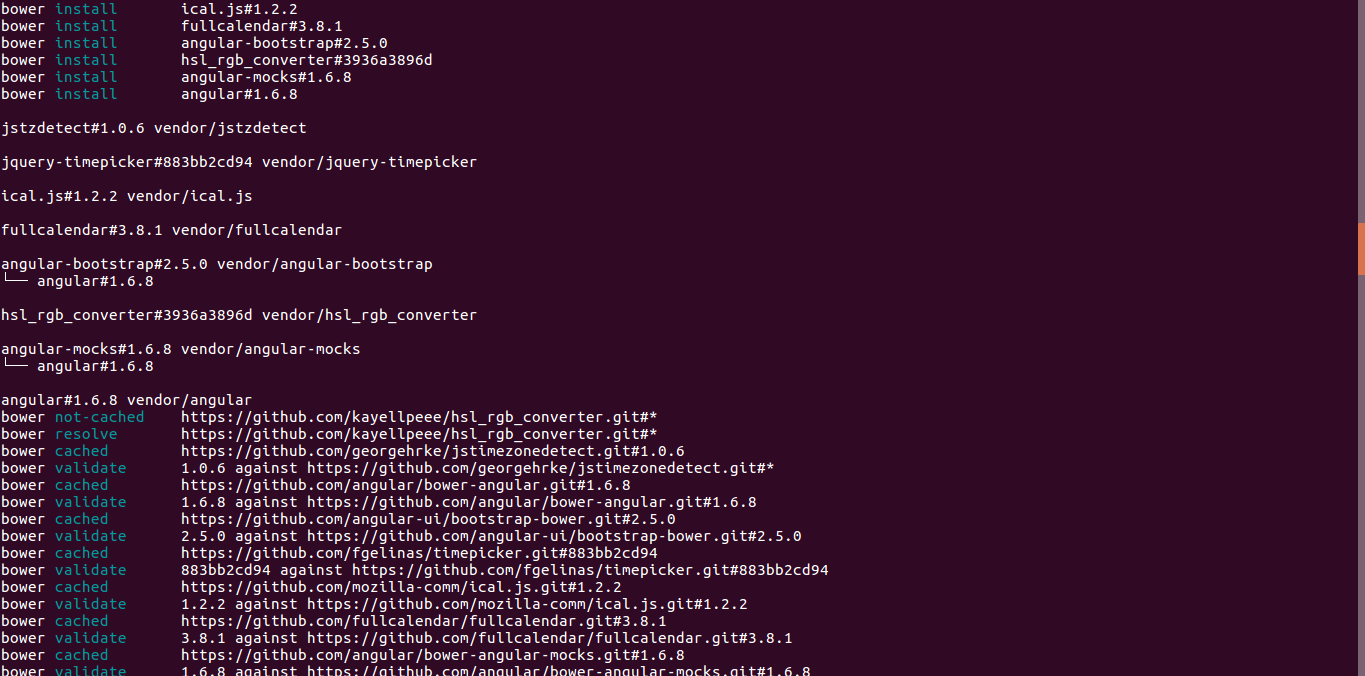
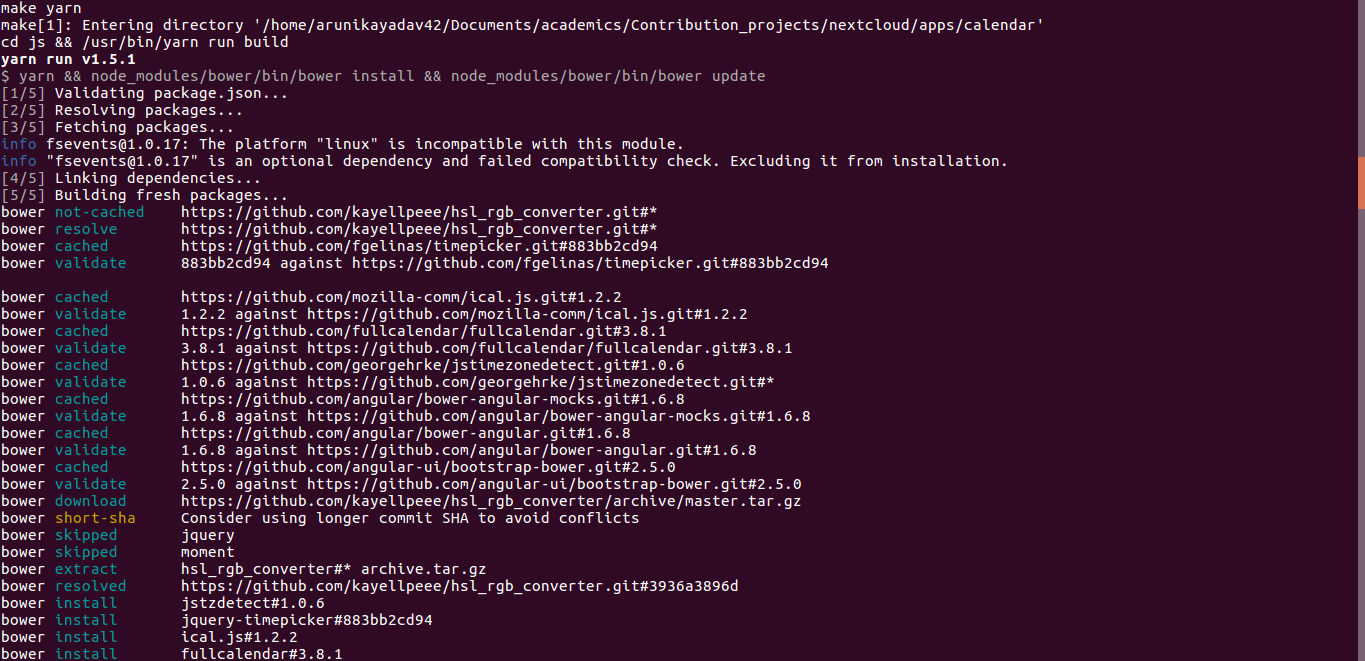
all of these, also I did make those changes in the calcontroller.js file
arunikayadav42
on 10 Mar 2018
but I can't see anything in my calendar window,
So what are you seeing in your calendar window? :)
Can you please post a screenshot of that too
georgehrke
on 10 Mar 2018
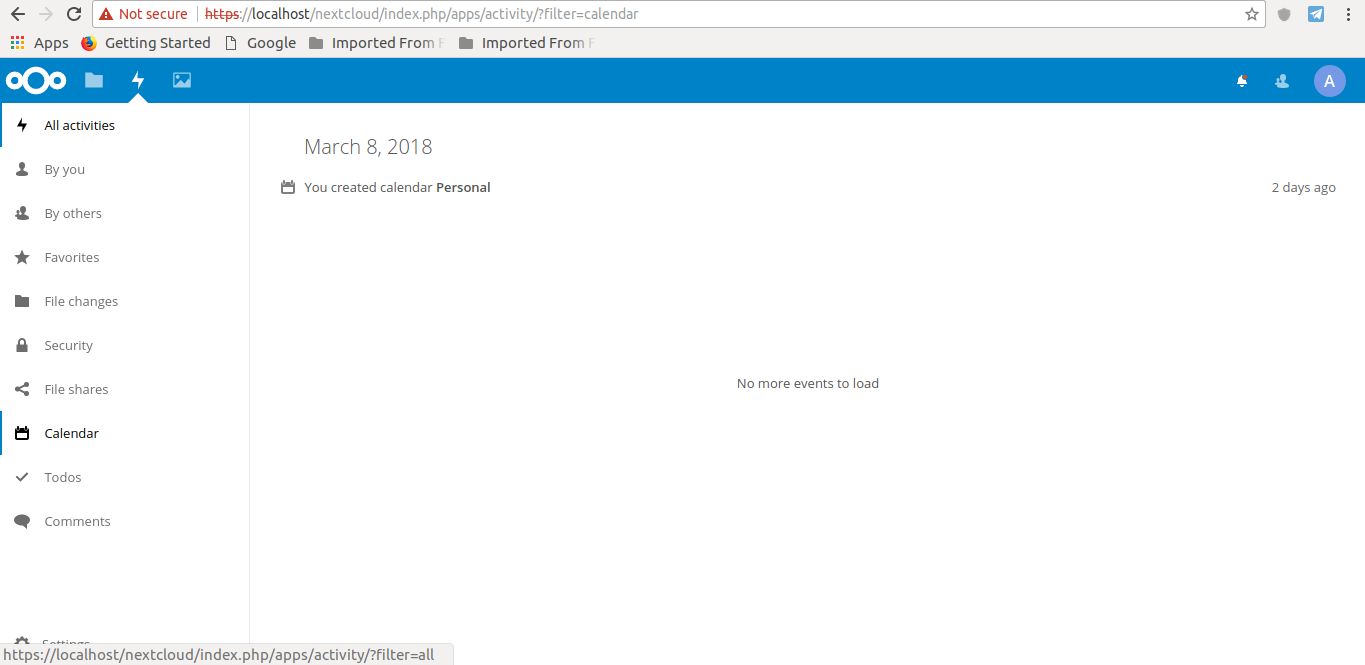
here you are :)
arunikayadav42
on 10 Mar 2018
That's the activity app, not the calendar app. ;) To enable the calendar app, click the A in the upper right, select Apps. That will take you to the apps management. Search for the Calendar and enable it.
Afterwards a calendar icon will pop up in the upper left corner next to the other ones. :)
georgehrke
on 10 Mar 2018
I have a little doubt here, you asked me not enable it that ways right?And can you please suggest to me some active slack channel where my doubts can be solved instantaneously?Thanks for the help though :)
arunikayadav42
on 10 Mar 2018
and how do I see the output of the changes that I made to the calcontroller.js file?
arunikayadav42
on 10 Mar 2018
I have a little doubt here, you asked me not enable it that ways right?
There must have been a misunderstanding, sorry. You were supposed not to enable it right away but only after getting the calendar app with the git clone command.
and how do I see the output of the changes that I made to the calcontroller.js file?
You will see them after enabling the calendar app. :)
You need to share a calendar publicly to get a token.
georgehrke
on 10 Mar 2018
I have already done the required changes in the code but when I create a PR it tells me that travis build failed.
arunikayadav42
on 11 Mar 2018
+1
 UtechtDustin
on 24 Apr 2018
UtechtDustin
on 24 Apr 2018
just for reference:
@Mannshoch provided a possible mockup for implementing later on in https://github.com/nextcloud/calendar/issues/806#issue-316864296
georgehrke
on 24 Apr 2018
I like the idea @Mannshoch
It's more advanced than my feature request and also provides UI elements.
Is there someone who want's to give this a try?
Ich5003
on 24 Apr 2018
@georgehrke
Is there any documentation/tutorial how i can easy setup a development environment?
UtechtDustin
on 24 Apr 2018
Is there any documentation/tutorial how i can easy setup a development environment?
Yes:
- https://docs.nextcloud.com/server/13/developer_manual/index.html
- https://github.com/nextcloud/calendar#developer-setup-info
But before anyone starts implementing @Mannshoch's proposal I would like to put it up for discussion. I think it serves a very special use case that only @Mannshoch and maybe a couple of other users but definitely not the majority have.
What's the use-case for the custom field? It doesn't even explain what it does? If I select custom Location, does it remove that information? does it remove anything but that information?
And what's the use-case for that? I don't know any calendar that offers that function.
georgehrke
on 25 Apr 2018
The idea of this user-defined field is to remove all fields of this event. Especially for business events, the title may not be the right information for third parties. If this seems too special to you, you can also replace this column with the Title only option. I could work with that. In this case I have to think twice about which title I use, but it is possible.

The cause why no calendar has this kind of tool is that until now no Calendar server was made for normal people and families. All Calendar solutions I know until now offer only tools a company need.
Anyway I see obviously also business cases where this Option could be used. A friend of mine is a janitor and looking of a way to show his customer free/busy time and the date he is at their location. The Idea there is to create a personal calendar for each customer and publish them on a personal web-page such combined Calendar which show all calendars as free/busy except the customers own calendars which contain only the title of the job.
 Mannshoch
on 25 Apr 2018
Mannshoch
on 25 Apr 2018
Wooa I'm looking for this too... I need to show on a public website several nexcloud calendars and I don't know if I can do in the same embed box like when I using my user inside nextcloud
 Al-Demon
on 25 Apr 2018
Al-Demon
on 25 Apr 2018
@Al-Demon Please use the Github Reactions feature instead of commenting that you need a feature too, +1, 👍 etc. These kinds of comments just unnecessarily notify everyone subscribed to this issue. Thx! :)
georgehrke
on 25 Apr 2018
Hey,
maybe you could have a look at https://www.teamup.com/
Having a similar implementation in Nextcloud would be awesome.
Ich5003
on 25 Apr 2018
OK, as I am stumbling onto this issue as I need it as well: What is the state at the moment?
- Is there any code implemented that allows to merge multiple calendars graphically when these are referenced somehow?
- Is the URL encoding done or not (see the discussion about the tokens above)?
- What are the further plans on this issue?
Thx!
 christianlupus
on 15 Jul 2018
christianlupus
on 15 Jul 2018
@christianlupus As far as I know there is currently no implementation.
An older pull request #765 tried to implement this, had some issues and was never updated again later.
4 days ago I created the pull request #865, but there is no comment on it yet.
Ich5003
on 15 Jul 2018
From the reaction I got until now https://github.com/nextcloud/server/issues/9422 I suggest that this would need some more, maybe to much server changes/work to implement it in a correct and clean way.
Mannshoch
on 16 Jul 2018
4 days ago I created the pull request #865, but there is no comment on it yet.
@Ich5003 Sorry about that, been too busy doing things in the Nextcloud server. Will review it this afternoon :)
georgehrke
on 16 Jul 2018
What's the status of this ?
This is a feature that I need for many clients using calendars for pultiple purposes and wanting to publish all those related to a service (or an activty) on the same webpage.
 31416r
on 13 Dec 2018
31416r
on 13 Dec 2018
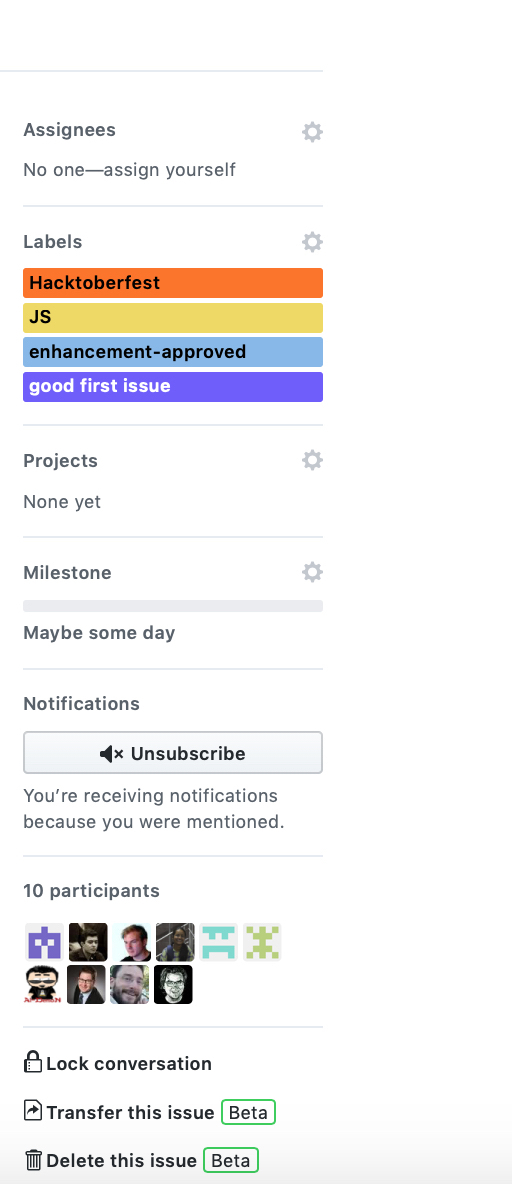
See the sidebar: No "2 - developing" label nor any assignee. So no one is working on this right now.
This is a feature that I need for many clients using calendars for pultiple purposes and wanting to publish all those related to a service (or an activty) on the same webpage.
Since you seem to be earning money with this software, feel free to jump right in and develop it, add a bounty to it or hire a freelancer to implement it to give something back to the community. Thx!
georgehrke
on 13 Dec 2018
What about the PR #870 ?
It seems that the requested changes has been made.
PS. I don't really make money out of Nextcloud, but I'll check if we can do something.
31416r
on 13 Dec 2018
I haven't quite understood the scope of this new feature yet. Is this only for publishing multiple calendars outside of NextCloud (to ics or iframe), or can I also share such a calender with other NextCloud users?
Example:
In our family we use many calendars (>10) which we use for clarity (colors, quick filtering) and permissions. My wife shares (read only) her business calendars with me. I don't need them to be individual calendars. I would prefer a single calendar "wife's business" that I can toggle all at once.
Is this possible with this feature, or do I need to create a new feature request?
 bee8bit
on 14 Oct 2019
bee8bit
on 14 Oct 2019
As far as I understand it, the idea is to allow to embed multiple calendars into a web page in a way similar to what Google Agenda is able to do : each calendar with its own color, all events from all calendars on a single grid.
Currently, NextCloud allow only to embed a single calendar at a time. Thus if you want to show multiple calendars, you have to display multiple frames.
31416r
on 14 Oct 2019
@bee8bit
See also my Issue https://github.com/nextcloud/server/issues/9422 this comment
This kind of data management seems not easy.
Mannshoch
on 14 Oct 2019
Implemented in https://github.com/nextcloud/calendar/pull/926
georgehrke
on 19 Oct 2019
Thank you georgehrke !
31416r
on 19 Oct 2019
Implemented in #926
@georgehrke Thanks!
Could you please point me to the documentation on how this feature is implemented in the new vue calendar!?
 mojoaxel
on 29 Nov 2019
mojoaxel
on 29 Nov 2019
@georgehrke Thank you for this!
Is there some URL example for using this? I tried
http://nextcloud.local/index.php/apps/calendar/p/token1.token2.token3
http://nextcloud.local/index.php/apps/calendar/p/token1-token2-token3
http://nextcloud.local/index.php/apps/calendar/p/token1/token2/token3
without success.
 martignoni
on 5 Jan 2020
martignoni
on 5 Jan 2020
@georgehrke Thank you, I'm a volunteer in an association which needed this feature to display many calendars on its website. I'm using the stable version (1.7.2), and I'll wait the 2.0 to be published in Nextcloud Apps. That will really be useful for us.
 CoudCoud
on 15 Jan 2020
CoudCoud
on 15 Jan 2020
an association which needed this feature to display many calendars on its website
You should still encounter https://github.com/nextcloud/calendar/issues/169, even if https://help.nextcloud.com/t/solved-nextcloud-16-how-to-allow-iframe-usage/52278/4 may help
 tcitworld
on 15 Jan 2020
tcitworld
on 15 Jan 2020
@georgehrke Thank you for this!
Is there some URL example for using this? I tried
http://nextcloud.local/index.php/apps/calendar/p/token1.token2.token3
http://nextcloud.local/index.php/apps/calendar/p/token1-token2-token3
http://nextcloud.local/index.php/apps/calendar/p/token1/token2/token3
without success.
After a quick look into the code, you should use the embed route, and simply put an hyphen between calendar tokens, like this:
http://nextcloud.local/index.php/apps/calendar/embed/token1-token2-token3
With the p route, you still get the left margin with the calendar list.
Note that, like tcitworld said, you still need to configure your Nextcloud to accept embedding from other domains.
31416r
on 21 Jan 2020
@georgehrke Thank you for this!
Is there some URL example for using this? I triedhttp://nextcloud.local/index.php/apps/calendar/p/token1.token2.token3 http://nextcloud.local/index.php/apps/calendar/p/token1-token2-token3 http://nextcloud.local/index.php/apps/calendar/p/token1/token2/token3without success.
After a quick look into the code, you should use the
embedroute, and simply put an hyphen between calendar tokens, like this:@31416r Not sure how regular users are gonna find out about this feature without looking into the code.
http://nextcloud.local/index.php/apps/calendar/embed/token1-token2-token3With the
proute, you still get the left margin with the calendar list.Note that, like tcitworld said, you still need to configure your Nextcloud to accept embedding from other domains.
Thanks a lot it works!
 welaq
on 21 Jan 2020
welaq
on 21 Jan 2020
I confirm. Use dashes to separate the tokens!
martignoni
on 21 Jan 2020
@31416r Not sure how regular users are gonna find out about this feature without looking into the code.
We will have to add this to our documentation. (I added it to https://github.com/nextcloud/calendar/issues/1814#issuecomment-576657068)
If you read the discussion further up in this thread we agreed not to have a UI for this, because we think the amount of users actually using this feature is pretty low. It was not worth introducing another element cluttering the UI for it. Instead, advanced users who need this feature, can build those URLs easily themselves.
georgehrke
on 21 Jan 2020
I added an issue to bring it into docs: https://github.com/nextcloud/calendar/issues/2289
 alexanderdd
on 28 May 2020
alexanderdd
on 28 May 2020
Related issues
 brylie
·
3Comments
brylie
·
3Comments
 juliushaertl
·
4Comments
juliushaertl
·
4Comments
 mauritslamers
·
4Comments
mauritslamers
·
4Comments
 gschenck
·
4Comments
gschenck
·
4Comments
 bcag2
·
4Comments
bcag2
·
4Comments
Most helpful comment
As a first step we should just allow a user to pass multiple sharing tokens to the embed / public sharing site:
Right now it's like:
http://nextcloud.local/index.php/apps/calendar/p/token1http://nextcloud.local/index.php/apps/calendar/embed/token1The tokens are alphanumerical, so we can just use a dot (or a dash) as a separator and hand over a list of tokens like this:
http://nextcloud.local/index.php/apps/calendar/p/token1.token2.token3http://nextcloud.local/index.php/apps/calendar/embed/token1.token2.token3I'm not sure how to design a GUI that would allow a user to build these sharing URLs with multiple tokens (or whether that's necessary at all).