Cake: Azure Devops cake task fails with "Exception calling "DownloadFile" with "2" argument(s): "The path is not of a legal form."
What You Are Seeing?
Calling an Azure Cake task results in the following error
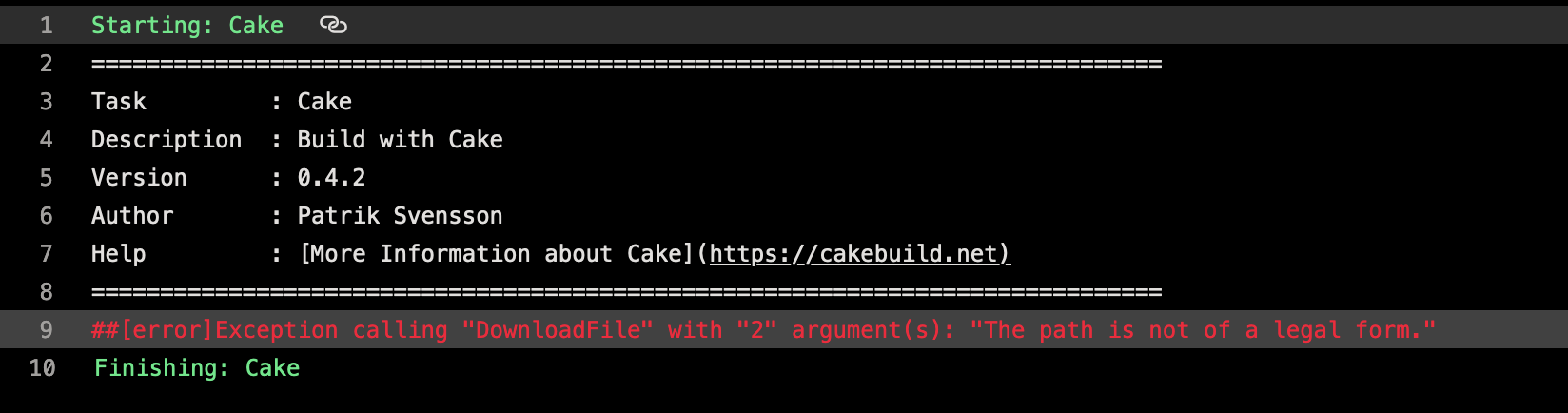
[error]Exception calling "DownloadFile" with "2" argument(s): "The path is not of a legal form."
What is Expected?
Success
What version of Cake are you using?
Latest Azure Cake plugin
Are you running on a 32 or 64 bit system?
64
What environment are you running on? Windows? Linux? Mac?
Windows
Are you running on a CI Server? If so, which one?
Azure Devops running the windows 2019 build agent
How Did You Get This To Happen? (Steps to Reproduce)
Started happening today
Using the following cake file
Task ("Test")
    .Does (() => {
    Console.WriteLine("test")
    });

RunTarget ("Test");
Output Log
~~~sh
2020-02-28T04:44:21.1438537Z ##[section]Starting: Cake
2020-02-28T04:44:21.1561086Z ==============================================================================
2020-02-28T04:44:21.1561441Z Task : Cake
2020-02-28T04:44:21.1561872Z Description : Build with Cake
2020-02-28T04:44:21.1562107Z Version : 0.4.2
2020-02-28T04:44:21.1562370Z Author : Patrik Svensson
2020-02-28T04:44:21.1562875Z Help : More Information about Cake
2020-02-28T04:44:21.1563289Z ==============================================================================
2020-02-28T04:44:22.8981930Z ##[error]Exception calling "DownloadFile" with "2" argument(s): "The path is not of a legal form."
2020-02-28T04:44:22.9203029Z ##[section]Finishing: Cake
~~~
 scott-the-programmer
All 5 comments
We see the same after the task update.
 sreeraj-rajendran
on 28 Feb 2020
sreeraj-rajendran
on 28 Feb 2020
Same issue. Running the pipeline with system.debug set to true, I get the following output:
##[debug]Getting nuget.exe from
##[debug]Caught exception from task script.
##[debug]Error record:
##[debug]ForEach-Object : Exception calling "DownloadFile" with "2" argument(s): "The path is not of a legal form."
##[debug]At line:19 char:13
##[debug]+             ForEach-Object {
##[debug]+             ~~~~~~~~~~~~~~~~
##[debug]    + CategoryInfo          : NotSpecified: (:) [ForEach-Object], MethodInvocationException
##[debug]    + FullyQualifiedErrorId : ArgumentException,Microsoft.PowerShell.Commands.ForEachObjectCommand
##[debug]
##[debug]Script stack trace:
##[debug]at <ScriptBlock>, C:\Bin\Agents\Agent1\_work\_tasks\Cake_b88ea9a0-7d6e-11e5-b5de-d57d652482f7\0.4.2\Cake.ps1: line 58
The code related to this line 58 is:
 # If we haven't been given a custom nuget.exe download location then download the latest version from nuget.org.
  if($null -eq $nugetExeDownloadLocation) {
      $nugetExeDownloadLocation = "https://dist.nuget.org/win-x86-commandline/latest/nuget.exe"
  }
  Write-Verbose "Getting nuget.exe from $nugetExeDownloadLocation"
  **(New-Object System.Net.WebClient).DownloadFile($nugetExeDownloadLocation, $NuGetPath);**
  # Make sure it was properly downloaded.
  if (!(Test-Path $NuGetPath)) {
      Throw "Could not find nuget.exe";
  }
The URL above is valid, but as you can see from line 1 in the log file above "Getting nuget.exe from $nugetExeDownloadLocation" is blank. So the issue appears to be that $nugetExeDownloadLocation is not set.
You can fix this problem in the Cake script task in the pipeline by either:
1) Ticking the box beside "Use the Build Agent NuGet"
2) Putting the value "https://dist.nuget.org/win-x86-commandline/latest/nuget.exe" into the field "Nuget Exe Location"
I tested both of these approaches and both worked.
 danieljgmaclean
on 28 Feb 2020
danieljgmaclean
on 28 Feb 2020
A potential fix has been proposed here :
https://github.com/cake-build/cake-vso/issues/60
sreeraj-rajendran
on 28 Feb 2020
As a temporary solution, you can enable the option – “Use the Build Agent Nuget” in the cake task in azure pipeline. That works in my case
 bkowalczyk88
on 28 Feb 2020
bkowalczyk88
on 28 Feb 2020
@scott-the-programmer any issue related to the Azure DevOps Extension for Cake should be opened in its repository, which you can find here:
https://github.com/cake-build/cake-vso
As mentioned, there is already an issue tracking this problem:
https://github.com/cake-build/cake-vso/issues/60
So I am going to close ahead and close this one.
 gep13
on 28 Feb 2020
gep13
on 28 Feb 2020
Related issues
 vktr
·
6Comments
vktr
·
6Comments
 Gargony
·
3Comments
Gargony
·
3Comments
 islopma
·
3Comments
islopma
·
3Comments
 augustoproiete
·
5Comments
augustoproiete
·
5Comments
 patriksvensson
·
5Comments
patriksvensson
·
5Comments
Most helpful comment
We see the same after the task update.